

Your Browsing History

Meet Your Seller
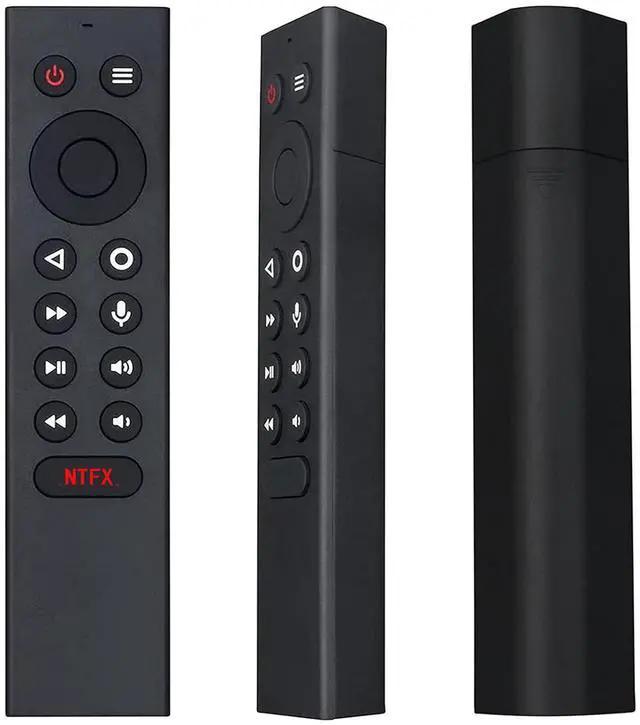
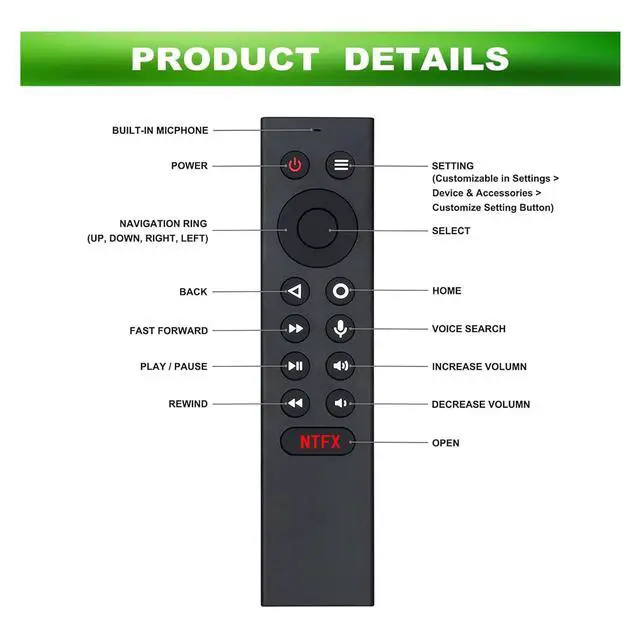
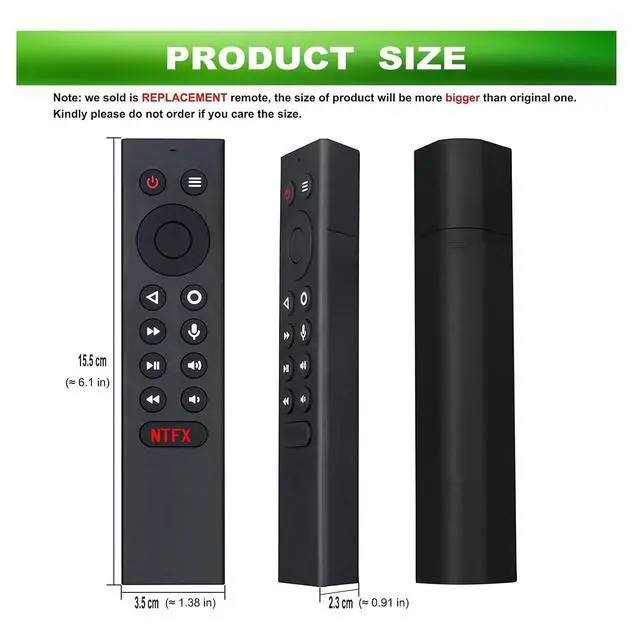
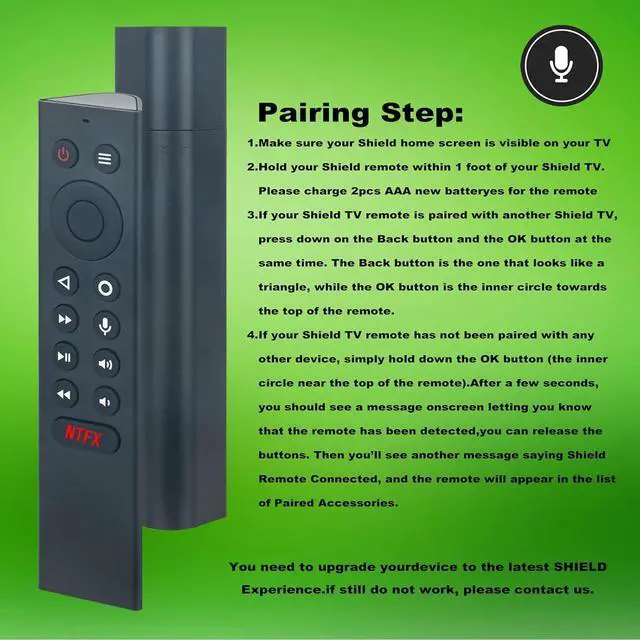
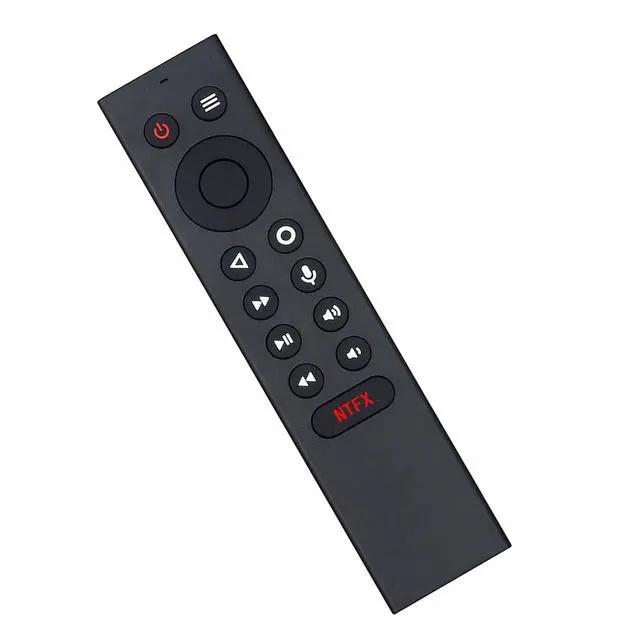
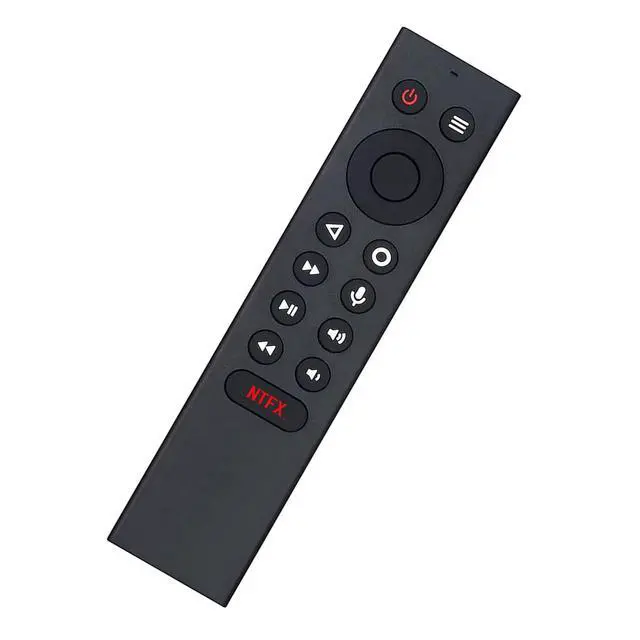


P3700 sub P2575 P2897 Replacement Voice Remote Control fit for NVIDIA | Shield TV Pro, Fit for NVIDIA Shield TV 2017/2019 Models
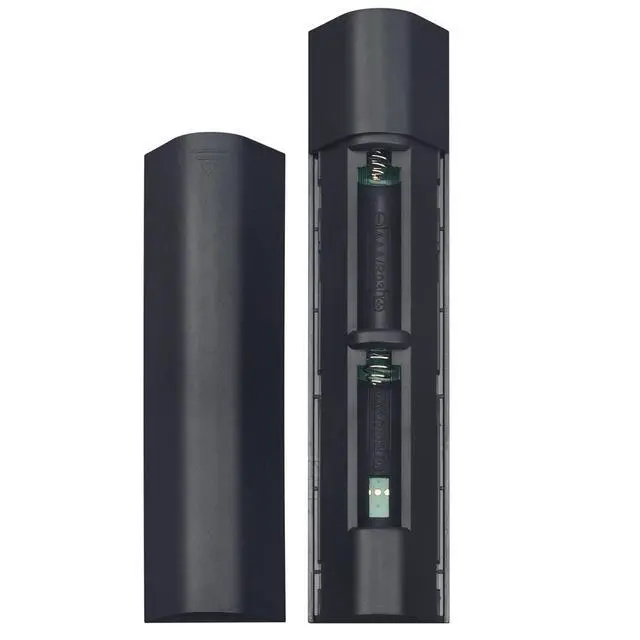
- P3700 Replacement Voice Remote control is designed for NVIDIA SHIELD TV Pro and for NVIDIA SHIELD TV 2017/2019 models. Compatible Models: This remote fits Nvidia Shield TV 4K HDR Player, fits Nvidia Shield TV Pro 4K HDR Player, and is suitable for Shield TV 2017/2019 models. Note: This is not a universal remote and lacks a backlight feature. This is a replacement remote control. Please unpair your old remote, then pair this new remote with your device prior to use. It includes motion activation, enabling convenient control of your TV through voice search and customizable menu buttons. Pairing Instructions: 1. Ensure your Shield home screen is displayed on your TV. 2. Keep the Shield remote within 1 foot of your Shield TV. Please power it with 2 new AAA batteries. 3. If pairing a new remote, press and hold the Select button on the remote until the remote light flashes. If your remote has been paired to a different Shield device, press and hold the Home and Back buttons until the remote light flashes. (Please remove the batteries from your old remote when you pair a new remote.) Important: When pairing the remote, stay close to your TV box within 10-50 centimeters and hold the "OK" key to pair until the TV shows "pairing success". 1. Please insert two batteries. 2. Press and hold the BACK key and HOME key together for 3-5 seconds; the indicator light flashes and enters pairing mode. Once pairing is complete, the indicator light will turn off
+
+
Overview
Specs
Reviews

Any questions? Our AI mode will help you find out quickly.
Try me now
P3700 Replacement Voice Remote control is designed for NVIDIA SHIELD TV Pro and for NVIDIA SHIELD TV 2017/2019 models.
Compatible Models: This remote fits Nvidia Shield TV 4K HDR Player, fits Nvidia Shield TV Pro 4K HDR Player, and is suitable for Shield TV 2017/2019 models.
Note: This is not a universal remote and lacks a backlight feature. This is a replacement remote control. Please unpair your old remote, then pair this new remote with your device prior to use. It includes motion activation, enabling convenient control of your TV through voice search and customizable menu buttons.
Pairing Instructions: 1. Ensure your Shield home screen is displayed on your TV. 2. Keep the Shield remote within 1 foot of your Shield TV. Please power it with 2 new AAA batteries. 3. If pairing a new remote, press and hold the Select button on the remote until the remote light flashes. If your remote has been paired to a different Shield device, press and hold the Home and Back buttons until the remote light flashes. (Please remove the batteries from your old remote when you pair a new remote. )
Important: When pairing the remote, stay close to your TV box within 10-50 centimeters and hold the "OK" key to pair until the TV shows "pairing success". 1. Please insert two batteries. 2. Press and hold the BACK key and HOME key together for 3-5 seconds; the indicator light flashes and enters pairing mode. Once pairing is complete, the indicator light will turn off
Compatible Models: This remote fits Nvidia Shield TV 4K HDR Player, fits Nvidia Shield TV Pro 4K HDR Player, and is suitable for Shield TV 2017/2019 models.
Note: This is not a universal remote and lacks a backlight feature. This is a replacement remote control. Please unpair your old remote, then pair this new remote with your device prior to use. It includes motion activation, enabling convenient control of your TV through voice search and customizable menu buttons.
Pairing Instructions: 1. Ensure your Shield home screen is displayed on your TV. 2. Keep the Shield remote within 1 foot of your Shield TV. Please power it with 2 new AAA batteries. 3. If pairing a new remote, press and hold the Select button on the remote until the remote light flashes. If your remote has been paired to a different Shield device, press and hold the Home and Back buttons until the remote light flashes. (Please remove the batteries from your old remote when you pair a new remote. )
Important: When pairing the remote, stay close to your TV box within 10-50 centimeters and hold the "OK" key to pair until the TV shows "pairing success". 1. Please insert two batteries. 2. Press and hold the BACK key and HOME key together for 3-5 seconds; the indicator light flashes and enters pairing mode. Once pairing is complete, the indicator light will turn off
Warranty & Returns
Warranty, Returns, And Additional Information
Warranty
- Please contact the Seller directly for warranty information. Warranty information may also be found on the Manufacturer's website.
- CONTACT
Return Policies
- Return for refund within: 30 days
- Return for replacement within: 30 days
- This item is covered by Audivibe Return Policy
Manufacturer Contact Info
- For a directory of all our manufacturers, please click below.
- Manufacturers Directory
LOADING...