

Your Browsing History

Meet Your Seller


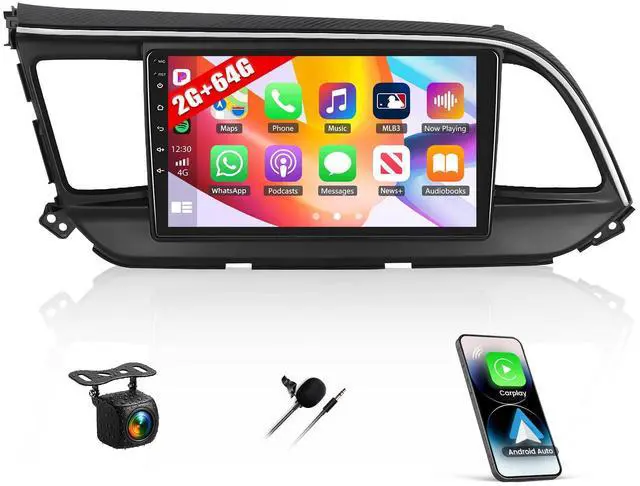


2+64G Android Car Stereo for Hyundai Elantra 2019 2020 Upgrade Radio with Wireless Carplay Android Auto, 9 inch Touchscreen GPS Bluetooth FM/RDS WiFi Mirror Link EQ SWC AHD Backup Camera
Limited time offer, ends 08/27 By JadeEssence Shop
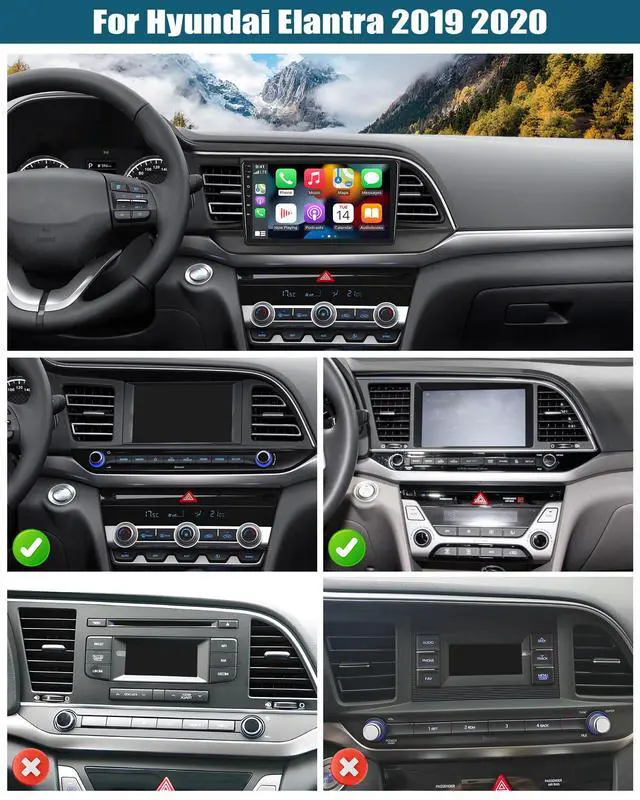
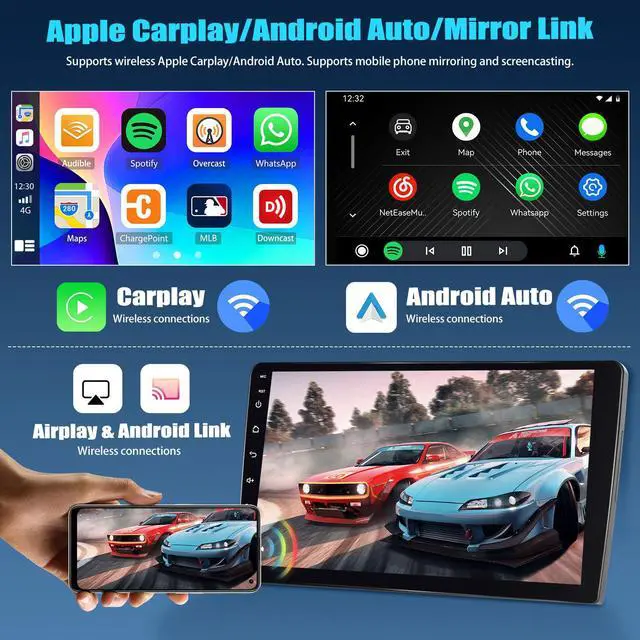
- This car radio is designed for the Hyundai Elantra 2019 and 2020 models with the large screen version, offering plug-and-play installation. Please verify compatibility with your original radio. The Android radio can synchronize your phonebook, emails, notifications, map navigation apps, and music apps from your phone. It supports calling your phone's voice assistant for voice control. Keep your mobile phone's WiFi switch on. Connect via Bluetooth and open the [CPLink] or [Android Auto] app to establish an automatic connection. Through mirror link functionality, your phone's screen can be transmitted to the touchscreen radio. This is ideal for projecting downloaded videos from your phone to the radio for viewing. Select the "carbitlink" app. This touchscreen supports split-screen display, allowing the left and right screens to be operated independently. Click the rectangle at the top of the screen, select a browser page, and drag it to the left or right side. The upgraded radio for Hyundai Elantra 2019 allows you to change between various desktop themes. Different themes can bring different visual experiences to your car's interior. Long-press a blank space on the home page to change to your preferred desktop theme at will. It features a 9-inch touchscreen with 1024*600 resolution, offering responsive and smooth operation. Connect to WiFi to download various applications on the upgraded radio. You can listen to online music and watch "YouTube" videos. It is as convenient as
+
+
Overview
Specs
Reviews

Any questions? Our AI mode will help you find out quickly.
Try me now
This car radio is designed for the Hyundai Elantra 2019 and 2020 models with the large screen version, offering plug-and-play installation. Please verify compatibility with your original radio. The Android radio can synchronize your phonebook, emails, notifications, map navigation apps, and music apps from your phone. It supports calling your phone's voice assistant for voice control. Keep your mobile phone's WiFi switch on. Connect via Bluetooth and open the [CPLink] or [Android Auto] app to establish an automatic connection. Through mirror link functionality, your phone's screen can be transmitted to the touchscreen radio.
This is ideal for projecting downloaded videos from your phone to the radio for viewing. Select the "carbitlink" app. This touchscreen supports split-screen display, allowing the left and right screens to be operated independently. Click the rectangle at the top of the screen, select a browser page, and drag it to the left or right side. The upgraded radio for Hyundai Elantra 2019 allows you to change between various desktop themes. Different themes can bring different visual experiences to your car's interior. Long-press a blank space on the home page to change to your preferred desktop theme at will.
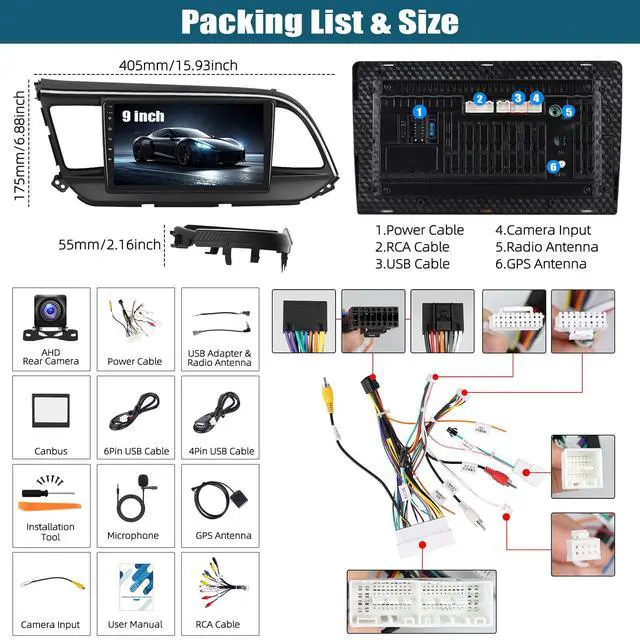
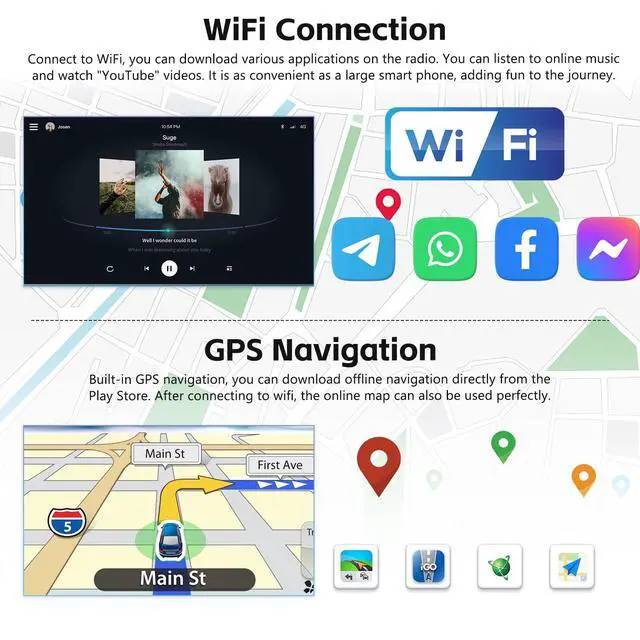
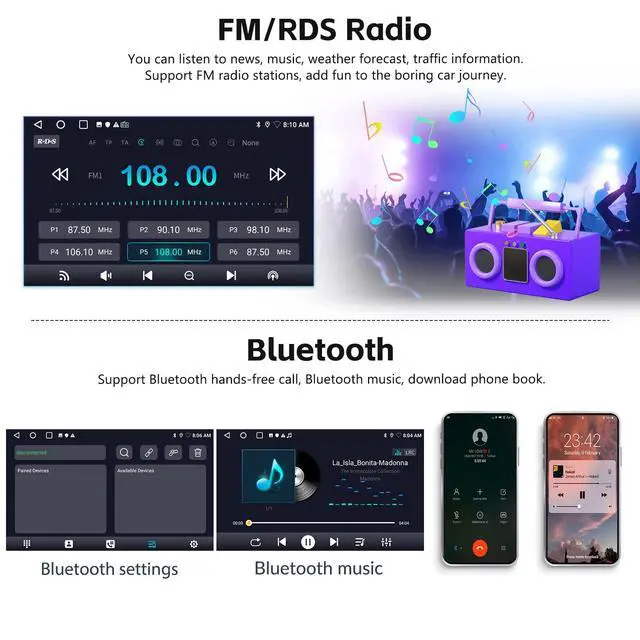
It features a 9-inch touchscreen with 1024*600 resolution, offering responsive and smooth operation. Connect to WiFi to download various applications on the upgraded radio. You can listen to online music and watch "YouTube" videos. It is as convenient as a large smartphone, adding enjoyment to your journey. Built-in GPS navigation allows you to download offline navigation apps directly from the Play Store. After connecting to WiFi, online maps can also be used perfectly. This Android car stereo for Hyundai Elantra 2019 comes with built-in Bluetooth and a microphone. Bluetooth supports incoming/outgoing calls, synchronizing your address book, and playing music from your phone.
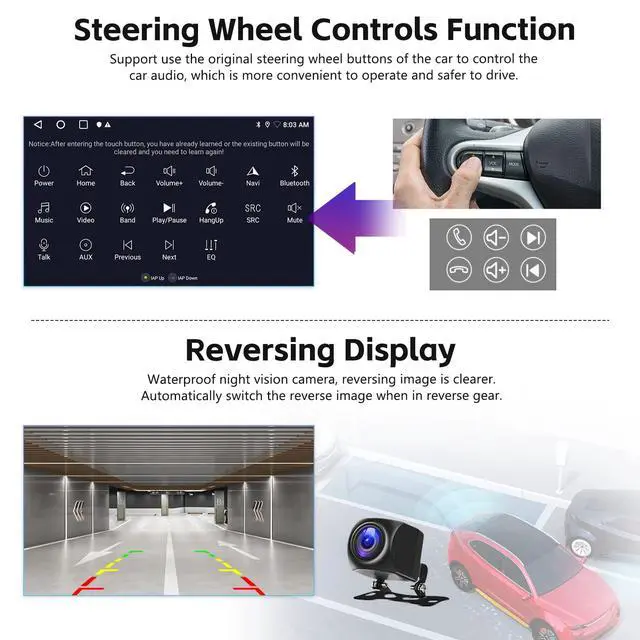
You can listen to news, music, weather forecasts, and traffic information. It supports radio stations (FM 87.5 -108 MHz), adding entertainment to your drive. Supports using your car's original steering wheel buttons to control the audio, making operation more convenient and driving safer. Includes a waterproof night vision backup camera for a clearer reversing image. Please ensure the two very short wires on the camera remain connected.
Note: Check the radio's backup camera resolution settings. Navigate to Settings -> Factory Settings ->
Password: 1234 ->
Backcar Source Setting: Select AHD 720P 25fps
This is ideal for projecting downloaded videos from your phone to the radio for viewing. Select the "carbitlink" app. This touchscreen supports split-screen display, allowing the left and right screens to be operated independently. Click the rectangle at the top of the screen, select a browser page, and drag it to the left or right side. The upgraded radio for Hyundai Elantra 2019 allows you to change between various desktop themes. Different themes can bring different visual experiences to your car's interior. Long-press a blank space on the home page to change to your preferred desktop theme at will.
It features a 9-inch touchscreen with 1024*600 resolution, offering responsive and smooth operation. Connect to WiFi to download various applications on the upgraded radio. You can listen to online music and watch "YouTube" videos. It is as convenient as a large smartphone, adding enjoyment to your journey. Built-in GPS navigation allows you to download offline navigation apps directly from the Play Store. After connecting to WiFi, online maps can also be used perfectly. This Android car stereo for Hyundai Elantra 2019 comes with built-in Bluetooth and a microphone. Bluetooth supports incoming/outgoing calls, synchronizing your address book, and playing music from your phone.
You can listen to news, music, weather forecasts, and traffic information. It supports radio stations (FM 87.5 -108 MHz), adding entertainment to your drive. Supports using your car's original steering wheel buttons to control the audio, making operation more convenient and driving safer. Includes a waterproof night vision backup camera for a clearer reversing image. Please ensure the two very short wires on the camera remain connected.
Note: Check the radio's backup camera resolution settings. Navigate to Settings -> Factory Settings ->
Password: 1234 ->
Backcar Source Setting: Select AHD 720P 25fps
Warranty & Returns
Warranty, Returns, And Additional Information
Warranty
- Please contact the Seller directly for warranty information. Warranty information may also be found on the Manufacturer's website.
- CONTACT
Return Policies
- Return for refund within: 30 days
- Return for replacement within: 30 days
- This item is covered by JadeEssence Shop Return Policy
Manufacturer Contact Info
- For a directory of all our manufacturers, please click below.
- Manufacturers Directory
LOADING...