

Your Browsing History

Meet Your Seller



Display Port Splitter for Dual Monitors, 4K@120Hz DisplayPort to Dual DisplayPort Adapter, Displayport MST Hub, Monitor Splitter, Dual Monitor Adapter for Laptop, Desktop, Graphics Card and More
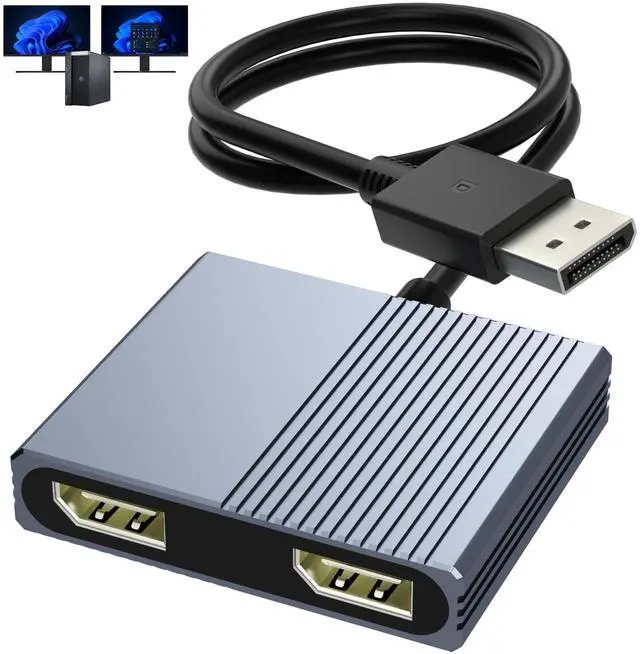
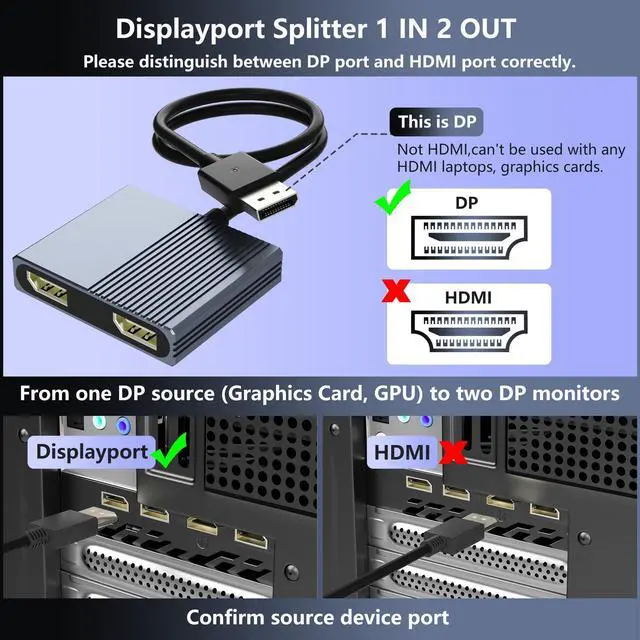
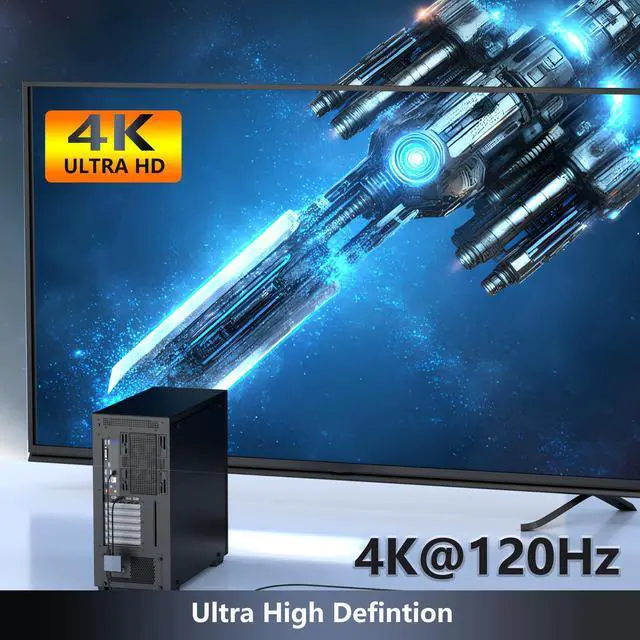
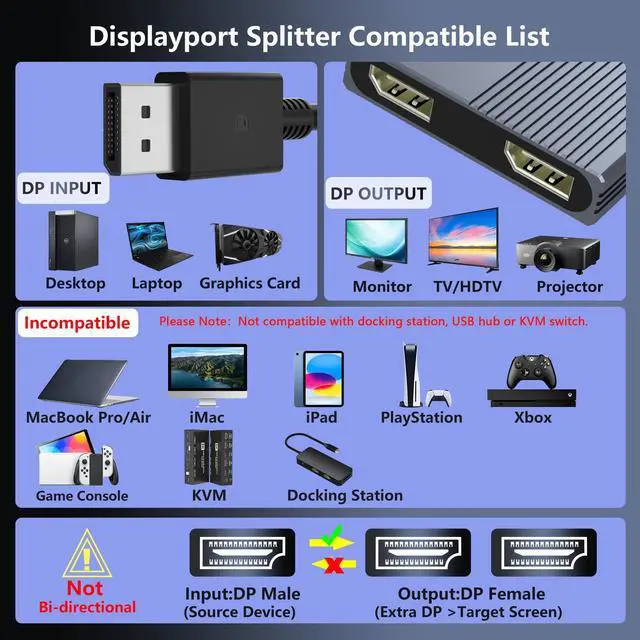
- This DisplayPort splitter is engineered to mirror or extend video signals from a single DisplayPort source to two DisplayPort monitors. It is effective for multitasking, presentations, and immersive viewing. For best functionality, verify that your device has DisplayPort interfaces. This dual monitor splitter is not compatible with docking stations, USB hubs, or KVM switches, and only supports output from a DisplayPort source to dual DisplayPort displays. This DisplayPort splitter for dual monitors supports resolutions up to 4K at 120Hz, providing smooth visuals with clarity. It is backward compatible with lower resolutions such as 4K@60Hz and 1080p@60Hz, making it adaptable for various setups. To achieve dual 4K@120Hz output, ensure your source device supports DisplayPort 1.4 and DSC (Display Stream Compression). Use a high-quality DisplayPort 1.4 cable no longer than 6 feet (1.8 meters) for stable signal transmission. The DisplayPort splitter for dual monitors supports both SST (AAA/ABB) and MST (ABC) modes. Ensure the DP port on your host device is from a dedicated graphics card rather than an integrated graphics unit. Due to hardware limitations, integrated graphics may not support display output or may only support mirror mode. If you cannot get the extended display, update your graphics card driver to the latest version. Before use, connect the USB-C power cable to a USB port on the DisplayPort MST hub to supply power to the built-in chipset. A 5V 2A power adapter is
+
+
Overview
Specs
Reviews

Any questions? Our AI mode will help you find out quickly.
Try me now
This DisplayPort splitter is engineered to mirror or extend video signals from a single DisplayPort source to two DisplayPort monitors. It is effective for multitasking, presentations, and immersive viewing. For best functionality, verify that your device has DisplayPort interfaces. This dual monitor splitter is not compatible with docking stations, USB hubs, or KVM switches, and only supports output from a DisplayPort source to dual DisplayPort displays. This DisplayPort splitter for dual monitors supports resolutions up to 4K at 120Hz, providing smooth visuals with clarity. It is backward compatible with lower resolutions such as 4K@60Hz and 1080p@60Hz, making it adaptable for various setups.
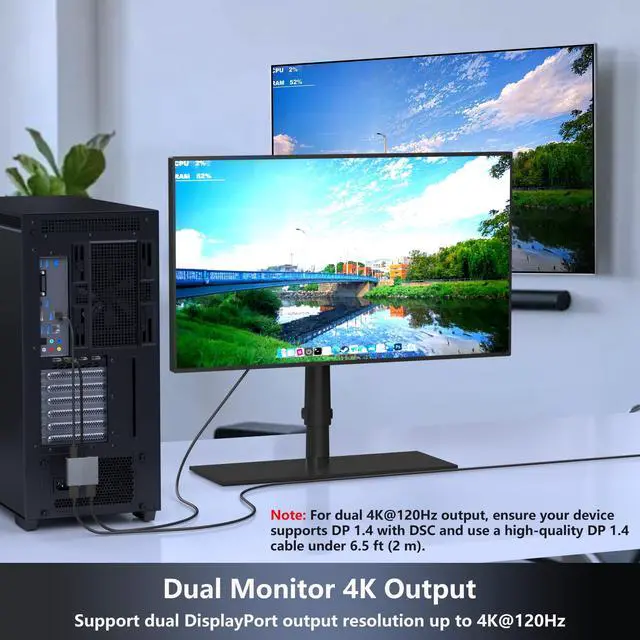
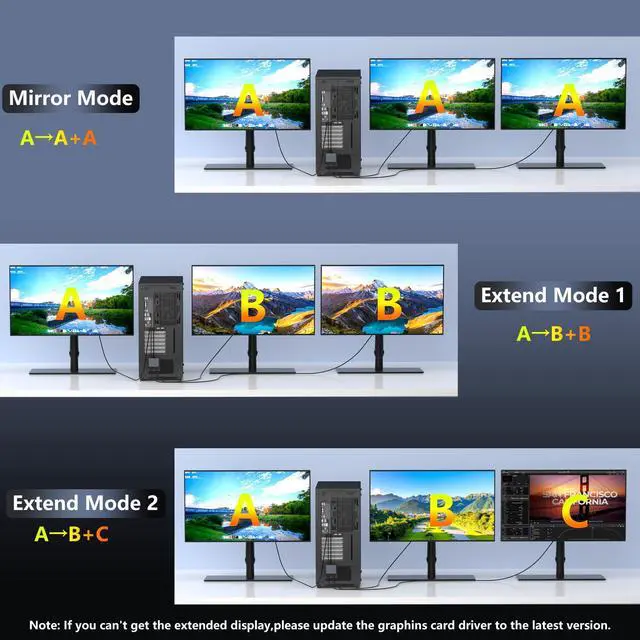
To achieve dual 4K@120Hz output, ensure your source device supports DisplayPort 1.4 and DSC (Display Stream Compression). Use a high-quality DisplayPort 1.4 cable no longer than 6 feet ( 1.8 meters) for stable signal transmission. The DisplayPort splitter for dual monitors supports both SST (AAA/ABB) and MST (ABC) modes. Ensure the DP port on your host device is from a dedicated graphics card rather than an integrated graphics unit. Due to hardware limitations, integrated graphics may not support display output or may only support mirror mode. If you cannot get the extended display, update your graphics card driver to the latest version.
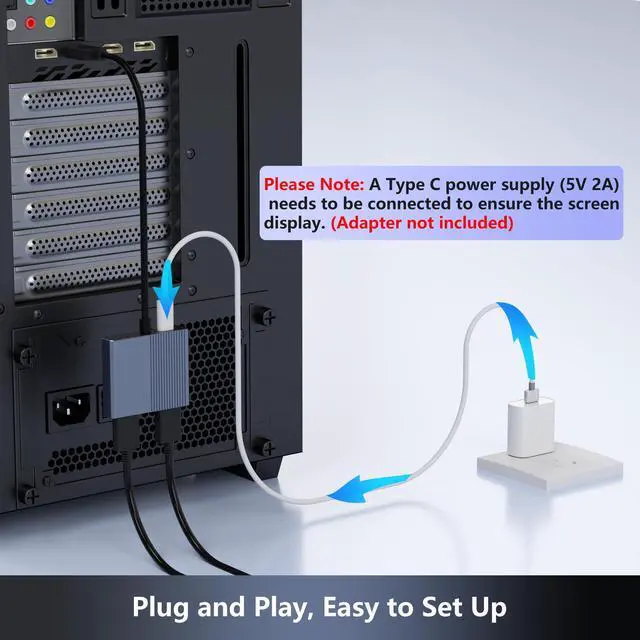
Before use, connect the USB-C power cable to a USB port on the DisplayPort MST hub to supply power to the built-in chipset. A 5V 2A power adapter is required (not included). This DisplayPort MST hub is compatible with Windows, Vista, XP, Linux, and Unix operating systems. It supports input from various DisplayPort-enabled devices such as PCs and laptops, making it suitable for multimedia teaching, conference rooms, office use, and gaming setups. No drivers are neededplug and play for simple setup. The compact and lightweight design is convenient to carry.
This DisplayPort adapter is equipped with a built-in smart chip for improved performance and reliability. The non-locking connector design helps prevent damage to your graphics card when unplugging. All ports on the DisplayPort splitter support DisplayPort 1.4 and feature multi-layer shielding for durable construction and stable signal transmission.
Package contents: 1 x DisplayPort Splitter, 1 x USB Power Cable, 1 x User Manual
To achieve dual 4K@120Hz output, ensure your source device supports DisplayPort 1.4 and DSC (Display Stream Compression). Use a high-quality DisplayPort 1.4 cable no longer than 6 feet ( 1.8 meters) for stable signal transmission. The DisplayPort splitter for dual monitors supports both SST (AAA/ABB) and MST (ABC) modes. Ensure the DP port on your host device is from a dedicated graphics card rather than an integrated graphics unit. Due to hardware limitations, integrated graphics may not support display output or may only support mirror mode. If you cannot get the extended display, update your graphics card driver to the latest version.
Before use, connect the USB-C power cable to a USB port on the DisplayPort MST hub to supply power to the built-in chipset. A 5V 2A power adapter is required (not included). This DisplayPort MST hub is compatible with Windows, Vista, XP, Linux, and Unix operating systems. It supports input from various DisplayPort-enabled devices such as PCs and laptops, making it suitable for multimedia teaching, conference rooms, office use, and gaming setups. No drivers are neededplug and play for simple setup. The compact and lightweight design is convenient to carry.
This DisplayPort adapter is equipped with a built-in smart chip for improved performance and reliability. The non-locking connector design helps prevent damage to your graphics card when unplugging. All ports on the DisplayPort splitter support DisplayPort 1.4 and feature multi-layer shielding for durable construction and stable signal transmission.
Package contents: 1 x DisplayPort Splitter, 1 x USB Power Cable, 1 x User Manual
Warranty & Returns
Warranty, Returns, And Additional Information
Warranty
- Please contact the Seller directly for warranty information. Warranty information may also be found on the Manufacturer's website.
- CONTACT
Return Policies
- Return for refund within: 30 days
- Return for replacement within: 30 days
- This item is covered by Audivibe Return Policy
Manufacturer Contact Info
- For a directory of all our manufacturers, please click below.
- Manufacturers Directory
LOADING...