

Your Browsing History

Meet Your Seller
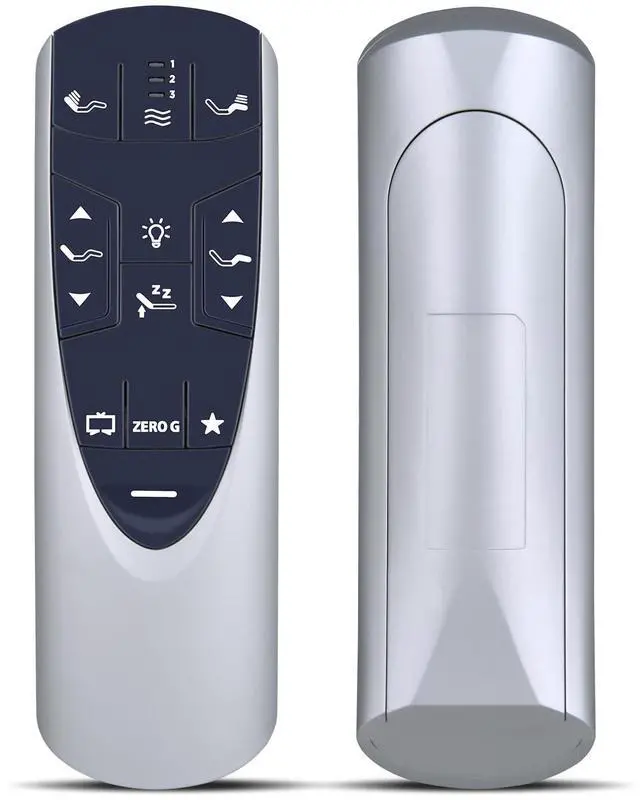
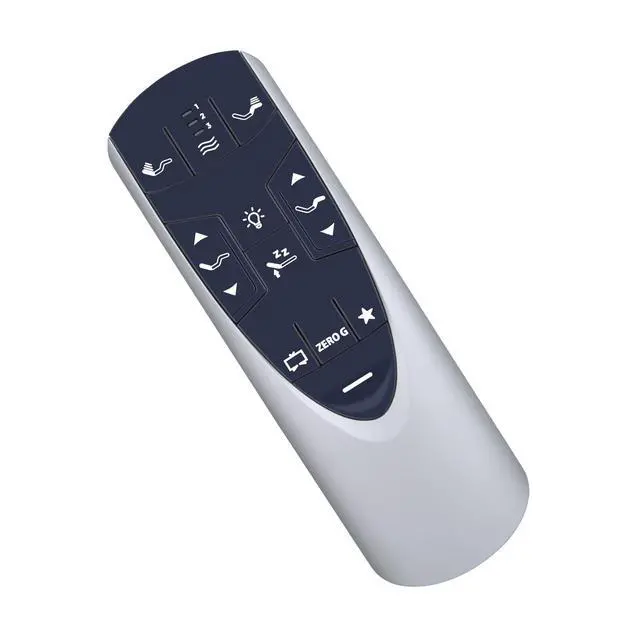
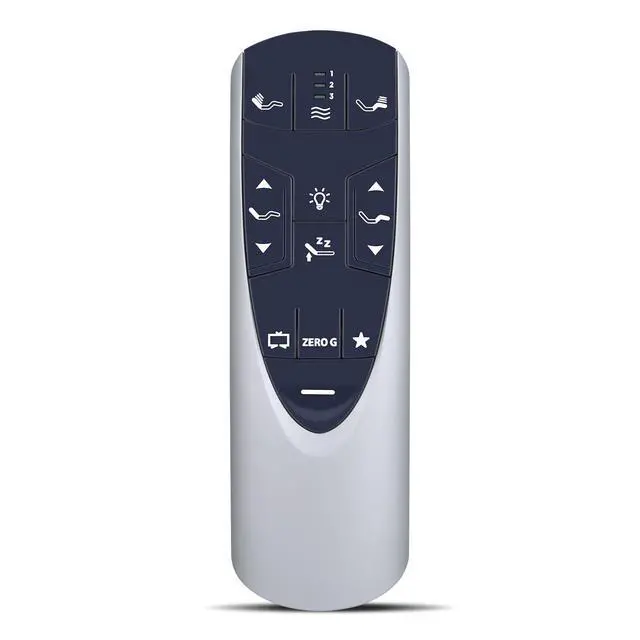


RF358A Replacement Remote for Tempurpedic Ergo/Ergo Extend Adjustable Bed | Compatible Models: JDLK.33.01.18 RF358A / JLDK.33.01.36 RF502A, Easy Setup, Fast Response, Stable Signal
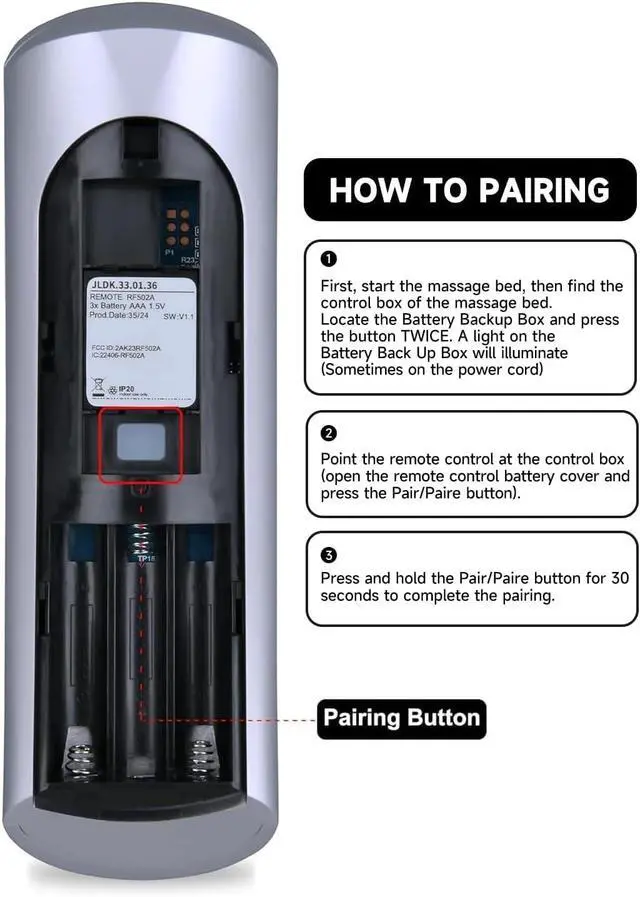
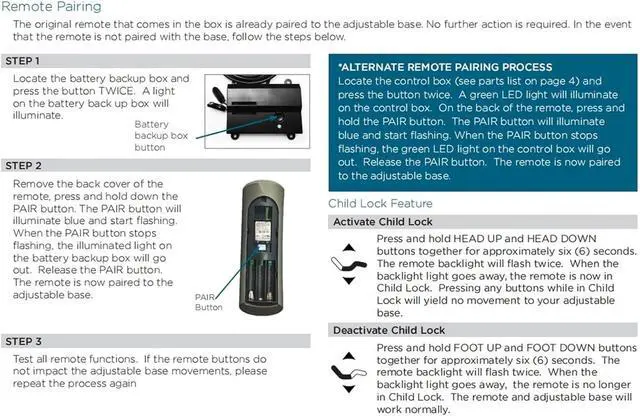
- The RF502A RF358A remote control is designed for use with Tempur-Pedic Ergo and Ergo Extend Adjustable bed bases, including models JDLK.33.01.18 and JLDK.33.01.36. **How to Pair** Step 1: Activate the massage bed and find the control box. Locate the Battery Backup Box and press its button twice to illuminate it (the indicator may be on the power cord). Step 2: Aim the remote at the control box. Open the remote's battery cover and press the Pair button. Step 3: Hold the Pair button for 30 seconds to finalize the pairing. **Durable and Comfortable Design** Made from high-quality ABS material, which offers a quick rebound and is rated for 400,000 presses. The smooth surface ensures a comfortable hold, and the soft silicone keys are gentle on your fingers while being resistant to wear and stains. **Package Contents** 1x Remote Control, 1x Manual (2xAAA batteries are not provided)
+
+
Overview
Specs
Reviews

Any questions? Our AI mode will help you find out quickly.
Try me now
The RF502A RF358A remote control is designed for use with Tempur-Pedic Ergo and Ergo Extend Adjustable bed bases, including models JDLK. 33.01. 18 and JLDK. 33.01. 36. **How to
Pair** Step 1: Activate the massage bed and find the control box. Locate the Battery Backup Box and press its button twice to illuminate it (the indicator may be on the power cord).
Step 2: Aim the remote at the control box. Open the remote's battery cover and press the Pair button.
Step 3: Hold the Pair button for 30 seconds to finalize the pairing. **Durable and Comfortable Design** Made from high-quality ABS material, which offers a quick rebound and is rated for 400, 000 presses. The smooth surface ensures a comfortable hold, and the soft silicone keys are gentle on your fingers while being resistant to wear and stains. **Package Contents** 1x Remote Control, 1x Manual (2xAAA batteries are not provided)
Pair** Step 1: Activate the massage bed and find the control box. Locate the Battery Backup Box and press its button twice to illuminate it (the indicator may be on the power cord).
Step 2: Aim the remote at the control box. Open the remote's battery cover and press the Pair button.
Step 3: Hold the Pair button for 30 seconds to finalize the pairing. **Durable and Comfortable Design** Made from high-quality ABS material, which offers a quick rebound and is rated for 400, 000 presses. The smooth surface ensures a comfortable hold, and the soft silicone keys are gentle on your fingers while being resistant to wear and stains. **Package Contents** 1x Remote Control, 1x Manual (2xAAA batteries are not provided)
Warranty & Returns
Warranty, Returns, And Additional Information
Warranty
- Please contact the Seller directly for warranty information. Warranty information may also be found on the Manufacturer's website.
- CONTACT
Return Policies
- Return for refund within: 30 days
- Return for replacement within: 30 days
- This item is covered by Audivibe Return Policy
Manufacturer Contact Info
- For a directory of all our manufacturers, please click below.
- Manufacturers Directory
LOADING...