

Your Browsing History

Meet Your Seller


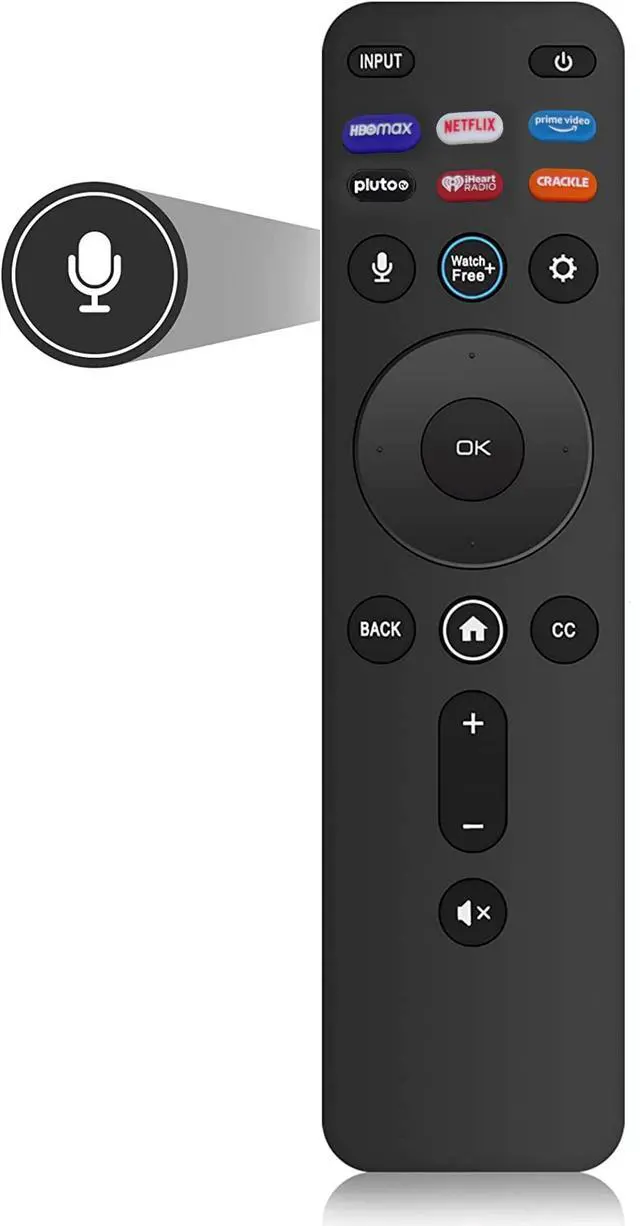


Voice Remote for Vizio Smart TV, XRT260 Remote Replacement for All Vizio LED LCD HD 4K UHD HDR Smart TVs with Shortcut Keys HBO Max, Netflix, Pluto, iHeart Radio, Crackle, Watchfree
Limited time offer, ends 08/27 By JadeEssence Shop
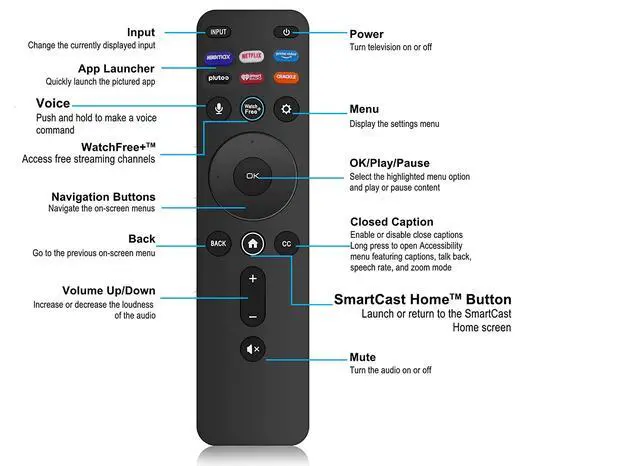
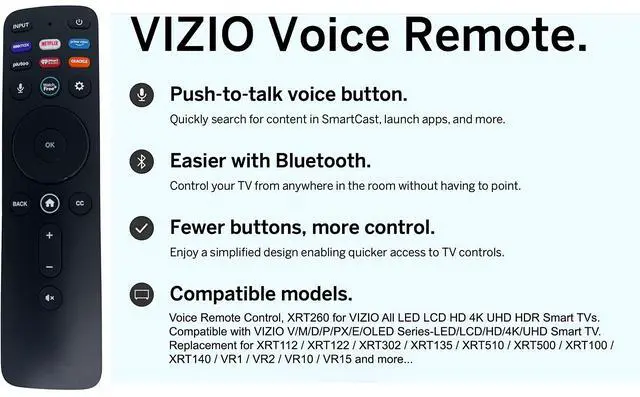
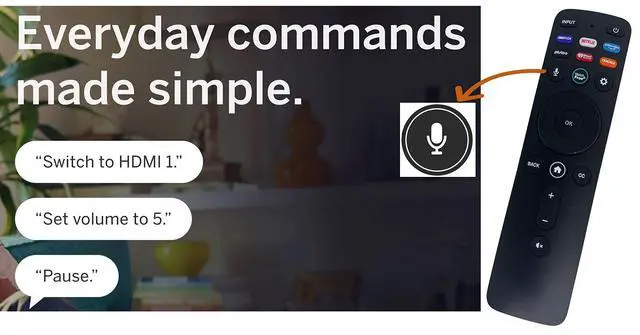
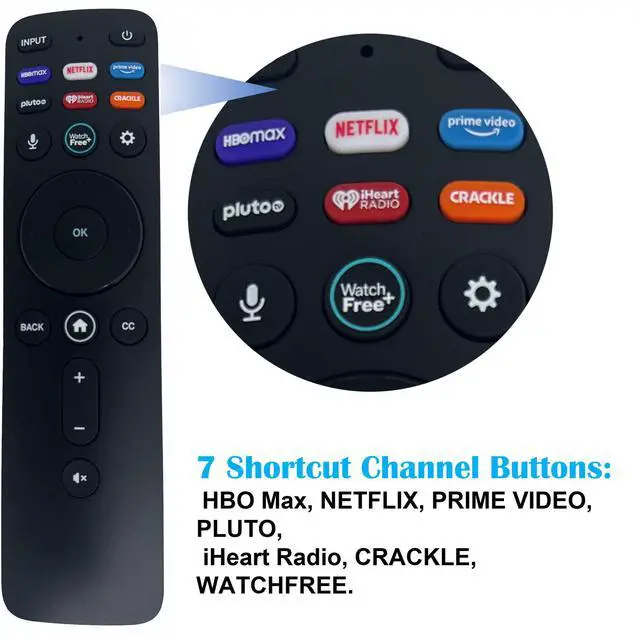
- Latest XRT260 Voice Remote Control Replacement for All Vizio V-Series and M-Series LED LCD 4K HDR Smart TV (Version 4). 7 Shortcut Keys: HBO Max, Netflix, Video, Pluto, iHeart Radio, Crackle, Watchfree. XRT260 Voice Remote Features: (1) Push-to-talk Voice Button - Quickly search for content in Smartcast and launch apps. (2) Easier - Control your TV from anywhere in the room without having to point. (3) Fewer buttons, more control - Enjoy a simplified design enabling quicker access to TV controls. How to pair your remote to the TV? (1) During first-time setup, your remote should automatically pair to your TV. (2) To manually pair: Press the MIC button to launch pairing mode. (3) Troubleshoot: The voice remote must be within close enough range of the TV to pair properly. Compatible with All VIZIO LED, LCD, HD, 4K, HDR, and UHD Smart TVs, including D-Series, E-Series, M-Series, P-Series, PX-Series, V-Series, and OLED-Series. Replacement for Vizio remotes XRT112, XRT122, XRT302, XRT135, XRT510, XRT500, XRT100, XRT136, VR1, VR2, VR10, VR15, and more
+
+
Overview
Specs
Reviews

Any questions? Our AI mode will help you find out quickly.
Try me now
Latest XRT260 Voice Remote Control Replacement for All Vizio V-Series and M-Series LED LCD 4K HDR Smart TV (Version 4).
7 Shortcut Keys: HBO Max, Netflix, Video, Pluto, iHeart Radio, Crackle, Watchfree.
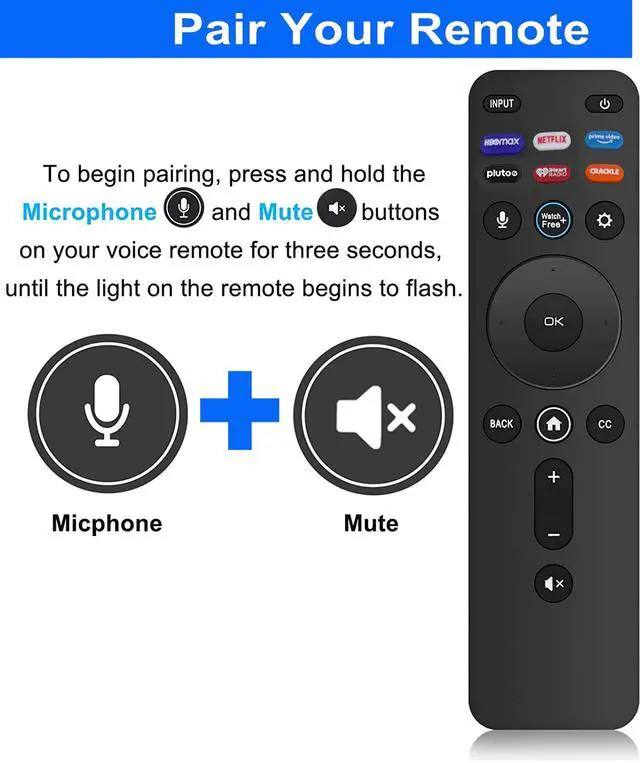
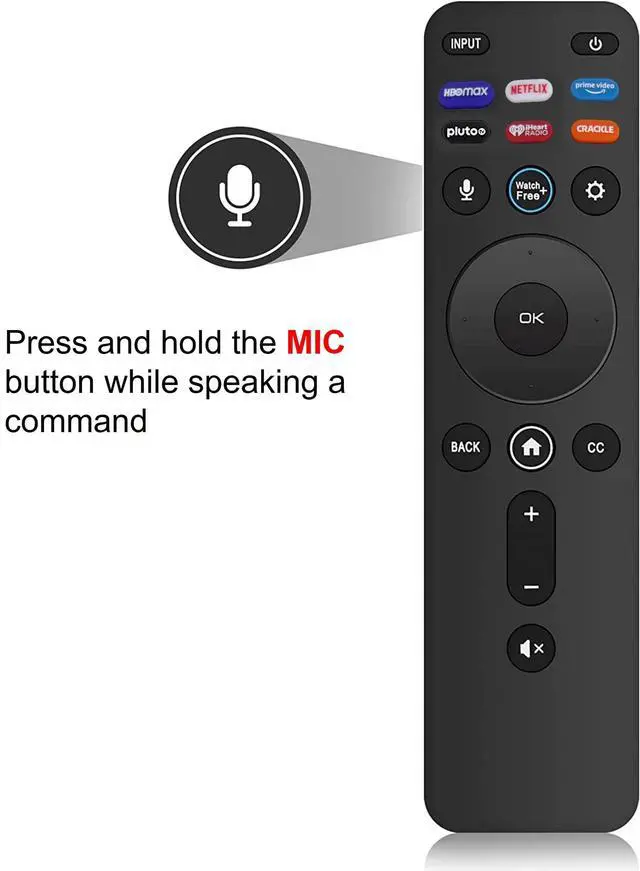
XRT260 Voice Remote Features: (1) Push-to-talk Voice Button - Quickly search for content in Smartcast and launch apps. (2) Easier - Control your TV from anywhere in the room without having to point. (3) Fewer buttons, more control - Enjoy a simplified design enabling quicker access to TV controls. How to pair your remote to the TV? (1) During first-time setup, your remote should automatically pair to your TV.
(2) To manually pair: Press the MIC button to launch pairing mode.
(3) Troubleshoot: The voice remote must be within close enough range of the TV to pair properly. Compatible with All VIZIO LED, LCD, HD, 4K, HDR, and UHD Smart TVs, including D-Series, E-Series, M-Series, P-Series, PX-Series, V-Series, and OLED-Series. Replacement for Vizio remotes XRT112, XRT122, XRT302, XRT135, XRT510, XRT500, XRT100, XRT136, VR1, VR2, VR10, VR15, and more
7 Shortcut Keys: HBO Max, Netflix, Video, Pluto, iHeart Radio, Crackle, Watchfree.
XRT260 Voice Remote Features: (1) Push-to-talk Voice Button - Quickly search for content in Smartcast and launch apps. (2) Easier - Control your TV from anywhere in the room without having to point. (3) Fewer buttons, more control - Enjoy a simplified design enabling quicker access to TV controls. How to pair your remote to the TV? (1) During first-time setup, your remote should automatically pair to your TV.
(2) To manually pair: Press the MIC button to launch pairing mode.
(3) Troubleshoot: The voice remote must be within close enough range of the TV to pair properly. Compatible with All VIZIO LED, LCD, HD, 4K, HDR, and UHD Smart TVs, including D-Series, E-Series, M-Series, P-Series, PX-Series, V-Series, and OLED-Series. Replacement for Vizio remotes XRT112, XRT122, XRT302, XRT135, XRT510, XRT500, XRT100, XRT136, VR1, VR2, VR10, VR15, and more
Warranty & Returns
Warranty, Returns, And Additional Information
Warranty
- Please contact the Seller directly for warranty information. Warranty information may also be found on the Manufacturer's website.
- CONTACT
Return Policies
- Return for refund within: 30 days
- Return for replacement within: 30 days
- This item is covered by JadeEssence Shop Return Policy
Manufacturer Contact Info
- For a directory of all our manufacturers, please click below.
- Manufacturers Directory
LOADING...