

Your Browsing History

Meet Your Seller

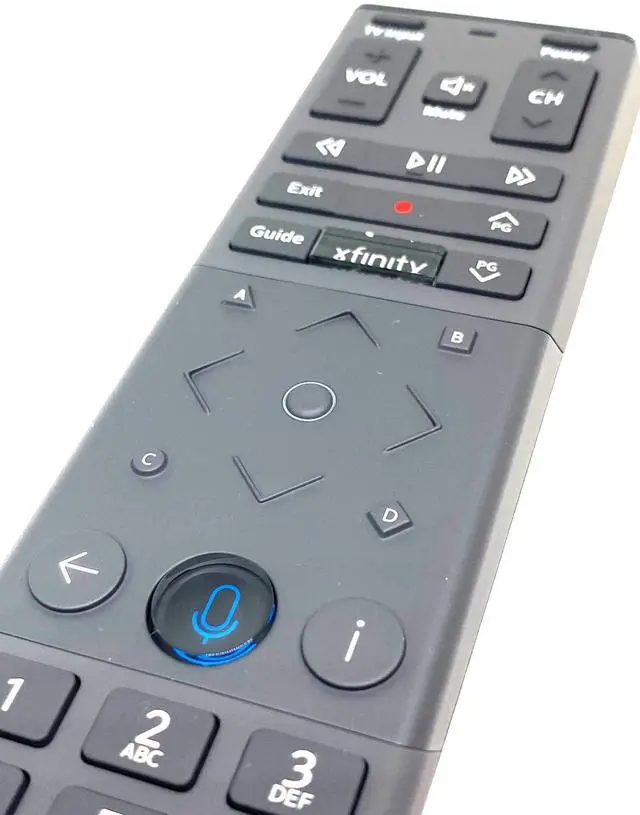
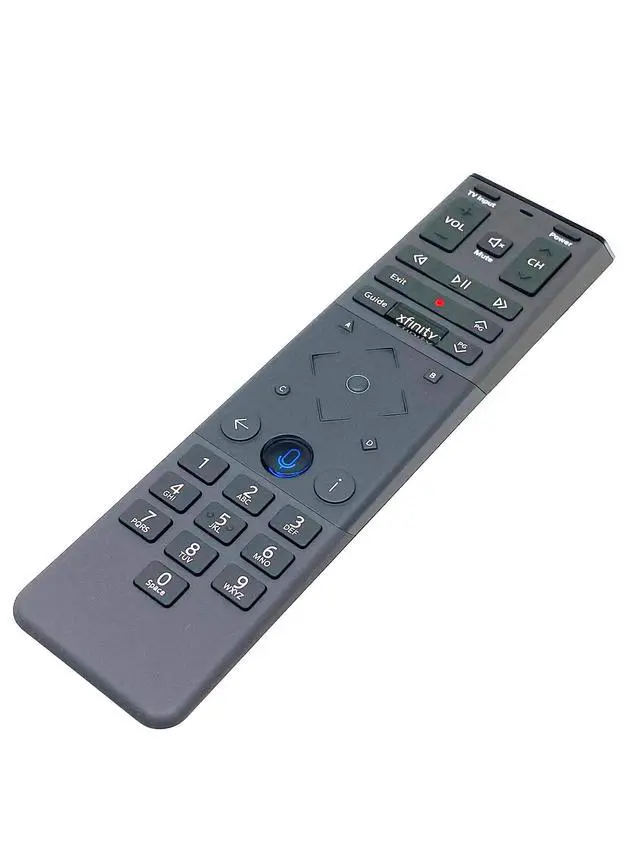
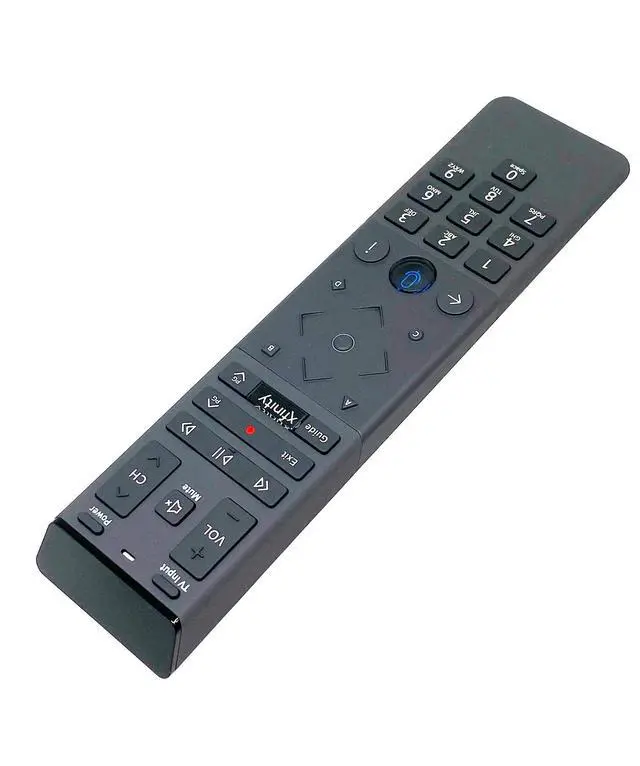
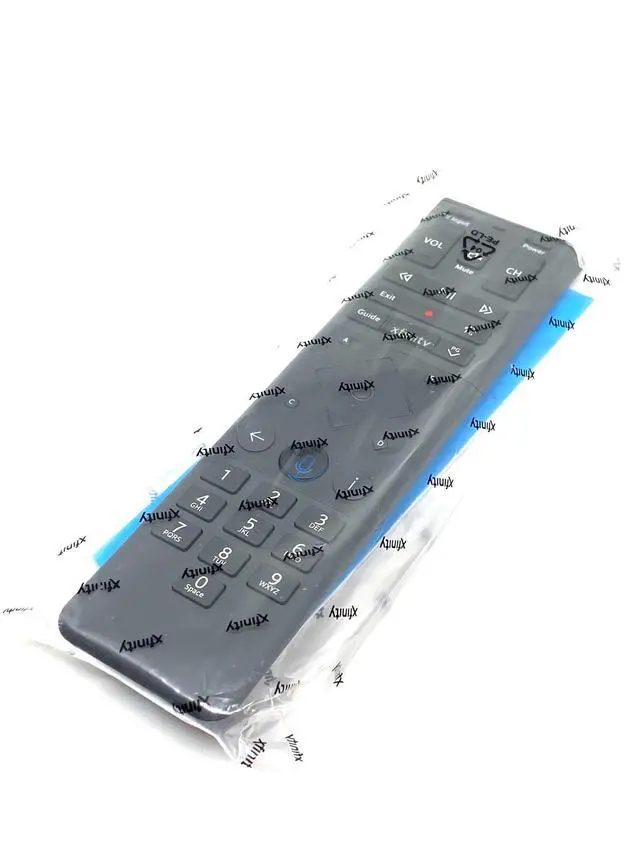
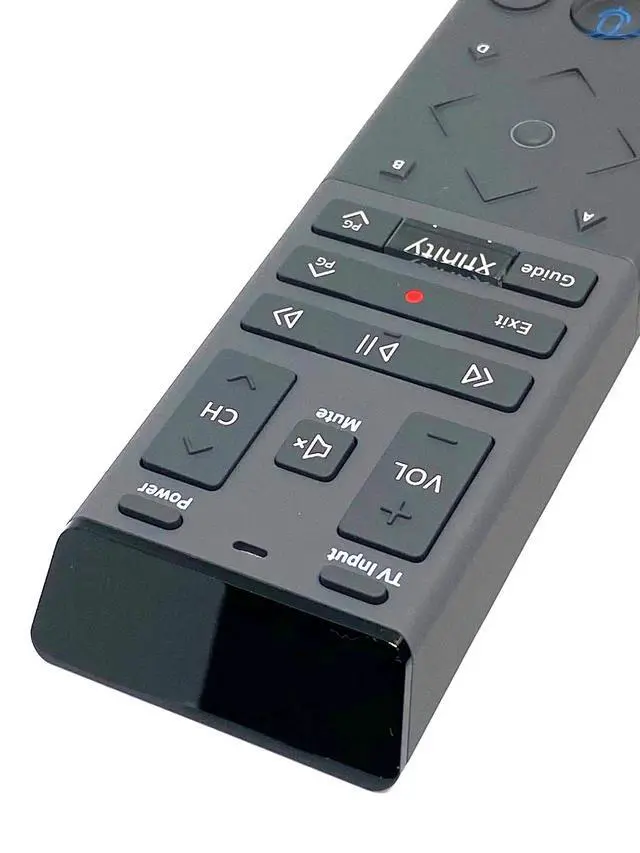


XR15 Voice Control Remote Compatible with Xfinity Comcast X1 Xi6 Xi5 XG2 Backlight Replacement
Limited time offer, ends 09/29 By QiPing Global Store
- XR15 Voice Control Remote Compatible with Xfinity Comcast X1 Xi6 Xi5 XG2 Backlight Replacement Introducing the X1 Voice Remote designed for use with Xfinity and Comcast systems. The X1 Voice Remote (models XR11 and XR15) is a remote control built for Xfinity X1, enabling users to locate content more quickly by using voice commands to switch channels, search for programs, receive recommendations, and more. Users can use their voice to promptly find preferred content, tune to channels, search, and operate their compatible DVR. Key features include: - Voice control - Backlit keypad - Aim Anywhere feature - Automatic pairing - Easy access to accessibility features such as Closed Captioning, video description, and voice guidance - TV Input Control XR15 Button Functions: - **Power:** Combines All Power and TV Power functionality. When the remote is programmed with a valid TV code, the power button switches the TV on or off. Turns on/off both the TV and compatible TV Box. Certain versions of the remote can also be programmed to control power on a compatible audio device. The Xfinity TV Box is intended to stay on at all times and will not power off when this button is pressed. - **Status LED:** Shows different status conditions. - **VOL:** When programmed with a valid TV or AV receiver code, the VOL+ and VOL buttons raise or lower volume. - **CH:** Use CH+ or CH to choose the next channel. - **Mute:** Switches sound off or on. - **Play/Pause:** Play or pause live TV, compatib
+
+
Overview
Specs
Reviews

Any questions? Our AI mode will help you find out quickly.
Try me now
XR15 Voice Control Remote Compatible with Xfinity Comcast X1 Xi6 Xi5 XG2 Backlight Replacement Introducing the X1 Voice Remote designed for use with Xfinity and Comcast systems. The X1 Voice Remote (models XR11 and XR15) is a remote control built for Xfinity X1, enabling users to locate content more quickly by using voice commands to switch channels, search for programs, receive recommendations, and more. Users can use their voice to promptly find preferred content, tune to channels, search, and operate their compatible DVR.
Key features include: - Voice control - Backlit keypad - Aim Anywhere feature - Automatic pairing - Easy access to accessibility features such as Closed Captioning, video description, and voice guidance - TV Input Control XR15
Button Functions: -
**Power: ** Combines All Power and TV Power functionality. When the remote is programmed with a valid TV code, the power button switches the TV on or off. Turns on/off both the TV and compatible TV Box. Certain versions of the remote can also be programmed to control power on a compatible audio device. The Xfinity TV Box is intended to stay on at all times and will not power off when this button is pressed.
- **Status LED: ** Shows different status conditions.
- **VOL: ** When programmed with a valid TV or AV receiver code, the VOL+ and VOL buttons raise or lower volume.
- **CH: ** Use CH+ or CH to choose the next channel.
- **Mute: ** Switches sound off or on.
- **Play/Pause: ** Play or pause live TV, compatible with Xfinity On Demand or compatible DVR content.
- **FF: ** Fast forward compatible Xfinity On Demand or DVR content.
- **Rew: ** Rewind compatible Xfinity On Demand or DVR content.
- **Exit: ** Exit on-screen guides; stop and exit compatible Xfinity On Demand and DVR content. When replaying moments from a live TV program, press Exit to return to the "Live" point.
- **Record (red dot): ** Records the current program.
- **Xfinity: ** Shows the main menu of the guide, providing access to all guide features, including compatible DVR and Xfinity On Demand.
- **Guide: ** Displays TV listings. BATTERIES INSTRUCTIONS ARE INCLUDED - 1 Remote - 2 Batteries - 1 User's Guide
Key features include: - Voice control - Backlit keypad - Aim Anywhere feature - Automatic pairing - Easy access to accessibility features such as Closed Captioning, video description, and voice guidance - TV Input Control XR15
Button Functions: -
**Power: ** Combines All Power and TV Power functionality. When the remote is programmed with a valid TV code, the power button switches the TV on or off. Turns on/off both the TV and compatible TV Box. Certain versions of the remote can also be programmed to control power on a compatible audio device. The Xfinity TV Box is intended to stay on at all times and will not power off when this button is pressed.
- **Status LED: ** Shows different status conditions.
- **VOL: ** When programmed with a valid TV or AV receiver code, the VOL+ and VOL buttons raise or lower volume.
- **CH: ** Use CH+ or CH to choose the next channel.
- **Mute: ** Switches sound off or on.
- **Play/Pause: ** Play or pause live TV, compatible with Xfinity On Demand or compatible DVR content.
- **FF: ** Fast forward compatible Xfinity On Demand or DVR content.
- **Rew: ** Rewind compatible Xfinity On Demand or DVR content.
- **Exit: ** Exit on-screen guides; stop and exit compatible Xfinity On Demand and DVR content. When replaying moments from a live TV program, press Exit to return to the "Live" point.
- **Record (red dot): ** Records the current program.
- **Xfinity: ** Shows the main menu of the guide, providing access to all guide features, including compatible DVR and Xfinity On Demand.
- **Guide: ** Displays TV listings. BATTERIES INSTRUCTIONS ARE INCLUDED - 1 Remote - 2 Batteries - 1 User's Guide
Warranty & Returns
Warranty, Returns, And Additional Information
Warranty
- Please contact the Seller directly for warranty information. Warranty information may also be found on the Manufacturer's website.
- CONTACT
Return Policies
- Return for refund within: 30 days
- Return for replacement within: 30 days
- This item is covered by QiPing Global Store Return Policy
Manufacturer Contact Info
- For a directory of all our manufacturers, please click below.
- Manufacturers Directory
LOADING...