

Your Browsing History

Meet Your Seller
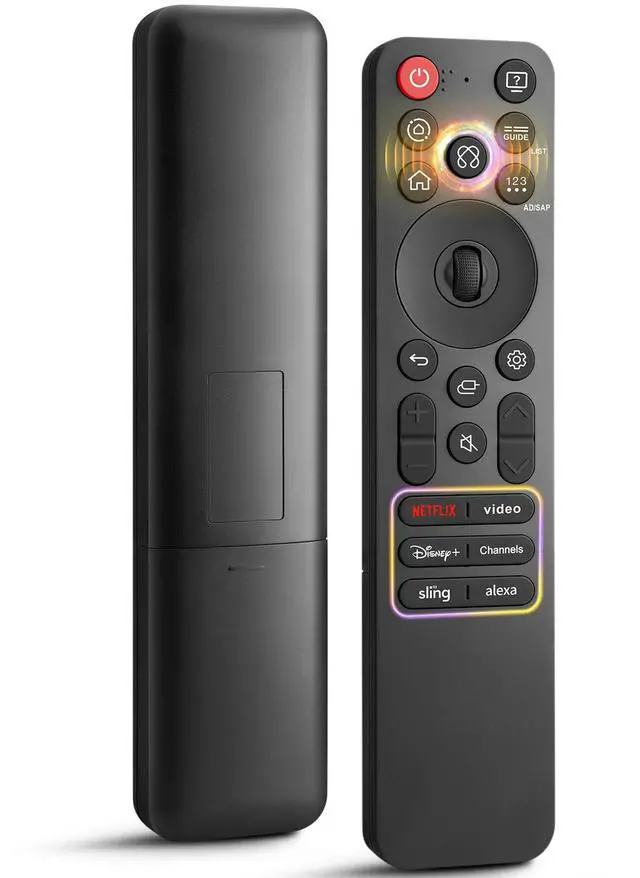
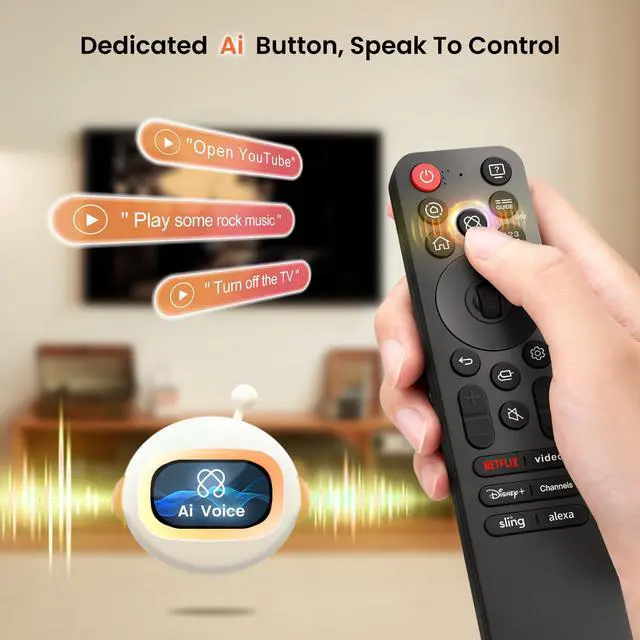
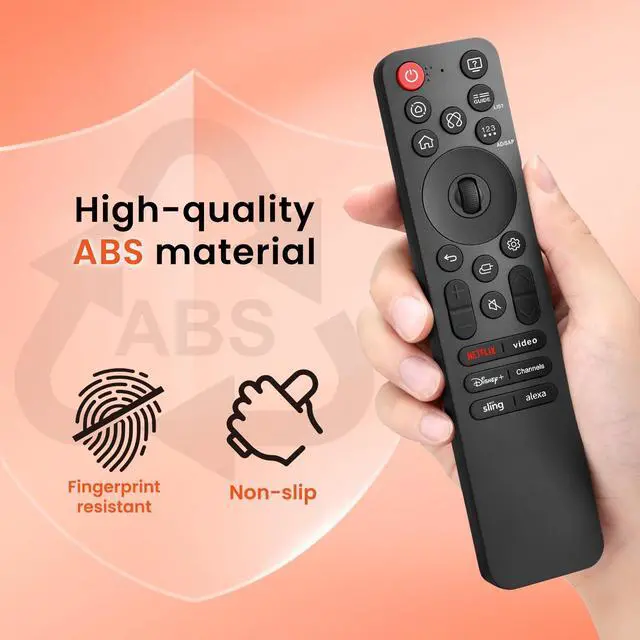
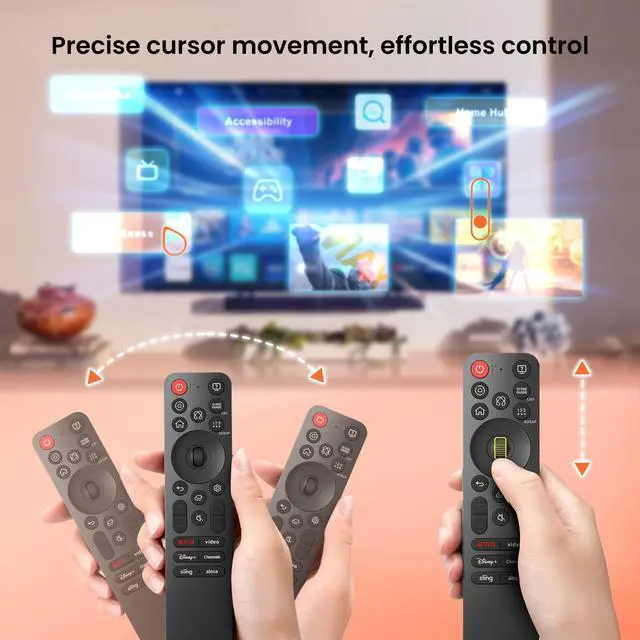


MR25GA for LG-Smart-TV-Magic-Remote-Control Replacement with | AI VoiceAir Mouse Pointer6 ShortcutsHigh strengthHigh-quality ABS materialFingerprint resistantNon-slip
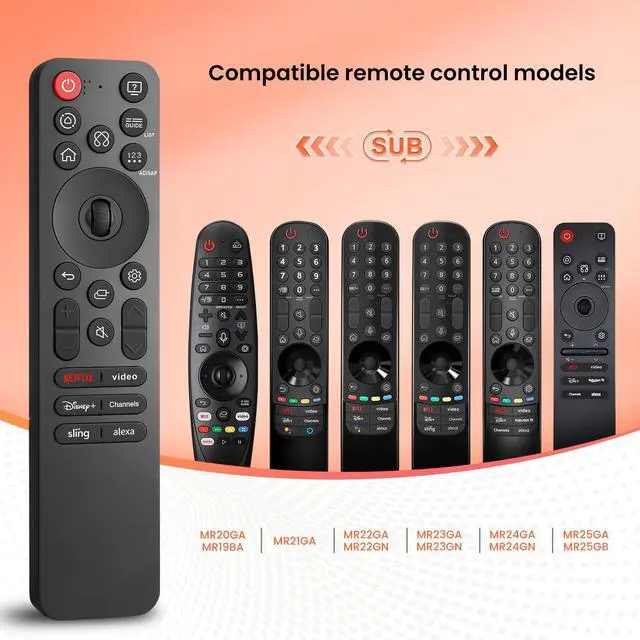
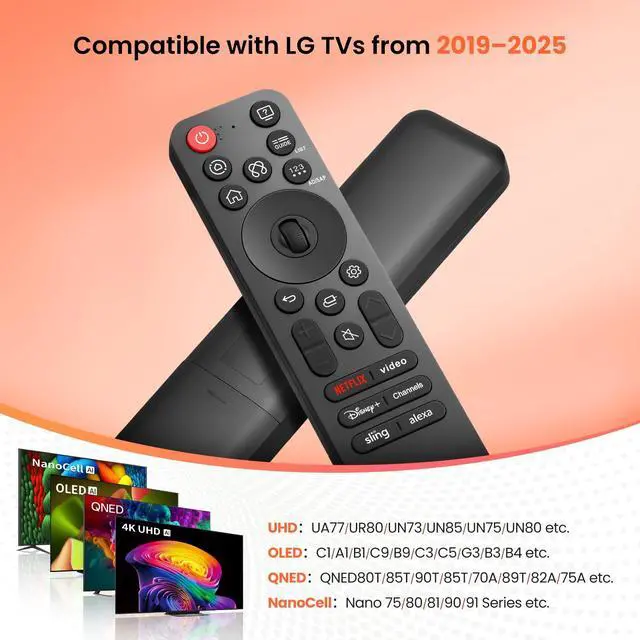
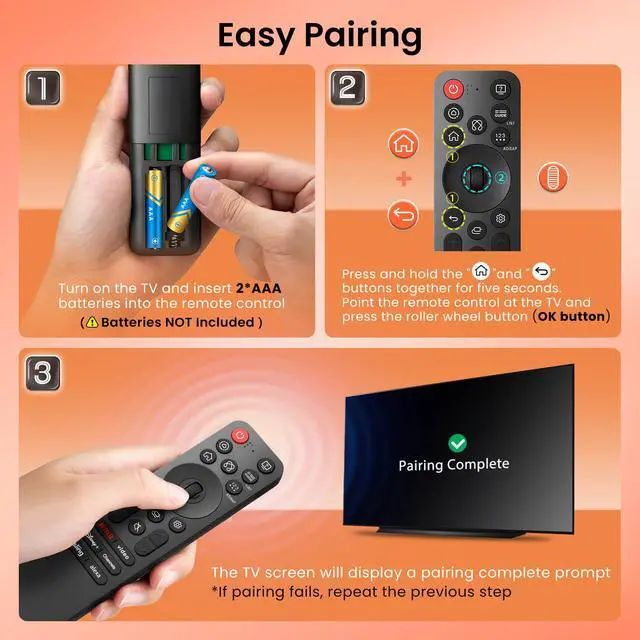
- Compatible RemotesThis remote is compatible with AN-MR19BA, AN-MR20GA, AN-MR21GA, AN-MR22GA, AN-MR22GN, AN-MR23GA, AN-MR23GN, AN-MR24GA, AN-MR24GN, AN-MR25GA, and AN-MR25GB. Compatible TVsIt works with LG 20192025 UHD, OLED, QNED and NanoCell smart TVs, including but not limited to UHD: NanoCell 75, 80, 81, 90, 91, UN73, 75, 80, 85, 87, 90 Series; OLED: C1, A1, CX, BX, B1, C9, E9, G1, GX, B9, W9, WX, C3, C5, G3, B3, B4, M3, A2, M5 Series; QNED: QNED80T, 85T, 90T, 95T, 70A, 89T, 82A, 75A Series; NanoCell: Nano 75, 80, 81, 90, 91 Series. AI-powered voice controlEffortlessly operate your smart TV with precise pointer navigationsimply tap and swipe for the same seamless experience as the original remote. One-Press Quick LaunchSix dedicated buttons offer instant access to popular streaming services for immediate entertainment with a single press. Simple Pairing Steps1. Switch on the TV and place 2*AAA batteries into the remote control. 2. Press and hold the "Home" and "Back" buttons together for five seconds. Aim the remote control at the TV and press the roller wheel button (OK button). 3. The TV screen will show a pairing complete message. (Batteries are not included.) Smooth, Responsive, Built to LastControl your TV easily from any angle within 80 feet. Experience rapid 0.1-second response and sturdy keys tested for over 200,000 clicks for reliable operation each time
+
+
Overview
Specs
Reviews

Any questions? Our AI mode will help you find out quickly.
Try me now
Compatible RemotesThis remote is compatible with AN-MR19BA, AN-MR20GA, AN-MR21GA, AN-MR22GA, AN-MR22GN, AN-MR23GA, AN-MR23GN, AN-MR24GA, AN-MR24GN, AN-MR25GA, and AN-MR25GB. Compatible TVsIt works with LG 20192025 UHD, OLED, QNED and NanoCell smart TVs, including but not limited to
UHD: NanoCell 75, 80, 81, 90, 91, UN73, 75, 80, 85, 87, 90
Series;
OLED: C1, A1, CX, BX, B1, C9, E9, G1, GX, B9, W9, WX, C3, C5, G3, B3, B4, M3, A2, M5
Series;
QNED: QNED80T, 85T, 90T, 95T, 70A, 89T, 82A, 75A
Series;
NanoCell: Nano 75, 80, 81, 90, 91 Series. AI-powered voice controlEffortlessly operate your smart TV with precise pointer navigationsimply tap and swipe for the same seamless experience as the original remote. One-Press Quick LaunchSix dedicated buttons offer instant access to popular streaming services for immediate entertainment with a single press. Simple Pairing Steps1. Switch on the TV and place 2*AAA batteries into the remote control. 2. Press and hold the "Home" and "Back" buttons together for five seconds. Aim the remote control at the TV and press the roller wheel button (OK button). 3. The TV screen will show a pairing complete message. (Batteries are not included. ) Smooth, Responsive, Built to LastControl your TV easily from any angle within 80 feet. Experience rapid 0.1 -second response and sturdy keys tested for over 200, 000 clicks for reliable operation each time
UHD: NanoCell 75, 80, 81, 90, 91, UN73, 75, 80, 85, 87, 90
Series;
OLED: C1, A1, CX, BX, B1, C9, E9, G1, GX, B9, W9, WX, C3, C5, G3, B3, B4, M3, A2, M5
Series;
QNED: QNED80T, 85T, 90T, 95T, 70A, 89T, 82A, 75A
Series;
NanoCell: Nano 75, 80, 81, 90, 91 Series. AI-powered voice controlEffortlessly operate your smart TV with precise pointer navigationsimply tap and swipe for the same seamless experience as the original remote. One-Press Quick LaunchSix dedicated buttons offer instant access to popular streaming services for immediate entertainment with a single press. Simple Pairing Steps1. Switch on the TV and place 2*AAA batteries into the remote control. 2. Press and hold the "Home" and "Back" buttons together for five seconds. Aim the remote control at the TV and press the roller wheel button (OK button). 3. The TV screen will show a pairing complete message. (Batteries are not included. ) Smooth, Responsive, Built to LastControl your TV easily from any angle within 80 feet. Experience rapid 0.1 -second response and sturdy keys tested for over 200, 000 clicks for reliable operation each time
Warranty & Returns
Warranty, Returns, And Additional Information
Warranty
- Please contact the Seller directly for warranty information. Warranty information may also be found on the Manufacturer's website.
- CONTACT
Return Policies
- Return for refund within: 30 days
- Return for replacement within: 30 days
- This item is covered by Pingquan Store Return Policy
Manufacturer Contact Info
- For a directory of all our manufacturers, please click below.
- Manufacturers Directory
LOADING...