

Your Browsing History
- Free 30-day Returns
$149.99

Meet Your Seller


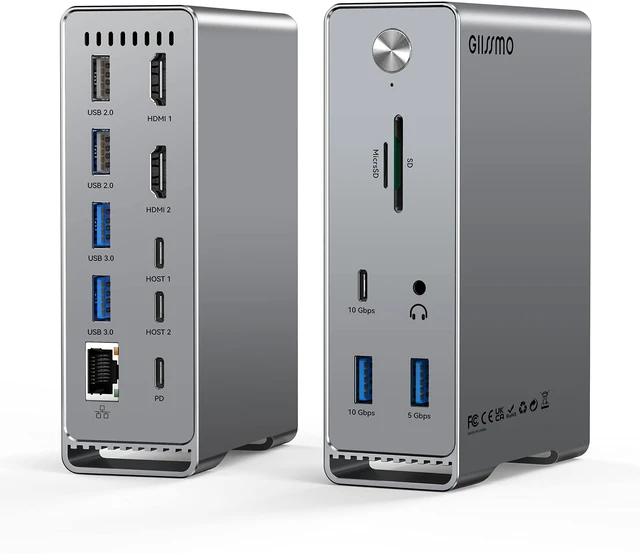
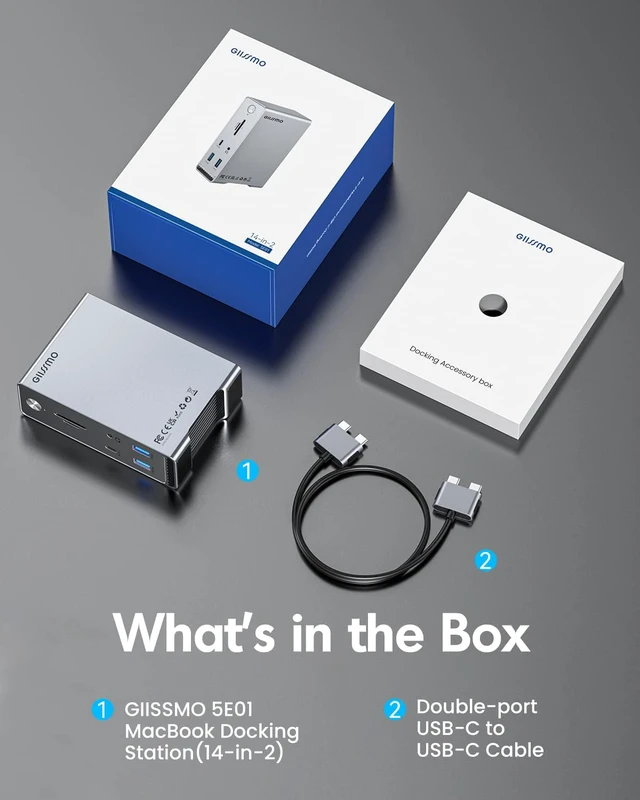


MacBook Pro Docking Station, 14-in-2 Dual USB C Docking Station Dual Monitor for MacBook Pro (Not M1) with Dual 4K HDMI 60Hz, 10Gbps USB A/C,3 USB 3.0,2USB 2.0 RJ45, Audio, SD/TF Slots, 100W PD
Limited time offer, ends 09/14 By Fornierwoly
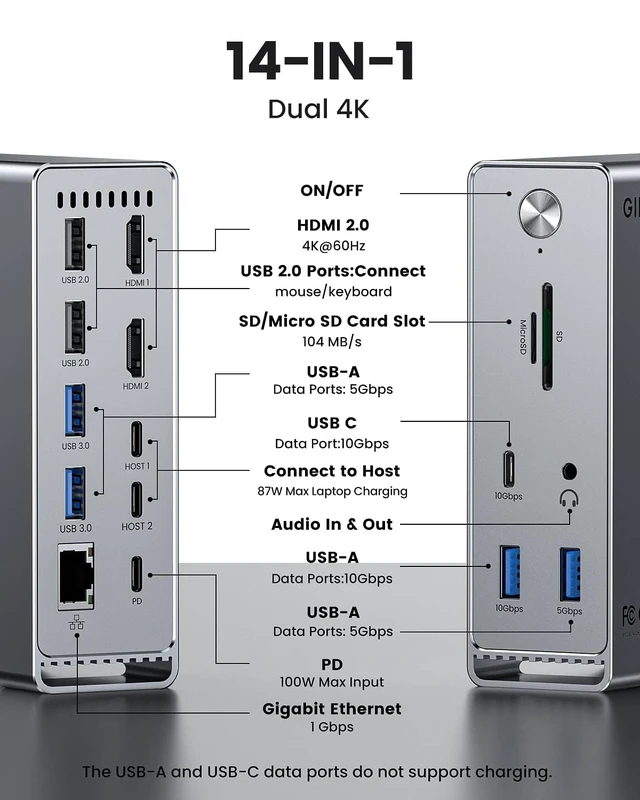
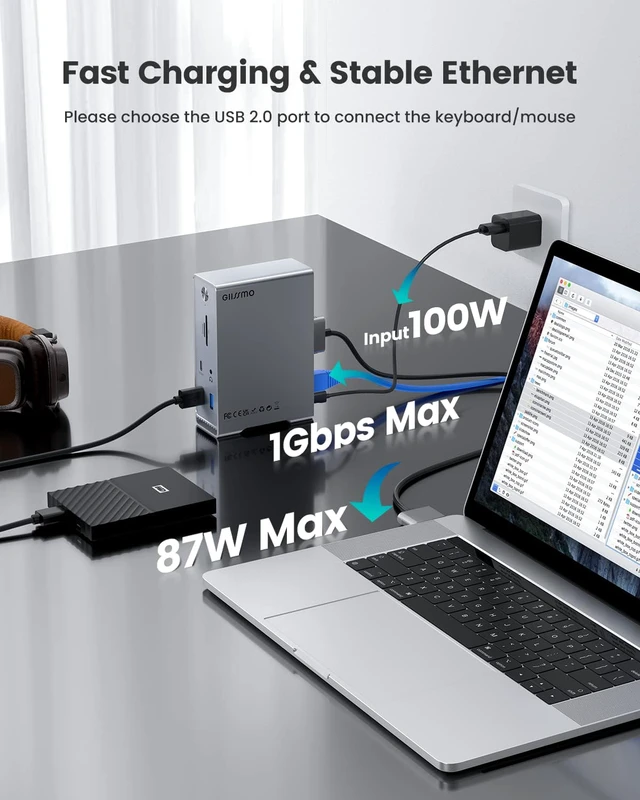
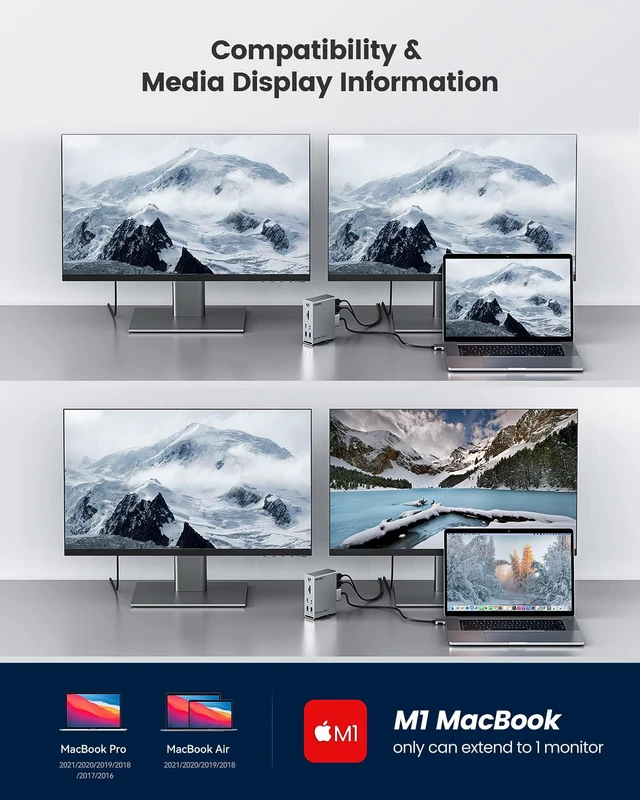
- All The Ports You NeedDocking station for MacBook Pro/Air with dual 4K@60Hz HDMI ports, 10Gbps USB C data port, 10Gbps USB A data port, 3 USB 3.0, 2 USB 2.0, 3.5mm Audio, RJ45, SD/TF card slots, 100W PD. An *ON-OFF* switch lets you control power without constantly plugging and unplugging cables, as convenient as a desktop host. Suitable for connecting multiple devices. Dual 4K Extend MonitorWith 2 HDMI ports on this Mac docking station, your MacBook Pro or MacBook Air can extend 2 4K@60Hz monitors at the same time. Mirroring or Extending, no driver, no setup, just plug and play, giving you 3 UHD screens with different content at a time! Users on DP 1.4 can connect up to dual 4K 60Hz displays, whilst users on DP 1.2 Macs can connect up to 1 4K 60Hz and 1 4K 30Hz displays. Superspeed Data Transfer-10Gbps10Gbps USB-A and 10Gbps USB-C data ports on the front of the MacBook Pro dock. Their super-speed data transfer is ideal for drives and HDD devices; transferring a 20G file takes just 16.4s! Together with the SD/TF card slots, you can transfer data between devices at fast speeds. In addition, the MacBook Pro Adapter also offers 2 USB 2.0 ports to connect your wireless keyboard and mouse without any lag. Design for MacBook Pro/AirThis Mac docking station dual monitor also has an 87W PD 3.0 Port, a 3.5mm audio port, and an RJ45 Gigabit Ethernet port. Works with MacBook Pro and MacBook Air, including Apple M1 Pro, M1 Max, M1 Ultra, and Intel based MacBook, while users on o
+
+
Overview
Specs
Reviews

Any questions? Our AI mode will help you find out quickly.
Try me now
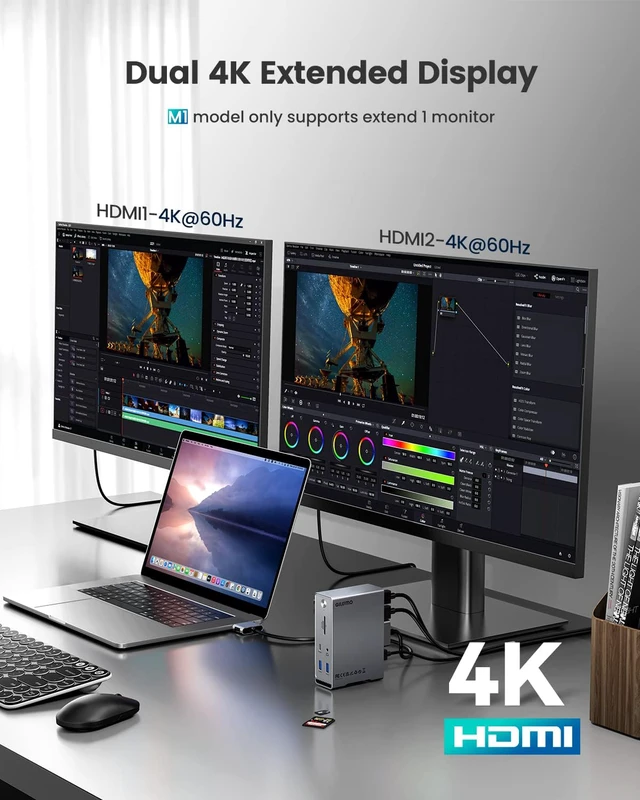
All The Ports You NeedDocking station for MacBook Pro/Air with dual 4K@60Hz HDMI ports, 10Gbps USB C data port, 10Gbps USB A data port, 3 USB 3.0, 2 USB 2.0, 3.5 mm Audio, RJ45, SD/TF card slots, 100W PD. An *ON-OFF* switch lets you control power without constantly plugging and unplugging cables, as convenient as a desktop host. Suitable for connecting multiple devices. Dual 4K Extend MonitorWith 2 HDMI ports on this Mac docking station, your MacBook Pro or MacBook Air can extend 2 4K@60Hz monitors at the same time.
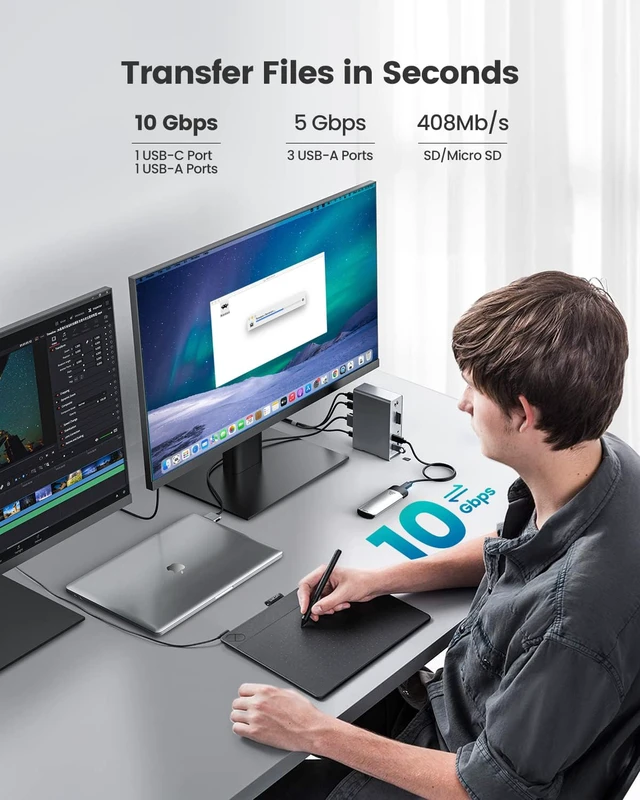
Mirroring or Extending, no driver, no setup, just plug and play, giving you 3 UHD screens with different content at a time! Users on DP 1.4 can connect up to dual 4K 60Hz displays, whilst users on DP 1.2 Macs can connect up to 1 4K 60Hz and 1 4K 30Hz displays. Superspeed Data Transfer-10Gbps10Gbps USB-A and 10Gbps USB-C data ports on the front of the MacBook Pro dock. Their super-speed data transfer is ideal for drives and HDD devices; transferring a 20G file takes just 16.4 s! Together with the SD/TF card slots, you can transfer data between devices at fast speeds.
In addition, the MacBook Pro Adapter also offers 2 USB 2.0 ports to connect your wireless keyboard and mouse without any lag. Design for MacBook Pro/AirThis Mac docking station dual monitor also has an 87W PD 3.0 Port, a 3.5 mm audio port, and an RJ45 Gigabit Ethernet port. Works with MacBook Pro and MacBook Air, including Apple M1 Pro, M1 Max, M1 Ultra, and Intel based MacBook, while users on original M1 Macs are limited to a single display only. Due to the Double-ended USB C Cable, this model does not work with MacBook Pro before 2016 or MacBook Air before 2018.
Note: This product can only display one screen when using M1/M2, and the 2019 Macbook can only display 4K@30Hz at most
Mirroring or Extending, no driver, no setup, just plug and play, giving you 3 UHD screens with different content at a time! Users on DP 1.4 can connect up to dual 4K 60Hz displays, whilst users on DP 1.2 Macs can connect up to 1 4K 60Hz and 1 4K 30Hz displays. Superspeed Data Transfer-10Gbps10Gbps USB-A and 10Gbps USB-C data ports on the front of the MacBook Pro dock. Their super-speed data transfer is ideal for drives and HDD devices; transferring a 20G file takes just 16.4 s! Together with the SD/TF card slots, you can transfer data between devices at fast speeds.
In addition, the MacBook Pro Adapter also offers 2 USB 2.0 ports to connect your wireless keyboard and mouse without any lag. Design for MacBook Pro/AirThis Mac docking station dual monitor also has an 87W PD 3.0 Port, a 3.5 mm audio port, and an RJ45 Gigabit Ethernet port. Works with MacBook Pro and MacBook Air, including Apple M1 Pro, M1 Max, M1 Ultra, and Intel based MacBook, while users on original M1 Macs are limited to a single display only. Due to the Double-ended USB C Cable, this model does not work with MacBook Pro before 2016 or MacBook Air before 2018.
Note: This product can only display one screen when using M1/M2, and the 2019 Macbook can only display 4K@30Hz at most
Warranty & Returns
Warranty, Returns, And Additional Information
Warranty
- Please contact the Seller directly for warranty information. Warranty information may also be found on the Manufacturer's website.
- CONTACT
Return Policies
- Return for refund within: 30 days
- Return for replacement within: 30 days
- This item is covered by Fornierwoly Return Policy
Manufacturer Contact Info
- For a directory of all our manufacturers, please click below.
- Manufacturers Directory
LOADING...