

Your Browsing History

Meet Your Seller


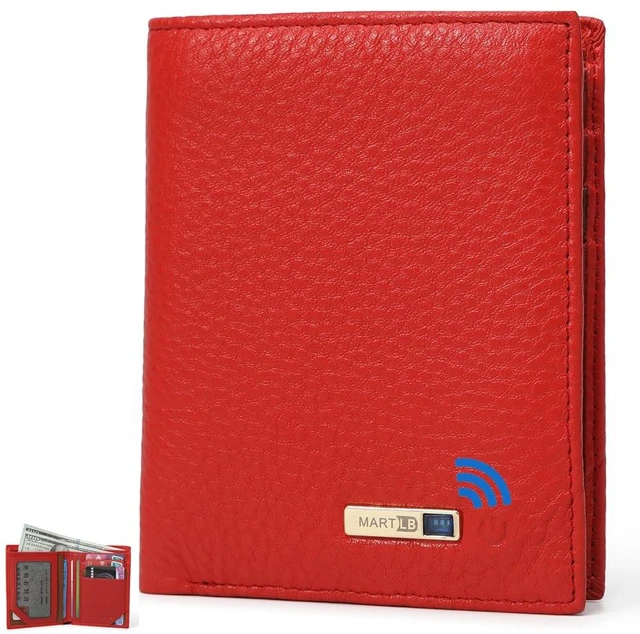
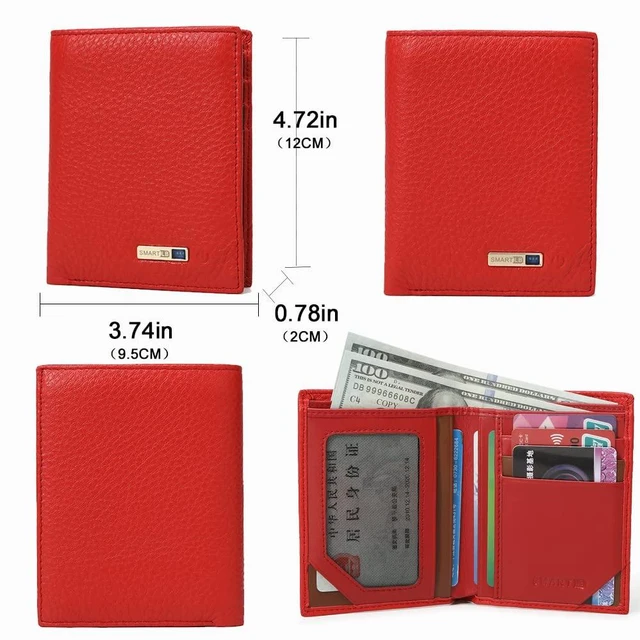


Men Wallet with Tracker Work with iOS&Android, Wallet Tracker with Bifold Genuine Leather Wallet 8 Card &1 ID Windows & 2Cash Slot&Coin Pocket (Red)
- This is a smart wallet with a built-in tracker. It works with Android devices or iOS devicesboth are supported. Download the "BSEEK" application from Google Play or the App Store. The wallet pairs with your phone via Bluetooth. Smart features include: - Left-behind notification - Two-way tracking - Selfie remote control - Last location history **Left-Behind Alerts:** Get instant notifications on your smartphone if you accidentally leave the tracker wallet behind. **Find wallet anywhere:** Within Bluetooth range, your phone can track the wallet's location. **Find the phone anywhere:** Within Bluetooth range, the wallet can also help you locate your phone. The built-in tracker is rechargeable. It charges via a standard USB-C port located inside the wallet, behind the compartment with the window slot. The wallet is easy to use and offers plenty of card slots. It is made of leather. The tracker and charger are fully integrated. It has multiple card slots and a standard compartment for casha feature many appreciate, as some new wallets don't accommodate cash. This wallet holds up to 9 cards, including credit cards, driver's license, and insurance cards. A hidden battery with a USB-C port is built in. The wallet uses the Bseek app to link your phone to the wallet. **Setup:** 1. Open the downloaded app. The app will load and display "bseek connected." 2. The app. 3. Press and hold the power button on the wallet. You will hear 2 beeps and see 2 blue flashes next to the button. Pr
+
+
Overview
Specs
Reviews

Any questions? Our AI mode will help you find out quickly.
Try me now
This is a smart wallet with a built-in tracker. It works with Android devices or iOS devicesboth are supported. Download the "BSEEK" application from Google Play or the App Store. The wallet pairs with your phone via Bluetooth.
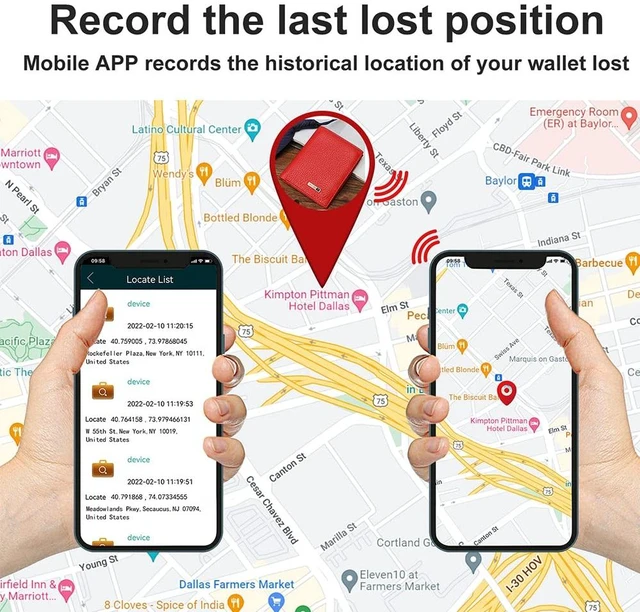
Smart features include: - Left-behind notification - Two-way tracking - Selfie remote control - Last location history **Left-Behind
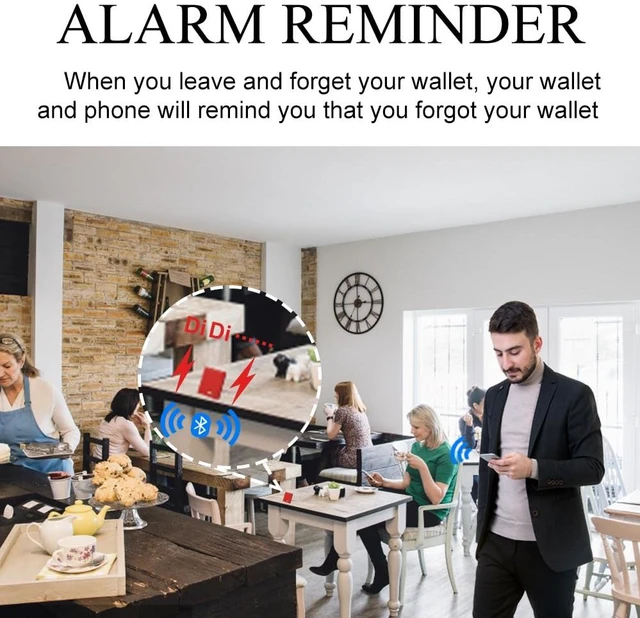
Alerts: ** Get instant notifications on your smartphone if you accidentally leave the tracker wallet behind.
**Find wallet anywhere: ** Within Bluetooth range, your phone can track the wallet's location.
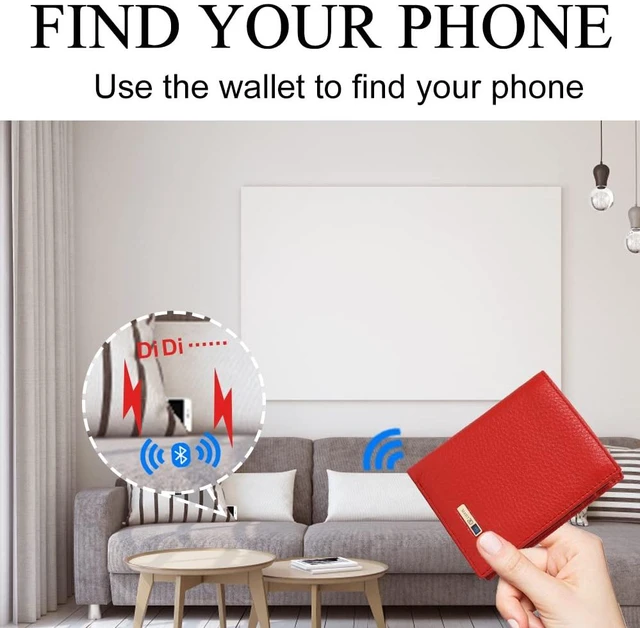
**Find the phone anywhere: ** Within Bluetooth range, the wallet can also help you locate your phone. The built-in tracker is rechargeable. It charges via a standard USB-C port located inside the wallet, behind the compartment with the window slot. The wallet is easy to use and offers plenty of card slots. It is made of leather. The tracker and charger are fully integrated. It has multiple card slots and a standard compartment for casha feature many appreciate, as some new wallets don't accommodate cash. This wallet holds up to 9 cards, including credit cards, driver's license, and insurance cards. A hidden battery with a USB-C port is built in. The wallet uses the Bseek app to link your phone to the wallet.
**Setup: **
1. Open the downloaded app. The app will load and display "bseek connected. "
2. The app.
3. Press and hold the power button on the wallet. You will hear 2 beeps and see 2 blue flashes next to the button. Pressing again turns the power off (1 flash/beep).
4. The link between your phone and wallet is now established.
5. If you close the app, turn off the wallet, or separate the two, a loud siren will sound on your phone, and the wallet will flash a light and emit a tweet.
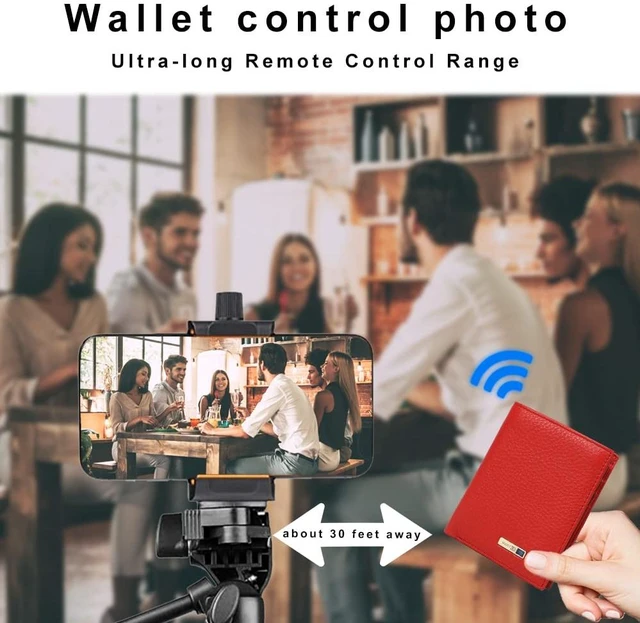
6. The app offers additional features like dropping a pin, showing the wallet's location on a map, and using the power button to trigger your phone's camera shutter.
**Review: ** When I first set it up, I made an error and triggered the alarms. I soon realized you must keep the app running and the wallet powered on. (I have a habit of closing all apps. ) At night, you can use the "do not disturb" option or shut the wallet off and close the app. Once I understood the setup, the wallet performed perfectly
Smart features include: - Left-behind notification - Two-way tracking - Selfie remote control - Last location history **Left-Behind
Alerts: ** Get instant notifications on your smartphone if you accidentally leave the tracker wallet behind.
**Find wallet anywhere: ** Within Bluetooth range, your phone can track the wallet's location.
**Find the phone anywhere: ** Within Bluetooth range, the wallet can also help you locate your phone. The built-in tracker is rechargeable. It charges via a standard USB-C port located inside the wallet, behind the compartment with the window slot. The wallet is easy to use and offers plenty of card slots. It is made of leather. The tracker and charger are fully integrated. It has multiple card slots and a standard compartment for casha feature many appreciate, as some new wallets don't accommodate cash. This wallet holds up to 9 cards, including credit cards, driver's license, and insurance cards. A hidden battery with a USB-C port is built in. The wallet uses the Bseek app to link your phone to the wallet.
**Setup: **
1. Open the downloaded app. The app will load and display "bseek connected. "
2. The app.
3. Press and hold the power button on the wallet. You will hear 2 beeps and see 2 blue flashes next to the button. Pressing again turns the power off (1 flash/beep).
4. The link between your phone and wallet is now established.
5. If you close the app, turn off the wallet, or separate the two, a loud siren will sound on your phone, and the wallet will flash a light and emit a tweet.
6. The app offers additional features like dropping a pin, showing the wallet's location on a map, and using the power button to trigger your phone's camera shutter.
**Review: ** When I first set it up, I made an error and triggered the alarms. I soon realized you must keep the app running and the wallet powered on. (I have a habit of closing all apps. ) At night, you can use the "do not disturb" option or shut the wallet off and close the app. Once I understood the setup, the wallet performed perfectly
Warranty & Returns
Warranty, Returns, And Additional Information
Warranty
- Please contact the Seller directly for warranty information. Warranty information may also be found on the Manufacturer's website.
- CONTACT
Return Policies
- Return for refund within: 30 days
- Return for replacement within: 30 days
- This item is covered by FiveMacro Store Return Policy
Manufacturer Contact Info
- For a directory of all our manufacturers, please click below.
- Manufacturers Directory
LOADING...