

Your Browsing History

Meet Your Seller

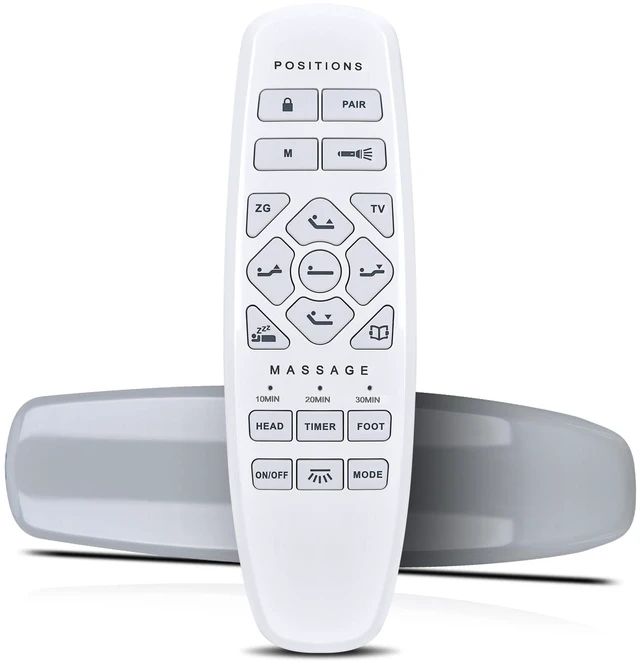


Replacement Remote for Lucid/Okin/ESHINE/ASONLY Bed L600 RF.27.19.33 Easy pairing,Responsive control, Head/Foot lift, Zero Gravity
Limited time offer, ends 09/30 By Brightflag Electronics
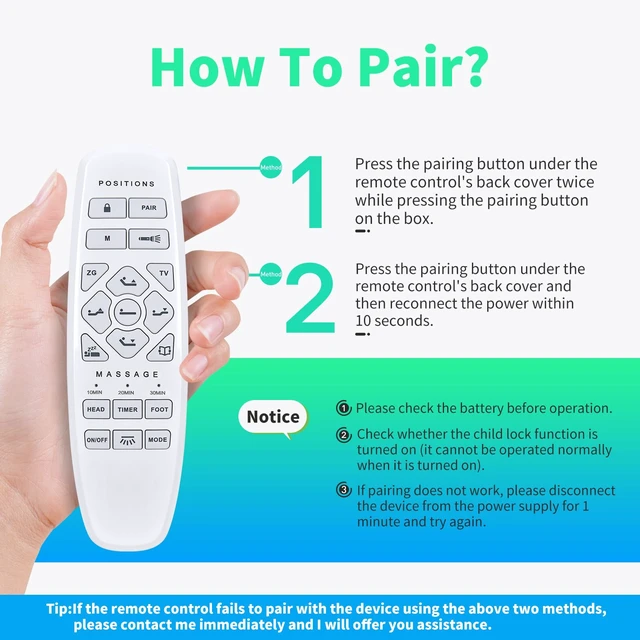
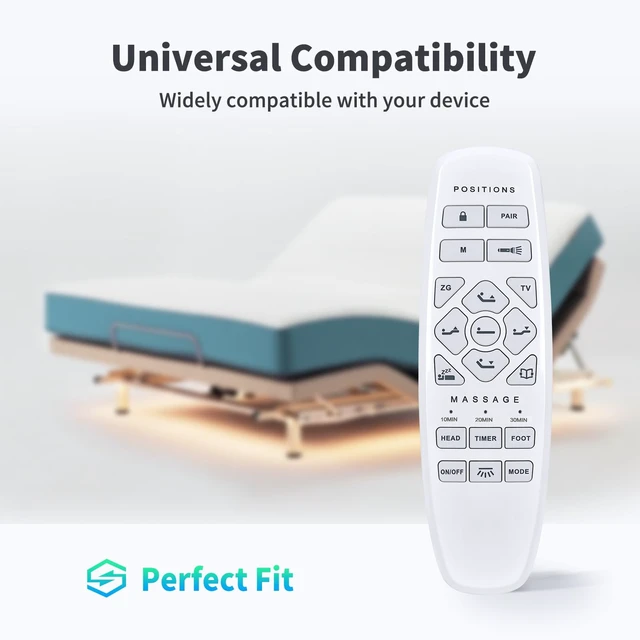
- Perfect Compatibility with Major Bed Brands: This remote control is specifically engineered to seamlessly replace the original remote for your Model RF.27.19.33 adjustable bed base. It also delivers reliable performance with popular brands like L600 adjustable beds. Enjoy the convenience of a direct, plug-and-play replacement that restores full functionality to your electric adjustable bed without any compatibility concerns. Intuitive and User-Friendly Operation: Effortlessly command your bed's positions with the logically arranged buttons. You can independently adjust the headrest and footrest to find your perfect angle for reading, watching TV, or relieving pressure. The clear labeling and ergonomic design make it simple for all users to achieve customized comfort with just a tap. Process: Step 1: Press the pairing button on the control box twice, and the green light will illuminate, indicating that it is ready for pairing. Alternatively, disconnect the power cord of the control box, wait for 1 minute, and then re-insert it into the socket. At this point, the green LED light on the control box will illuminate, indicating that it is ready for pairing (usually within 10 seconds). Process: Step 2: Press and hold the pairing button. If the LED light flashes, it indicates that pairing is in progress. Step 3: When the LED lights on the control box and remote control are off, press and release the pairing button on the remote control to complete pairing
+
+
Overview
Specs
Reviews

Any questions? Our AI mode will help you find out quickly.
Try me now
Perfect Compatibility with
Major Bed Brands: This remote control is specifically engineered to seamlessly replace the original remote for your Model RF. 27.19. 33 adjustable bed base. It also delivers reliable performance with popular brands like L600 adjustable beds. Enjoy the convenience of a direct, plug-and-play replacement that restores full functionality to your electric adjustable bed without any compatibility concerns.
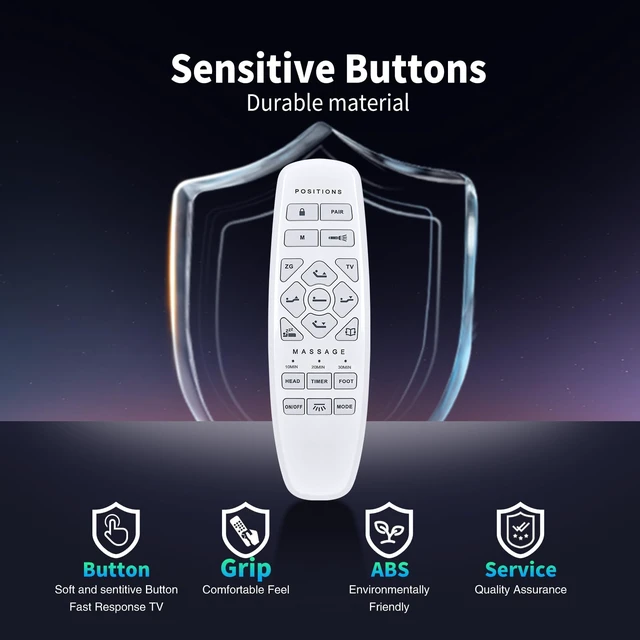
Intuitive and User-Friendly Operation: Effortlessly command your bed's positions with the logically arranged buttons. You can independently adjust the headrest and footrest to find your perfect angle for reading, watching TV, or relieving pressure. The clear labeling and ergonomic design make it simple for all users to achieve customized comfort with just a tap.
Process: Step
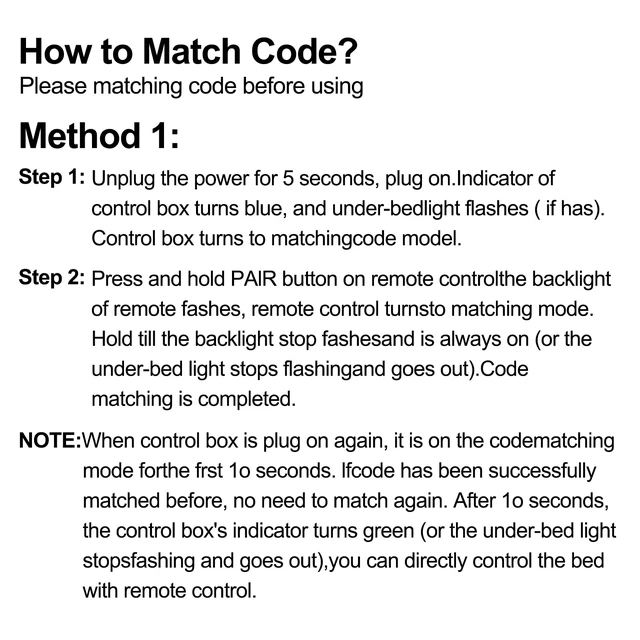
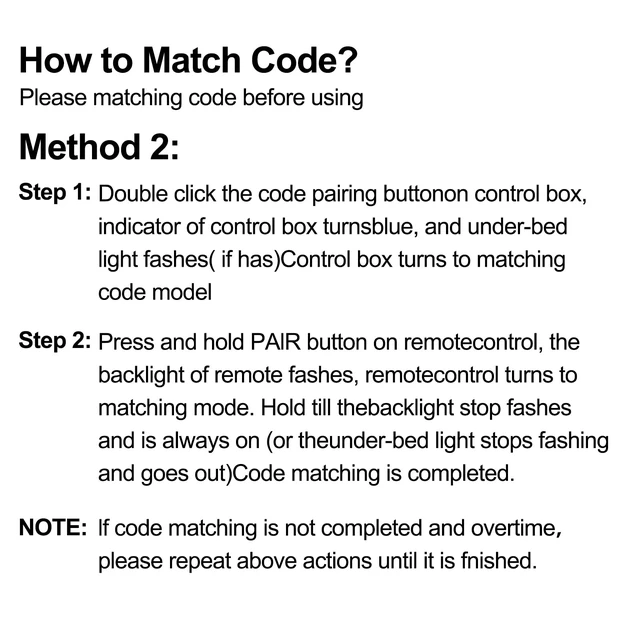
1: Press the pairing button on the control box twice, and the green light will illuminate, indicating that it is ready for pairing. Alternatively, disconnect the power cord of the control box, wait for 1 minute, and then re-insert it into the socket. At this point, the green LED light on the control box will illuminate, indicating that it is ready for pairing (usually within 10 seconds).
Process: Step
2: Press and hold the pairing button. If the LED light flashes, it indicates that pairing is in progress.
Step 3: When the LED lights on the control box and remote control are off, press and release the pairing button on the remote control to complete pairing
Major Bed Brands: This remote control is specifically engineered to seamlessly replace the original remote for your Model RF. 27.19. 33 adjustable bed base. It also delivers reliable performance with popular brands like L600 adjustable beds. Enjoy the convenience of a direct, plug-and-play replacement that restores full functionality to your electric adjustable bed without any compatibility concerns.
Intuitive and User-Friendly Operation: Effortlessly command your bed's positions with the logically arranged buttons. You can independently adjust the headrest and footrest to find your perfect angle for reading, watching TV, or relieving pressure. The clear labeling and ergonomic design make it simple for all users to achieve customized comfort with just a tap.
Process: Step
1: Press the pairing button on the control box twice, and the green light will illuminate, indicating that it is ready for pairing. Alternatively, disconnect the power cord of the control box, wait for 1 minute, and then re-insert it into the socket. At this point, the green LED light on the control box will illuminate, indicating that it is ready for pairing (usually within 10 seconds).
Process: Step
2: Press and hold the pairing button. If the LED light flashes, it indicates that pairing is in progress.
Step 3: When the LED lights on the control box and remote control are off, press and release the pairing button on the remote control to complete pairing
Warranty & Returns
Warranty, Returns, And Additional Information
Warranty
- Please contact the Seller directly for warranty information. Warranty information may also be found on the Manufacturer's website.
- CONTACT
Return Policies
- Return for refund within: 30 days
- Return for replacement within: 30 days
- This item is covered by Brightflag Electronics Return Policy
Manufacturer Contact Info
- For a directory of all our manufacturers, please click below.
- Manufacturers Directory
LOADING...