

Your Browsing History

Meet Your Seller

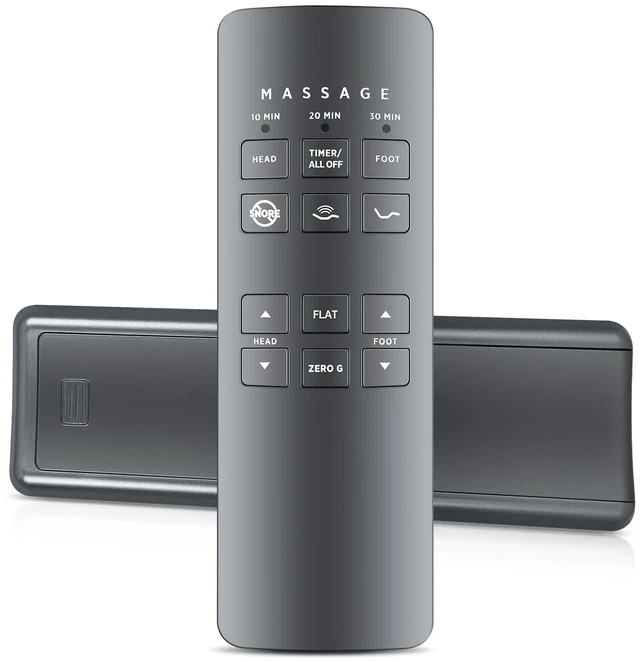
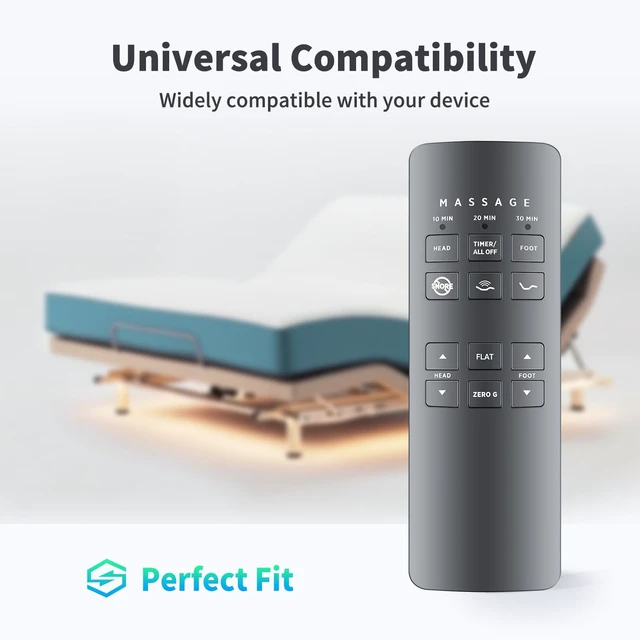


RF258B Replace Remote for Serta/Beautyrest/Tempur-Pedic Bed JLDK.27.03.06 Easy pairing,Responsive control,for Beautyrest Ergomotion Massage SmartMotion 2.0,Head/Foot lift, Zero Gravity
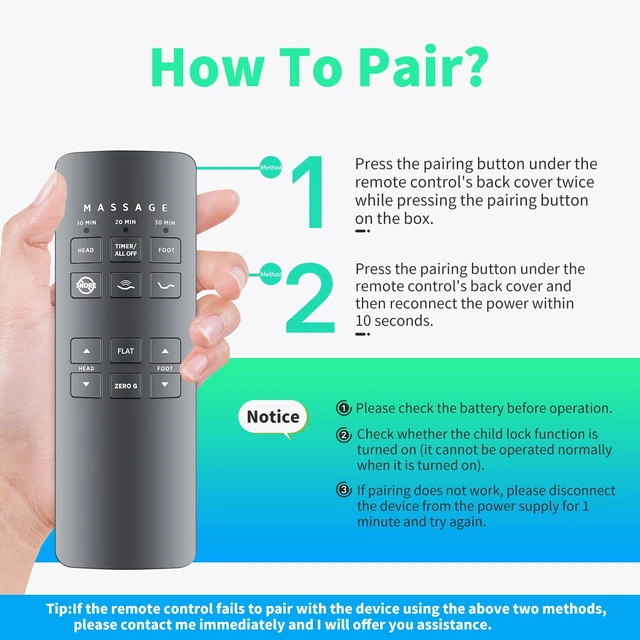
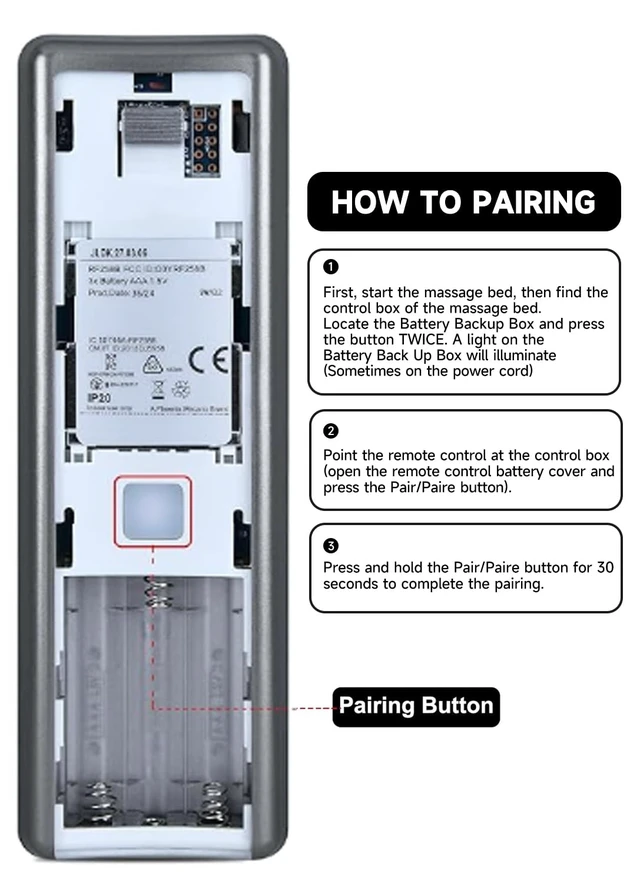
- Premium Replacement for Chairs: This high-quality remote is fully compatible with massage chairs (including models 75261 & RF258B). Regain complete control over your massage experience with performance. Complete Massage Function Control: Enjoy full command of your chair's features including intensity adjustment, massage modes, positioning controls, and timer settings. Perfect for customizing your massage experience without interrupting your relaxation. How to Pair Pairing Method 1: 1. Press the pairing button on the control box twice. The green light will illuminate, indicating pairing preparation. 2. Open the battery cover on the back of the remote control, press and hold the pairing button. The LED light will flash, indicating pairing is in progress. 3. Once the LED lights on both the control box and remote control turn off, release the pairing button on the remote control. Pairing is complete. How to Pair Pairing Method 2: 1. Disconnect the power cord from the control box, wait 1 minute, and then plug it back in. The green LED light on the control box will illuminate, indicating pairing preparation (usually within 10 seconds). 2. Open the battery cover on the back of the remote control, press and hold the pairing button. The LED light will flash, indicating pairing is in progress (please perform this operation while the control box light is on). 3. Once the LED lights on both the control box and remote control turn off, release the pairing button on the remote contro
+
+
Overview
Specs
Reviews

Any questions? Our AI mode will help you find out quickly.
Try me now
Premium Replacement for
Chairs: This high-quality remote is fully compatible with massage chairs (including models 75261 & RF258B). Regain complete control over your massage experience with performance.
Complete Massage Function Control: Enjoy full command of your chair's features including intensity adjustment, massage modes, positioning controls, and timer settings. Perfect for customizing your massage experience without interrupting your relaxation. How to Pair Pairing Method 1: 1. Press the pairing button on the control box twice. The green light will illuminate, indicating pairing preparation. 2. Open the battery cover on the back of the remote control, press and hold the pairing button. The LED light will flash, indicating pairing is in progress. 3. Once the LED lights on both the control box and remote control turn off, release the pairing button on the remote control. Pairing is complete. How to Pair Pairing Method 2: 1. Disconnect the power cord from the control box, wait 1 minute, and then plug it back in. The green LED light on the control box will illuminate, indicating pairing preparation (usually within 10 seconds). 2. Open the battery cover on the back of the remote control, press and hold the pairing button. The LED light will flash, indicating pairing is in progress (please perform this operation while the control box light is on).
3. Once the LED lights on both the control box and remote control turn off, release the pairing button on the remote control. Pairing is complete.
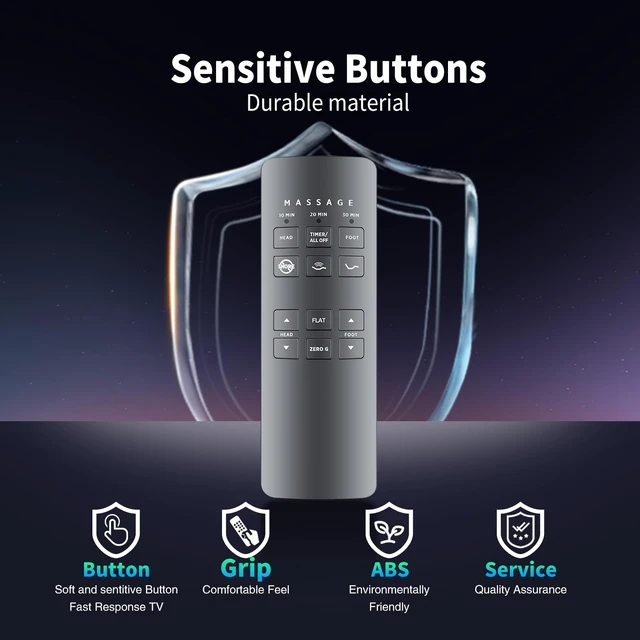
Premium Build for Durability: Featuring responsive buttons, ergonomic design, and reinforced casing, this remote is built to withstand daily use while maintaining comfortable operation. The clear labeling ensures easy navigation of all functions
Chairs: This high-quality remote is fully compatible with massage chairs (including models 75261 & RF258B). Regain complete control over your massage experience with performance.
Complete Massage Function Control: Enjoy full command of your chair's features including intensity adjustment, massage modes, positioning controls, and timer settings. Perfect for customizing your massage experience without interrupting your relaxation. How to Pair Pairing Method 1: 1. Press the pairing button on the control box twice. The green light will illuminate, indicating pairing preparation. 2. Open the battery cover on the back of the remote control, press and hold the pairing button. The LED light will flash, indicating pairing is in progress. 3. Once the LED lights on both the control box and remote control turn off, release the pairing button on the remote control. Pairing is complete. How to Pair Pairing Method 2: 1. Disconnect the power cord from the control box, wait 1 minute, and then plug it back in. The green LED light on the control box will illuminate, indicating pairing preparation (usually within 10 seconds). 2. Open the battery cover on the back of the remote control, press and hold the pairing button. The LED light will flash, indicating pairing is in progress (please perform this operation while the control box light is on).
3. Once the LED lights on both the control box and remote control turn off, release the pairing button on the remote control. Pairing is complete.
Premium Build for Durability: Featuring responsive buttons, ergonomic design, and reinforced casing, this remote is built to withstand daily use while maintaining comfortable operation. The clear labeling ensures easy navigation of all functions
Warranty & Returns
Warranty, Returns, And Additional Information
Warranty
- Please contact the Seller directly for warranty information. Warranty information may also be found on the Manufacturer's website.
- CONTACT
Return Policies
- Return for refund within: 30 days
- Return for replacement within: 30 days
- This item is covered by Brightflag Electronics Return Policy
Manufacturer Contact Info
- For a directory of all our manufacturers, please click below.
- Manufacturers Directory
LOADING...