

Your Browsing History

Meet Your Seller

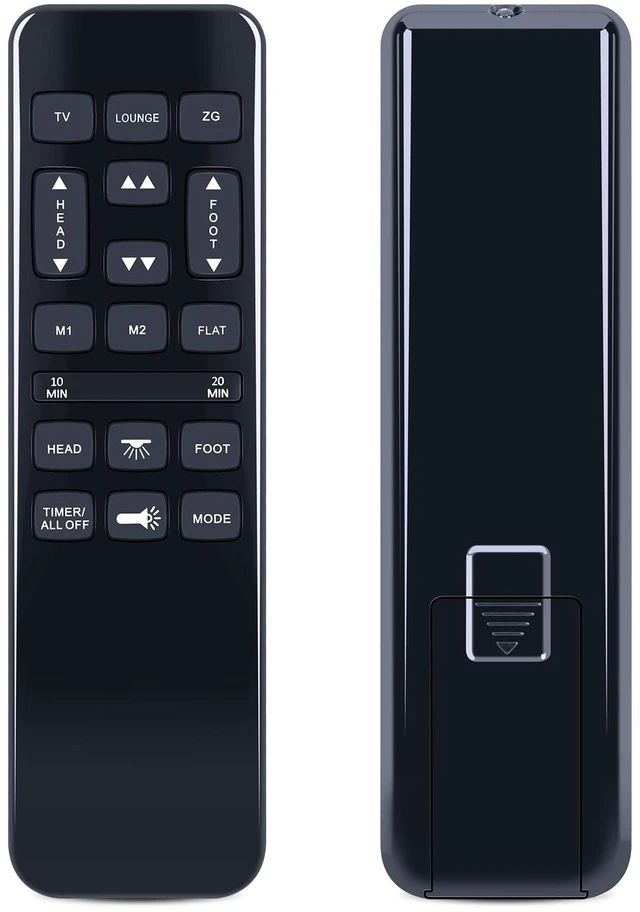
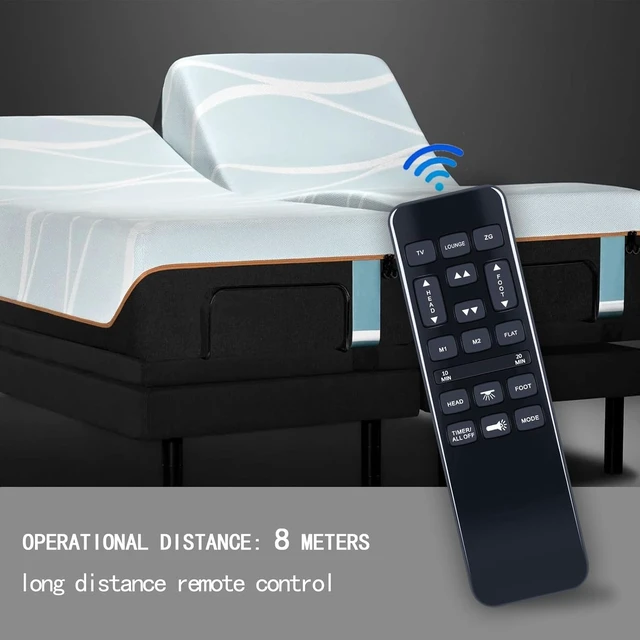


Remote for Richmat HJH92S, for BCP SKY5671 SKY5679 SKY8064 Adjustable Bed for Mattress Firm 600 and 3000 Series, for Classic Brands
Limited time offer, ends 10/05 By HuiXu South Artware
- Compatible with Richmat HJH55 HJH92S Adjustable Bed, BCP SKY5671 SKY5679 SKY8064, Mattress Firm 600 and 3000 Series, and Classic Brands. Not compatible with other brands or types. Ensure the original remote control matches the button layout and appearance. Otherwise, it may not function properly. Pairing Method 1: Step 1) Press and hold the [HEAD UP] and [FOOT UP] buttons on the remote simultaneously for 10 seconds. Step 2) Press and release the button on the side of the control box underneath the bed that indicates reset coding, usually labeled "Learn" or "Reset Coding." Do not press and hold the side button. Step 3) The remote is synced when beeps are heard. Pairing Method 2: Step 1) Press and hold the [HEAD DOWN] and [FOOT UP] buttons on the remote simultaneously for 10 seconds. Step 2) Press and release the button on the side of the control box underneath the bed that indicates reset coding, usually labeled "Learn" or "Reset Coding." Do not press and hold the side button. Step 3) The remote is synced when beeps are heard. Pairing Method 3: Step 1) Press and hold the [HEAD UP] and [FOOT DOWN] buttons on the remote simultaneously for 10 seconds. Step 2) Press and release the button on the side of the control box underneath the bed that indicates reset coding, usually labeled "Learn" or "Reset Coding." Do not press and hold the side button. Step 3) The remote is synced when beeps are heard
+
+
Overview
Specs
Reviews

Any questions? Our AI mode will help you find out quickly.
Try me now
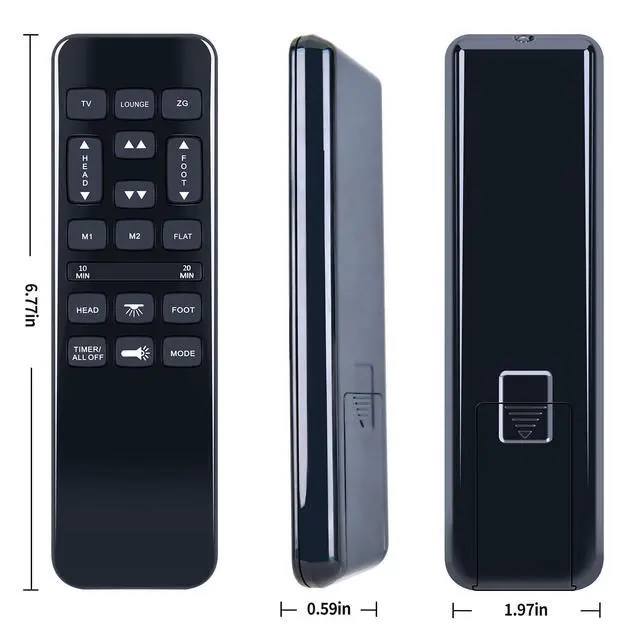
Compatible with Richmat HJH55 HJH92S Adjustable Bed, BCP SKY5671 SKY5679 SKY8064, Mattress Firm 600 and 3000 Series, and Classic Brands. Not compatible with other brands or types. Ensure the original remote control matches the button layout and appearance. Otherwise, it may not function properly.
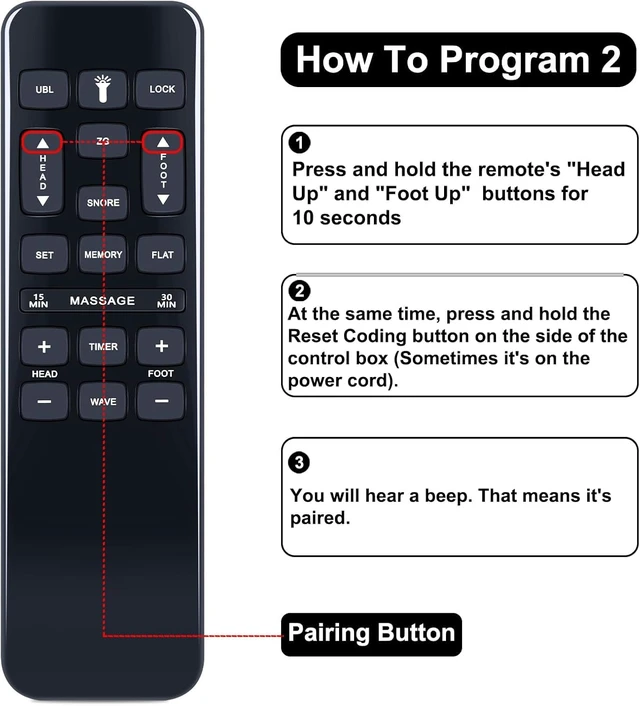
Pairing Method 1: Step 1) Press and hold the [HEAD UP] and [FOOT UP] buttons on the remote simultaneously for 10 seconds. Step 2) Press and release the button on the side of the control box underneath the bed that indicates reset coding, usually labeled "Learn" or "Reset Coding. " Do not press and hold the side button. Step 3) The remote is synced when beeps are heard.
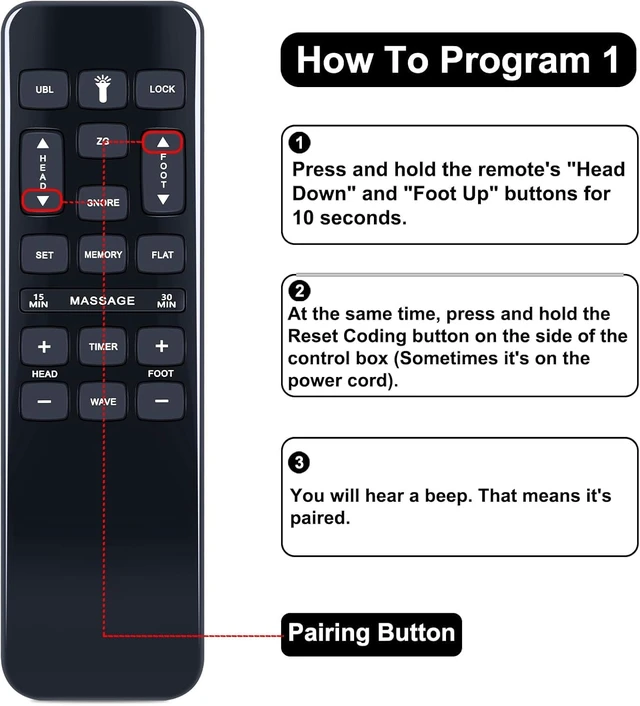
Pairing Method 2: Step 1) Press and hold the [HEAD DOWN] and [FOOT UP] buttons on the remote simultaneously for 10 seconds. Step 2) Press and release the button on the side of the control box underneath the bed that indicates reset coding, usually labeled "Learn" or "Reset Coding. " Do not press and hold the side button. Step 3) The remote is synced when beeps are heard.
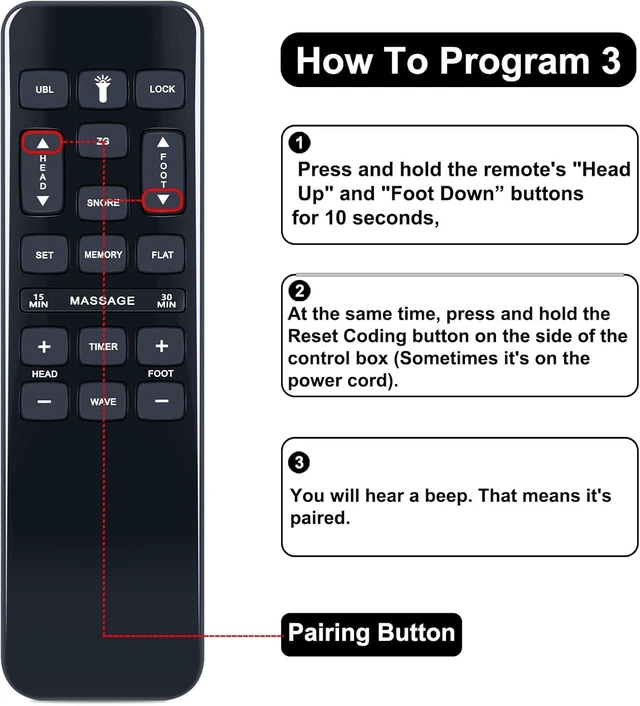
Pairing Method 3: Step 1) Press and hold the [HEAD UP] and [FOOT DOWN] buttons on the remote simultaneously for 10 seconds. Step 2) Press and release the button on the side of the control box underneath the bed that indicates reset coding, usually labeled "Learn" or "Reset Coding. " Do not press and hold the side button. Step 3) The remote is synced when beeps are heard
Pairing Method 1: Step 1) Press and hold the [HEAD UP] and [FOOT UP] buttons on the remote simultaneously for 10 seconds. Step 2) Press and release the button on the side of the control box underneath the bed that indicates reset coding, usually labeled "Learn" or "Reset Coding. " Do not press and hold the side button. Step 3) The remote is synced when beeps are heard.
Pairing Method 2: Step 1) Press and hold the [HEAD DOWN] and [FOOT UP] buttons on the remote simultaneously for 10 seconds. Step 2) Press and release the button on the side of the control box underneath the bed that indicates reset coding, usually labeled "Learn" or "Reset Coding. " Do not press and hold the side button. Step 3) The remote is synced when beeps are heard.
Pairing Method 3: Step 1) Press and hold the [HEAD UP] and [FOOT DOWN] buttons on the remote simultaneously for 10 seconds. Step 2) Press and release the button on the side of the control box underneath the bed that indicates reset coding, usually labeled "Learn" or "Reset Coding. " Do not press and hold the side button. Step 3) The remote is synced when beeps are heard
Warranty & Returns
Warranty, Returns, And Additional Information
Warranty
- Please contact the Seller directly for warranty information. Warranty information may also be found on the Manufacturer's website.
- CONTACT
Return Policies
- Return for refund within: 30 days
- Return for replacement within: 30 days
- This item is covered by HuiXu South Artware Return Policy
Manufacturer Contact Info
- For a directory of all our manufacturers, please click below.
- Manufacturers Directory
LOADING...