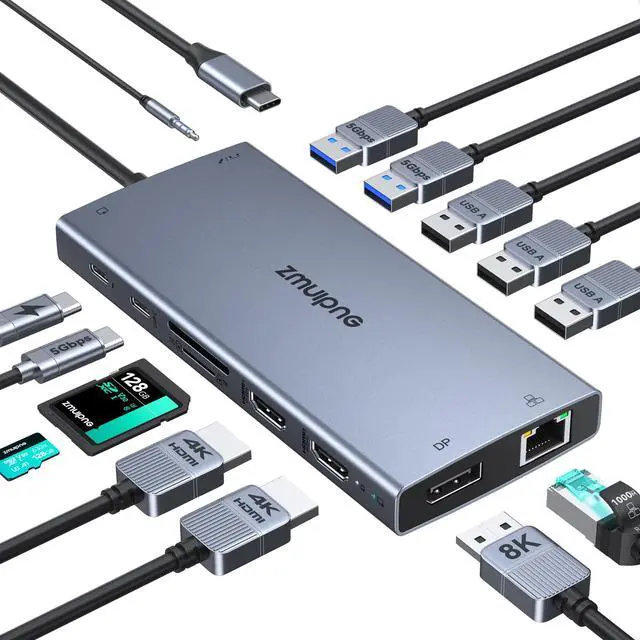
USB C Laptop Docking Station 15
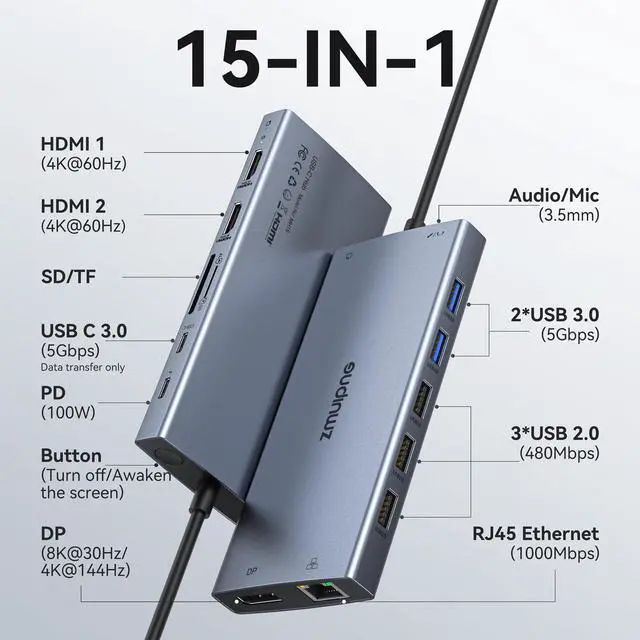
IN 1: the docking station 3 monitors features 2*HDMI 4K ports, 1*DP 8K ports, turn off button, compatible and working detection lamp, 3*USB 3.0 ports, 2*USB 2.0 ports, 1*USB C 3.0 port, 100W USB C PD Port, 1Gbps Gigabit Ethernet, SD/Micro SD card readers and 3.5 mm Mic/audio. The USB C docking station dual monitor is only compatible with a laptop with Thunderbolt 3/4 and a Full-Functional USB C port.
NOTE: If your laptop has an HDMI port, it will not be compatible with this hub. 4K Dual Monitor & Triple
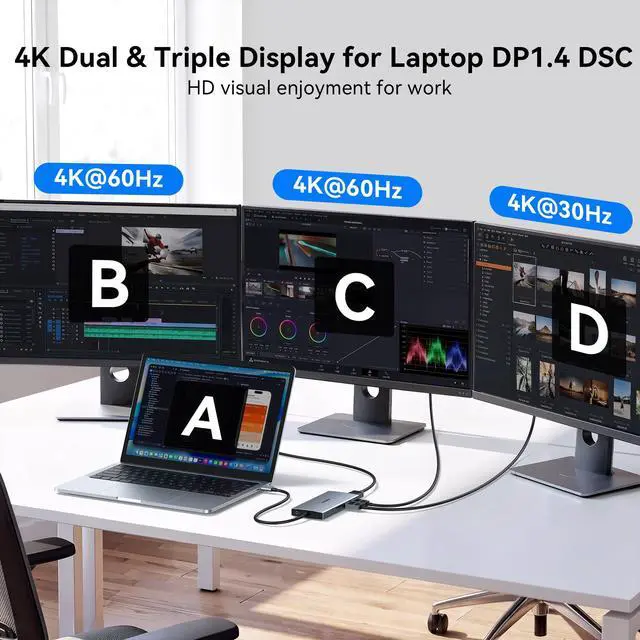
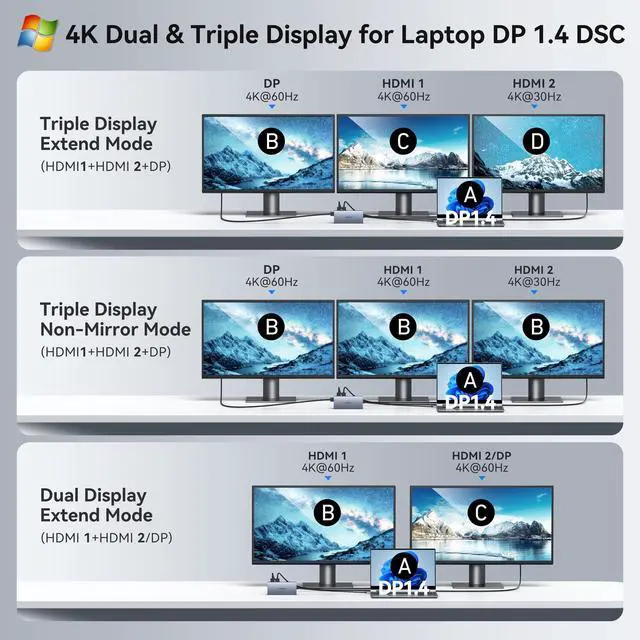
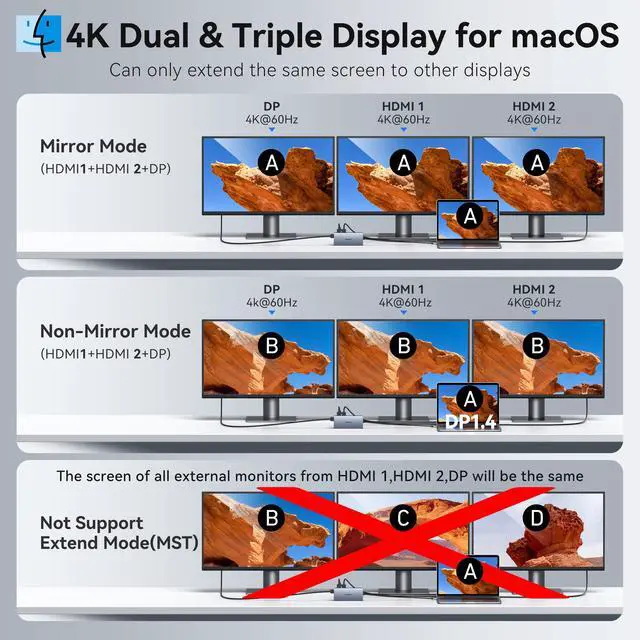
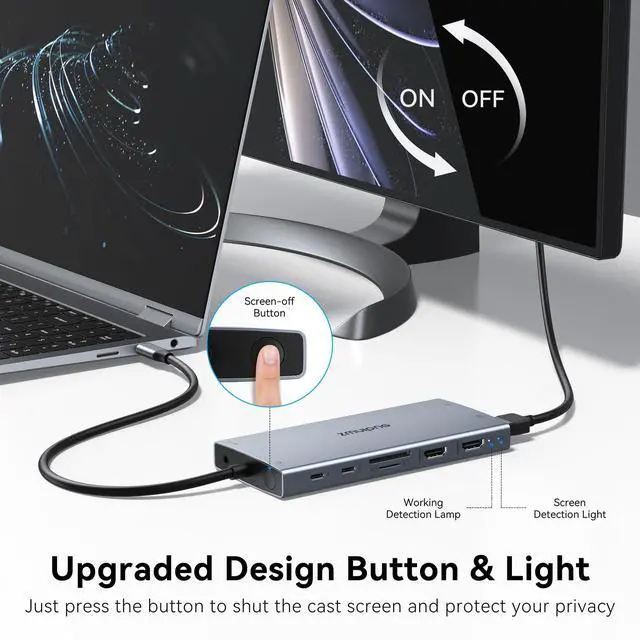
Display Docking Station: The multi-display docking station can easily achieve dual-monitor and triple-monitor displays for Windows. Single use HDMI max up to 4K@60Hz, DP up to 8K@30Hz (DP 1.4 ). When connecting 2 displays or triple display, the resolution will be 4K (DP 1.4 ). When connecting 3 monitors and only two monitors are displayed, please plug in the DP port first, then plug in the 2 HDMI ports. Due to OS limitations, macOS laptops only support SST mode, meaning all connected external monitors will show the same mirrored display. Privacy Protection Button & Detection Lamp: Press to turn off your screens; the screen lock button protects sensitive information at any time. When compatible and working detection both lights are on, the laptop docking station is compatible with your laptop and can work properly.
NOTE: you need an HDMI to HDMI or a DP to DP cable. 100W PD Charging for Your Laptop and
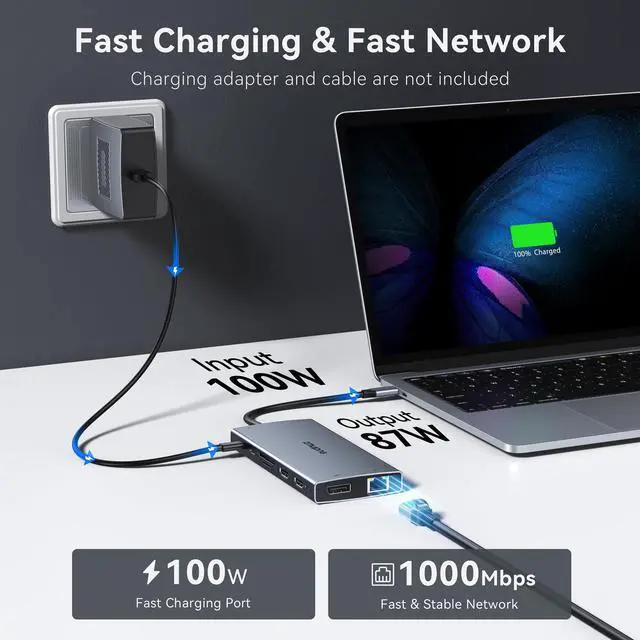
Devices: The dedicated USB-C Power Delivery port delivers up to 100W USB-C charging to power your laptop efficiently while the docking station 3 display is in use.
NOTE: The package contains only the product and the user manual. Charger not included. Make sure a 100W adapter is available to meet the requirements for charging under full load. Fast Data Transfer & Gigabit
Ethernet & Audio/Mic: Move files in seconds with multiple 5Gbps USB ports that offer 10x the speed of USB 2.0. Complement your wireless connection with the stable, high-performance 1000Mbps RJ45 network port for seamless video calls, large downloads, and lag-free online gaming. Also, this docking station for laptop has a 3.5 mm Mic/Audio (2 in 1) port, so that you can enjoy music without disturbing others





 here!
here!