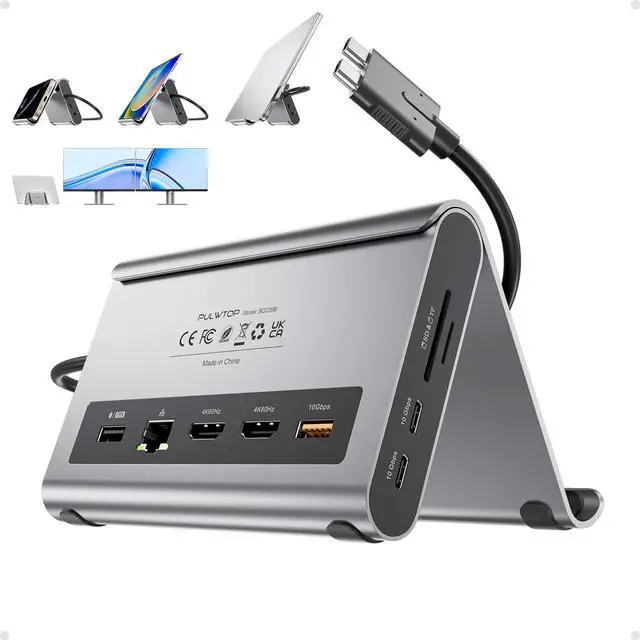
[11 in 1
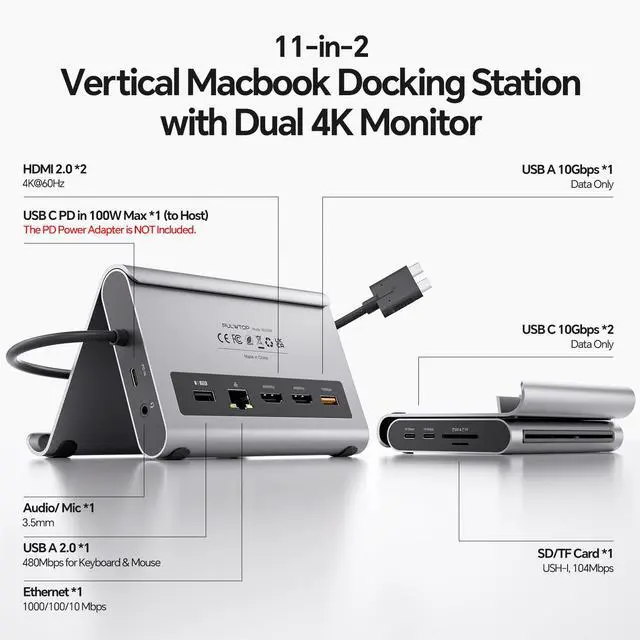
Docking Station]: This MacBook Pro Docking Station stand comes with 2 x 4K@60Hz HDMI for HD video output, 1 x USB-A 10Gbps, 2 x USB-C 10Gbps, 1 x USB-A 2.0, SD/Micro SD UHS-1, 100W Max PD IN, and RJ45 wired Gigabit Ethernet. It also features a holder for your laptop, tablets, and phones.
[Note: Please connect a power adapter (not included) of 65W or above.
] NOTE 1: Holder for MacBook Pro/Air; only supports closed-lid stand function, does not support opening the screen to use.
NOTE 2: Do not support using with a laptop case for stand function.
[4K HDMI HD Output]: The MacBook Air docking station dual monitor output supports up to 2 x 4K@60Hz. The Mac Dock can perfectly mirror or extend your screen to an HDTV, monitor, or projector, suitable for full HD movies, 3D video games, office meetings, and entertainment. Surf the web, watch video clips, and transfer data, all in one.
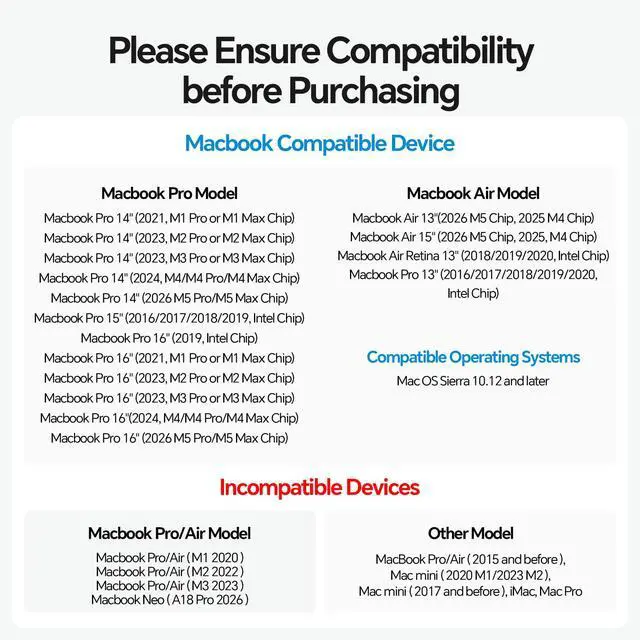
[Compatibility]: This Dual USB-C Dock is compatible with MacBook Pro/Air 20162026 (Intel, M1M5 Pro/Max, M4/M5 base chips).
NOTE: This MacBook Pro Docking Station is NOT compatible with M1/M2/M3 Base Chips, MacBook Neo, and Windows Laptops.
[Clamshell Mode Setup]: 1) Open MacBook's Application Utilities Terminal. 2) Type the following command and press
Enter: sudo pmset -a disablesleep 1. 3) Enter your administrator password and press Enter again. 4) Your MacBook is now ready for dual displays with the lid closed.
Notes: 1) If the external display doesn't work, restart your MacBook. 2) To revert to default sleep behavior (disable clamshell mode), run: sudo pmset -a disablesleep 0. [Super
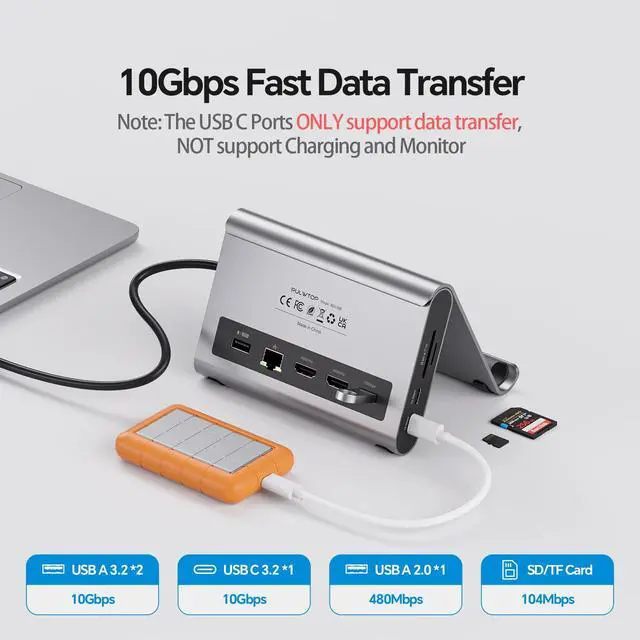
Speed Data Transfer Dock]: This docking station for MacBook Air has 2 USB-C 10Gbps ports (not support video and charging), 1 x USB-A 10Gbps/5Gbps, and 1 x USB-A 2.0 to transfer files. The USB-A 2.0 port allows you to connect a mouse/keyboard without lag. It improves your work efficiency. The USB-C docking station features a Max PD 100W charge port and RJ45 wired Gigabit Ethernet (10/100/1000Mbps). [2 in 1 Docking Station with
Stand]: This MacBook Pro docking station dual monitor not only can meet the various needs of users, but also provides a laptop stand function (improve desktop utilization). The detachable bracket is enough to act as a laptop bracket to help increase space, create more working space, and increase productivity





 here!
here!