• $52.49
  • Free 30-day Returns
  • Price alert
    Shop it at NeweggBusiness.

    Meet Your Seller

    Docking Station Dual Monitor with 4K HDMI&DP Port, USB-C Hub with Ethernet 3 USB-A 3.0, SD/TF Card Readers, 4K@60Hz HDMI and DisplayPort,100W PD Charging, Ethernet, 9 Port USB C Dock for Laptop

    Limited time offer, ends 10/28 By Lu Sincere Store

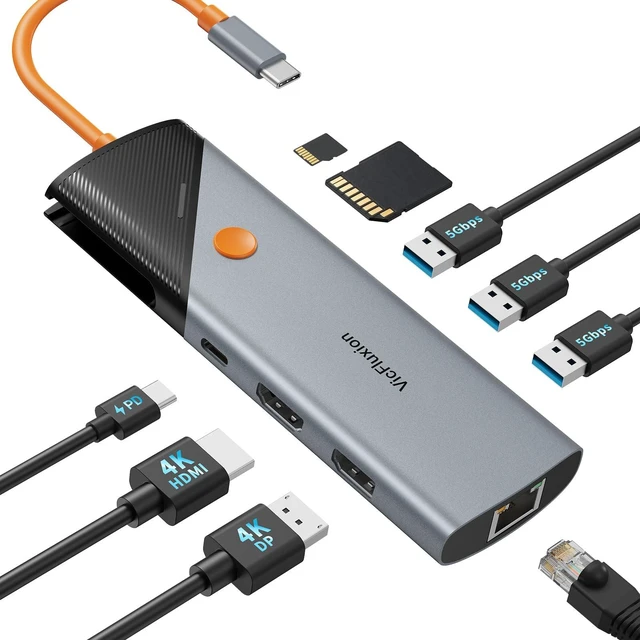
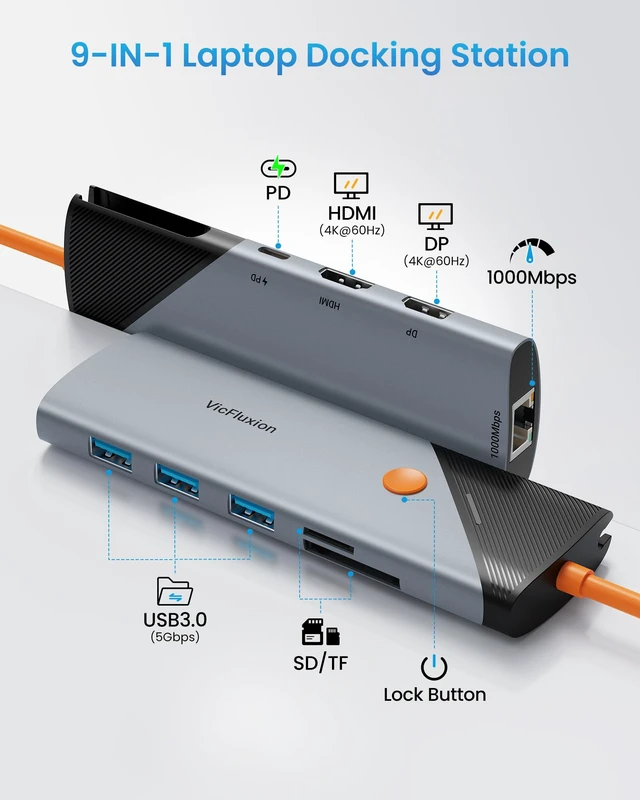
    • 9-in-1 Laptop Docking Station: The USB C Dock turns a single USB-C port into a complete workstation with HDMI, DisplayPort, USB-A, SD/TF card readers, Gigabit Ethernet, and 100W Power Delivery charging. Connect your essential devices and keep your workspace clean and organized. Note: Your laptop's USB-C port must support DisplayPort Alt Mode for video output. Dual 4K Display Adapter: This laptop dock connects two external monitors through HDMI and DP ports, both supporting up to 4K@60Hz resolution. Enjoy a larger workspace for multitasking, content creation, and everyday productivity. Note: Only HDMI and DP ports support video output. USB ports do not support video output. To achieve 4K@60Hz, your device must support DP 1.4 Alt Mode and HDMI 2.0 or above. USB Hub with Fast Data Transfer: Equipped with USB-A 3.0 ports, this USB C Hub multiport adapter supports fast file transfers and connects easily with other peripherals. Also, the SD and TF card slots support SD 3.0 transfer, making it easy to offload camera photos, 4K videos, and creative projects in less time. A compact all-in-one solution for home, office, and travel setups. Gigabit Ethernet for Stable Networking: Add reliable wired network access to laptops without an RJ45 Ethernet port. This hub with Ethernet port supports up to 1000Mbps speeds for smoother video calls, online meetings, streaming, and large file transfers. Note: 1000Mbps requires a Cat5e/Cat6 or higher Ethernet cable and compatible network equipment.
    +
    +
    Overview
    Specs
    Reviews

    Any questions? Ask CelesteSM will help you find out quickly.

    9-in-1
    Laptop Docking Station: The USB C Dock turns a single USB-C port into a complete workstation with HDMI, DisplayPort, USB-A, SD/TF card readers, Gigabit Ethernet, and 100W Power Delivery charging. Connect your essential devices and keep your workspace clean and organized.
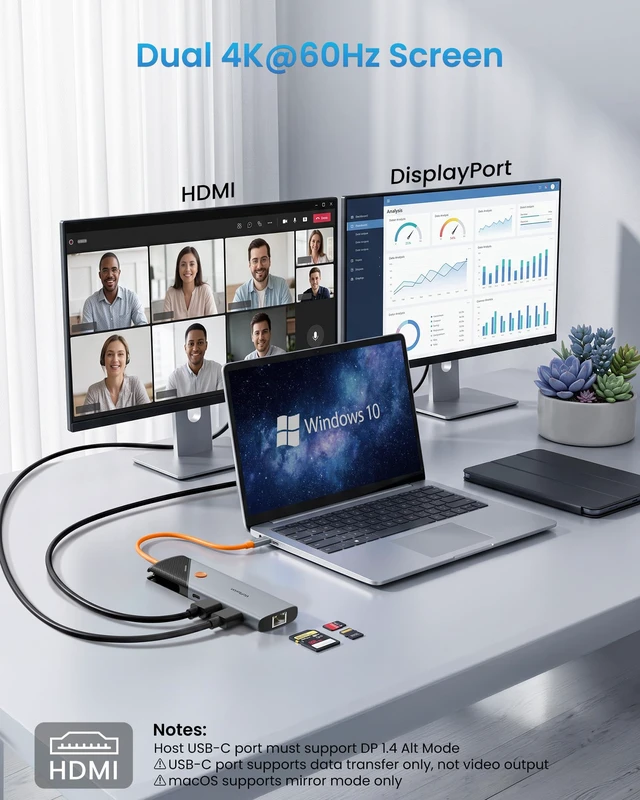
    Note: Your laptop's USB-C port must support DisplayPort Alt Mode for video output.
    Dual 4K Display Adapter: This laptop dock connects two external monitors through HDMI and DP ports, both supporting up to 4K@60Hz resolution. Enjoy a larger workspace for multitasking, content creation, and everyday productivity.
    Note: Only HDMI and DP ports support video output. USB ports do not support video output. To achieve 4K@60Hz, your device must support DP 1.4 Alt Mode and HDMI 2.0 or above. USB Hub with
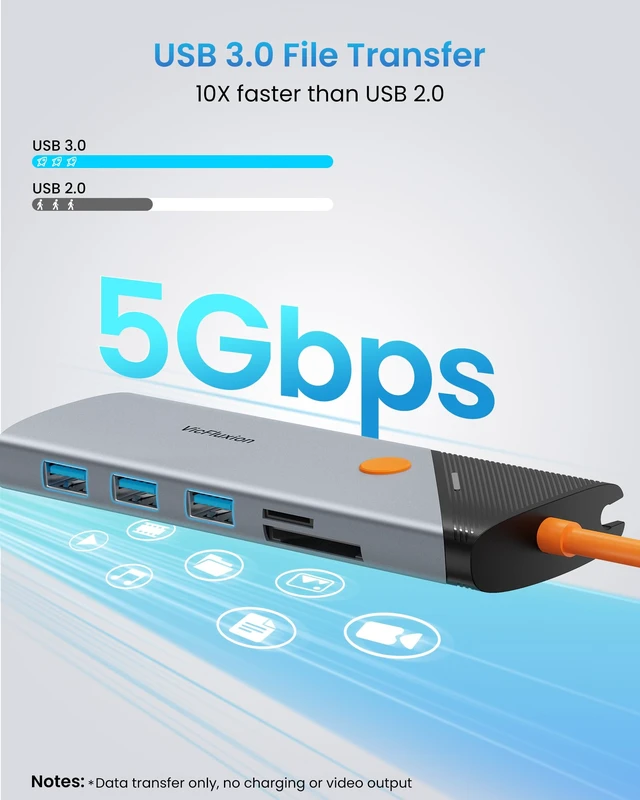
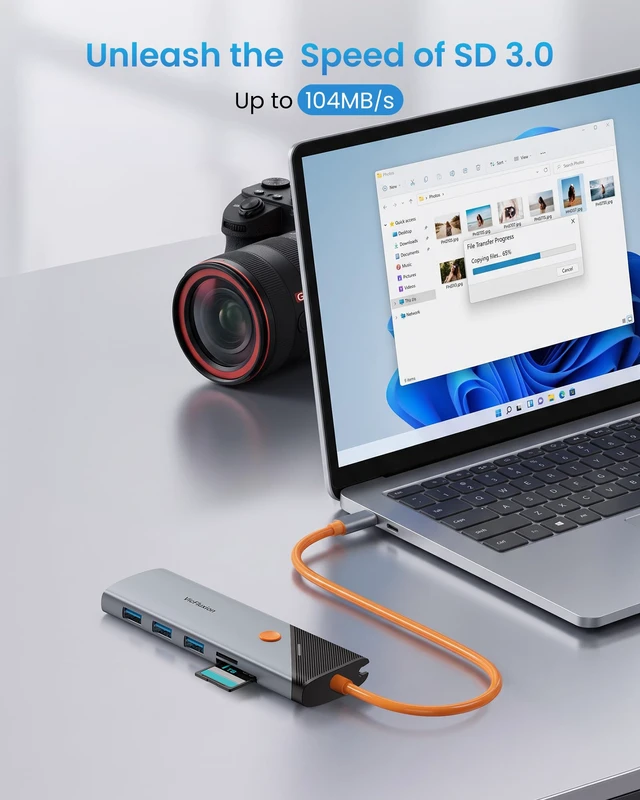
    Fast Data Transfer: Equipped with USB-A 3.0 ports, this USB C Hub multiport adapter supports fast file transfers and connects easily with other peripherals. Also, the SD and TF card slots support SD 3.0 transfer, making it easy to offload camera photos, 4K videos, and creative projects in less time. A compact all-in-one solution for home, office, and travel setups. Gigabit Ethernet for
    Stable Networking: Add reliable wired network access to laptops without an RJ45 Ethernet port. This hub with Ethernet port supports up to 1000Mbps speeds for smoother video calls, online meetings, streaming, and large file transfers.
    Note: 1000Mbps requires a Cat5e/Cat6 or higher Ethernet cable and compatible network equipment.
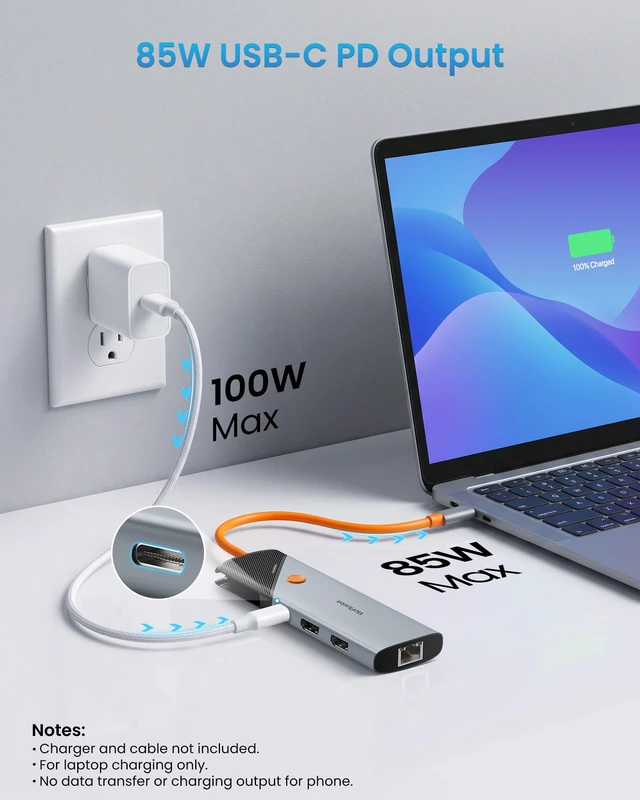
    90W Power Delivery Charging: Supports up to 100W USB-C Power Delivery input and provides up to 90W charging to your laptop while other ports are in use. The remaining 10W power is reserved for dock operation to ensure stable performance.
    Note: Some 65W USB-C charging laptops may show a "Slow Charger" warning when used with dock. This is normal because the dock uses part of the power for operation, leaving less power available for laptop charging. Charger and power cable are not included

    Warranty & Returns

    Warranty, Returns, And Additional Information

    Warranty

    • Please contact the Seller directly for warranty information. Warranty information may also be found on the Manufacturer's website.
    • CONTACT

    Return Policies

    Manufacturer Contact Info

    LOADING...