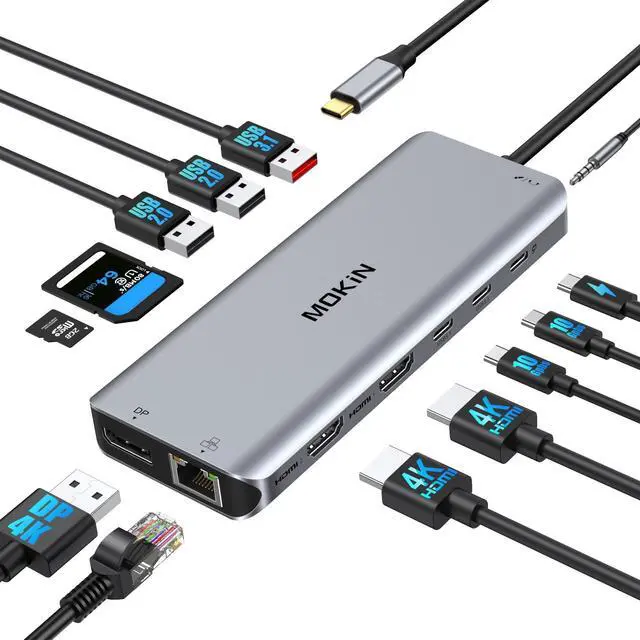
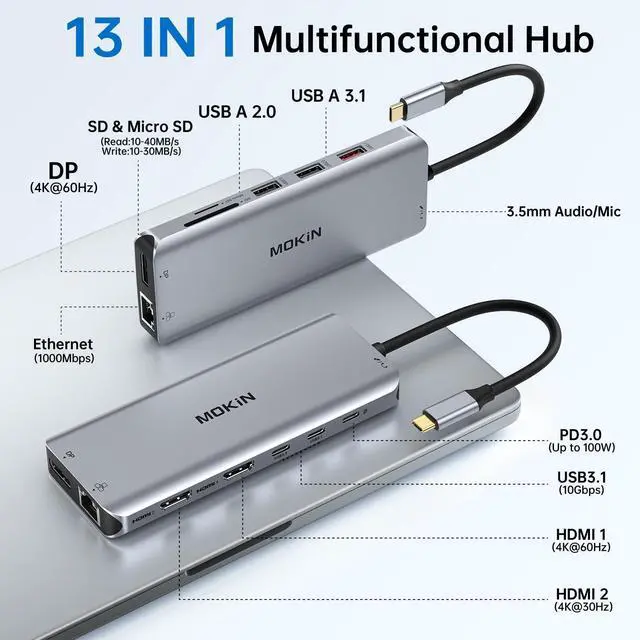
[13-in-1 USB C Docking Station] The Docking Station Dual Monitor comes with 2 x 4K HDMI, DP display ports, Gigabit Ethernet, 100W PD charging, 3 x 10Gbps USB 3.1 and 2 x USB 2.0 ports, SDµSD card reader, 3.5 mm audio and microphone 2-in-1. In addition, this 2 HDMI docking station does not require any driver installation and is plug-and-play for your daily use.
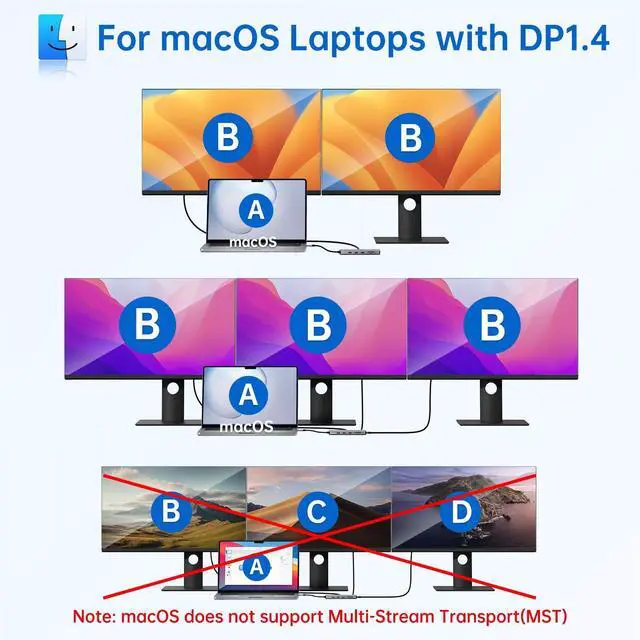
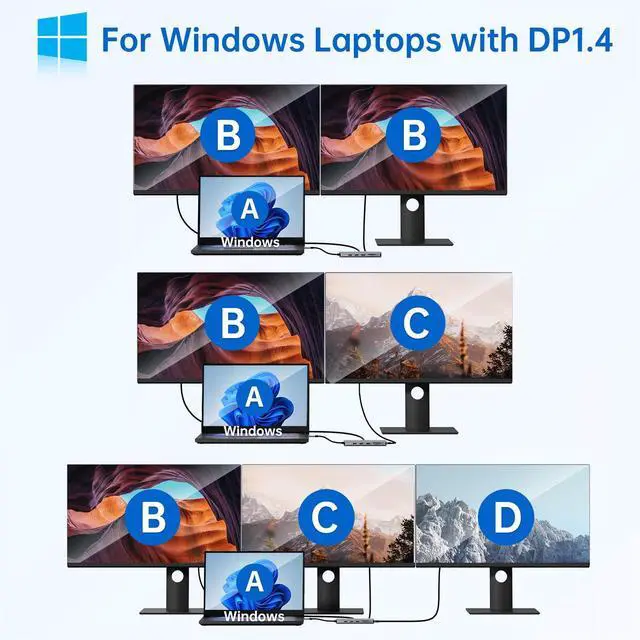
Note: In docking mode, macOS laptops can only be docked with one 4K@60Hz display. (The dock does not support the use of converters) [Docking Station Dual HDMI DP] This docking station helps you to easily achieve the display of two or three monitors. Whether it is meetings, presentations or audio-visual entertainment, you can enjoy high-definition picture quality and an immersive experience. When the signal source is DP 1.4, triple displays reach new heights, supporting up to 3 X 1080@60Hz.
NOTE: In extended mode, macOS users can only extend one. [Up to 10Gbps
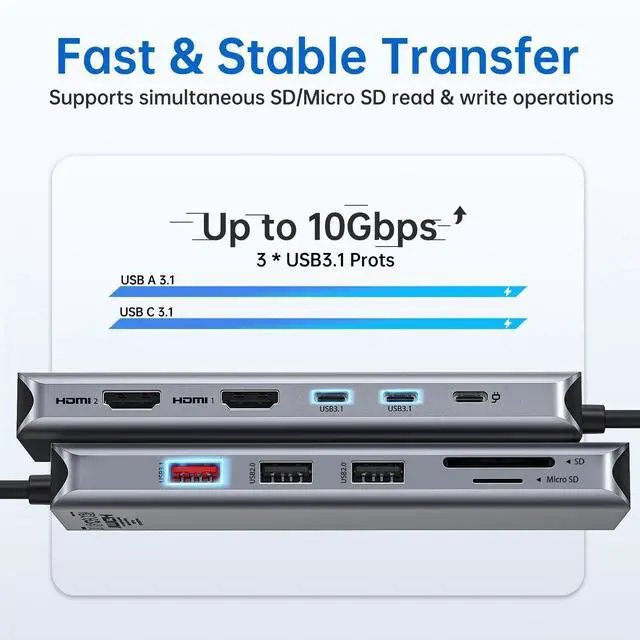
Speedy Transmission]: This triple monitor docking station comes with 2 USB C 3.1 & USB A 3.1 ports (up to 10Gbp/s), USB 3.1 ports can transfer 20G files in 25 seconds. And 2 USB A 2.0 ports are best used for your mouse, keyboard and other low rate devices. Built-in SD and micro SD slots support inserting two memory cards to read data at the same time.
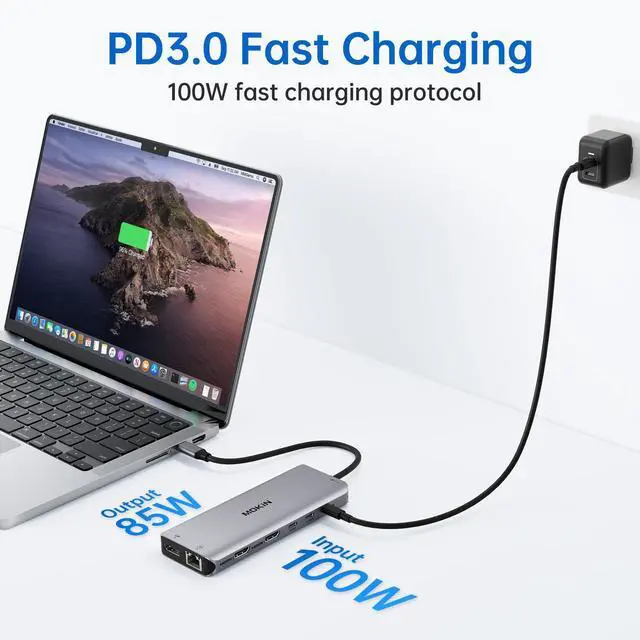
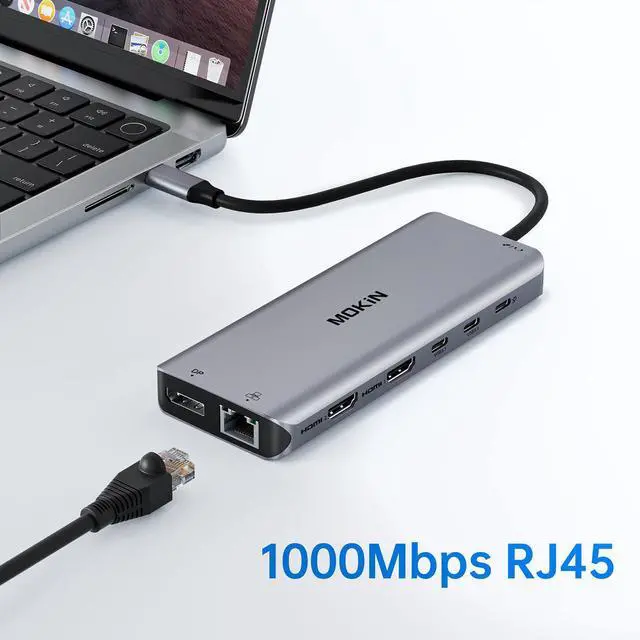
(PLEASE NOTE: Data transfer rates are subject to the speed of the memory) [100W Fast Charging & Gigabit Ethernet] This USB C multi adapter supports a maximum of 100W input and 85W (safe) output to your laptop (when using the 100W power adapter), providing fast and stable power support for your devices. The usb c hub 2 hdmi equipped with high-speed Gigabit Ethernet port ensures stable and smooth network connection. Remote working, online meetings, everything is under control [USB
C Multi-Port Docking Station]: This laptop docking station with a 3.5 mm audio/microphone 2-in-1 jack lets you enjoy great music or audio chat while surfing the web at high speeds, which is a boon to teachers and students who are taking online classes at home, spreading their knowledge and absorbing it at smooth internet speeds through a headset with a microphone and speakers. For compatibility and model information, we're happy to help with remote working, online meetings, everything is





 here!
here!