• $40.49
  • Free 30-day Returns
  • Sold by Vast Sun Tech

    Shipped by Vast Sun Tech

    Price alert
    Shop it at NeweggBusiness.

    Meet Your Seller

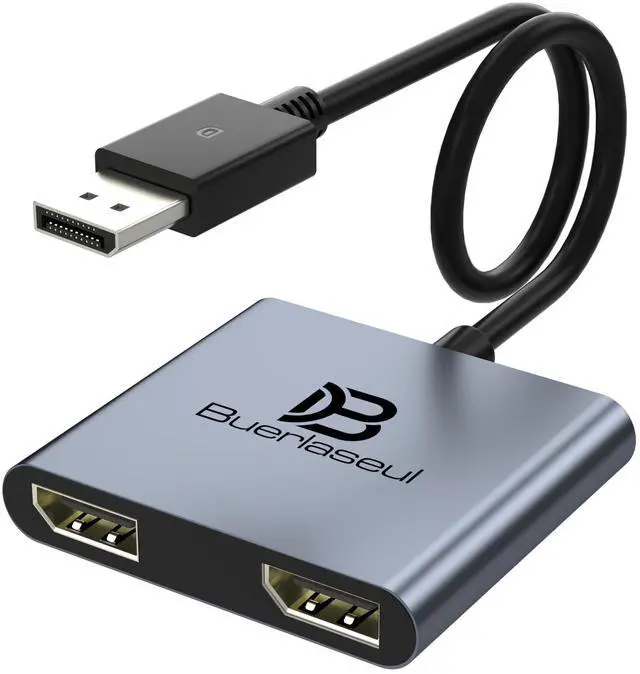
    DisplayPort Splitter for Dual Monitors, DisplayPort to Dual DisplayPort Splitter Adapter 4K@120Hz, Monitor Splitter SST/MST Extended Display, DP MST Hub for PC, Laptop,Graphics Card and More

    Limited time offer, ends 10/16 By Vast Sun Tech

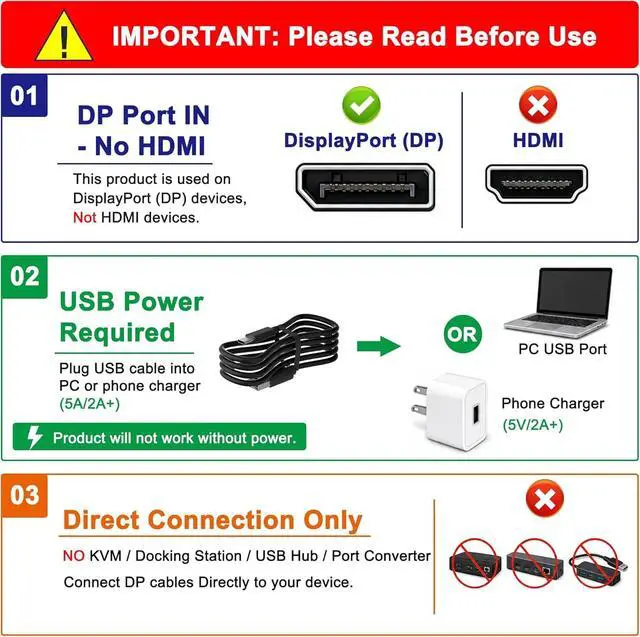
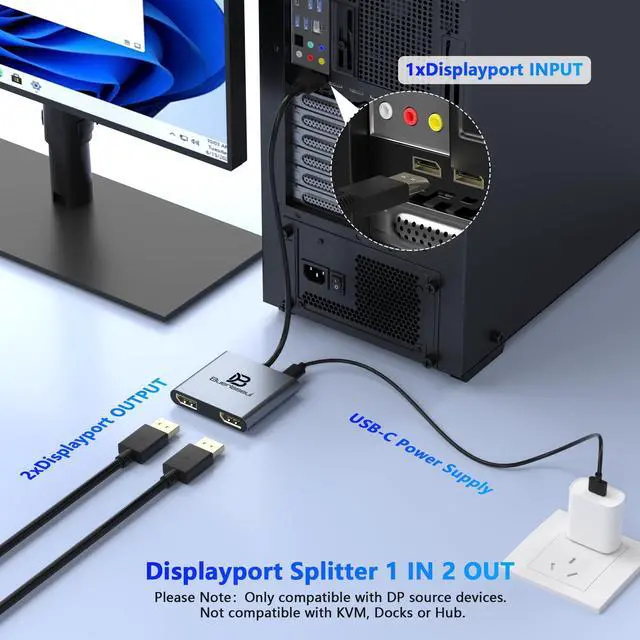
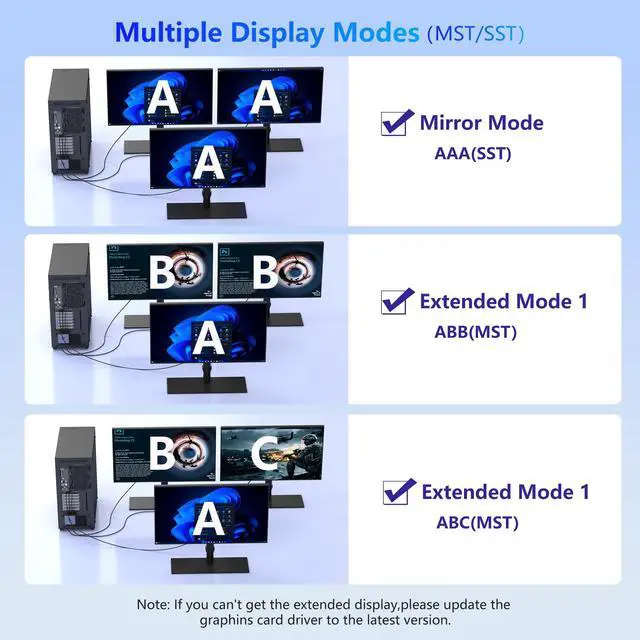
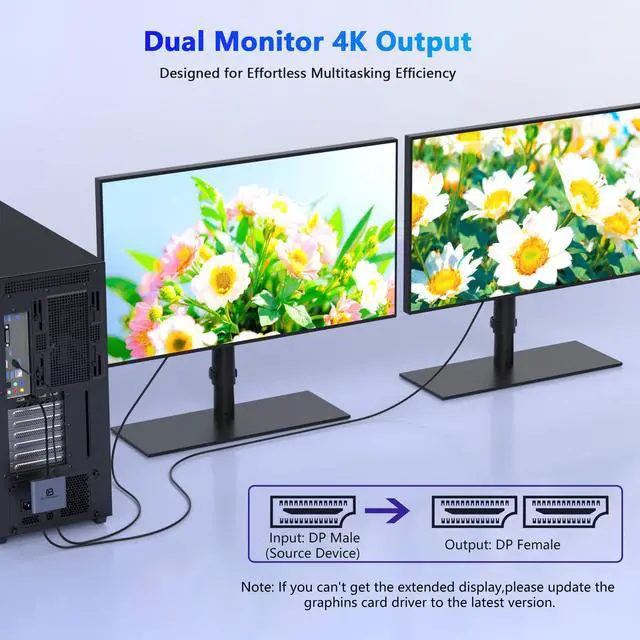
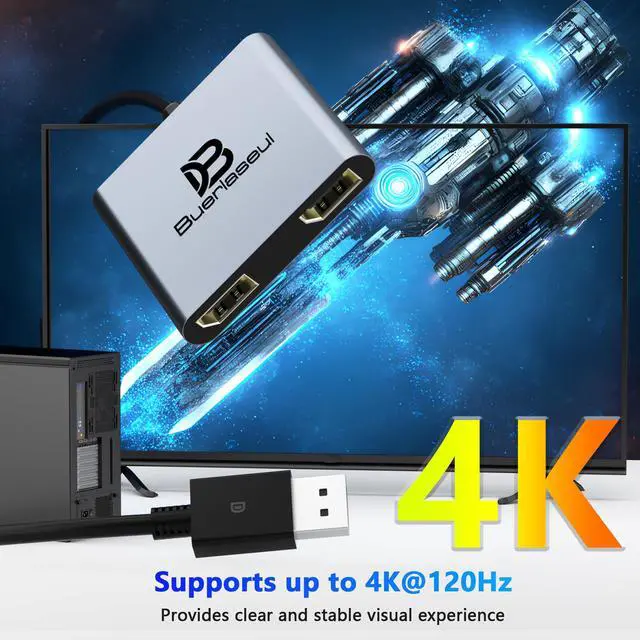
    • [4K@120Hz Ultra HD Single Display + 4K@60Hz Dual Display] This DisplayPort splitter delivers crystal-clear 4K resolution. It supports single-display output at 4K@120Hz/144Hz (requires DP 1.4 cable and using only one output port) and dual-display output at 4K@60Hz (requires DP 1.2 cable). Backward compatible with lower resolutions for versatile setup options. This dual monitor splitter is not compatible with docking station, USB hubs or KVM switch, and only supports signal DisplayPort source output to dual DisplayPort displays. [Extended Mode & Mirror Mode for Windows & Mac] This adapter supports both Extended and Mirror modes. Windows systems fully support MST and SST for flexible dual-screen setups. For Mac users, it supports SST Mirror Mode (AAA/ABB). Please Note: macOS does not support extending to two independent monitors, and the device requires a native DisplayPort source. [Plug & Play Setup, No Driver Required] Enjoy hassle-free installation with true plug-and-play functionalityno drivers or software needed. Instantly transmits signals from any DisplayPort source to two monitors. Compact and portable for easy travel. Tip: If extended mode is not detected, updating your graphics card driver is recommended. Non-locking connector design prevents damage to your graphics card during plug/unplug. Package. [USB-C Powered for Stable Performance] Includes a USB-C power cable to provide consistent power to the built-in chipset, ensuring reliable operation during extended use.
    +
    +
    Overview
    Specs
    Reviews
    avatar

    Any questions? Our AI mode will help you find out quickly.

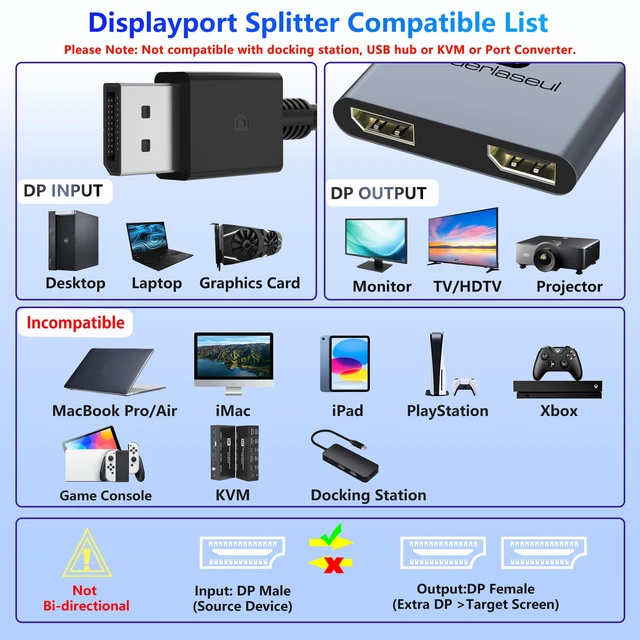
    [4K@120Hz Ultra HD Single Display + 4K@60Hz Dual Display] This DisplayPort splitter delivers crystal-clear 4K resolution. It supports single-display output at 4K@120Hz/144Hz (requires DP 1.4 cable and using only one output port) and dual-display output at 4K@60Hz (requires DP 1.2 cable). Backward compatible with lower resolutions for versatile setup options. This dual monitor splitter is not compatible with docking station, USB hubs or KVM switch, and only supports signal DisplayPort source output to dual DisplayPort displays. [Extended Mode & Mirror Mode for Windows & Mac] This adapter supports both Extended and Mirror modes.

    Windows systems fully support MST and SST for flexible dual-screen setups. For Mac users, it supports SST Mirror Mode (AAA/ABB).
    Please Note: macOS does not support extending to two independent monitors, and the device requires a native DisplayPort source. [Plug & Play Setup, No Driver Required] Enjoy hassle-free installation with true plug-and-play functionalityno drivers or software needed. Instantly transmits signals from any DisplayPort source to two monitors. Compact and portable for easy travel.
    Tip: If extended mode is not detected, updating your graphics card driver is recommended. Non-locking connector design prevents damage to your graphics card during plug/unplug. Package. [USB-C Powered for Stable Performance] Includes a USB-C power cable to provide consistent power to the built-in chipset, ensuring reliable operation during extended use. For optimal performance, connect to a 5V/2A power adapter (sold separately). [Wide Compatibility & Reliable Signal] Compatible with Windows, Linux, and Unix systems. Works seamlessly with PCs, laptops, and graphics cards featuring DisplayPort output. Ideal for office work, gaming, multimedia teaching, and conference presentations. For best results, use high-quality DisplayPort cables under 1.8 meters (6 feet) in length

    Warranty & Returns

    Warranty, Returns, And Additional Information

    Warranty

    • Please contact the Seller directly for warranty information. Warranty information may also be found on the Manufacturer's website.
    • CONTACT

    Return Policies

    Manufacturer Contact Info

    LOADING...