• $68.99
  • Free 30-day Returns
  • Sold by Vast Sun Tech

    Shipped by Vast Sun Tech

    Price alert
    Shop it at NeweggBusiness.

    Meet Your Seller

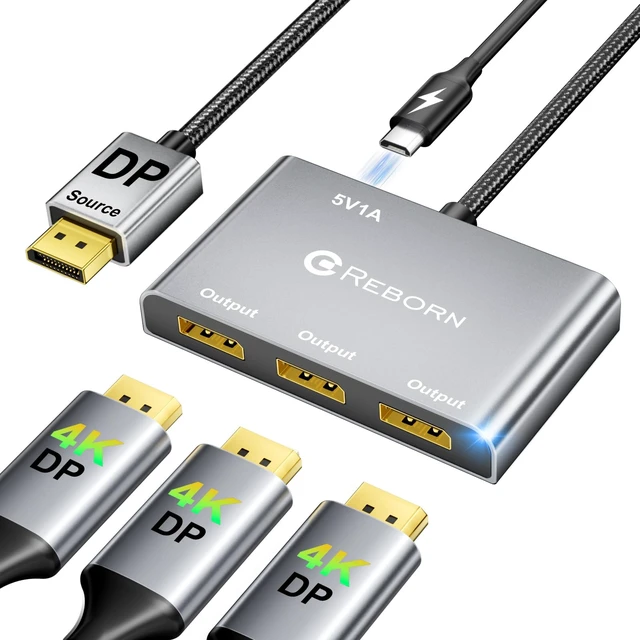
    DisplayPort Splitter for 3 Monitors Adapter 4K@60Hz DP Splitter Extended Display 1 in 3 Out MST Hub for Multiple Monitor Compatible with PC,NVIDIA/AMD Graphic Card

    Limited time offer, ends 10/29 By Vast Sun Tech

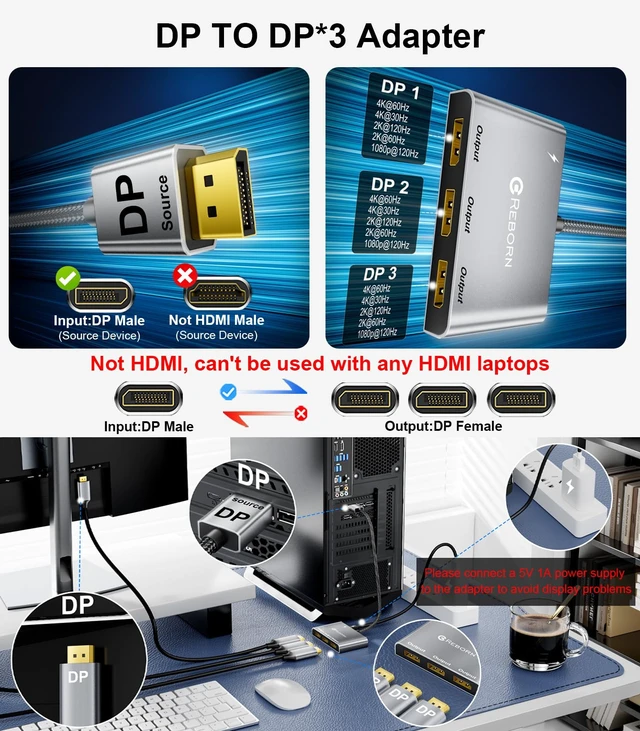
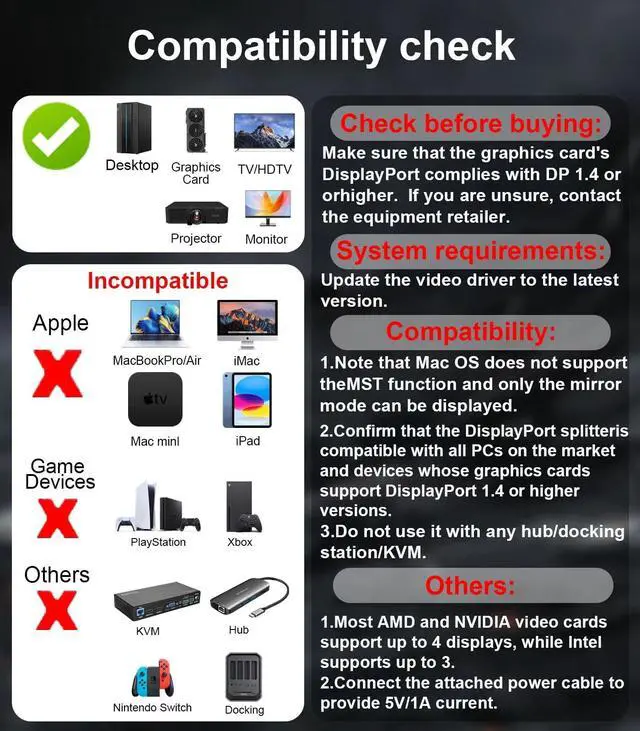
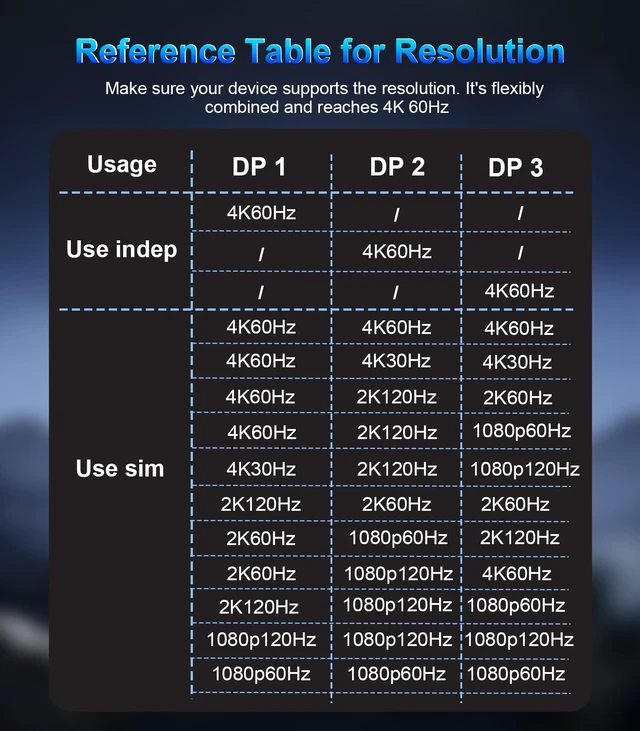
    • [DisplayPort Splitter 1 in 3 Out] The DisplayPort Splitter Adapter can easily connect a source device with DP/DP++/DisplayPort++ interface to 3 DP monitors. It helps you boost efficiency and create more options when working or having fun. It supports both mirror mode (SST) and extended mode (MST). *Note: Don't use it with any hub/docking station/KVM that may lead to compatibility issues. To get a smooth 3-monitor expansion mode, make sure your video card supports 18Gbps or more bandwidth. [4K UHD Visual Feast] Expand your monitors with this Display Port Splitter. Transfer 4K(3840x2160)@60Hz content directly to your monitor/TV/projector. Supports HDCP 2.2 and complies with DP 1.2 standard. Single DP output resolution up to 4K@60Hz, backward compatible with 2K@120Hz/60Hz, 1080P@120Hz/60Hz; 3 DP screen resolution up to 4K@60Hz/30Hz. (Make sure your input and output devices both support the same resolution) [Plug and Play Solution] The DisplayPort to Three DisplayPort splitter is super easy to use. It's plug-and-play, so no need to install drivers, saving you time. You can quickly expand to 1, 2, or 3 monitors. Here's how: Plug the DP connector into your signal source like a PC or graphics card. Then, connect the provided power cable to get 5V/1A current. Finally, use DP extension cables that support 4K@60Hz to link the 3 DP female connectors to your monitors. *Note: PCs with integrated GPUs usually only support mirroring mode or can only extend one monitor. [Stable Transmissio
    +
    +
    Overview
    Specs
    Reviews

    Any questions? Ask CelesteSM will help you find out quickly.

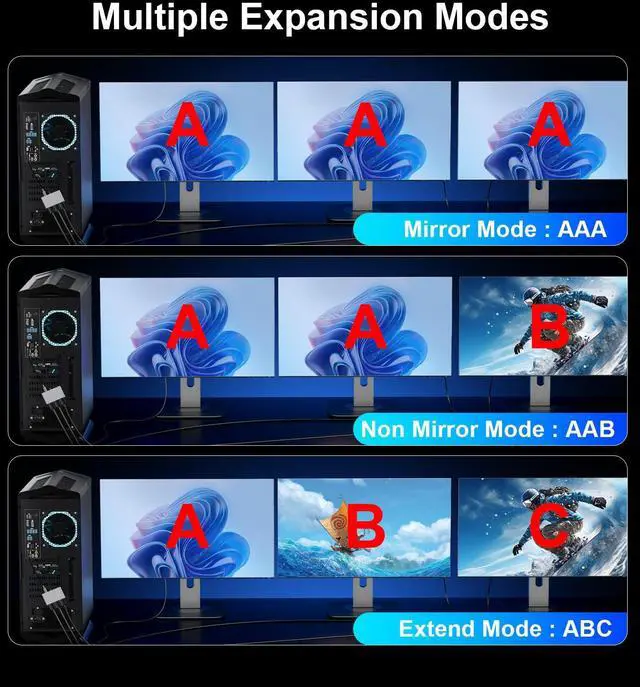
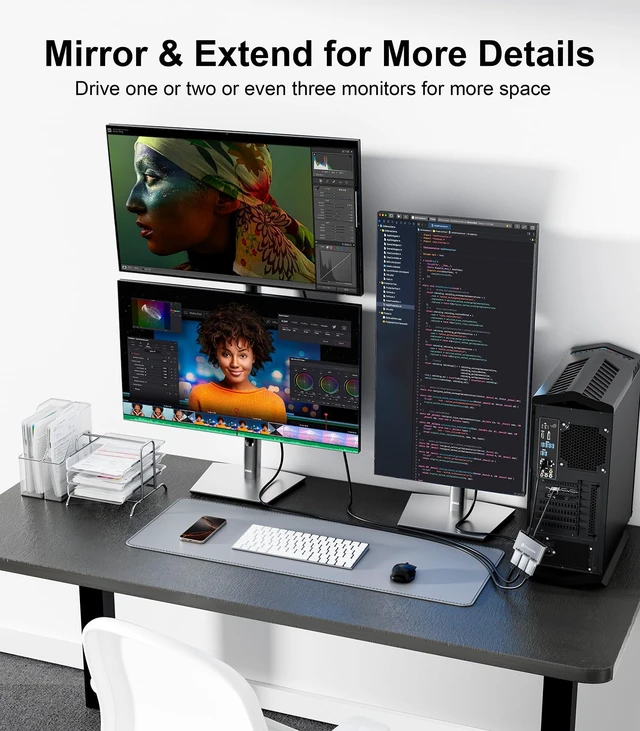
    [DisplayPort Splitter 1 in 3 Out] The DisplayPort Splitter Adapter can easily connect a source device with DP/DP++/DisplayPort++ interface to 3 DP monitors. It helps you boost efficiency and create more options when working or having fun. It supports both mirror mode (SST) and extended mode (MST).
    *Note: Don't use it with any hub/docking station/KVM that may lead to compatibility issues. To get a smooth 3-monitor expansion mode, make sure your video card supports 18Gbps or more bandwidth. [4K UHD Visual Feast] Expand your monitors with this Display Port Splitter. Transfer 4K (3840x2160) @60Hz content directly to your monitor/TV/projector. Supports HDCP 2.2 and complies with DP 1.2 standard. Single DP output resolution up to 4K@60Hz, backward compatible with 2K@120Hz/60Hz, 1080P@120Hz/60Hz; 3 DP screen resolution up to 4K@60Hz/30Hz. (Make sure your input and output devices both support the same resolution) [Plug and Play Solution] The DisplayPort to Three DisplayPort splitter is super easy to use. It's plug-and-play, so no need to install drivers, saving you time. You can quickly expand to 1, 2, or 3 monitors.
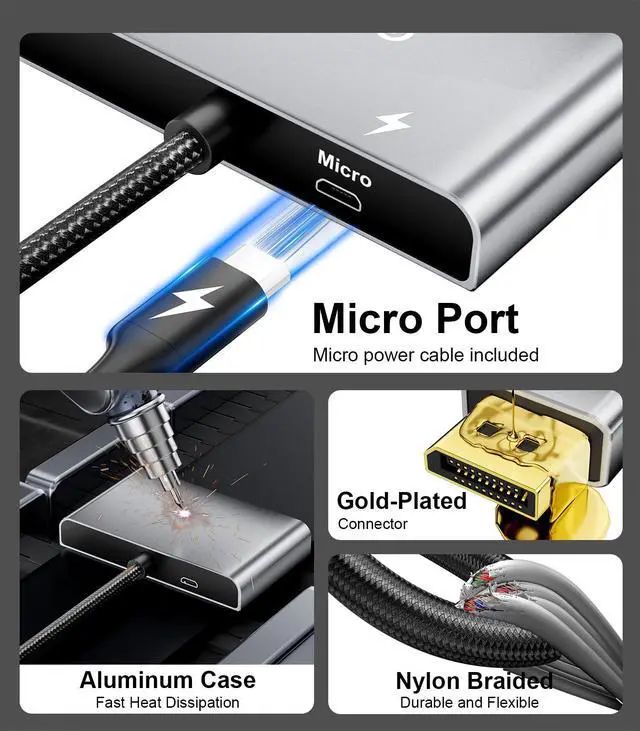
    Here's how: Plug the DP connector into your signal source like a PC or graphics card. Then, connect the provided power cable to get 5V/1A current. Finally, use DP extension cables that support 4K@60Hz to link the 3 DP female connectors to your monitors.
    *Note: PCs with integrated GPUs usually only support mirroring mode or can only extend one monitor. [Stable Transmission, Unique Design] This DP splitter 1 in 3 out is made of nylon braided cable, gold-plated connectors and 28AWG tinned copper cable, which ensures the signal transmission is stable, no need to worry about splash screen, ghosting, and audio/video synchronization problems. Meanwhile, the aluminum alloy is used to dissipate heat stably and prolong the product life, bringing users a silky smooth gaming and viewing experience, thus improving your efficiency and creating more value for you

    Warranty & Returns

    Warranty, Returns, And Additional Information

    Warranty

    • Please contact the Seller directly for warranty information. Warranty information may also be found on the Manufacturer's website.
    • CONTACT

    Return Policies

    Manufacturer Contact Info

    LOADING...