Your Browsing History
Meet Your Seller
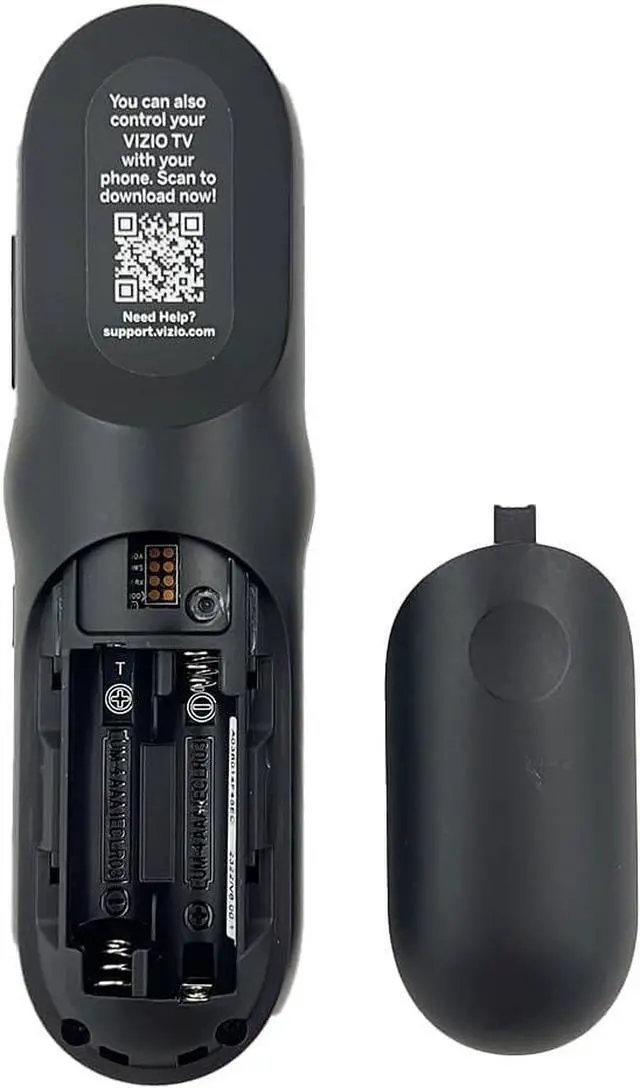
XRT270R Voice Remote Control Compatible with All VIZIO FHD, 4K, Quantum, Quantum Pro, P-Series, V-Series, QLED Smart TVs VQP75C-84 P75Q9-J01 M65Q6-L4 V506-J09, D32FM-K01
Limited time offer, ends 10/19 By EpicTransTrade
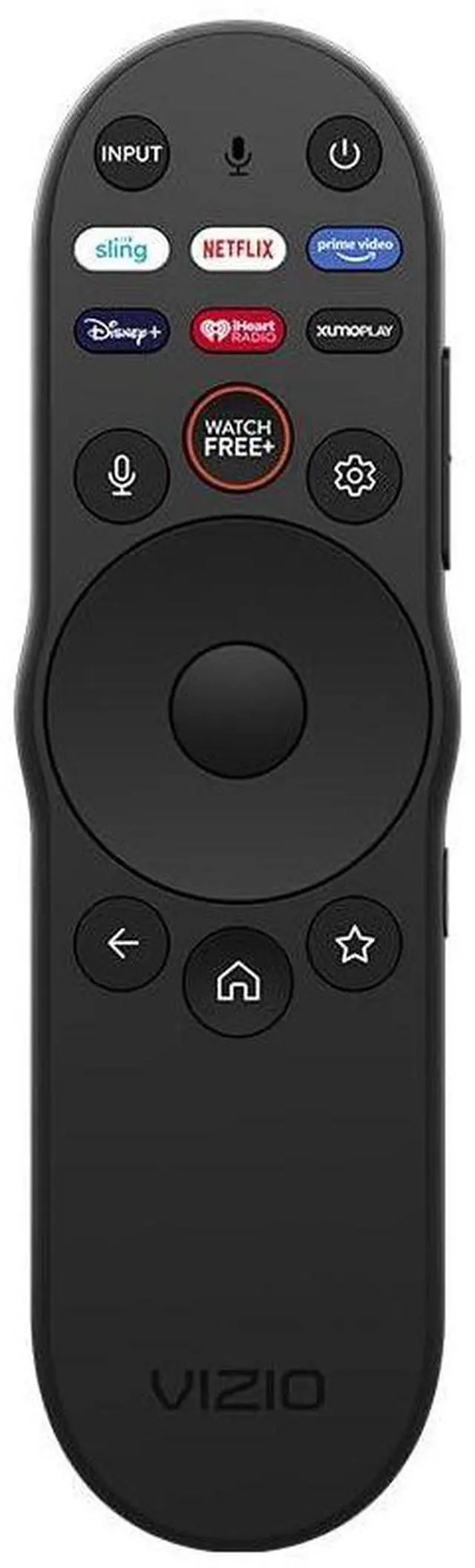
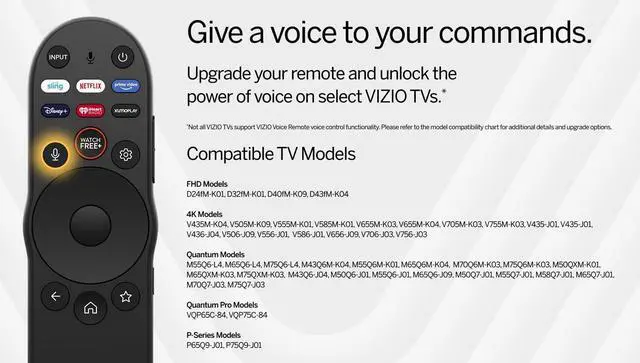
- XRT270R Voice Remote Control -- 2017 2018 2019 2020 2021 2022 2023 2024 2025 Model Compatible with all Vizio Smart TV. Works with ALL Vizio Smart TV series, including the D-Series FHD Models, V-Series 4K Models, M-Series Quantum Models, VQP-Series Quantum Pro Models, P-series. 6 Channel Shortcuts App Key: Reach your favorite content quickly and easily with preset app buttons for Netflix, Prime Video, sling, Disney+, iHeat Radio and XUMOplay. Pairing your remote to the TV: During first-time setup, your remote should automatically pair to your TV with Bluetooth. To manually pairing: Press and hold the "MIC" and "MUTE" buttons to launch pairing mode. Works with Vizio Quantum Pro TV VQP65C-84 VQP75C-84, P65Q9-J01 Quantum TVs P75Q9-J01 M55Q6-L4 M65Q6-L4 M75Q6-L4 M43Q6M-K04 M55Q6M-K01 M65Q6M-K04 M70Q6M-K03 M75Q6M-K03 M50QXM-K01 M65QXM-K03 M75QXM-K03 M43Q6-J04 M50Q6-J01 M55Q6-J01 M65Q6-J09 M50Q7-J01 M58Q7-J01 M65Q7-J01 M70Q7-J03 M75Q7-J03. Works with Vizio V-Series 4K Modles V435M-K04 V505M-K09 V555M-K01 V585M-K01 V655M-K03 V655M-K04 V705M-K03 V755M-K03 V435-J01 V436-J04 V506-J09 V586-J01 V656-J09 V706-J03 V756-J03; Works with Vizio D-series FHD Models D24fM-K01 D32fM-K01 D40fM-K09 D43fM-K04

+
+
Overview
Specs
Reviews
Any questions? Our AI mode will help you find out quickly.
Try me now
XRT270R Voice Remote Control -- 2017 2018 2019 2020 2021 2022 2023 2024 2025 Model Compatible with all Vizio Smart TV. Works with ALL Vizio Smart TV series, including the D-Series FHD Models, V-Series 4K Models, M-Series Quantum Models, VQP-Series Quantum Pro Models, P-series. 6
Channel Shortcuts App Key: Reach your favorite content quickly and easily with preset app buttons for Netflix, Prime Video, sling, Disney+, iHeat Radio and XUMOplay. Pairing your remote to the
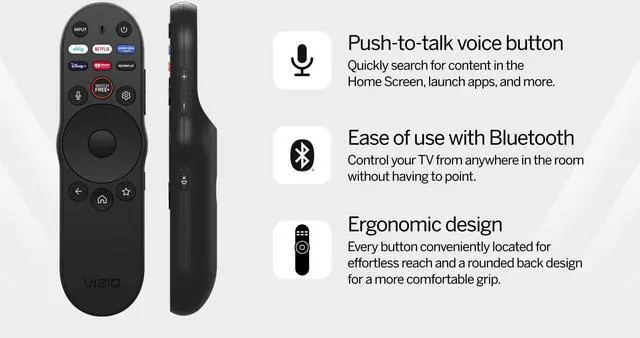
TV: During first-time setup, your remote should automatically pair to your TV with Bluetooth.
To manually pairing: Press and hold the "MIC" and "MUTE" buttons to launch pairing mode. Works with Vizio Quantum Pro TV VQP65C-84 VQP75C-84, P65Q9-J01 Quantum TVs P75Q9-J01 M55Q6-L4 M65Q6-L4 M75Q6-L4 M43Q6M-K04 M55Q6M-K01 M65Q6M-K04 M70Q6M-K03 M75Q6M-K03 M50QXM-K01 M65QXM-K03 M75QXM-K03 M43Q6-J04 M50Q6-J01 M55Q6-J01 M65Q6-J09 M50Q7-J01 M58Q7-J01 M65Q7-J01 M70Q7-J03 M75Q7-J03. Works with Vizio V-Series 4K Modles V435M-K04 V505M-K09 V555M-K01 V585M-K01 V655M-K03 V655M-K04 V705M-K03 V755M-K03 V435-J01 V436-J04 V506-J09 V586-J01 V656-J09 V706-J03 V756-J03; Works with Vizio D-series FHD Models D24fM-K01 D32fM-K01 D40fM-K09 D43fM-K04
Channel Shortcuts App Key: Reach your favorite content quickly and easily with preset app buttons for Netflix, Prime Video, sling, Disney+, iHeat Radio and XUMOplay. Pairing your remote to the
TV: During first-time setup, your remote should automatically pair to your TV with Bluetooth.
To manually pairing: Press and hold the "MIC" and "MUTE" buttons to launch pairing mode. Works with Vizio Quantum Pro TV VQP65C-84 VQP75C-84, P65Q9-J01 Quantum TVs P75Q9-J01 M55Q6-L4 M65Q6-L4 M75Q6-L4 M43Q6M-K04 M55Q6M-K01 M65Q6M-K04 M70Q6M-K03 M75Q6M-K03 M50QXM-K01 M65QXM-K03 M75QXM-K03 M43Q6-J04 M50Q6-J01 M55Q6-J01 M65Q6-J09 M50Q7-J01 M58Q7-J01 M65Q7-J01 M70Q7-J03 M75Q7-J03. Works with Vizio V-Series 4K Modles V435M-K04 V505M-K09 V555M-K01 V585M-K01 V655M-K03 V655M-K04 V705M-K03 V755M-K03 V435-J01 V436-J04 V506-J09 V586-J01 V656-J09 V706-J03 V756-J03; Works with Vizio D-series FHD Models D24fM-K01 D32fM-K01 D40fM-K09 D43fM-K04
Warranty & Returns
Warranty, Returns, And Additional Information
Warranty
- Please contact the Seller directly for warranty information. Warranty information may also be found on the Manufacturer's website.
- CONTACT
Return Policies
- Return for refund within: 30 days
- Return for replacement within: 30 days
- This item is covered by EpicTransTrade Return Policy
Manufacturer Contact Info
- For a directory of all our manufacturers, please click below.
- Manufacturers Directory
LOADING...