Your Browsing History
Meet Your Seller
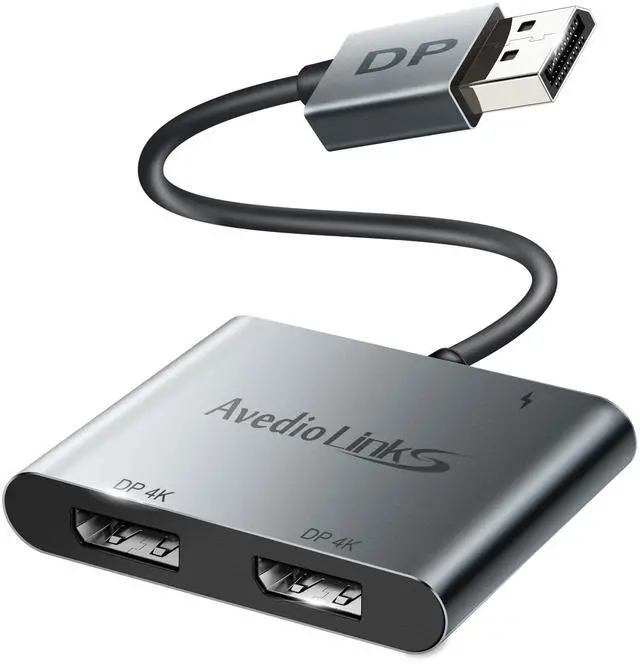
Display Port Splitter for Dual Monitors, Extended Display for Windows, Dual 4K@60Hz Displayport Splitter 1 in 2 Out, Single 4K@120Hz, DP 1.4 MST Hub Compatible with PC, Laptop, Graphics Card
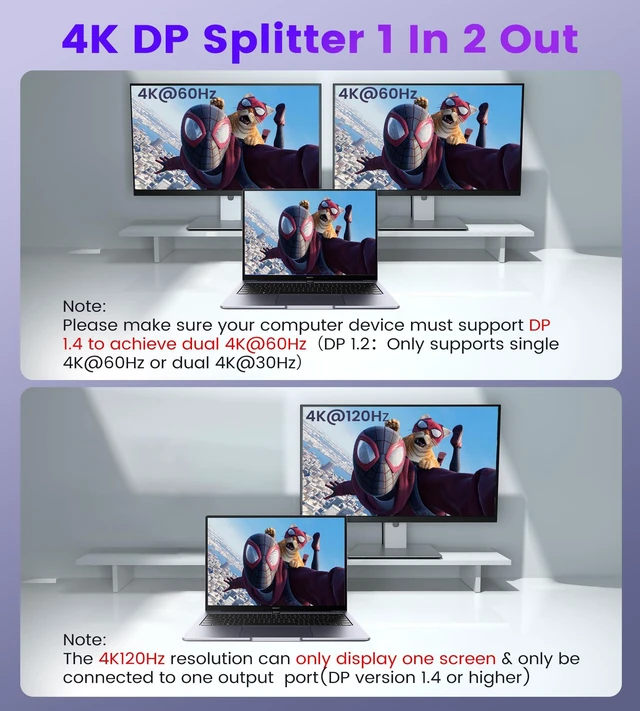
- 4K@120Hz UHD High Resolution: This display port splitter supports 4K@120Hz/4K@144Hz single display (you must use a DP1.4 or above version cable and can only connect to one output port at a time) and supports 4K@60Hz dual display (you must use a DP1.2 or above version cable). Extended Mode and Mirror Mode: Windows OS supports both MST and SST. Mac OS only supports SST (Mirror Mode AAA/ABB). This DisplayPort splitter supports both extended and mirror modes. (NOTE: Mac OS expansion for two different monitors is not supported; if your computer does not have a DP port, then this product is not compatible with your device.) Plug & Play, No Driver Required: This DisplayPort splitter does not require any drivers, is plug-and-play, and is easy to use. It is compact and easy to carry. It instantly transfers signals from any DP source device to dual DP monitors without loss. (Note: If the monitor cannot enable the expansion mode, please update the graphics card driver to the latest version.) Widely Compatible: This display port splitter is compatible with Windows/Vista/XP, Linux and Unix. It supports input devices such as PC and laptop, and is very suitable for multimedia teaching, conference rooms, offices and games. (Note: It is recommended that the DP cable does not exceed 1.8M, otherwise it may affect normal operation.) USB C Cable Included: This DisplayPort dual monitor adapter comes with one USB C cable. Before use, you need to connect the USB C power supply cable to the USB por
+
+
Overview
Specs
Reviews
Any questions? Our AI mode will help you find out quickly.
Try me now
4K@120Hz
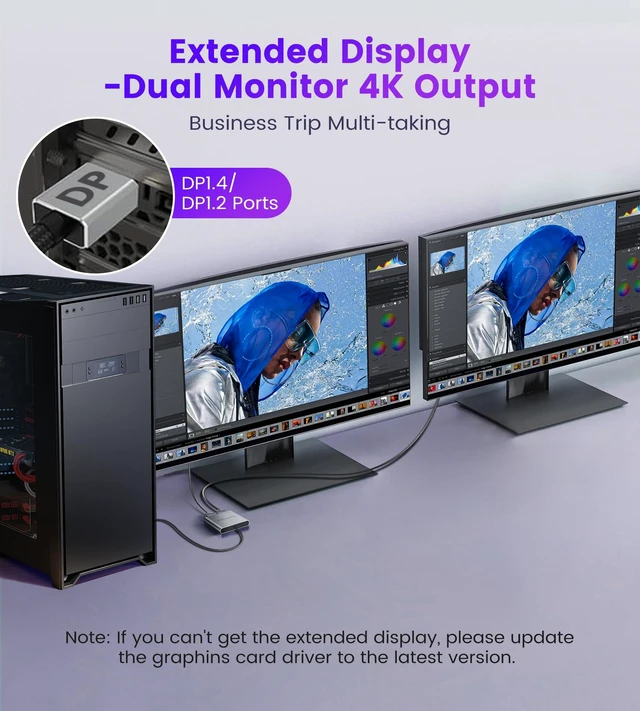
UHD High Resolution: This display port splitter supports 4K@120Hz/4K@144Hz single display (you must use a DP 1.4 or above version cable and can only connect to one output port at a time) and supports 4K@60Hz dual display (you must use a DP 1.2 or above version cable). Extended Mode and
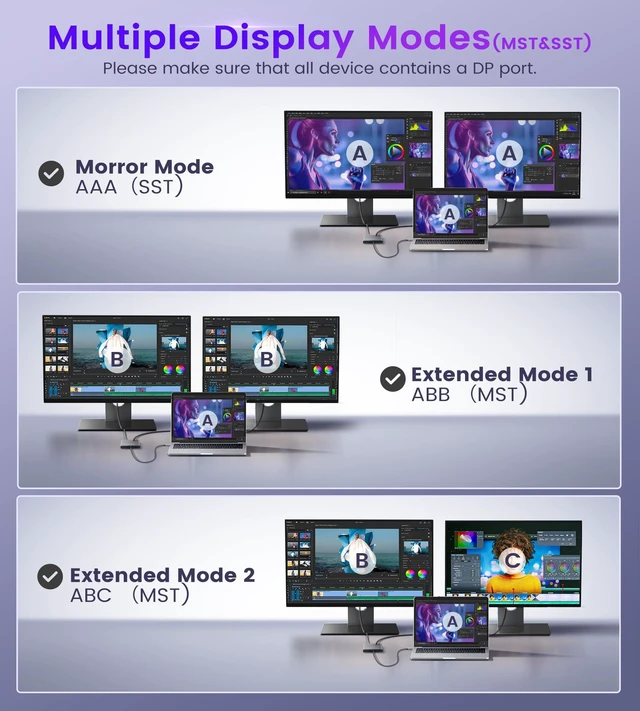
Mirror Mode: Windows OS supports both MST and SST. Mac OS only supports SST (Mirror Mode AAA/ABB). This DisplayPort splitter supports both extended and mirror modes.
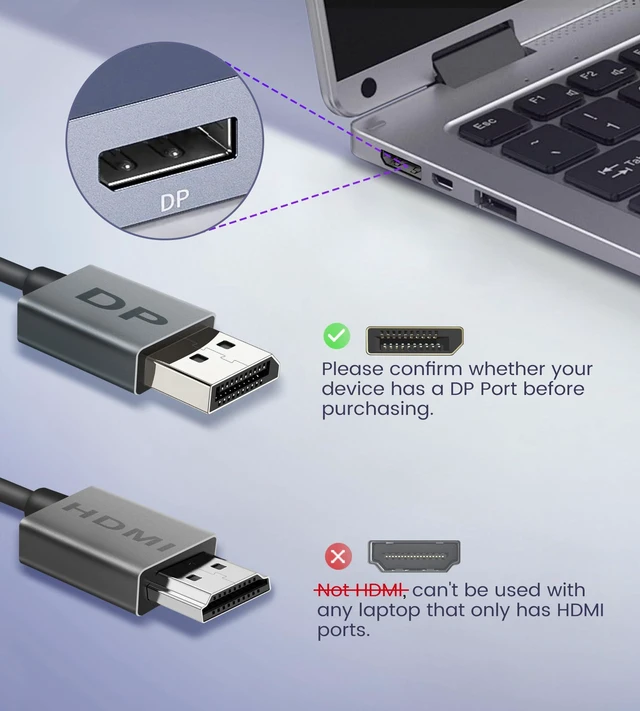
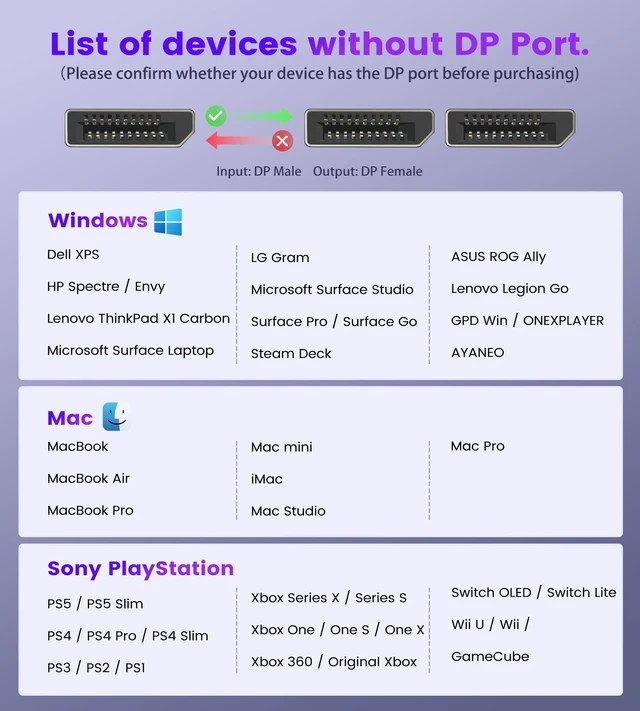
(NOTE: Mac OS expansion for two different monitors is not supported; if your computer does not have a DP port, then this product is not compatible with your device. ) Plug & Play, No
Driver Required: This DisplayPort splitter does not require any drivers, is plug-and-play, and is easy to use. It is compact and easy to carry. It instantly transfers signals from any DP source device to dual DP monitors without loss.
(Note: If the monitor cannot enable the expansion mode, please update the graphics card driver to the latest version. )
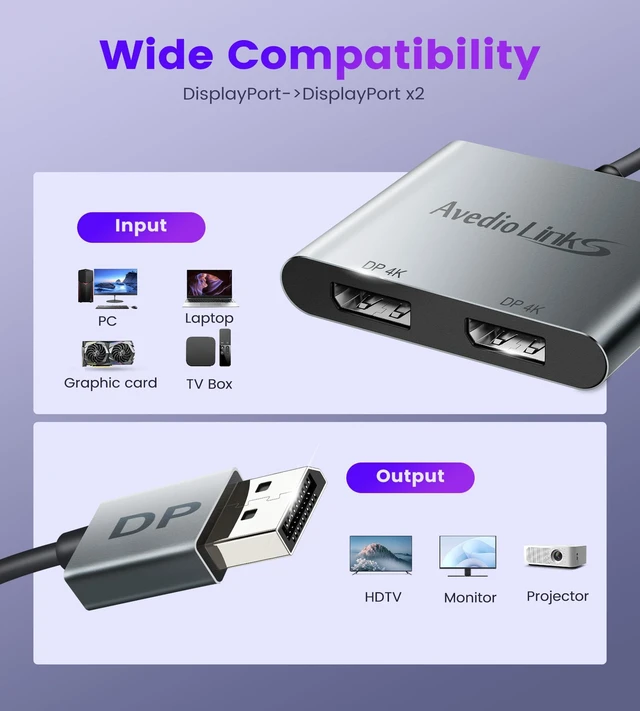
Widely Compatible: This display port splitter is compatible with Windows/Vista/XP, Linux and Unix. It supports input devices such as PC and laptop, and is very suitable for multimedia teaching, conference rooms, offices and games.
(Note: It is recommended that the DP cable does not exceed 1.8M, otherwise it may affect normal operation. )
USB C Cable Included: This DisplayPort dual monitor adapter comes with one USB C cable. Before use, you need to connect the USB C power supply cable to the USB port of the power adapter. This supplies power to the built-in chipset of the DisplayPort hub

UHD High Resolution: This display port splitter supports 4K@120Hz/4K@144Hz single display (you must use a DP 1.4 or above version cable and can only connect to one output port at a time) and supports 4K@60Hz dual display (you must use a DP 1.2 or above version cable). Extended Mode and
Mirror Mode: Windows OS supports both MST and SST. Mac OS only supports SST (Mirror Mode AAA/ABB). This DisplayPort splitter supports both extended and mirror modes.
(NOTE: Mac OS expansion for two different monitors is not supported; if your computer does not have a DP port, then this product is not compatible with your device. ) Plug & Play, No
Driver Required: This DisplayPort splitter does not require any drivers, is plug-and-play, and is easy to use. It is compact and easy to carry. It instantly transfers signals from any DP source device to dual DP monitors without loss.
(Note: If the monitor cannot enable the expansion mode, please update the graphics card driver to the latest version. )
Widely Compatible: This display port splitter is compatible with Windows/Vista/XP, Linux and Unix. It supports input devices such as PC and laptop, and is very suitable for multimedia teaching, conference rooms, offices and games.
(Note: It is recommended that the DP cable does not exceed 1.8M, otherwise it may affect normal operation. )
USB C Cable Included: This DisplayPort dual monitor adapter comes with one USB C cable. Before use, you need to connect the USB C power supply cable to the USB port of the power adapter. This supplies power to the built-in chipset of the DisplayPort hub
Warranty & Returns
Warranty, Returns, And Additional Information
Warranty
- Please contact the Seller directly for warranty information. Warranty information may also be found on the Manufacturer's website.
- CONTACT
Return Policies
- Return for refund within: 30 days
- Return for replacement within: 30 days
- This item is covered by EpicTransTrade Return Policy
Manufacturer Contact Info
- For a directory of all our manufacturers, please click below.
- Manufacturers Directory
LOADING...