Your Browsing History
Meet Your Seller
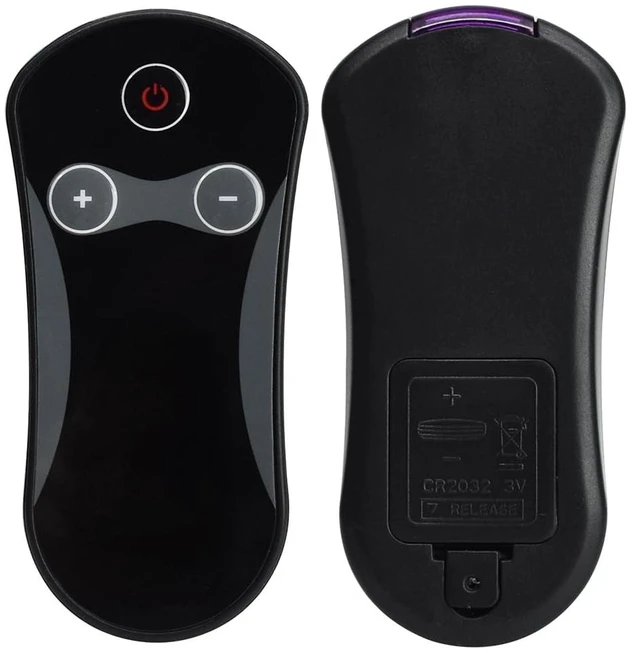
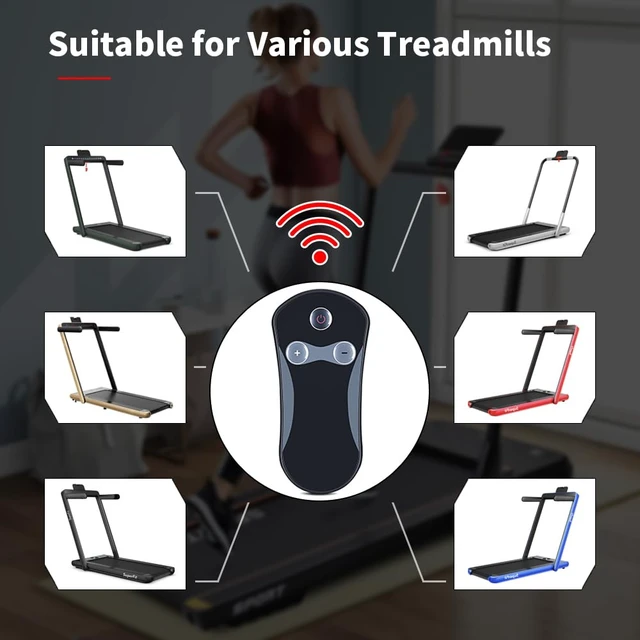
Running Machine Remote Control Replacement for Costway Two-in-one 2.25HP Running Machine,and Compatible with Gymax 2.25HP w/Dual Display Red and Goplus 2.5HP Superfit Folding Treadmill for Home
Limited time offer, ends 10/19 By EpicTransTrade
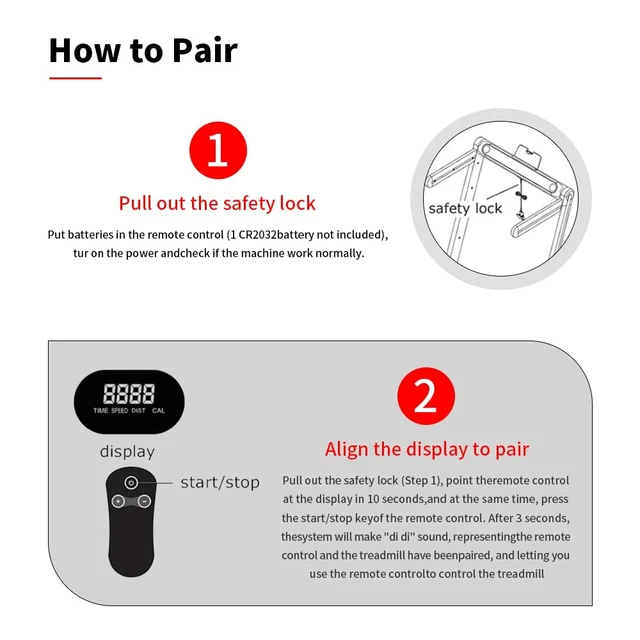
- NOTE: Best if you have a brand new battery. 1. Turn on the treadmill. 2. Pull the safety string (the one that has the magnet). 3. Point the remote control at the display while pressing the power button. Take note: at this time the display says EO7 in it. It made a series of sounds. 4. Then place the safety string back to where it belongs. Then try to press the power button again to make sure it works. 5. Once the display now says Time or Speed, or Distance or Calories, press the + sign to enable the treadmill to increase the speed. Specific Adaptability Suitable for 2.5HP treadmills: SH37592-NY 32004818010328, SH37592-RE, SH37590-RE, SH37590-SL 998470910144, YQ-T4002. Suitable for 2.25HP treadmills SUP37SP747US-DK SUP37SP747US-SL SP37036GN SP37036YE SUP37SP747US-RE SP37513BK SP37513RE SP37036NY SP37036WH SP37036RE SP37036BK SP37036SL Simple Pairing 1. Insert the battery into the remote control, turn on the power, and check if the machine is working properly. 2. Pull out the safety lock. After 7 seconds, aim the remote control at the treadmill display screen and press the start/stop button on the remote control simultaneously. Three seconds later, a sound will be made, indicating that the remote control has successfully paired with the treadmill. Please note this treadmill remote control is not a universal model. Before purchasing, please confirm that the appearance of the remote control is consistent with ours, or you can directly tell us your treadmill model or t
+
+
Overview
Specs
Reviews
Any questions? Our AI mode will help you find out quickly.
Try me now
NOTE: Best if you have a brand new battery. 1. Turn on the treadmill. 2. Pull the safety string (the one that has the magnet). 3. Point the remote control at the display while pressing the power button.
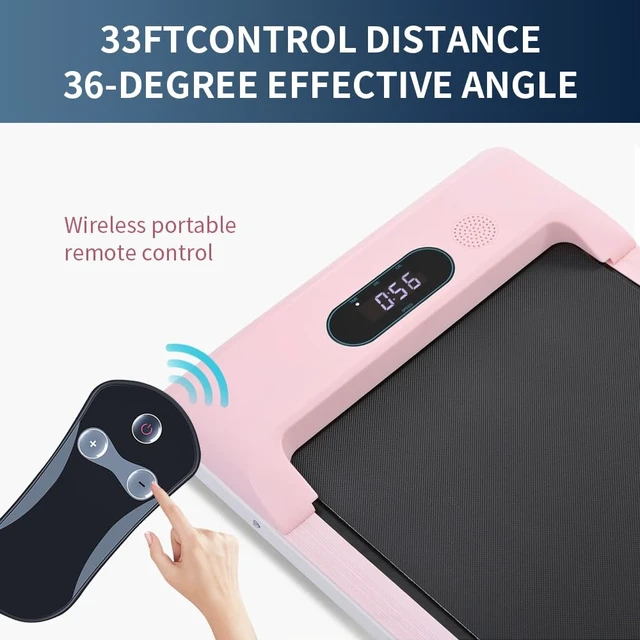
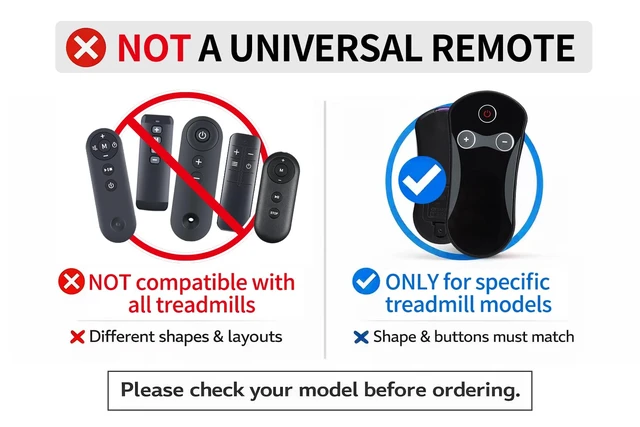
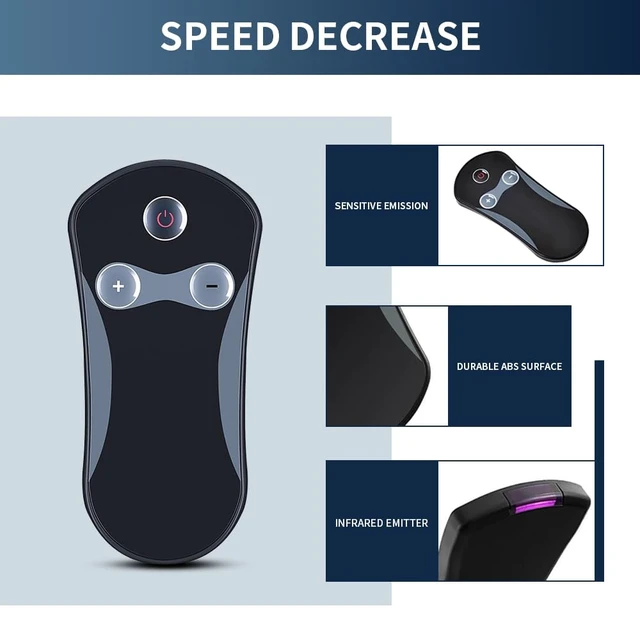
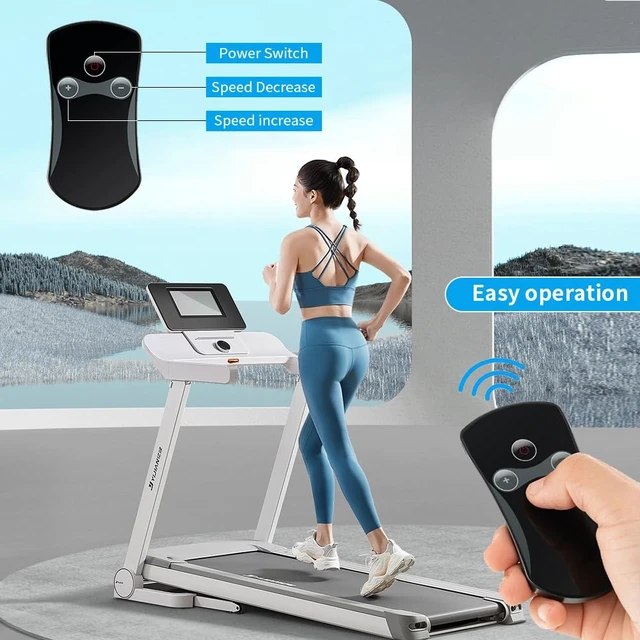
Take note: at this time the display says EO7 in it. It made a series of sounds. 4. Then place the safety string back to where it belongs. Then try to press the power button again to make sure it works. 5. Once the display now says Time or Speed, or Distance or Calories, press the + sign to enable the treadmill to increase the speed. Specific Adaptability Suitable for 2.5HP treadmills: SH37592-NY 32004818010328, SH37592-RE, SH37590-RE, SH37590-SL 998470910144, YQ-T4002. Suitable for 2.25HP treadmills SUP37SP747US-DK SUP37SP747US-SL SP37036GN SP37036YE SUP37SP747US-RE SP37513BK SP37513RE SP37036NY SP37036WH SP37036RE SP37036BK SP37036SL Simple Pairing 1. Insert the battery into the remote control, turn on the power, and check if the machine is working properly. 2. Pull out the safety lock. After 7 seconds, aim the remote control at the treadmill display screen and press the start/stop button on the remote control simultaneously. Three seconds later, a sound will be made, indicating that the remote control has successfully paired with the treadmill. Please note this treadmill remote control is not a universal model. Before purchasing, please confirm that the appearance of the remote control is consistent with ours, or you can directly tell us your treadmill model or the appearance of the remote control, and then place an order. It needs to be used in conjunction with a treadmill before use. Product Advantage Upgrade the remote control of the treadmill and replace it. The improvement of the chip makes the matching with the treadmill more stable and faster.
Optimized power consumption reduces the demand for batteries, excluding CR2032 batteries

Take note: at this time the display says EO7 in it. It made a series of sounds. 4. Then place the safety string back to where it belongs. Then try to press the power button again to make sure it works. 5. Once the display now says Time or Speed, or Distance or Calories, press the + sign to enable the treadmill to increase the speed. Specific Adaptability Suitable for 2.5HP treadmills: SH37592-NY 32004818010328, SH37592-RE, SH37590-RE, SH37590-SL 998470910144, YQ-T4002. Suitable for 2.25HP treadmills SUP37SP747US-DK SUP37SP747US-SL SP37036GN SP37036YE SUP37SP747US-RE SP37513BK SP37513RE SP37036NY SP37036WH SP37036RE SP37036BK SP37036SL Simple Pairing 1. Insert the battery into the remote control, turn on the power, and check if the machine is working properly. 2. Pull out the safety lock. After 7 seconds, aim the remote control at the treadmill display screen and press the start/stop button on the remote control simultaneously. Three seconds later, a sound will be made, indicating that the remote control has successfully paired with the treadmill. Please note this treadmill remote control is not a universal model. Before purchasing, please confirm that the appearance of the remote control is consistent with ours, or you can directly tell us your treadmill model or the appearance of the remote control, and then place an order. It needs to be used in conjunction with a treadmill before use. Product Advantage Upgrade the remote control of the treadmill and replace it. The improvement of the chip makes the matching with the treadmill more stable and faster.
Optimized power consumption reduces the demand for batteries, excluding CR2032 batteries
Warranty & Returns
Warranty, Returns, And Additional Information
Warranty
- Please contact the Seller directly for warranty information. Warranty information may also be found on the Manufacturer's website.
- CONTACT
Return Policies
- Return for refund within: 30 days
- Return for replacement within: 30 days
- This item is covered by EpicTransTrade Return Policy
Manufacturer Contact Info
- For a directory of all our manufacturers, please click below.
- Manufacturers Directory
LOADING...