• $25.49
  • Free 30-day Returns
  • Price alert
    Shop it at NeweggBusiness.

    Meet Your Seller

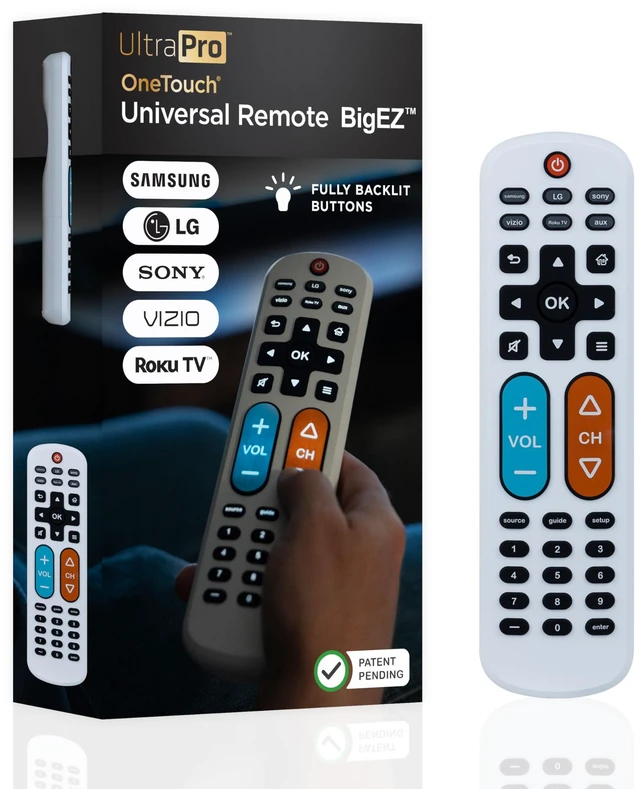
    BigEZ OneTouch Big Button Universal TV Remote, Easy to Use TV Remote for Seniors, Replacement Remote for Samsung, LG, Sony, Vizio, Roku TV, Streaming Players, Backlit Buttons, 2 Device

    Limited time offer, ends 11/02 By HeYuan Shop

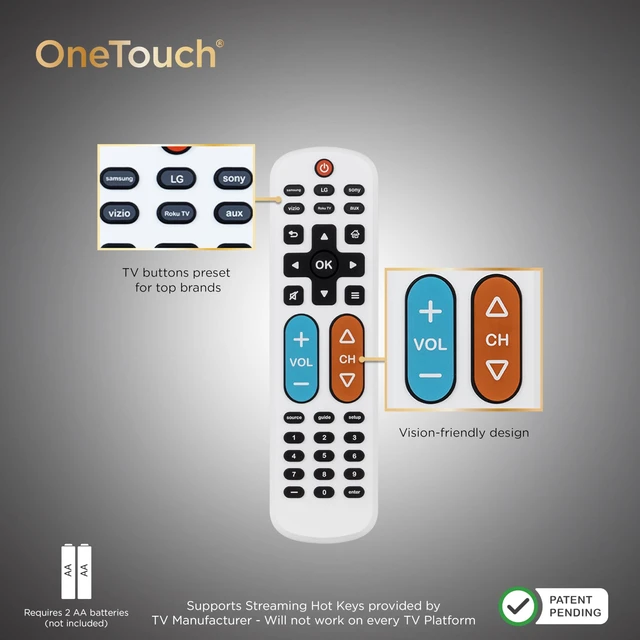
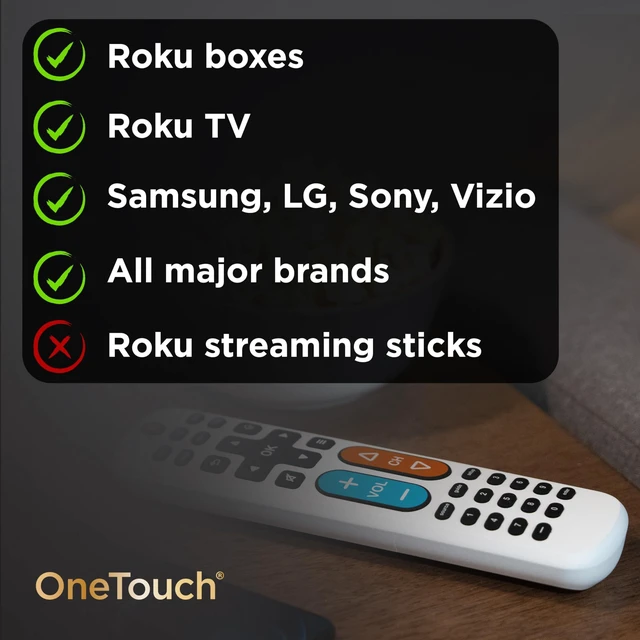
    • Five TV brands, one replacement remote - Preprogrammed TV device buttons for Samsung TVs, LG TVs, Vizio TVs, Sony TVs, and Roku TVs; suitable for seniors, those who are visually impaired, and anyone wanting a simple, easy-to-use remote. Vision-friendly features - Extra-large, white remote control is simple to use and hard to lose; fully backlit buttons are easy to see; the blue volume button and orange channel button are colorblind-friendly. Multi-device control - Operate Samsung TVs, LG TVs, Vizio TVs, Sony TVs, and Roku TVs, as well as one other device, such as a Blu-ray/DVD player, set-top box, cable/satellite box, streaming media player, or soundbar; the directional pad allows for easy navigation. Simple setup and easy to use - Add two AA batteries (not included), press the TV button for your TV's brand, press the power button, then operate your TV as normal. The AUX button is preset for Roku boxes but can easily be programmed for a different device. Patent-pending universal TV remote control

    +
    +
    Overview
    Specs
    Reviews

    Any questions? Ask CelesteSM will help you find out quickly.

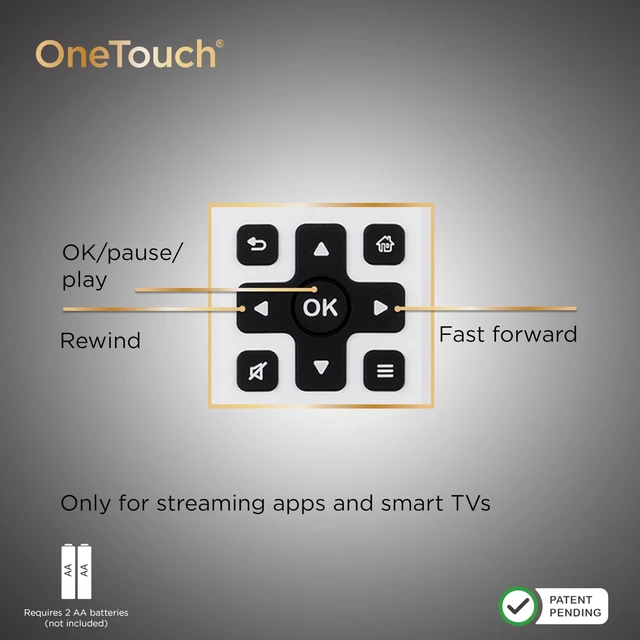
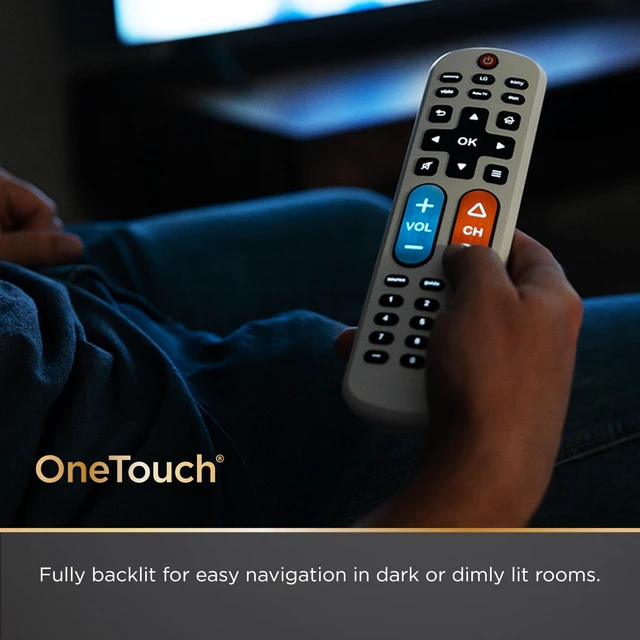
    Five TV brands, one replacement remote - Preprogrammed TV device buttons for Samsung TVs, LG TVs, Vizio TVs, Sony TVs, and Roku TVs; suitable for seniors, those who are visually impaired, and anyone wanting a simple, easy-to-use remote. Vision-friendly features - Extra-large, white remote control is simple to use and hard to lose; fully backlit buttons are easy to see; the blue volume button and orange channel button are colorblind-friendly. Multi-device control - Operate Samsung TVs, LG TVs, Vizio TVs, Sony TVs, and Roku TVs, as well as one other device, such as a Blu-ray/DVD player, set-top box, cable/satellite box, streaming media player, or soundbar; the directional pad allows for easy navigation.

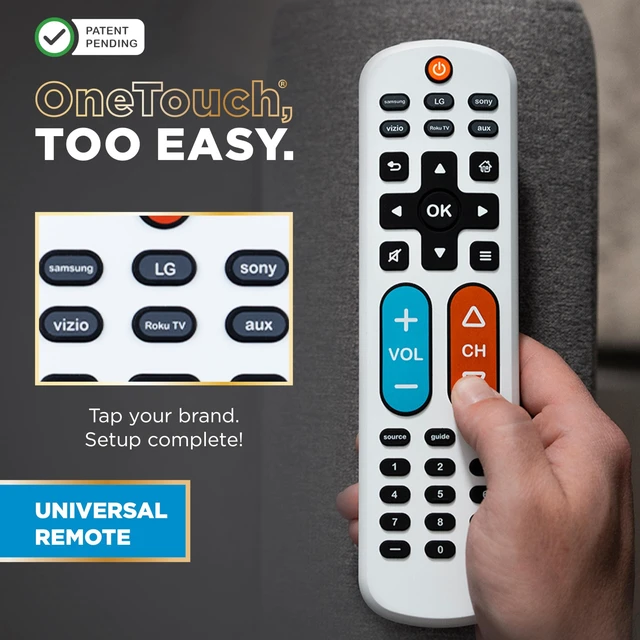
    Simple setup and easy to use - Add two AA batteries (not included), press the TV button for your TV's brand, press the power button, then operate your TV as normal. The AUX button is preset for Roku boxes but can easily be programmed for a different device. Patent-pending universal TV remote control

    Warranty & Returns

    Warranty, Returns, And Additional Information

    Warranty

    • Please contact the Seller directly for warranty information. Warranty information may also be found on the Manufacturer's website.
    • CONTACT

    Return Policies

    Manufacturer Contact Info

    LOADING...