• $17.99
  • Free 30-day Returns
  • Sold by HeYuan Shop

    Shipped by HeYuan Shop

    Price alert
    Shop it at NeweggBusiness.

    Meet Your Seller

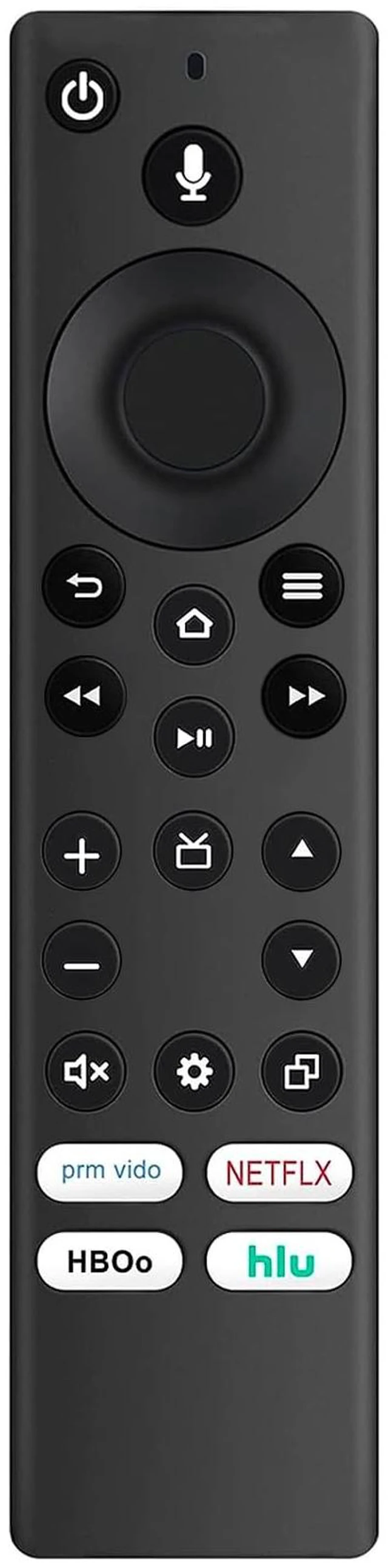
    CT-RC1US-21 Replaced Remote fit for Toshiba TV Edition TV 43LF421U21 32LF221U21 55LF621U21 43LF621U21 50LF621U21 TF-32A710U21 32LF221C19 32LF221U19 43LED2160P

    Limited time offer, ends 10/19 By HeYuan Shop

    • New CT-RC1US-21 CTRC1US21 Replacement Remote Control Compatible with Toshiba TV Edition with Shortcut Apps. Works with the following Toshiba TV Edition TV models: M550 Series 75M550KU 65M550KU 55M550KU 43LF421U21 32LF221U21 55LF621U21 43LF621U21 50LF621U21 TF-32A710U21 32LF221C19 32LF221U19 43LED2160P 43LF421U19 43LF621U19 43LF621U21 43LF711U20 49LF421U19 50LED2160P 50LF711U20 55LED2160P 55LF621U19 55LF711U20 TF50A810U19 TF-50A810U19 Voice Remote - Everything you'd expect from a remote, plus launch apps, search for TV shows, switch inputs, control smart home devices and more, using just your voice. Pairing Remote: Press the Home button and hold for about 30 seconds, then release and wait about 60 seconds (entering pairing mode); the remote should then automatically pair with your TV. The TV will display Pairing success. NOTE: If the remote control does not control the TV, please make sure that the CEC control feature is turned on. On the Home menu, select Settings, then select Display & Sounds. Select HDMI CEC Device Control and change the setting to On

    +
    +
    Overview
    Specs
    Reviews
    avatar

    Any questions? Our AI mode will help you find out quickly.

    New CT-RC1US-21 CTRC1US21 Replacement Remote Control Compatible with Toshiba TV Edition with Shortcut Apps. Works with the following Toshiba TV
    Edition TV models: M550 Series 75M550KU 65M550KU 55M550KU 43LF421U21 32LF221U21 55LF621U21 43LF621U21 50LF621U21 TF-32A710U21 32LF221C19 32LF221U19 43LED2160P 43LF421U19 43LF621U19 43LF621U21 43LF711U20 49LF421U19 50LED2160P 50LF711U20 55LED2160P 55LF621U19 55LF711U20 TF50A810U19 TF-50A810U19 Voice Remote - Everything you'd expect from a remote, plus launch apps, search for TV shows, switch inputs, control smart home devices and more, using just your voice.
    Pairing Remote: Press the Home button and hold for about 30 seconds, then release and wait about 60 seconds (entering pairing mode); the remote should then automatically pair with your TV. The TV will display Pairing success.
    NOTE: If the remote control does not control the TV, please make sure that the CEC control feature is turned on. On the Home menu, select Settings, then select Display & Sounds. Select HDMI CEC Device Control and change the setting to On

    Warranty & Returns

    Warranty, Returns, And Additional Information

    Warranty

    • Please contact the Seller directly for warranty information. Warranty information may also be found on the Manufacturer's website.
    • CONTACT

    Return Policies

    Manufacturer Contact Info

    LOADING...