Out of stock
  • $71.99
  • Free 30-day Returns
Sold by HeYuan Shop

Shipped by HeYuan Shop

Price alert
Shop it at NeweggBusiness.

Meet Your Seller

USB C Docking Station Dual Monitor, 9 in 1 Laptop Docking Station Triple Monitor, 4K@60Hz USB C Hub Dual HDMI and DisplayPort, 1000Mbps LAN, 5Gbps USB-C, 100W PD, SD/TF for HP/Dell/Laptop

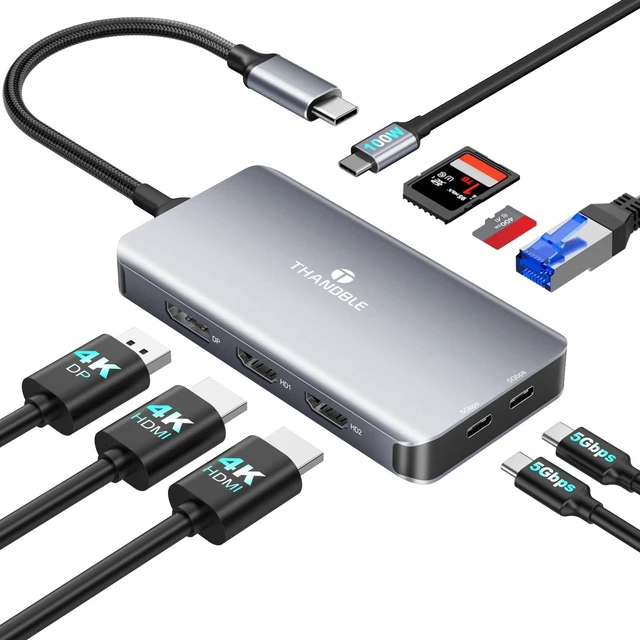
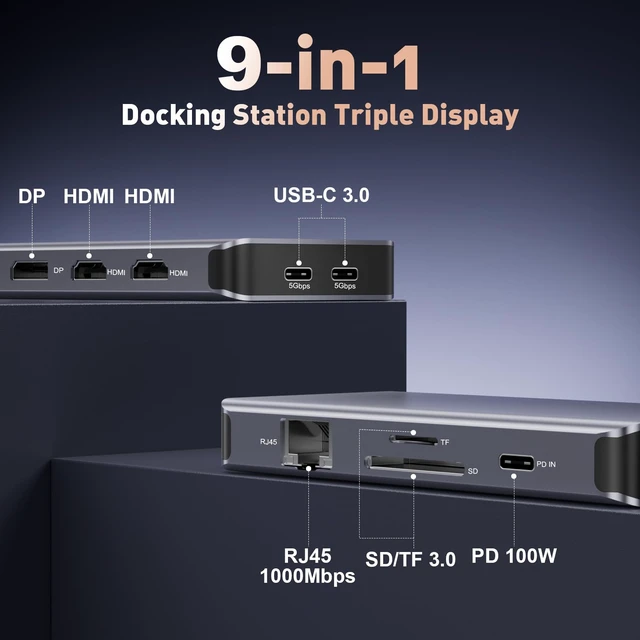
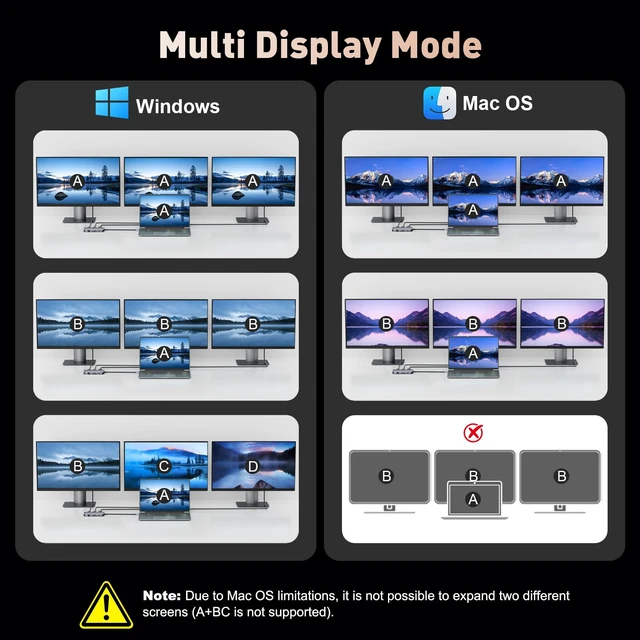
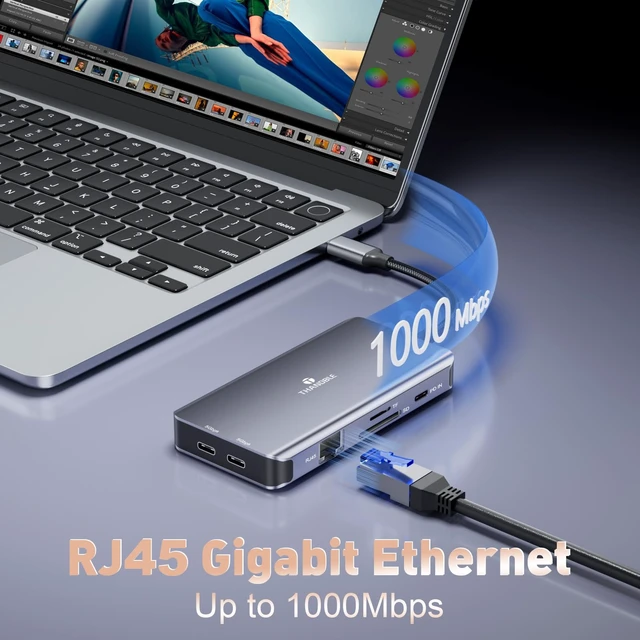
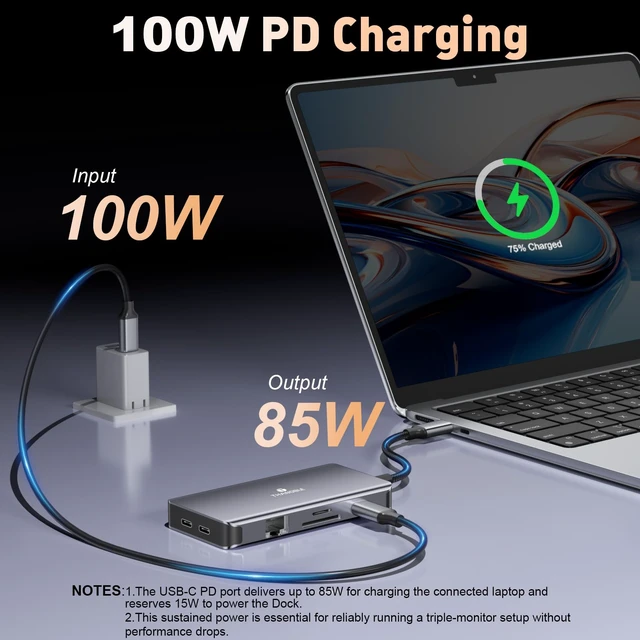
  • [9-in-1 Versatile Laptop Docking Station] The 4K 60Hz USB-C Dock integrates dual HDMI ports and one DisplayPort, an SD/TF card reader, a 1000Mbps RJ45 port, two USB-C 3.0 data ports, and a 100W PD charging port. Connect your laptop with a single cable to simultaneously extend displays, connect cameras, USB-C drives, hard disks, and other peripheralsdelivering a one-stop solution for interface limitations. [Triple 4K Display Docking Station] On Windows systems, achieve independent display expansion across three monitors. The triple-screen setup delivers the highest stable visual performance at 4K@30Hz (requires laptop/graphics card support for Display Stream Compression DSC technology). Otherwise, only 1080P60Hz display is supported. Handle multitasking and creative content simultaneously, significantly boosting productivity for office work and professional editing. (macOS systems only support mirroring mode) [High-Speed Transfer & 100W Fast Charging] Maintain efficiency and extended usage. Built-in USB-C 3.0 ports support 5Gbps transfer speeds for rapid large-file transfers and zero-latency keyboard/mouse connections. The 100W PD charging port powers your laptop while connecting all peripherals (Hub consumes 15W, leaving 85W for your computer). Efficiently transfer data, eliminate device battery anxiety, and keep your desk free from cable clutter. [Gigabit Ethernet & SD/TF Card Reader] The Type-C docking station multi-port adapter features a Gigabit Ethernet port for rapid
+
+
Overview
Specs
Reviews
avatar

Any questions? Our AI mode will help you find out quickly.

[9-in-1 Versatile Laptop Docking Station] The 4K 60Hz USB-C Dock integrates dual HDMI ports and one DisplayPort, an SD/TF card reader, a 1000Mbps RJ45 port, two USB-C 3.0 data ports, and a 100W PD charging port. Connect your laptop with a single cable to simultaneously extend displays, connect cameras, USB-C drives, hard disks, and other peripheralsdelivering a one-stop solution for interface limitations. [Triple 4K Display Docking Station] On Windows systems, achieve independent display expansion across three monitors. The triple-screen setup delivers the highest stable visual performance at 4K@30Hz (requires laptop/graphics card support for Display Stream Compression DSC technology).

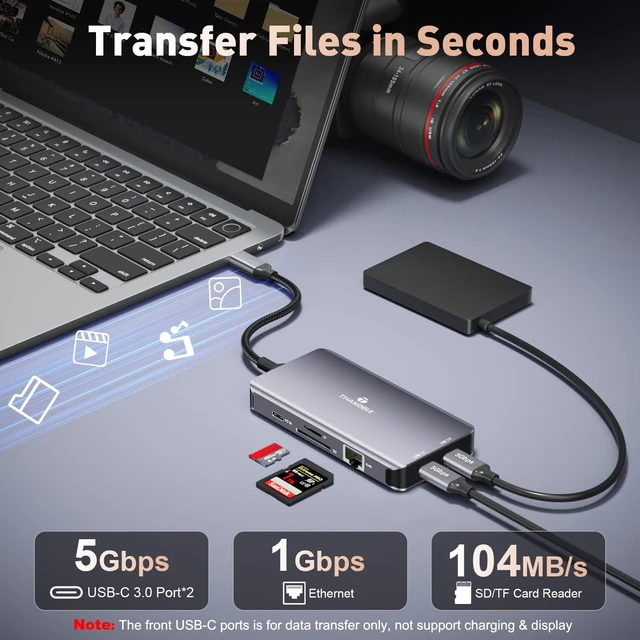
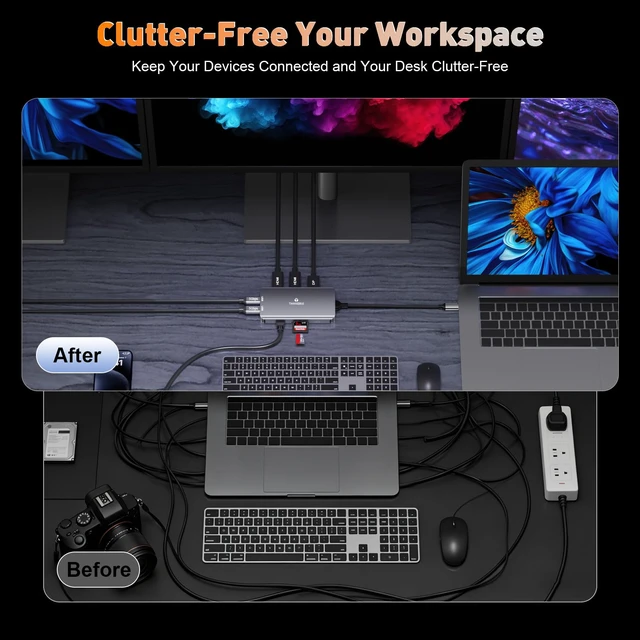
Otherwise, only 1080P60Hz display is supported. Handle multitasking and creative content simultaneously, significantly boosting productivity for office work and professional editing. (macOS systems only support mirroring mode) [High-Speed Transfer & 100W Fast Charging] Maintain efficiency and extended usage. Built-in USB-C 3.0 ports support 5Gbps transfer speeds for rapid large-file transfers and zero-latency keyboard/mouse connections. The 100W PD charging port powers your laptop while connecting all peripherals (Hub consumes 15W, leaving 85W for your computer). Efficiently transfer data, eliminate device battery anxiety, and keep your desk free from cable clutter.

[Gigabit Ethernet & SD/TF Card Reader] The Type-C docking station multi-port adapter features a Gigabit Ethernet port for rapid movie downloads and reduced gaming latency. Equipped with an SD/TF card reader, it enables swift photo transfers, seamless video editing, and fast 3D printer file transfersallowing you to share camera photos/videos to social media anytime, anywhere. [Integrated Solutions with Practicality] Combining multi-screen display, high-speed transmission, and high-power charging into one, this solution simplifies your workflow. The integrated expansion solution reshapes workflows to create a clean, professional workstation. Achieve comprehensive productivity upgrades with exceptional value

Warranty & Returns

Warranty, Returns, And Additional Information

Warranty

  • Please contact the Seller directly for warranty information. Warranty information may also be found on the Manufacturer's website.
  • CONTACT

Return Policies

Manufacturer Contact Info

LOADING...