Your Browsing History
Meet Your Seller
Fire Stick Power Adapter, USB Cable for Fire TV Stick 4K Max/Lite/2/3 Powers Streaming TV sticks Directly from TV USB Port, 5V/2.1A Output, Eliminates AC Adapter Need, Tangle-Free Cable
Limited time offer, ends 10/19 By HeYuan Shop
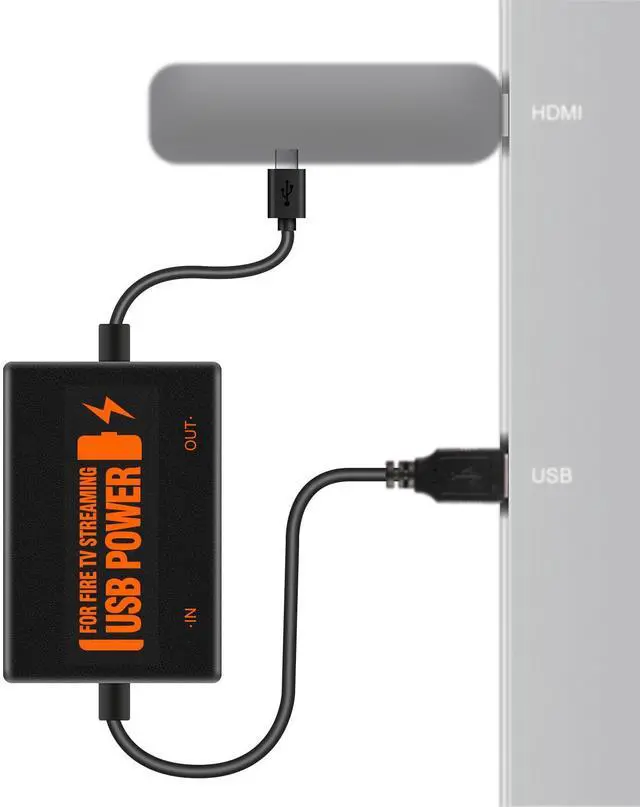
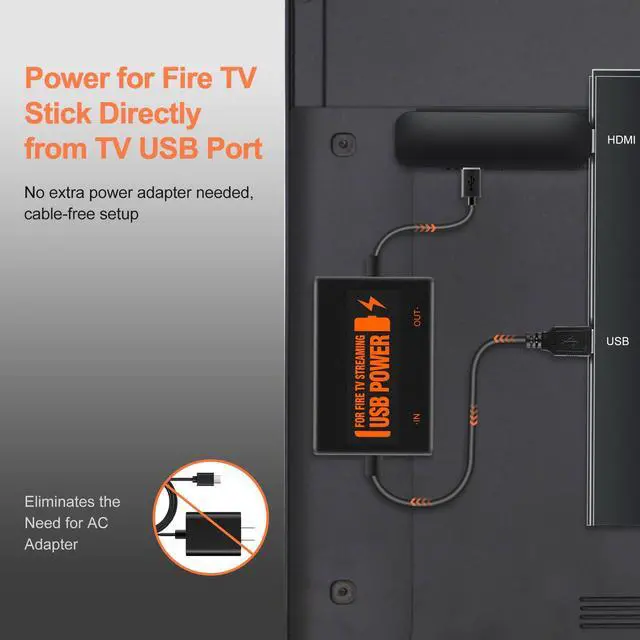
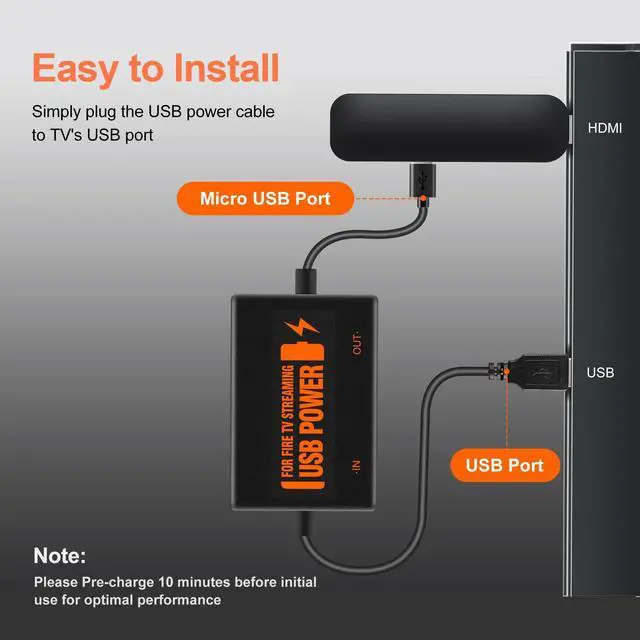
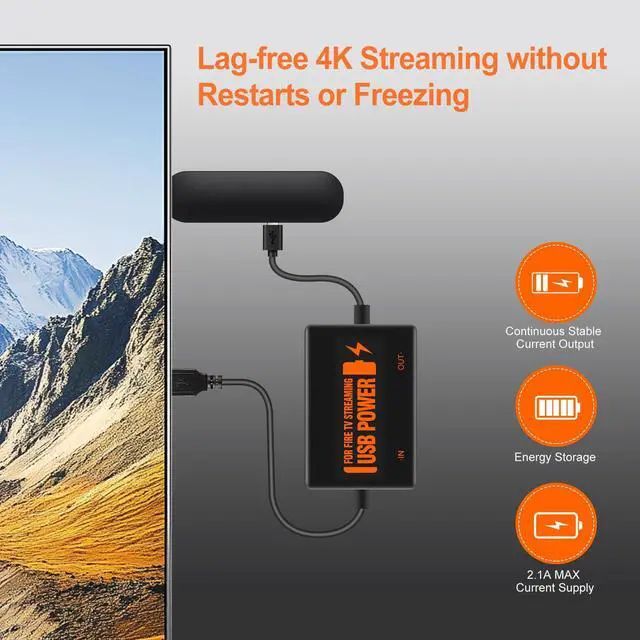
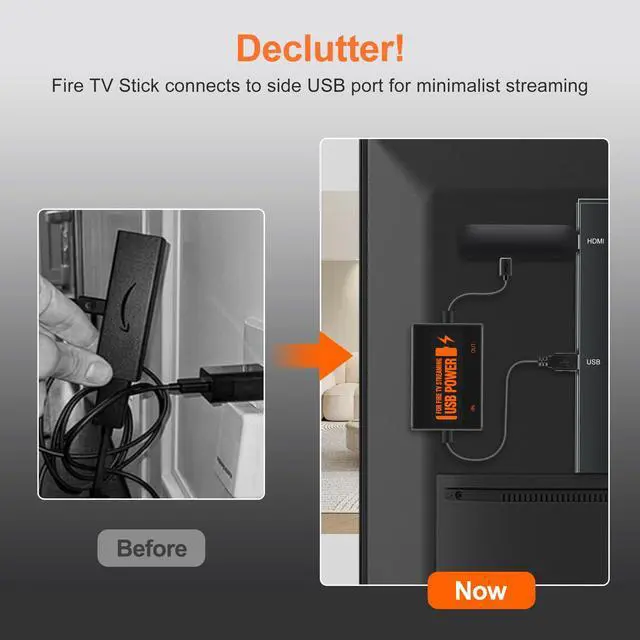
- **No AC Adapter Needed:** Power your Fire TV Stick directly from the TV's USB port, eliminating the need for an AC adapter and long power cables. Plug the micro USB connector into the Fire Stick, then plug the USB A connector into the USB port on the side of the TV. This helps address some TVs failing to start or restarting repeatedly due to insufficient power and keeps your setup clean and tidy. Before using your device for the first time, please fully charge it. **Works with All Devices:** Compatible with all streaming devices that support micro USB ports, including Fire TV Stick, all Fire Stick models, the new 4K/Max version, Chromecast1/2/Utral, TV Sticks, and other streaming sticks. Fire Stick power adapter only. Not compatible with Fire TV Stick HD (2nd Gen, 2026). **Easy Plug-and-Play:** Plug the micro USB connector into your Fire Stick and the USB A connector into your TV. It helps solve power issues and keeps your setup tidy. **Stable Power Supply:** The built-in 5V power module provides a stable 5V/2.1A output (max), suitable for 4K streaming. **Energy-Saving:** Powers the Fire Stick only when the TV is on and automatically stops when the TV is off. **Smart Tip:** Charge for 10 minutes before first use
+
+
Overview
Specs
Reviews
Any questions? Our AI mode will help you find out quickly.
Try me now
**No AC
Adapter Needed: ** Power your Fire TV Stick directly from the TV's USB port, eliminating the need for an AC adapter and long power cables. Plug the micro USB connector into the Fire Stick, then plug the USB A connector into the USB port on the side of the TV. This helps address some TVs failing to start or restarting repeatedly due to insufficient power and keeps your setup clean and tidy. Before using your device for the first time, please fully charge it.
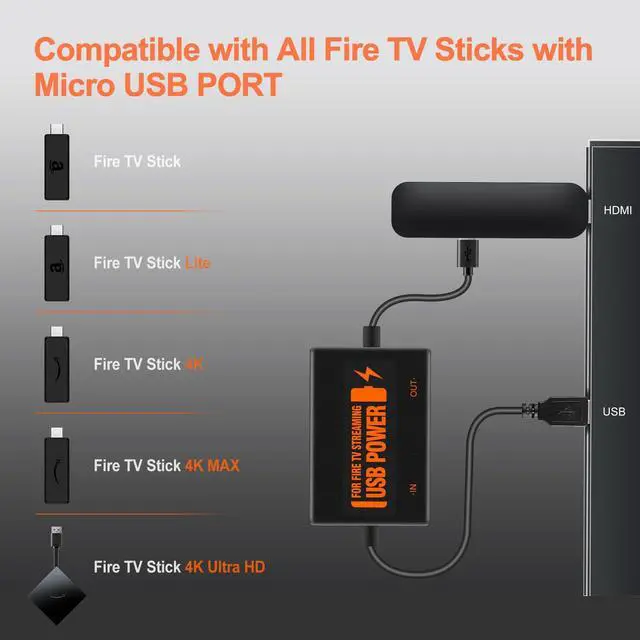
**Works with All Devices: ** Compatible with all streaming devices that support micro USB ports, including Fire TV Stick, all Fire Stick models, the new 4K/Max version, Chromecast1/2/Utral, TV Sticks, and other streaming sticks. Fire Stick power adapter only. Not compatible with Fire TV Stick HD (2nd Gen, 2026).
**Easy Plug-and-Play: ** Plug the micro USB connector into your Fire Stick and the USB A connector into your TV. It helps solve power issues and keeps your setup tidy.
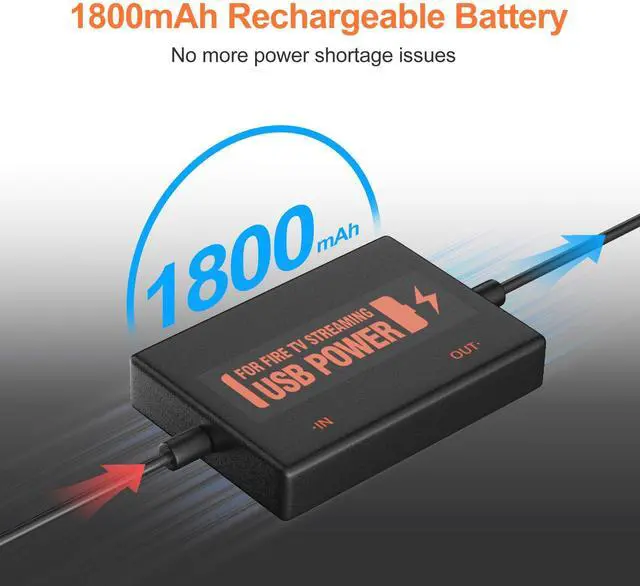
**Stable Power Supply: ** The built-in 5V power module provides a stable 5V/ 2.1A output (max), suitable for 4K streaming.
**Energy-Saving: ** Powers the Fire Stick only when the TV is on and automatically stops when the TV is off.
**Smart Tip: ** Charge for 10 minutes before first use

Adapter Needed: ** Power your Fire TV Stick directly from the TV's USB port, eliminating the need for an AC adapter and long power cables. Plug the micro USB connector into the Fire Stick, then plug the USB A connector into the USB port on the side of the TV. This helps address some TVs failing to start or restarting repeatedly due to insufficient power and keeps your setup clean and tidy. Before using your device for the first time, please fully charge it.
**Works with All Devices: ** Compatible with all streaming devices that support micro USB ports, including Fire TV Stick, all Fire Stick models, the new 4K/Max version, Chromecast1/2/Utral, TV Sticks, and other streaming sticks. Fire Stick power adapter only. Not compatible with Fire TV Stick HD (2nd Gen, 2026).
**Easy Plug-and-Play: ** Plug the micro USB connector into your Fire Stick and the USB A connector into your TV. It helps solve power issues and keeps your setup tidy.
**Stable Power Supply: ** The built-in 5V power module provides a stable 5V/ 2.1A output (max), suitable for 4K streaming.
**Energy-Saving: ** Powers the Fire Stick only when the TV is on and automatically stops when the TV is off.
**Smart Tip: ** Charge for 10 minutes before first use
Warranty & Returns
Warranty, Returns, And Additional Information
Warranty
- Please contact the Seller directly for warranty information. Warranty information may also be found on the Manufacturer's website.
- CONTACT
Return Policies
- Return for refund within: 30 days
- Return for replacement within: 30 days
- This item is covered by HeYuan Shop Return Policy
Manufacturer Contact Info
- For a directory of all our manufacturers, please click below.
- Manufacturers Directory
LOADING...