Out of stock
  • $79.99
  • Free 30-day Returns
Sold by HeYuan Shop

Shipped by HeYuan Shop

Price alert
Shop it at NeweggBusiness.

Meet Your Seller

USB C Docking Station Dual Monitor for HP,Laptop Docking Station 3 Monitors USB C Hub Quad Display USB C Adapter to 2 HDMI,DP,VGA,3 USB,PD,Ethernet,USB C Dock 9 in 1 Computer Docking Station for Dell

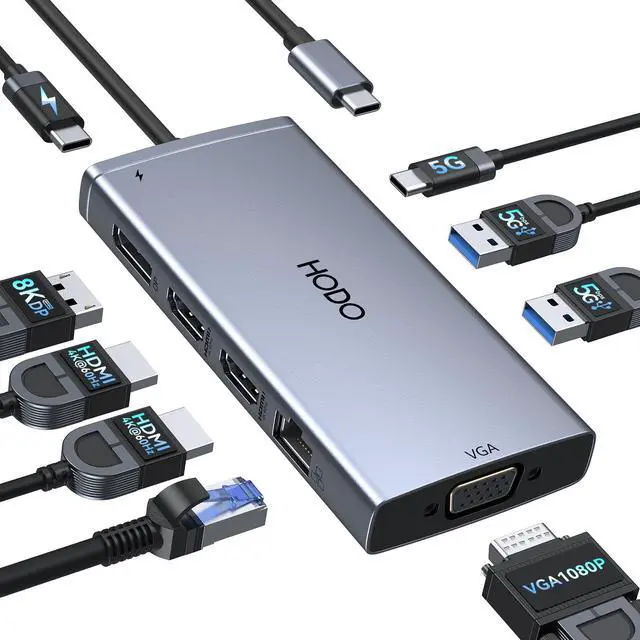
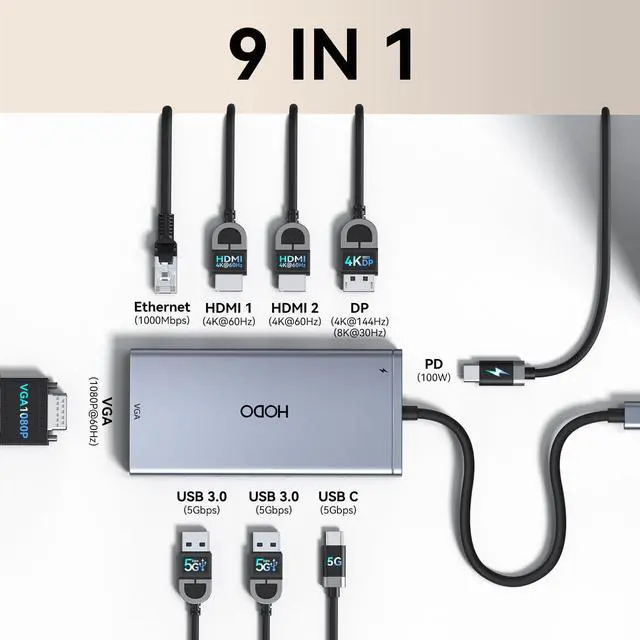
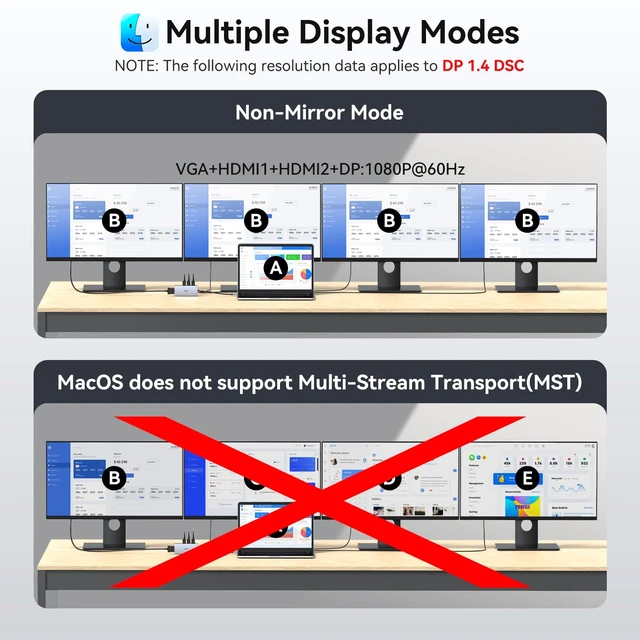
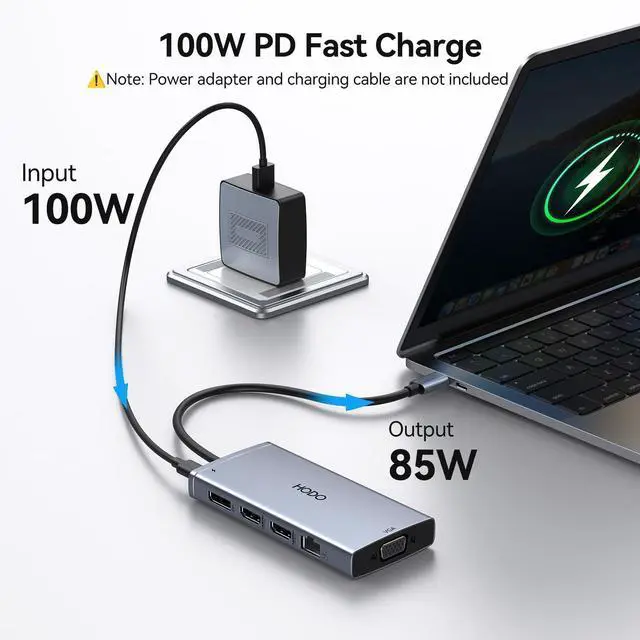
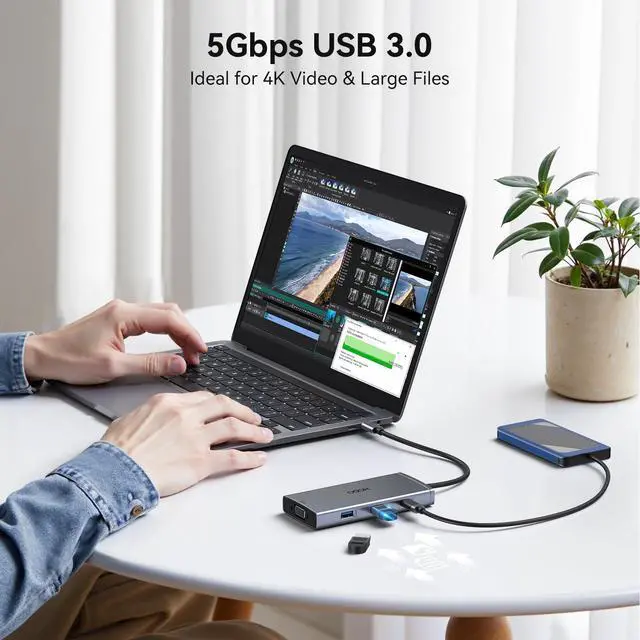
  • USB C Docking Station 9 IN 1: USB C Docking Station with Dual HDMI [email protected], 1*4K@30HZ DisplayPort, 1*1080P VGA, Gigabit Ethernet, 2*5Gbps USB 3.0, 1*5Gbps USB C Port, USB C Power Charging Port (max 100W). Please Note: on MacOS system, the screens of external monitors are the same, no matter they are displayed in mirror mode or extended mode. Laptop Docking Station 4K Display Adapter: The Docking Station for Dell laptop with 4 video output ports: 2 HDMI+DP+VGA, can output up to 4K Dual/Triple Display videos; For quadruple display Dual HDMI, DP, and VGA all are 1080@60Hz. Please make sure your laptop specification support DP1.4 signal output. If the VGA port is connected, it will affect the resolution of all displays up to 1080P only. 100W USB C PD Charging Port: Computer Docking Station Dual Monitor for Dell HP laptop supports up to 100W input & 87W (safe) output into your laptop. Please Note: please ensure your laptop's USB C port supports power delivery protocol and please use at least 65W power adapter (not included) when charging with this USB C hub; using a lower wattage power charger may cause a system warning. Note: The power cord is not included. 5Gbps USB 3.0 USB C Hub & USB C Dock to Gigabit Ethernet: USB C to USB Adapter comes with 2 USB 3.0 ports and one USB C port, the transfer speed of them are up to 5Gbps, allows you to transfer files in seconds from your USB flash drive, USB/USB C hard disks. This Docking Station 3 Monitors for HP laptop support 10/100/100
+
+
Overview
Specs
Reviews
avatar

Any questions? Our AI mode will help you find out quickly.

USB C Docking Station 9
IN 1: USB C Docking Station with Dual HDMI 4K@ 29.98HZ, 1*4K@30HZ DisplayPort, 1*1080P VGA, Gigabit Ethernet, 2*5Gbps USB 3.0, 1*5Gbps USB C Port, USB C Power Charging Port (max 100W).
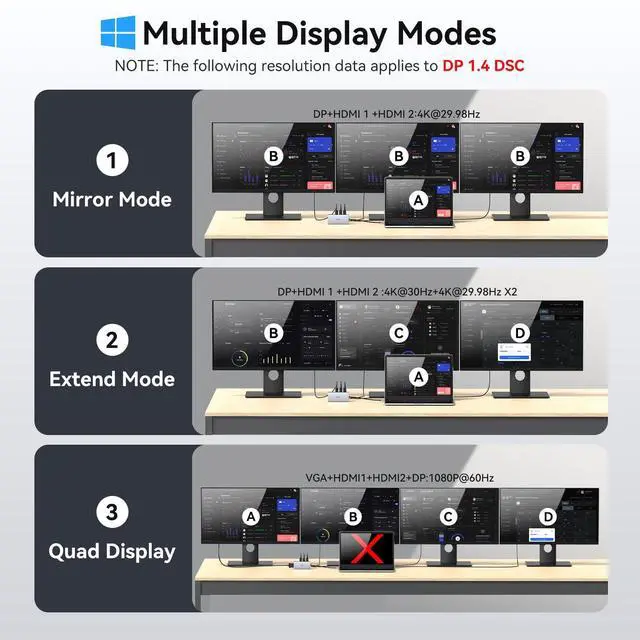
Please Note: on MacOS system, the screens of external monitors are the same, no matter they are displayed in mirror mode or extended mode. Laptop Docking Station 4K
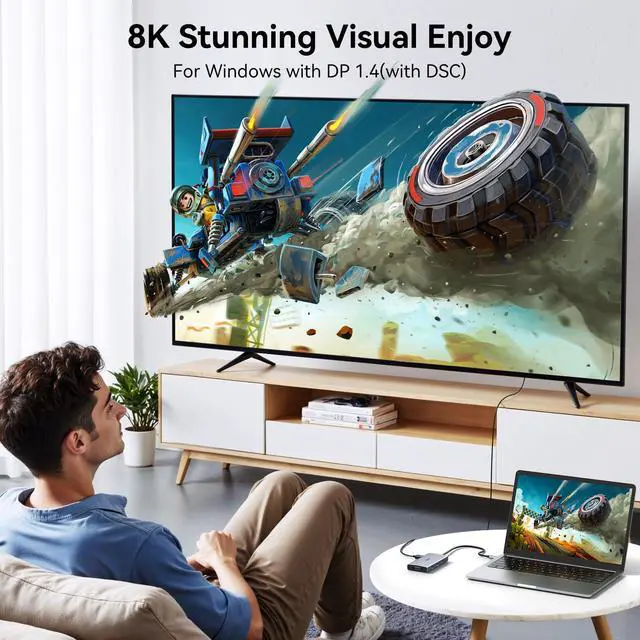
Display Adapter: The Docking Station for Dell laptop with 4 video output ports: 2 HDMI+DP+VGA, can output up to 4K Dual/Triple Display videos; For quadruple display Dual HDMI, DP, and VGA all are 1080@60Hz. Please make sure your laptop specification support DP 1.4 signal output. If the VGA port is connected, it will affect the resolution of all displays up to 1080P only. 100W USB C PD
Charging Port: Computer Docking Station Dual Monitor for Dell HP laptop supports up to 100W input & 87W (safe) output into your laptop.
Please Note: please ensure your laptop's USB C port supports power delivery protocol and please use at least 65W power adapter (not included) when charging with this USB C hub; using a lower wattage power charger may cause a system warning.
Note: The power cord is not included. 5Gbps USB 3.0 USB C Hub & USB C Dock to
Gigabit Ethernet: USB C to USB Adapter comes with 2 USB 3.0 ports and one USB C port, the transfer speed of them are up to 5Gbps, allows you to transfer files in seconds from your USB flash drive, USB/USB C hard disks. This Docking Station 3 Monitors for HP laptop support 10/100/1000BASE-T Lan networks, just plug in an ethernet cable, you can enjoy the ultra-fast gigabit ethernet speeds and the reliability of a wired connection directly. No need to worry about the instability of WiFi and interference from USB 3.0. USB C Adapter with
Extensive Compatibility: This USB C Dongle specially designed for laptops with Full-featured USB Type-C port (support Display, charging, data transfer protocol), such as Dell XPS13/15/17, Dell Latitude 5420/7420, Lenovo Thinkpad, Lenovo Yoga, HP Elitebook 840, HP Envy, Surface Pro 7 8, MacBook Pro/Air

Warranty & Returns

Warranty, Returns, And Additional Information

Warranty

  • Please contact the Seller directly for warranty information. Warranty information may also be found on the Manufacturer's website.
  • CONTACT

Return Policies

Manufacturer Contact Info

LOADING...