• $29.99
  • Free 30-day Returns
  • Sold by Myriad Mart

    Shipped by Myriad Mart

    Price alert
    Shop it at NeweggBusiness.

    Meet Your Seller

    New V3 Pro Voice Remote Control Compatible with vSeeBox V1, V2, V3, V5 Pro, V3 Plus, V1 Max, Elite, Max Models

    Limited time offer, ends 10/21 By Myriad Mart

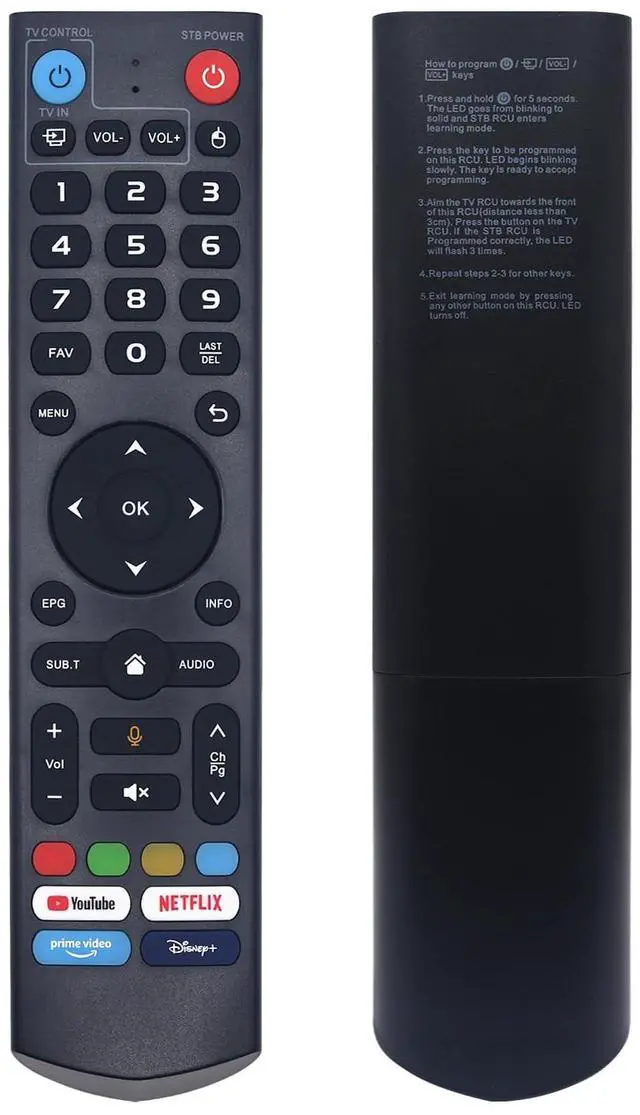
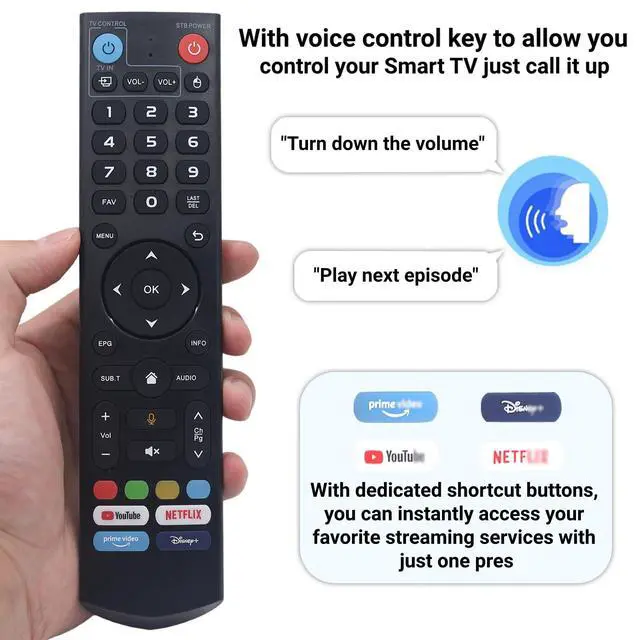
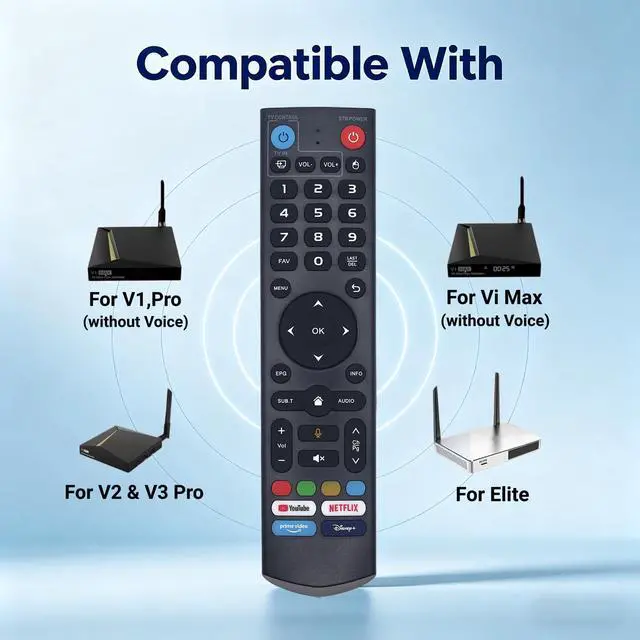
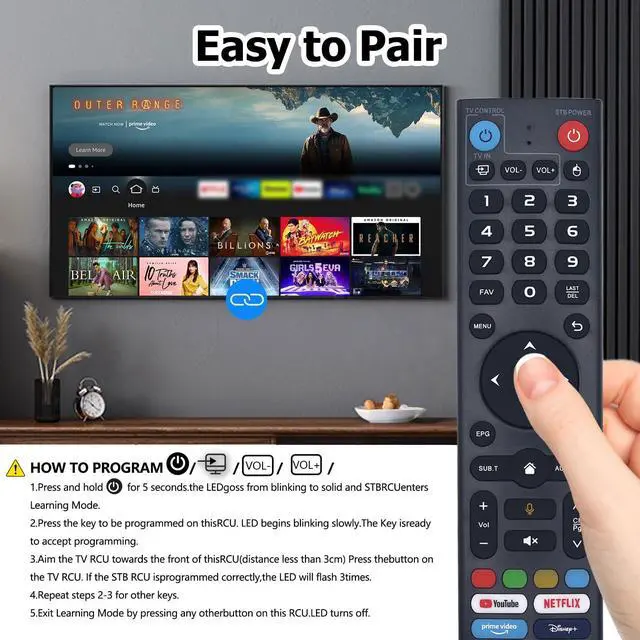
    • This V3 Pro voice remote is compatible with all vSeeBox models, including V5 Pro, V1, V1 Pro, V2, V2 Pro, V3 Pro, V3 Plus, V1 Max, Elite, and Max. The V3 Pro voice remote control features a microphone button, enabling voice search for content, volume adjustment/input source switching, and music playback. Simply speak your commands to effortlessly control your TV, adjust the volume, or play your favorite music. Please note: V1 Max, V1 Pro, and V2 Pro do not feature voice command capability. This V3 Pro voice remote supports V3 and V2 working modes. To switch between them, press and hold the number 5 button for more than ten seconds. V3 mode is intended for use with V3 Pro devices; V2 mode works with V1 Pro, V2 Pro, Max, and Elite. By default, the V3 remote starts in V3 mode. If you are using a V1 Pro, V2 Pro, Max, or Elite, simply press and hold the number 5 key for over 10 seconds to change to V2 mode. To enter pairing mode, press and hold the "OK" and "Vol-" buttons on your V3 Pro Voice Remote simultaneously for 5 seconds or more. Once the LED flashes rapidly, release the buttons to enter pairing mode. A successful pairing will cause the LED to turn off immediately. If pairing is unsuccessful, the LED will turn off after 30 seconds and the remote will automatically exit pairing mode. In that case, first remove the old device from your system's Bluetooth list, then try the pairing process again. With dedicated shortcut buttons for YouTube, Netflix, Prime Video, and Disney+,
    +
    +
    Overview
    Specs
    Reviews

    Any questions? Ask CelesteSM will help you find out quickly.

    This V3 Pro voice remote is compatible with all vSeeBox models, including V5 Pro, V1, V1 Pro, V2, V2 Pro, V3 Pro, V3 Plus, V1 Max, Elite, and Max. The V3 Pro voice remote control features a microphone button, enabling voice search for content, volume adjustment/input source switching, and music playback. Simply speak your commands to effortlessly control your TV, adjust the volume, or play your favorite music.
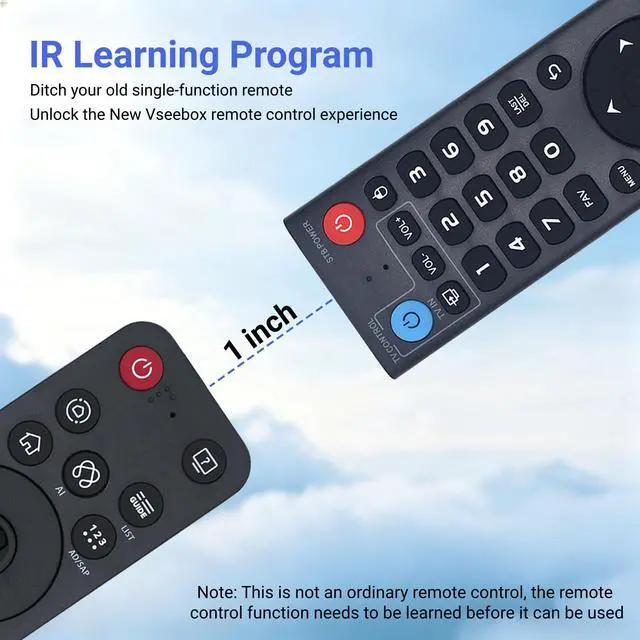
    Please note: V1 Max, V1 Pro, and V2 Pro do not feature voice command capability. This V3 Pro voice remote supports V3 and V2 working modes. To switch between them, press and hold the number 5 button for more than ten seconds. V3 mode is intended for use with V3 Pro devices; V2 mode works with V1 Pro, V2 Pro, Max, and Elite. By default, the V3 remote starts in V3 mode. If you are using a V1 Pro, V2 Pro, Max, or Elite, simply press and hold the number 5 key for over 10 seconds to change to V2 mode. To enter pairing mode, press and hold the "OK" and "Vol-" buttons on your V3 Pro Voice Remote simultaneously for 5 seconds or more. Once the LED flashes rapidly, release the buttons to enter pairing mode. A successful pairing will cause the LED to turn off immediately. If pairing is unsuccessful, the LED will turn off after 30 seconds and the remote will automatically exit pairing mode. In that case, first remove the old device from your system's Bluetooth list, then try the pairing process again.

    With dedicated shortcut buttons for YouTube, Netflix, Prime Video, and Disney+, you can instantly access your favorite streaming services with just one press. No need to navigate through menusenjoy seamless entertainment at your fingertips

    Warranty & Returns

    Warranty, Returns, And Additional Information

    Warranty

    • Please contact the Seller directly for warranty information. Warranty information may also be found on the Manufacturer's website.
    • CONTACT

    Return Policies

    Manufacturer Contact Info

    LOADING...