Your Browsing History
Meet Your Seller
Camera External Cooling Fan for Nikon ZR with Dual-Speed Modes, Snap-On Design, TEC Cooling Module, Compatible with V-Mount Battery Plate - 5874
Limited time offer, ends 10/28 By Lu Sincere Store
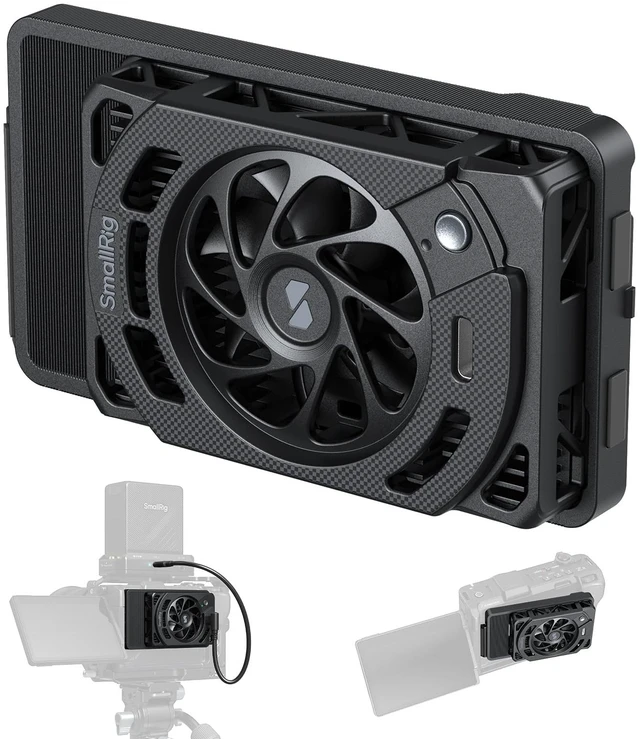
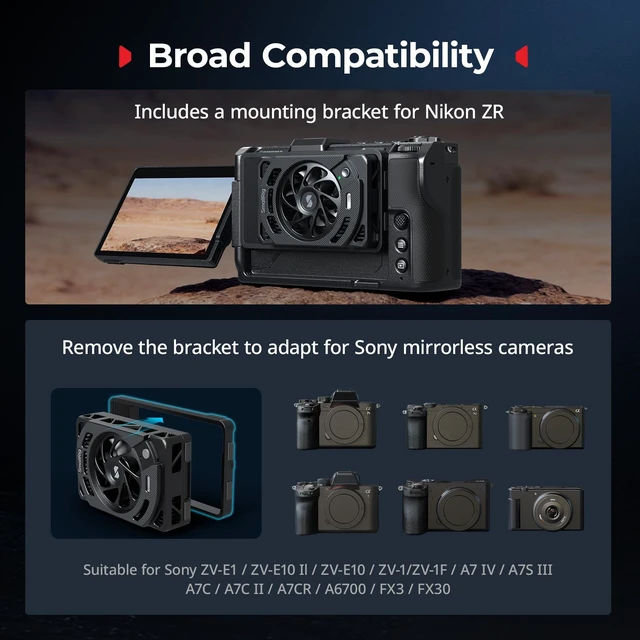
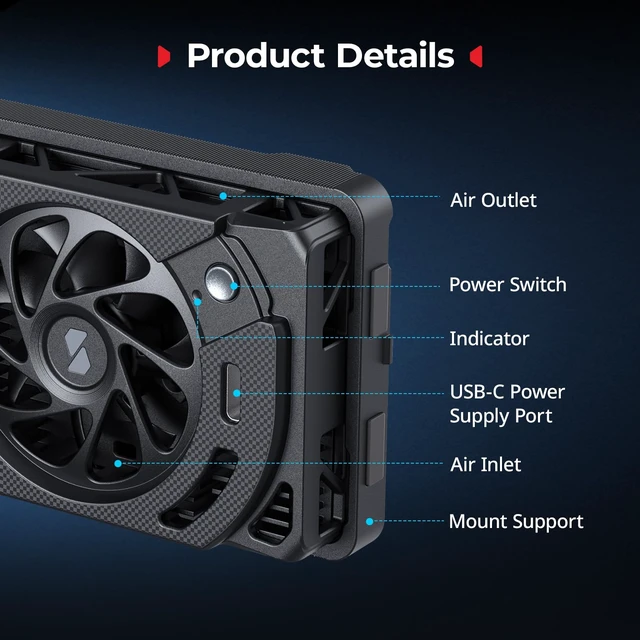
- Compatibility: The cooling fan is designed for Nikon ZR, engineered to mitigate overheating in the ZR camera, enabling extended recording times for high-resolution video. The included mounting bracket provides native support for Nikon ZR and can be adapted for Sony mirrorless cameras when removed. Superior Cooling Performance: The ZR Cooling Fan for Nikon combines a high-speed 7,000 RPM fan with TEC (Thermoelectric Cooler) technology for superior heat dissipation, effectively preventing thermal shutdown. High and Low Cooling Modes: The cooling system features high-speed and low-speed modes, adapting to various shooting environments and needs, ensuring optimal temperature control for long recording sessions. Snap-On Design: With an innovative snap-on design, the cooling fan can be installed or removed in just 1 second, offering easy storage and enhanced portability while maintaining easy access to the camera's LCD screen. Continuous Cooling Choice: For extended power and continuous cooling, the cooling fan is compatible with V-Mount battery mount plate kits (ID 4064B, 4063B, 5315, 5227) and V-Mount batteries (ID 3579, 4608, 4292). NOTE: 1. After installing this product, the camera's LCD screen cannot be retracted. Please remove the cooling fan before retracting the LCD screen. 2. When the fan is not in use, press and hold the power button for about 2 seconds to enter standby mode, or unplug the power cable to turn it off completely

+
+
Overview
Specs
Reviews
Any questions? Ask CelesteSM will help you find out quickly.
Try me now
Compatibility: The cooling fan is designed for Nikon ZR, engineered to mitigate overheating in the ZR camera, enabling extended recording times for high-resolution video. The included mounting bracket provides native support for Nikon ZR and can be adapted for Sony mirrorless cameras when removed.
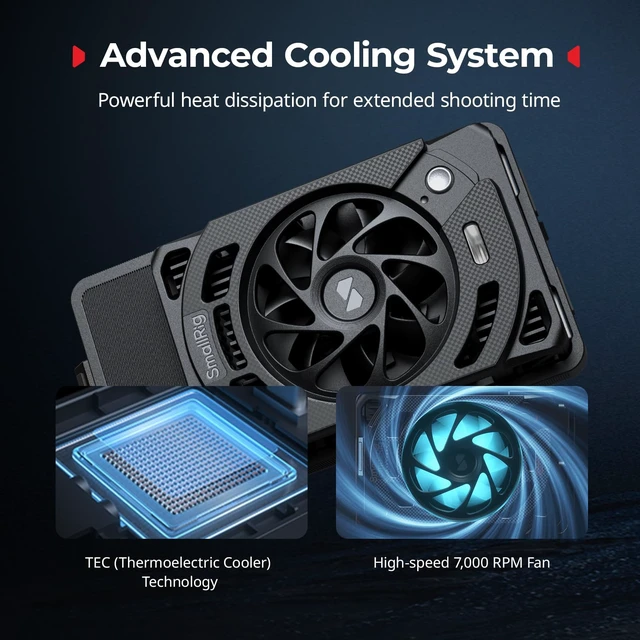
Superior Cooling Performance: The ZR Cooling Fan for Nikon combines a high-speed 7, 000 RPM fan with TEC (Thermoelectric Cooler) technology for superior heat dissipation, effectively preventing thermal shutdown. High and
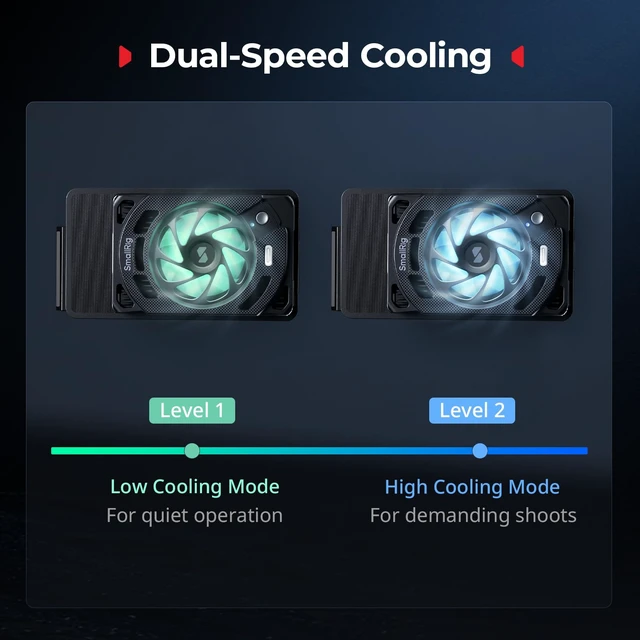
Low Cooling Modes: The cooling system features high-speed and low-speed modes, adapting to various shooting environments and needs, ensuring optimal temperature control for long recording sessions.
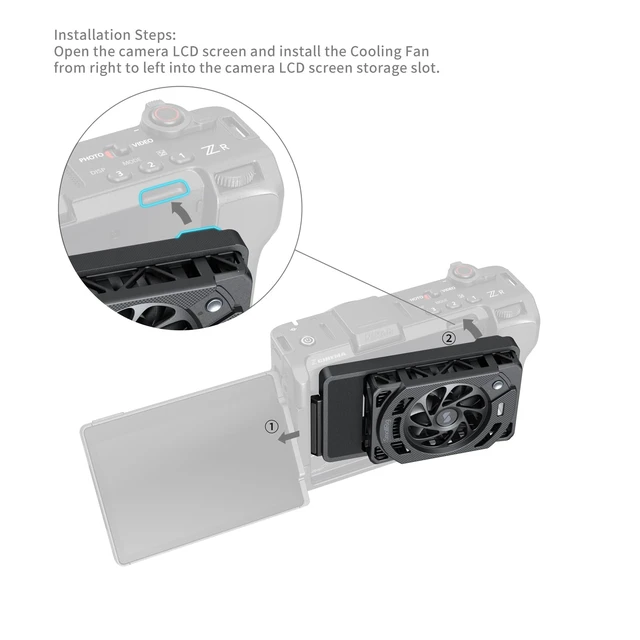
Snap-On Design: With an innovative snap-on design, the cooling fan can be installed or removed in just 1 second, offering easy storage and enhanced portability while maintaining easy access to the camera's LCD screen.
Continuous Cooling Choice: For extended power and continuous cooling, the cooling fan is compatible with V-Mount battery mount plate kits (ID 4064B, 4063B, 5315, 5227) and V-Mount batteries (ID 3579, 4608, 4292).
NOTE:
1. After installing this product, the camera's LCD screen cannot be retracted. Please remove the cooling fan before retracting the LCD screen.
2. When the fan is not in use, press and hold the power button for about 2 seconds to enter standby mode, or unplug the power cable to turn it off completely
Superior Cooling Performance: The ZR Cooling Fan for Nikon combines a high-speed 7, 000 RPM fan with TEC (Thermoelectric Cooler) technology for superior heat dissipation, effectively preventing thermal shutdown. High and
Low Cooling Modes: The cooling system features high-speed and low-speed modes, adapting to various shooting environments and needs, ensuring optimal temperature control for long recording sessions.
Snap-On Design: With an innovative snap-on design, the cooling fan can be installed or removed in just 1 second, offering easy storage and enhanced portability while maintaining easy access to the camera's LCD screen.
Continuous Cooling Choice: For extended power and continuous cooling, the cooling fan is compatible with V-Mount battery mount plate kits (ID 4064B, 4063B, 5315, 5227) and V-Mount batteries (ID 3579, 4608, 4292).
NOTE:
1. After installing this product, the camera's LCD screen cannot be retracted. Please remove the cooling fan before retracting the LCD screen.
2. When the fan is not in use, press and hold the power button for about 2 seconds to enter standby mode, or unplug the power cable to turn it off completely
Warranty & Returns
Warranty, Returns, And Additional Information
Warranty
- Please contact the Seller directly for warranty information. Warranty information may also be found on the Manufacturer's website.
- CONTACT
Return Policies
- Return for refund within: 30 days
- Return for replacement within: 30 days
- This item is covered by Lu Sincere Store Return Policy
Manufacturer Contact Info
- For a directory of all our manufacturers, please click below.
- Manufacturers Directory
LOADING...