• $23.99
  • Free 30-day Returns
  • Sold by Myriad Mart

    Shipped by Myriad Mart

    Price alert
    Shop it at NeweggBusiness.

    Meet Your Seller

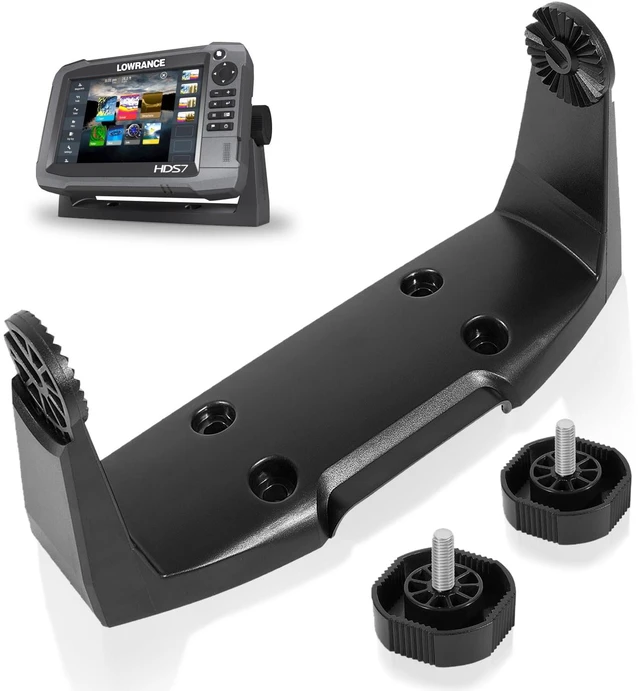
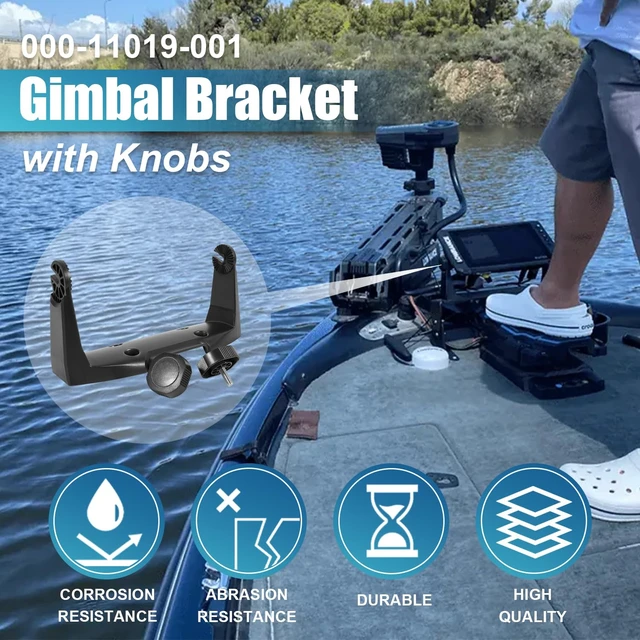
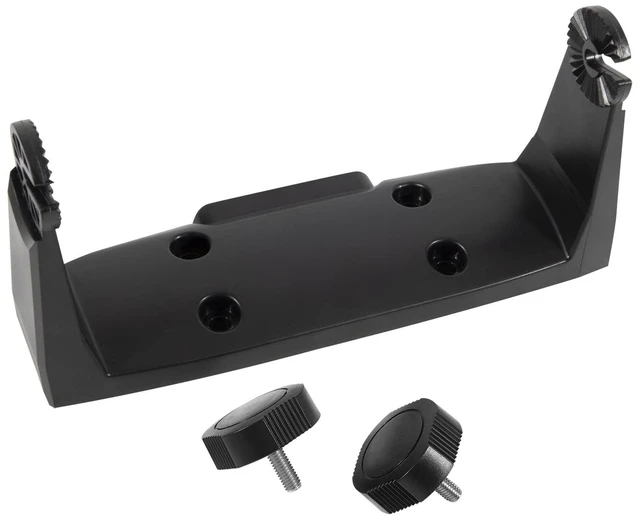
    000-11019-001 Gimbal Mounting Bracket with Knobs Compatible with HDS-7 Gen2 Gen3 Hook-7 Elite-7 Touchscreen Models

    Limited time offer, ends 10/21 By Myriad Mart

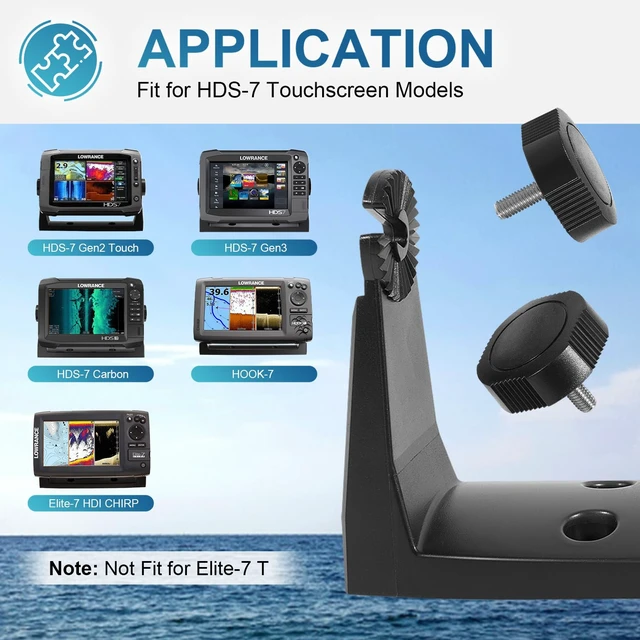
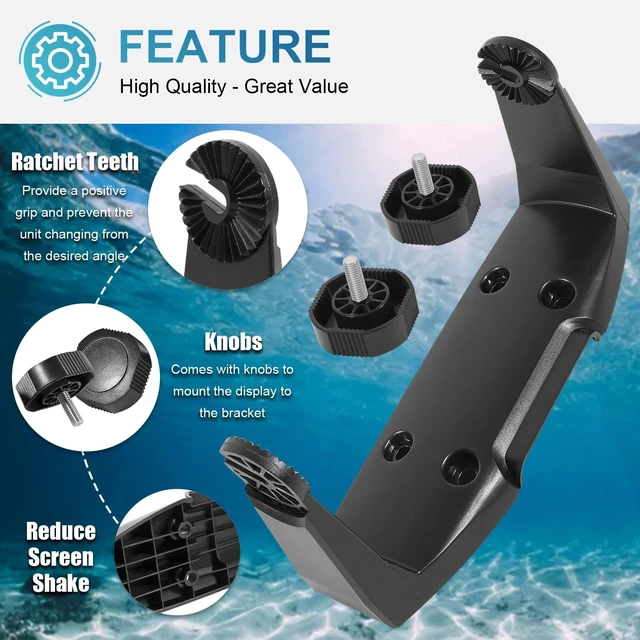
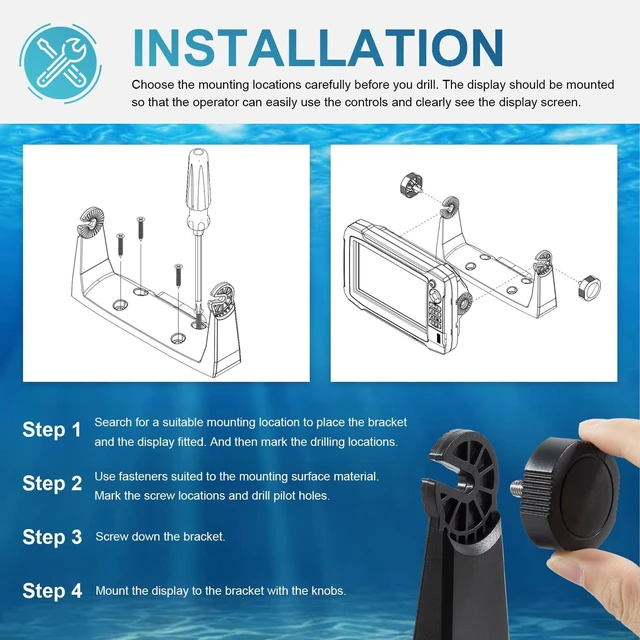
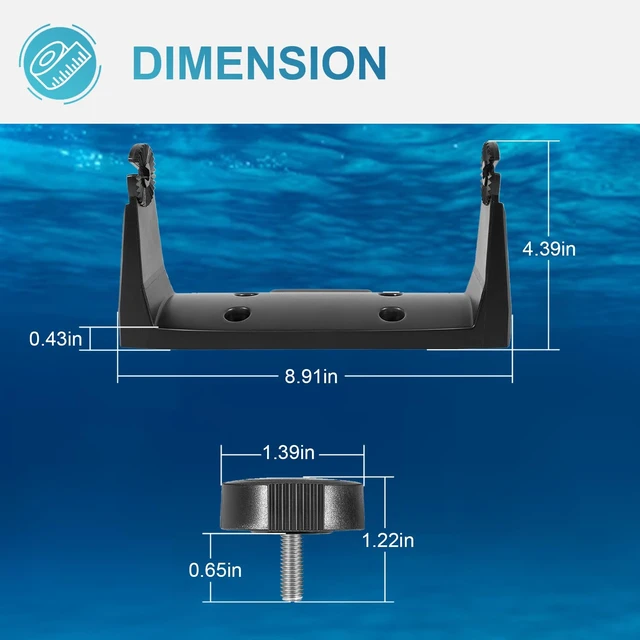
    • [Application] Fits HDS-7 Gen2 Touch, HDS-7 Gen3, HDS-7 Carbon, HOOK-7, and Elite-7 HDI CHIRP. Note: Not for use with Elite-7 T. [Feature] Direct replacement for the original mounting bracket. The ratchet teeth in this gimbal bracket deliver a positive grip and keep the unit from shifting from the desired angle, which helps reduce screen shake so the operator can read the display screen clearly. [Material] Made of heavy-duty steel with a black coating for rust and corrosion resistance. Built to last, it can withstand years of abuse. [Installation Tips] When choosing the mounting locations, make sure there is adequate space to accommodate the display, and that the operator can easily use the controls and clearly see the display screen. Use fasteners suited to the mounting surface material. Use only 304 or 316 stainless steel fasteners. Mark the screw locations using the bracket as a template, and drill pilot holes. When installing, ensure appropriate safety equipment is used

    +
    +
    Overview
    Specs
    Reviews

    Any questions? Ask CelesteSM will help you find out quickly.

    [Application] Fits HDS-7 Gen2 Touch, HDS-7 Gen3, HDS-7 Carbon, HOOK-7, and Elite-7 HDI CHIRP.
    Note: Not for use with Elite-7 T. [Feature] Direct replacement for the original mounting bracket. The ratchet teeth in this gimbal bracket deliver a positive grip and keep the unit from shifting from the desired angle, which helps reduce screen shake so the operator can read the display screen clearly. [Material] Made of heavy-duty steel with a black coating for rust and corrosion resistance. Built to last, it can withstand years of abuse. [Installation Tips] When choosing the mounting locations, make sure there is adequate space to accommodate the display, and that the operator can easily use the controls and clearly see the display screen. Use fasteners suited to the mounting surface material. Use only 304 or 316 stainless steel fasteners. Mark the screw locations using the bracket as a template, and drill pilot holes. When installing, ensure appropriate safety equipment is used

    Warranty & Returns

    Warranty, Returns, And Additional Information

    Warranty

    • Please contact the Seller directly for warranty information. Warranty information may also be found on the Manufacturer's website.
    • CONTACT

    Return Policies

    Manufacturer Contact Info

    LOADING...