Your Browsing History
Meet Your Seller
192KHz HDMI eARC/ARC to Optical Coaxial Audio Converter with CEC Volume Control,Supports PCM 2.0, Dolby 5.1, DTS 5.1 5ft,HDMI ARC to Optical for Soundbar toTV
Limited time offer, ends 10/15 By Lu Sincere Store
- eARC ARC Audio Extractor: Some TVs do not have optical or coaxial interfaces. This product can convert the eARC ARC audio channel of the TV into digital optical or coaxial output, solving the compatibility problem between the TV and the home audio system. ARC TV Setup Before Use: 1. Enable the TV's CEC function. 2. Set the TV's audio output device to the ARC device. 3. Set the audio format to PCM2.0 or Dolby or DTS 5.1. High Quality Audio: ARC to optical digital audio cable supports 24-bit/192kHz audio sampling rates. ARC connects to the TV's ARC interface, connecting optical or coaxial interfaces to soundbars, amplifiers, and active speakers. Indicator Light: Red lights up when the input format is PCM, and the TV volume can be adjusted through the remote control. When the input format is DTS/Dolby, blue lights up and the TV volume cannot be adjusted through the remote control. Plug and Play: No complicated driver installation required. Simply connect the converter's USB cable to the TV's USB port or power adapter

+
+
Overview
Specs
Reviews
Any questions? Ask CelesteSM will help you find out quickly.
Try me now
eARC ARC
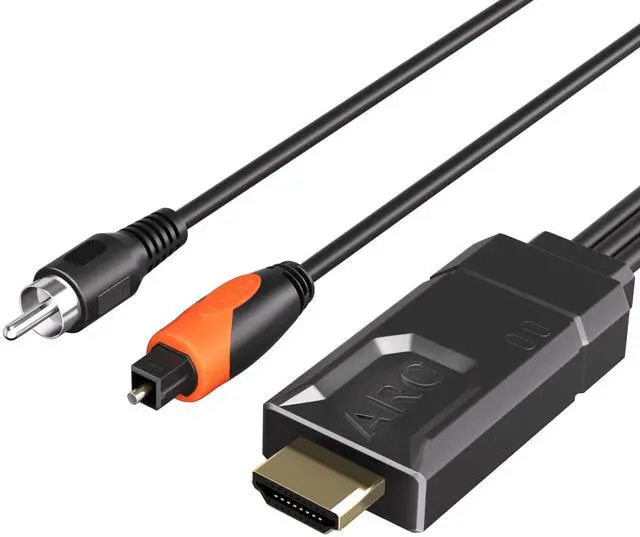
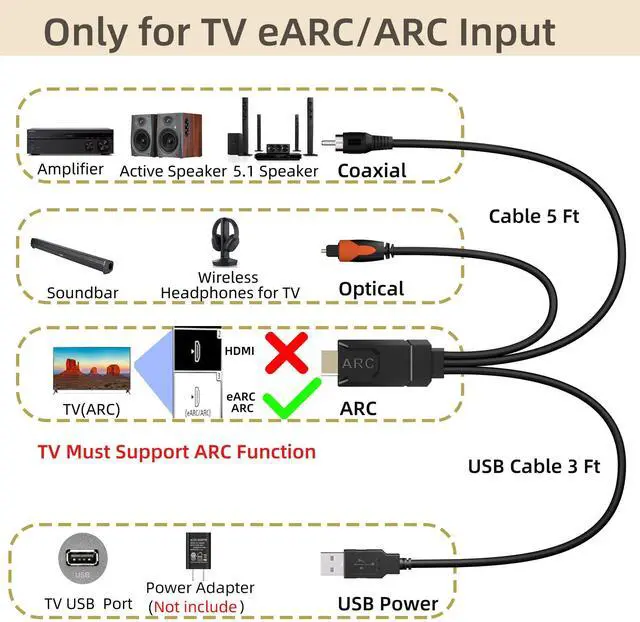
Audio Extractor: Some TVs do not have optical or coaxial interfaces. This product can convert the eARC ARC audio channel of the TV into digital optical or coaxial output, solving the compatibility problem between the TV and the home audio system.
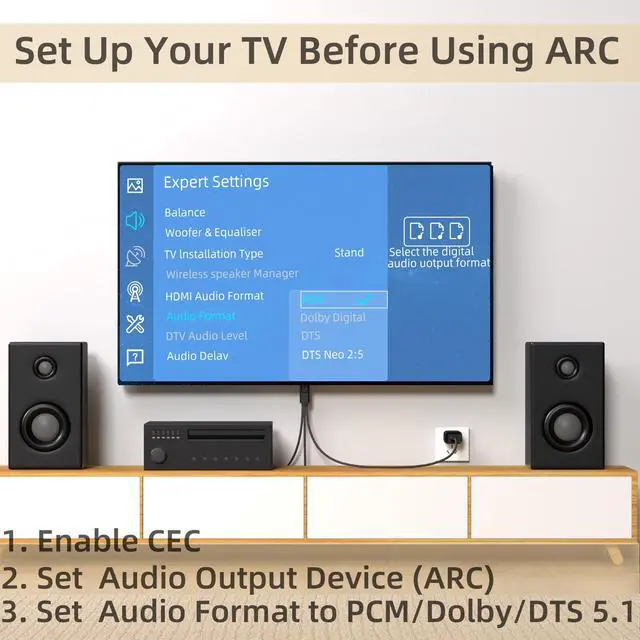
ARC TV Setup Before Use: 1. Enable the TV's CEC function. 2. Set the TV's audio output device to the ARC device. 3. Set the audio format to PCM 2.0 or Dolby or DTS 5.1.
High Quality Audio: ARC to optical digital audio cable supports 24-bit/192kHz audio sampling rates. ARC connects to the TV's ARC interface, connecting optical or coaxial interfaces to soundbars, amplifiers, and active speakers.
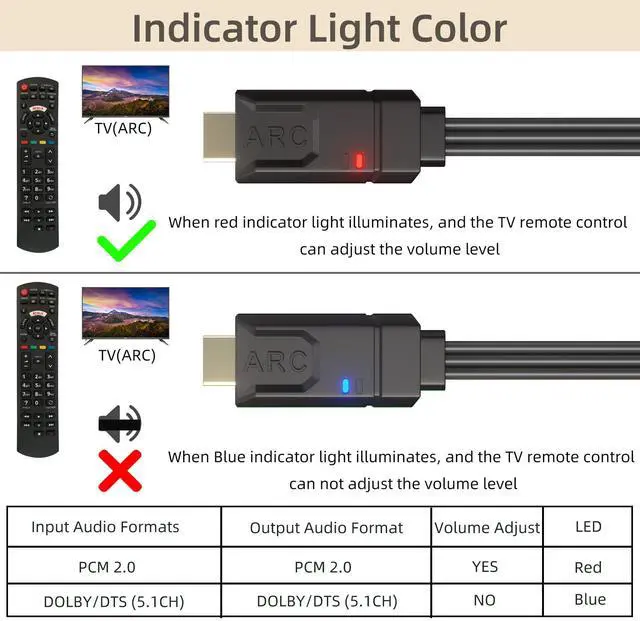
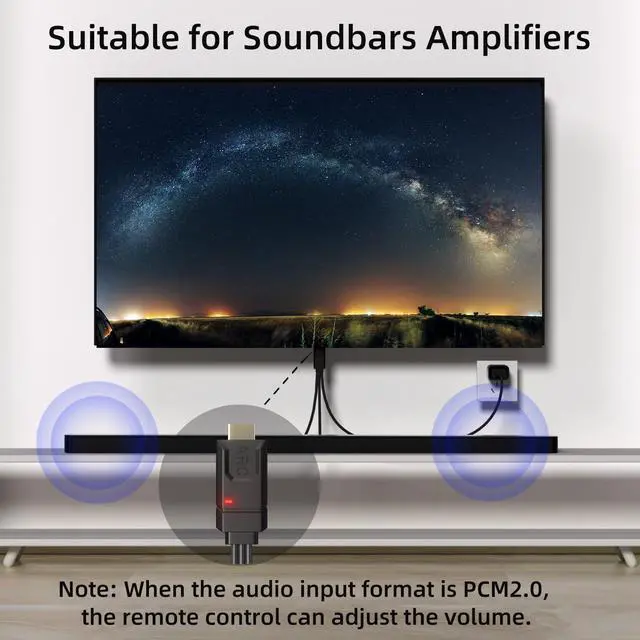
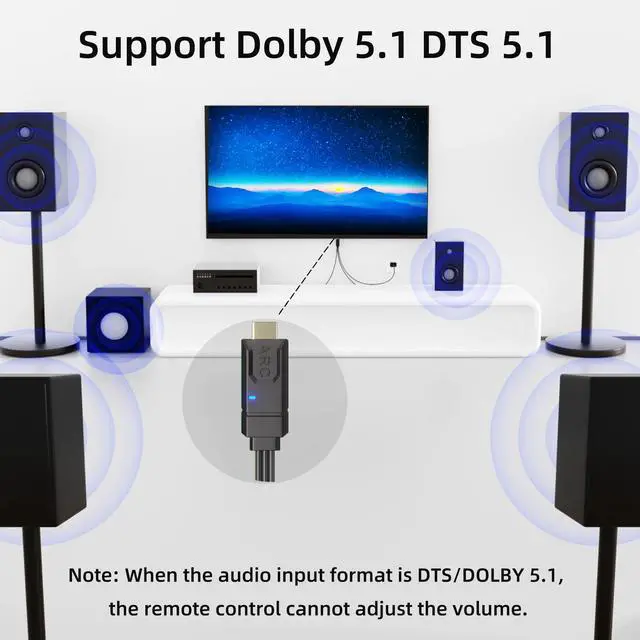
Indicator Light: Red lights up when the input format is PCM, and the TV volume can be adjusted through the remote control. When the input format is DTS/Dolby, blue lights up and the TV volume cannot be adjusted through the remote control.
Plug and Play: No complicated driver installation required. Simply connect the converter's USB cable to the TV's USB port or power adapter
Audio Extractor: Some TVs do not have optical or coaxial interfaces. This product can convert the eARC ARC audio channel of the TV into digital optical or coaxial output, solving the compatibility problem between the TV and the home audio system.
ARC TV Setup Before Use: 1. Enable the TV's CEC function. 2. Set the TV's audio output device to the ARC device. 3. Set the audio format to PCM 2.0 or Dolby or DTS 5.1.
High Quality Audio: ARC to optical digital audio cable supports 24-bit/192kHz audio sampling rates. ARC connects to the TV's ARC interface, connecting optical or coaxial interfaces to soundbars, amplifiers, and active speakers.
Indicator Light: Red lights up when the input format is PCM, and the TV volume can be adjusted through the remote control. When the input format is DTS/Dolby, blue lights up and the TV volume cannot be adjusted through the remote control.
Plug and Play: No complicated driver installation required. Simply connect the converter's USB cable to the TV's USB port or power adapter
Warranty & Returns
Warranty, Returns, And Additional Information
Warranty
- Please contact the Seller directly for warranty information. Warranty information may also be found on the Manufacturer's website.
- CONTACT
Return Policies
- Return for refund within: 30 days
- Return for replacement within: 30 days
- This item is covered by Lu Sincere Store Return Policy
Manufacturer Contact Info
- For a directory of all our manufacturers, please click below.
- Manufacturers Directory
LOADING...