• $32.99
  • Free 30-day Returns
  • Price alert
    Shop it at NeweggBusiness.

    Meet Your Seller

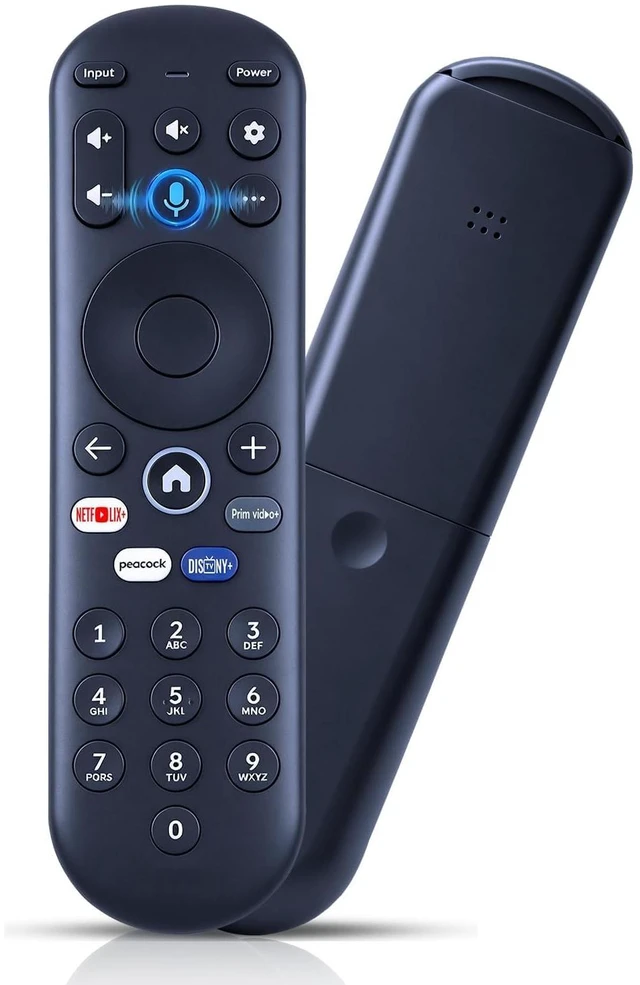
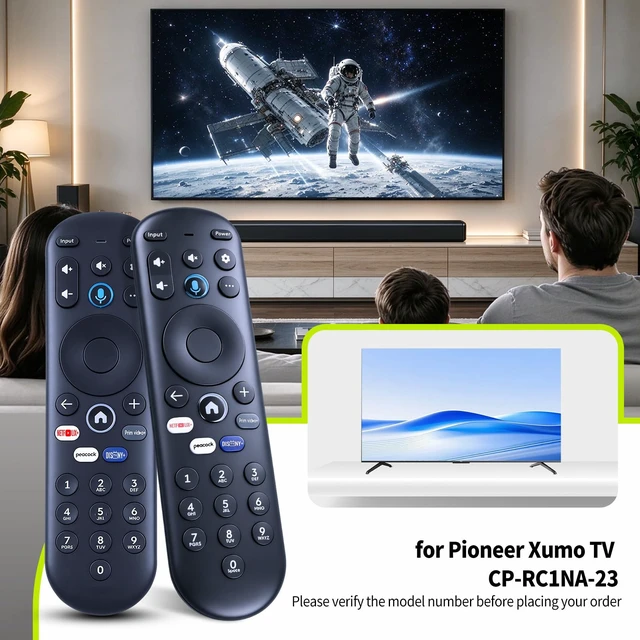
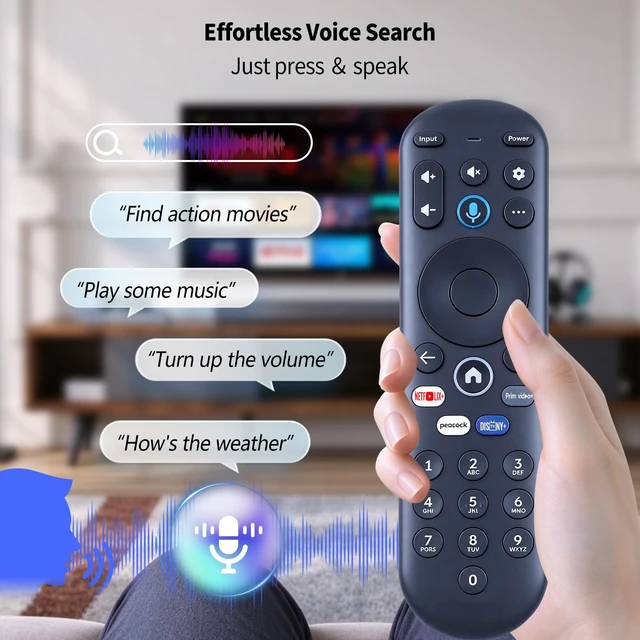
    Replacement Voice Remote Control for Pioneer Xumo TV - CP-RC1NA-23 Compatible with Element / Hisense PN43-751-24U PN50-751-24U PN55-751-24U PN65-751-24U, 4 Shortcut Key Simple to Setup

    Limited time offer, ends 11/23 By Muxiju Store

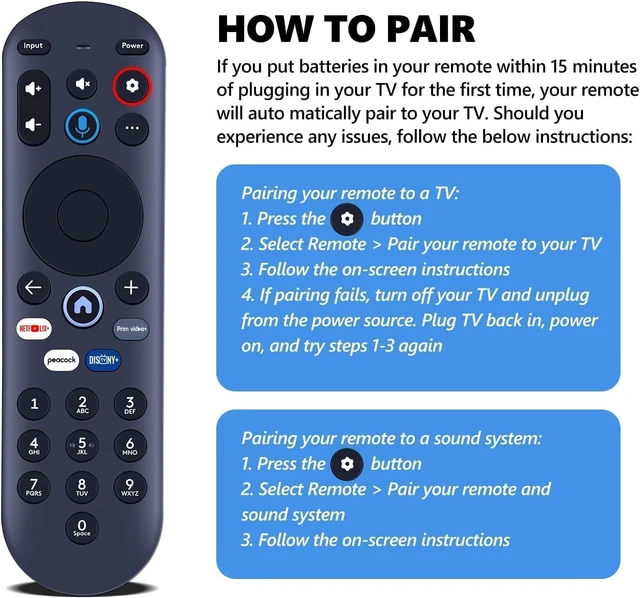
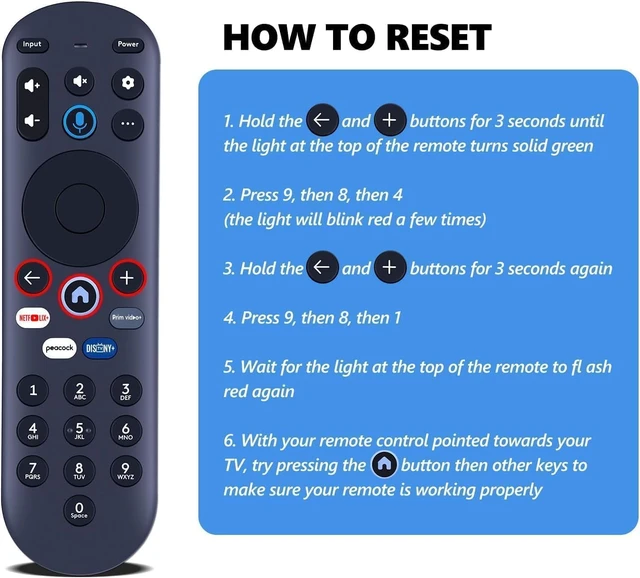
    • Perfect Compatibility - This replacement voice remote control works with Pioneer Xumo TV models CP-RC1NA-23, PN43-751-24U, PN50-751-24U, PN55-751-24U, and PN65-751-24U; Element Xumo TV models CP-RC1NA-23, PN43-751-24U, PN50-751-24U, PN55-751-24U, and PN65-751-24U; and Hisense Xumo TV models 43A6GX, 50A6G, and R34010BA00-00001. How to Pair with a New Xumo TV - Before using the remote, pair it with your TV. If you insert batteries within 15 minutes of plugging in your TV for the first time, the remote will pair automatically. If the remote is unpaired, follow these instructions: Step 1: Press the SETTING button. Step 2: Select Remote > Pair your remote to your TV. Step 3: Follow the on-screen instructions. Tips: If pairing fails, turn off your TV and disconnect it from the power source. Plug the TV back in, turn it on, and try Steps 1-3 again. How to Pair with a Sound System: Step 1: Press the SETTING button. Step 2: Select Remote > Pair your remote and sound system. Step 3: Follow the on-screen instructions. How to Reset the Remote: Step 1: Hold the left arrow and + buttons for 3 seconds until the light at the top of the remote turns solid green. Step 2: Press 9, then 8, then 4. The light will blink red a few times. Step 3: Hold the left arrow and + buttons for 3 seconds again. Step 4: Press 9, then 8, then 1. Step 5: Wait for the light at the top of the remote to flash red again. Step 6: Point the remote toward your TV and press the HOME button, followed by other keys, to c
    +
    +
    Overview
    Specs
    Reviews

    Any questions? Ask CelesteSM will help you find out quickly.

    Perfect Compatibility - This replacement voice remote control works with Pioneer Xumo TV models CP-RC1NA-23, PN43-751-24U, PN50-751-24U, PN55-751-24U, and PN65-751-24U; Element Xumo TV models CP-RC1NA-23, PN43-751-24U, PN50-751-24U, PN55-751-24U, and PN65-751-24U; and Hisense Xumo TV models 43A6GX, 50A6G, and R34010BA00-00001. How to Pair with a New Xumo TV - Before using the remote, pair it with your TV. If you insert batteries within 15 minutes of plugging in your TV for the first time, the remote will pair automatically. If the remote is unpaired, follow
    these instructions: Step
    1: Press the SETTING button.
    Step 2: Select Remote > Pair your remote to your TV.
    Step 3: Follow the on-screen instructions.
    Tips: If pairing fails, turn off your TV and disconnect it from the power source. Plug the TV back in, turn it on, and try Steps 1-3 again. How to Pair with a
    Sound System: Step
    1: Press the SETTING button.
    Step 2: Select Remote > Pair your remote and sound system.
    Step 3: Follow the on-screen instructions. How to Reset the
    Remote: Step
    1: Hold the left arrow and + buttons for 3 seconds until the light at the top of the remote turns solid green.
    Step 2: Press 9, then 8, then
    4. The light will blink red a few times.
    Step 3: Hold the left arrow and + buttons for 3 seconds again.
    Step 4: Press 9, then 8, then
    1.
    Step 5: Wait for the light at the top of the remote to flash red again.
    Step 6: Point the remote toward your TV and press the HOME button, followed by other keys, to check that the remote is working properly. Package List - 1 Voice Remote (2 AAA batteries not included)

    Warranty & Returns

    Warranty, Returns, And Additional Information

    Warranty

    • Please contact the Seller directly for warranty information. Warranty information may also be found on the Manufacturer's website.
    • CONTACT

    Return Policies

    Manufacturer Contact Info

    LOADING...