• $59.99
  • Free 30-day Returns
  • Price alert
    Shop it at NeweggBusiness.

    Meet Your Seller

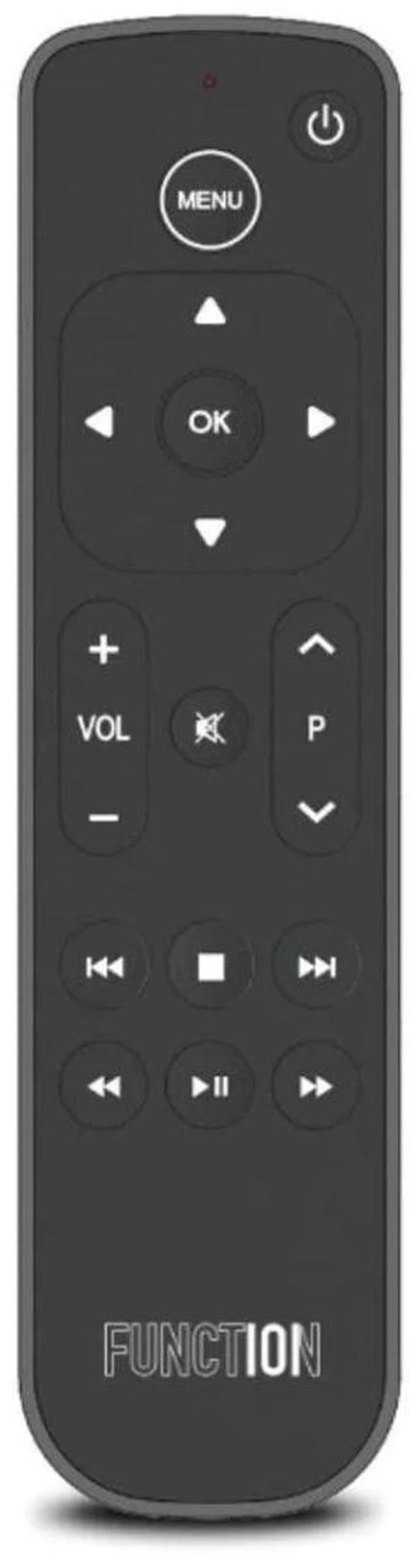
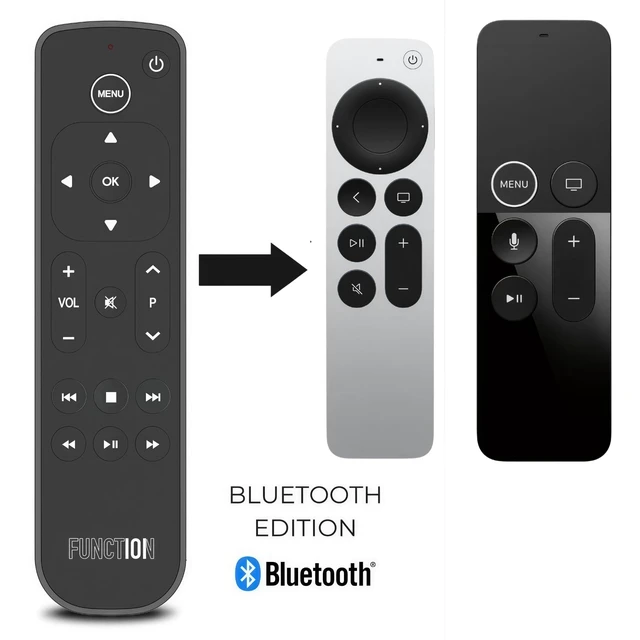
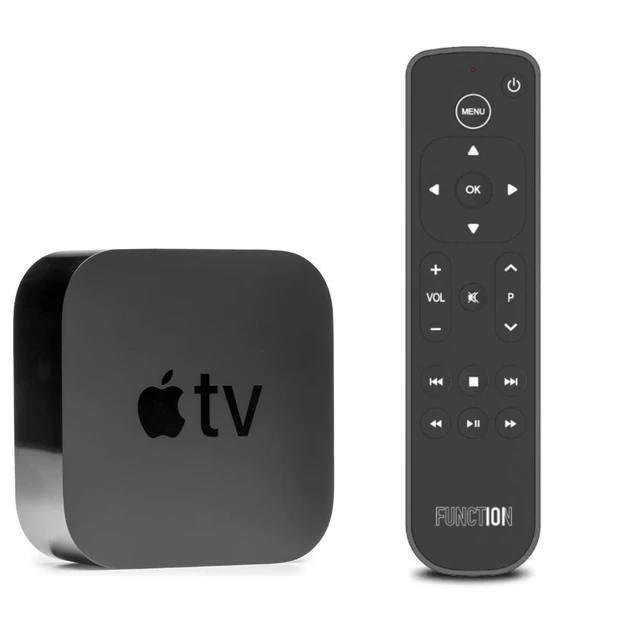
    Button Remote for Apple TV 4K 4th Gen (2026) & HD, Bluetooth No line of sight needed. Real buttons. Controls TV, receiver or soundbar volume, mute and power. 2 AAA included

    Limited time offer, ends 11/23 By Muxiju Store

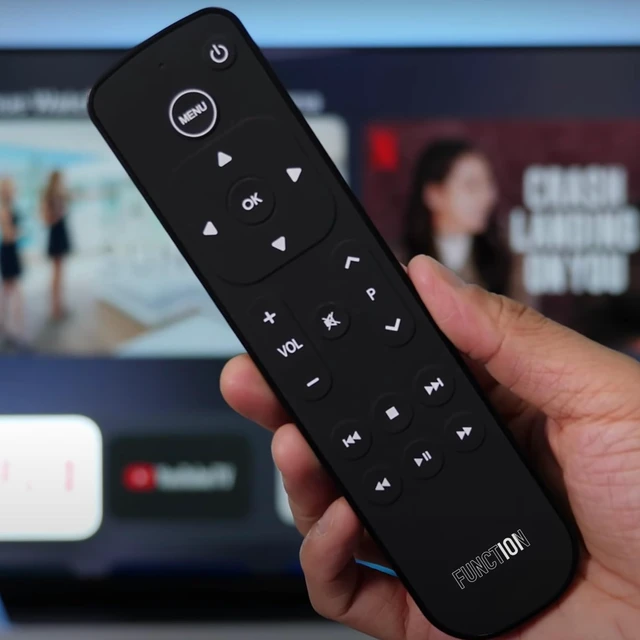
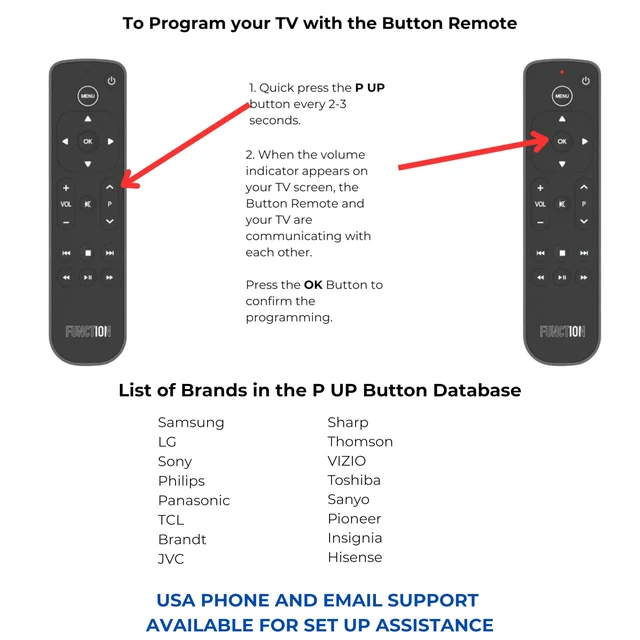
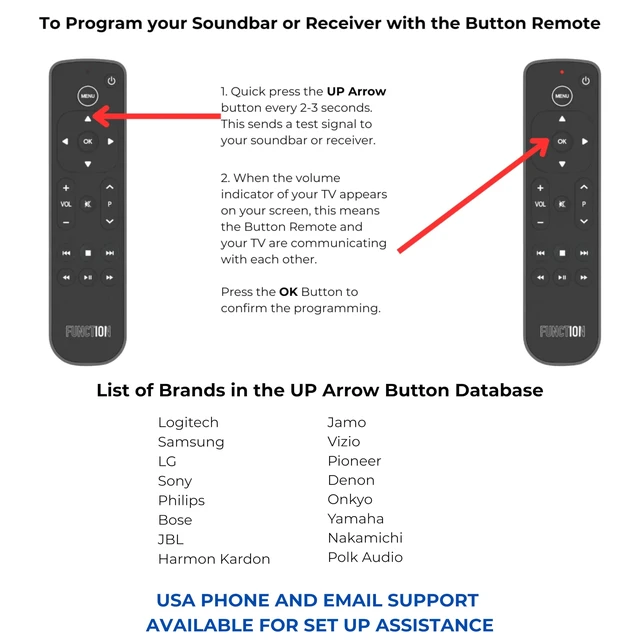
    • BLUETOOTH + INFRARED IN ONE REMOTE WORKS ALONGSIDE YOUR SIRI REMOTE The Button Remote pairs alongside your Siri Remote, providing a second dedicated controller without losing existing functionality. Bluetooth Low Energy (BLE) delivers no-line-of-sight Apple TV control. No Siri voice control is available; navigation uses traditional buttons only. A one-time IR programming step is required to control volume, mute, and power on TVs, soundbars, or receivers across 100+ brands. WORKS OUT OF THE BOX WITH EVERY APPLE TV MODEL Plug-and-play compatible with all Apple TV and Apple TV 4K generations. Pause, rewind, fast-forward, and navigate with a traditional button layout across Apple TV+, Prime Video, Netflix, Hulu, YouTube TV, Disney+, and more. FULL TV & AUDIO COMMAND Program the Button Remote to control volume, mute, and power on your TV, soundbar, or receiver via infrared. Supports SONOS via the SONOS app. HomePod volume is accessible through tvOS Control Center only. Line of sight is required for IR functions. TRADITIONAL BUTTONS Dedicated play, pause, rewind, and fast-forward buttons provide a familiar layout that is easy to understand, with no learning curve or accidental inputs. Swipe-based remotes are not for everyone, while this simple, easy-to-use Apple TV remote offers effortless control for the whole room. NO RECHARGING NEEDED Two AAA batteries are included and ready to use out of the box. No charging cables are required. COMPATIBLE WITH ALL MAJOR STREAMING
    +
    +
    Overview
    Specs
    Reviews

    Any questions? Ask CelesteSM will help you find out quickly.

    BLUETOOTH + INFRARED IN ONE REMOTE WORKS ALONGSIDE YOUR SIRI REMOTE The Button Remote pairs alongside your Siri Remote, providing a second dedicated controller without losing existing functionality. Bluetooth Low Energy (BLE) delivers no-line-of-sight Apple TV control. No Siri voice control is available; navigation uses traditional buttons only. A one-time IR programming step is required to control volume, mute, and power on TVs, soundbars, or receivers across 100+ brands. WORKS OUT OF THE BOX WITH EVERY APPLE TV MODEL Plug-and-play compatible with all Apple TV and Apple TV 4K generations.

    Pause, rewind, fast-forward, and navigate with a traditional button layout across Apple TV+, Prime Video, Netflix, Hulu, YouTube TV, Disney+, and more. FULL TV & AUDIO COMMAND Program the Button Remote to control volume, mute, and power on your TV, soundbar, or receiver via infrared. Supports SONOS via the SONOS app. HomePod volume is accessible through tvOS Control Center only. Line of sight is required for IR functions. TRADITIONAL BUTTONS Dedicated play, pause, rewind, and fast-forward buttons provide a familiar layout that is easy to understand, with no learning curve or accidental inputs.

    Swipe-based remotes are not for everyone, while this simple, easy-to-use Apple TV remote offers effortless control for the whole room. NO RECHARGING NEEDED Two AAA batteries are included and ready to use out of the box. No charging cables are required. COMPATIBLE WITH ALL MAJOR STREAMING APPS Navigate Apple TV+, Prime Video, Netflix, Hulu, YouTube TV, Disney+, and more with dedicated fast-forward, rewind, and playback buttons across all major streaming services. IDEAL FOR EVERY ROOM AND EVERY USER Suitable as a second remote for an Apple TV in a bedroom, guest room, or living room.

    Simple to use for kids and guests, and reliable for everyday use

    Warranty & Returns

    Warranty, Returns, And Additional Information

    Warranty

    • Please contact the Seller directly for warranty information. Warranty information may also be found on the Manufacturer's website.
    • CONTACT

    Return Policies

    Manufacturer Contact Info

    LOADING...