AOACE Gaming PC AMD Ryzen 7 5700X [8-Core 4.6GHz], RTX 5060 8GB GDDR7, DLSS 4, VR Ready, WiFi 6E, 32GB DDR4, 1TB PCIe4 NVMe, 6 ARGB, Win11 Home
  •  
  • $1,249.99 –
  • Save: 34%
  • $43.99
  • Free 30-day Returns
  • Sold by Direct from manufacturerVIVO
    Top Rated
    4.7 (2,010 seller ratings)

    Shipped by Direct from manufacturerVIVO

    Price alert
    Add to Wish List(Found on 6 wish lists)
    Shop it at NeweggBusiness.

    Meet Your Seller

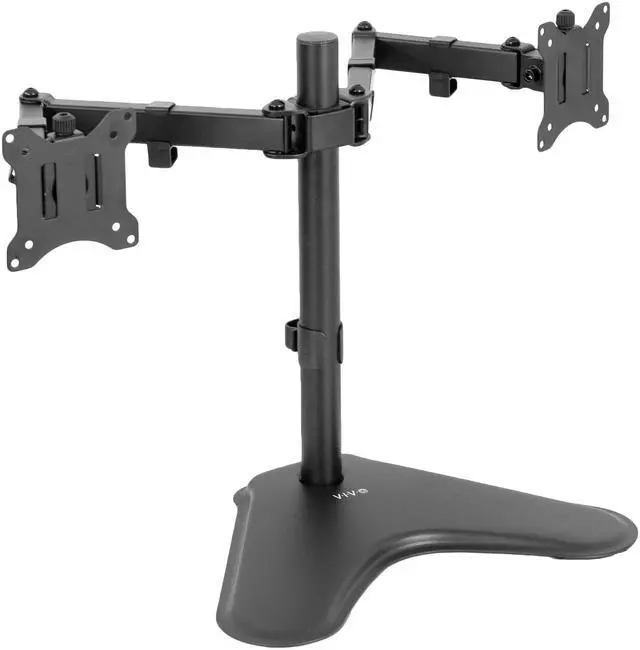
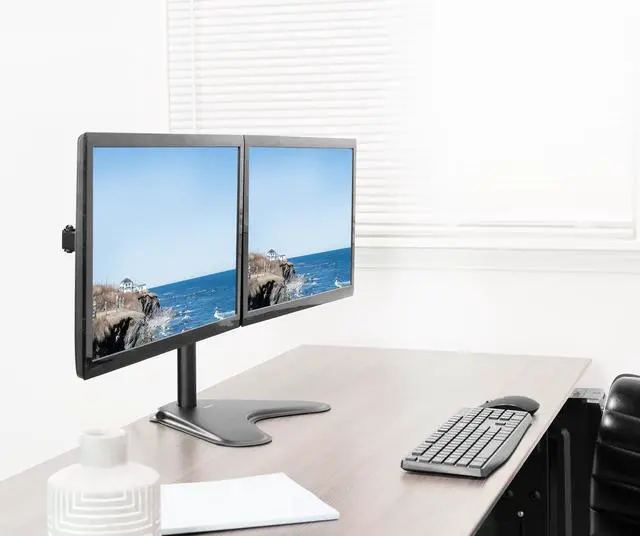
    VIVO Dual Monitor Free-Standing Mount for Computer Screens up to 30"

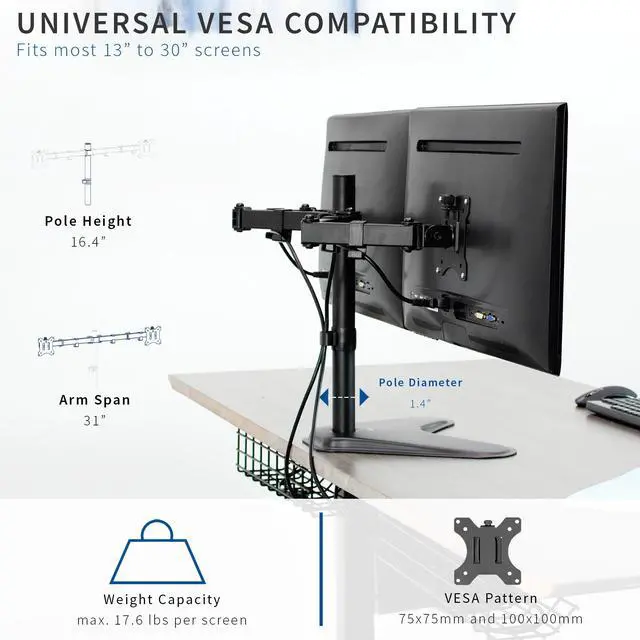
    • Fits 13" to 30" Screens: Dual monitor freestanding mount fitting two screens 13" to 30 in size and 17.6 lbs in weight each with 75x75mm or 100x100mm backside mounting holes. Monitors can be placed in portrait or landscape orientation --Patent Pending--
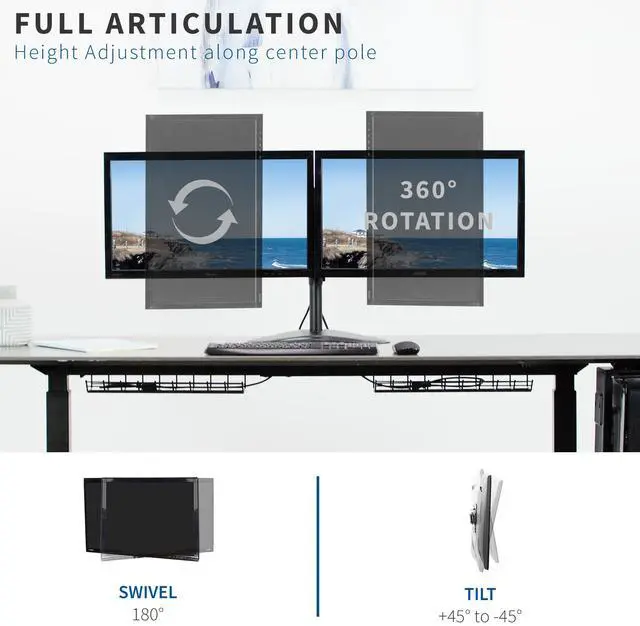
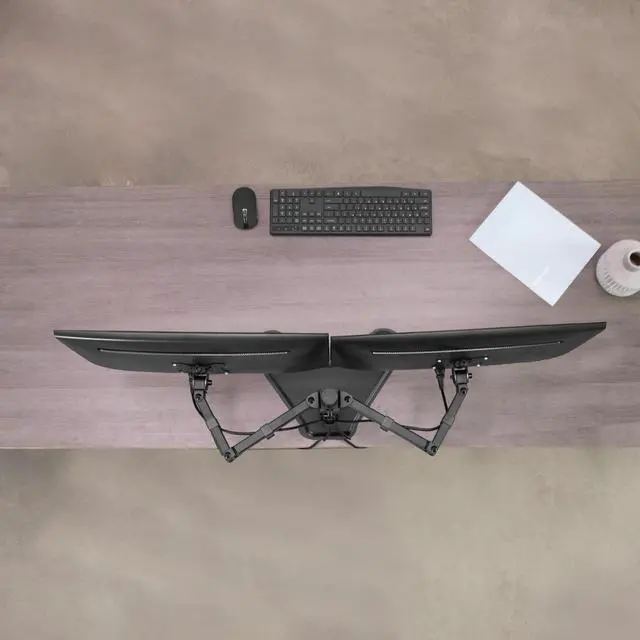
    • Articulation and Height Adjustment: Adjustable arms offer +45° to -45° tilt, 180° swivel, 360° rotation, and height adjustment along the center pole. Double center arm joints allow additional articulation for flexible monitor placement
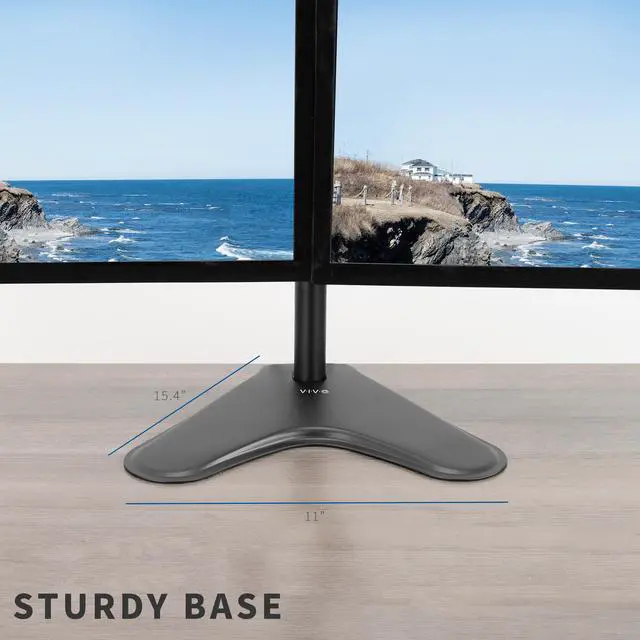
    • Heavy Duty Base: Made of solid steel, the 11" x 15.4" base provides stability for your monitor setup. Rest easy knowing your valuable equipment is safe and secure
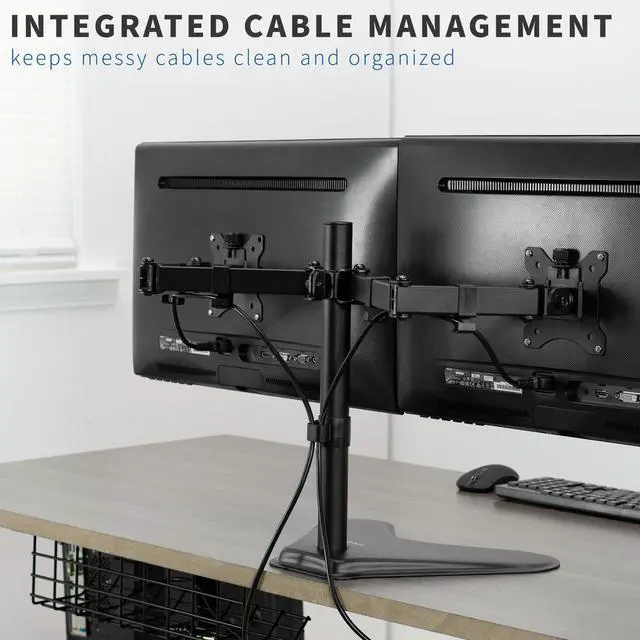
    • Easy Installation: Mounting your monitors is a simple process with removable VESA plates. We provide all the hardware and instructions for assembly, and cable management clips are included for a clean and organized display
    +
    +
    Overview
    Specs
    Reviews (228)
    See all Q & A

    Any questions? Ask CelesteSM will help you find out quickly.

    New Dual LCD Monitor Free Standing Desk Mount (STAND-V102F) from VIVO. Experience dual screen setup at a more comfortable and ergonomic position while you work. With extra long monitor arms and fluid articulation, finding the optimal viewing angle is easy. High-grade steel and aluminum along with heavy-duty base give it a solid construction, ensuring your monitor will be kept safe and secure. STAND-V102F offers a greater level of arm articulation and monitor placement with double center joints built into each arm. Mount is VESA compatible and supports most monitors on the market.

    Compatibility:

    • Screen Sizes: 13" to 30"
    • VESA Standard: 75x75mm and 100x100mm
    • Weight Capacity: 17.6 lbs per arm

    Specifications:

    • Color: Black
    • Material: Steel
    • Pole Height: 16.4"
    • Pole Diameter: 1.4"
    • Arm Span: 31"
    • Base Dimensions: 11" x 15.4"
    • Articulation: +45° to -45 tilt°, 180° swivel, 360° rotation
    • Height Adjustment: Provided along the center pole
    • Screen Orientation: Portrait or Landscape


    Warranty & Returns

    Warranty, Returns, And Additional Information

    Warranty

    • Please contact the Seller directly for warranty information. Warranty information may also be found on the Manufacturer's website.
    • CONTACT

    Return Policies

    • Return for refund within: 30 days
    • Return for replacement within: 30 days
    • This item is covered by VIVO Return Policy

    Manufacturer Contact Info

    LOADING...

    The VIVO Dual Monitor Free-Standing Mount holds two 13–30-inch monitors up to 17.6 lb each, making it suitable for users who want an adjustable dual-screen setup without attaching a mount to their desk. It supports 75×75mm and 100×100mm VESA patterns.

    Recommended For

    • Desk-based workers who use two monitors for parallel tasks—such as keeping work on one screen and reference material or applications on the other—and want both displays positioned on one stand.
    • People whose desk cannot accommodate a clamp or grommet mount, but has enough surface area for a weighted freestanding base.
    • Users who want to set two VESA-compatible monitors at a chosen height and viewing angle, with the option to rotate screens between portrait and landscape.
    • Home-office or gaming setups using two monitors within the stand’s supported size and weight limits, where adjustable positioning and built-in cable clips are useful.

    Real-World Use Scenarios

    • For a home-office workflow, place work documents on one screen and email, calendars, or meeting notes on the other; keeping both visible can reduce repeated window switching.
    • If a desk’s glass top, thick edge, or drawers make clamping impractical, use the freestanding base to position two monitors without attaching a clamp to the desk.
    • For reading long documents, code, or web pages beside a main display, rotate one monitor to portrait while keeping the other in landscape; the screens can be arranged for different viewing tasks.
    • When setting up two monitors for work or study, adjust their height and angles to suit the desk and seating position; once aligned, both screens can stay in a consistent side-by-side layout.
    • For a desk with two displays and several power and video cables, use the included clips to route cables along the stand and keep them less loose around the work area.