










Any questions? Our AI beta will help you find out quickly.
Information:
Specification:
MaterialPlastic
Battery Type2 AAA batteries Not included
Compatible with :
Smart TVs Cube (3rd Gen)
Smart TVs Cube (2nd Gen)
Smart TVs Cube (1st Gen)
Smart TVs Stick 4K Max (2nd Gen)
Smart TVs Stick 4K Max (1st Gen)
Smart TVs Stick 4K (2nd Gen)
Smart TVs Stick 4K (1st Gen)
Smart TVs Stick (3rd Gen)
Smart TVs Stick (2nd Gen)
Smart TVs Stick Lite
Smart TVs Stick HD
Smart TVs (3rd Gen)
Not compatible with :
AMZ Smart TVs (1st and 2nd Gen),
Smart TVs Stick (1st Gen),
AMZ Smart TVs Edition Smart TVs.
Package list:
1 * User Manual
1 * Replacement Remote Control
How to Pair ?
1:If your original remote control is available:
Go to Settings > Controllers & Bluetooth Devices > AMZ Smart TVs Remotes > Add New remote
Then hold the home button on your new remote about 10-15 seconds and select the new remotes name with your old remote to confirm
2:If your original remote control is not available:
First you need to remove stick from tv and power from stick. Then reattach power and stick back in TV.
Then Press the Home button about 10-15 seconds until the LED indicator starts to rapidly flash amber for 10 seconds, then your remote will automatically pair with your device.
3:If your remote doesn't work after pairing,it may be caused by too many devices paired with the TV,please make sure no other remote paired with your device.
| Brand | Trado |
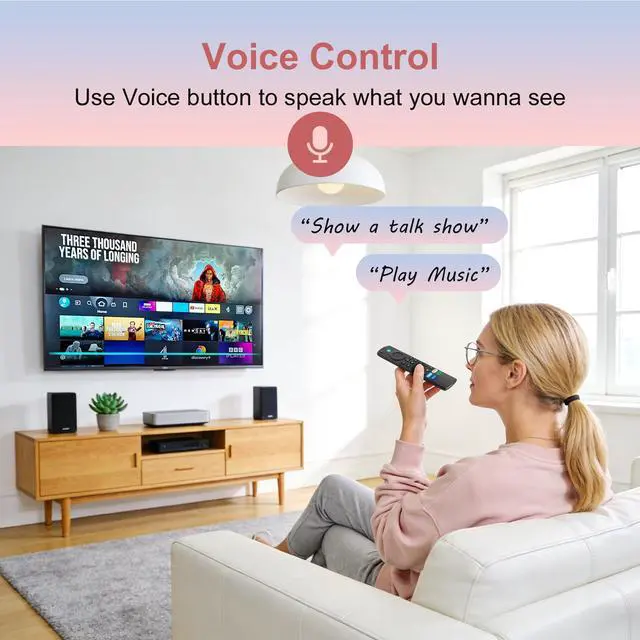
| Special Feature | Voice Search |
| Color | Black |
| Max Number of Supported Devices | 5 |
| Compatible Devices | Television |
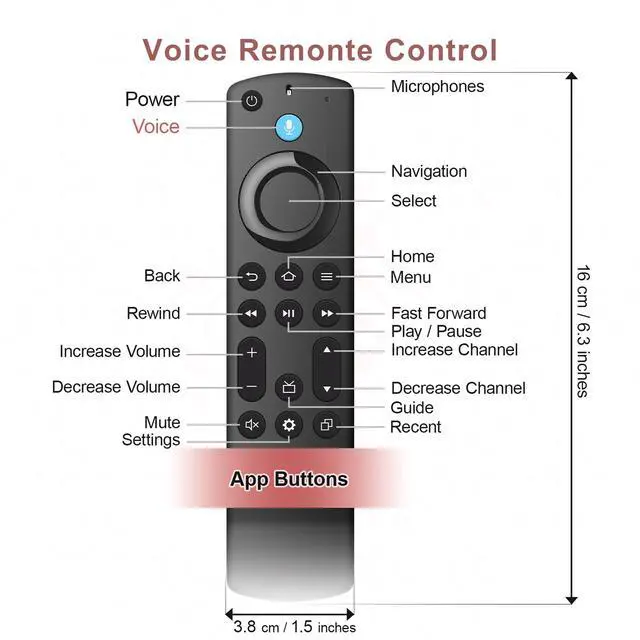
| Package Dimensions | 6.38 x 1.73 x 0.75 inches |
| Item Weight | 1.76 ounces |
| Date First Available | January 12, 2026 |
| Manufacturer | Trado |