

Your Browsing History
- $138.99
- Free 30-day Returns

Meet Your Seller


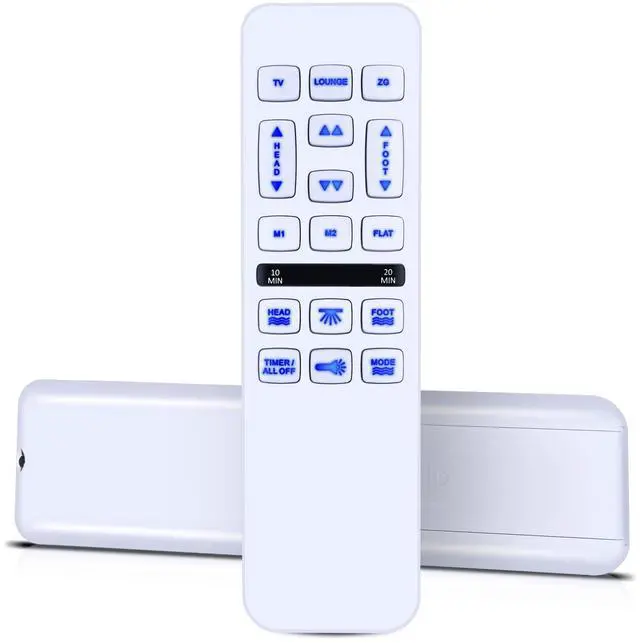
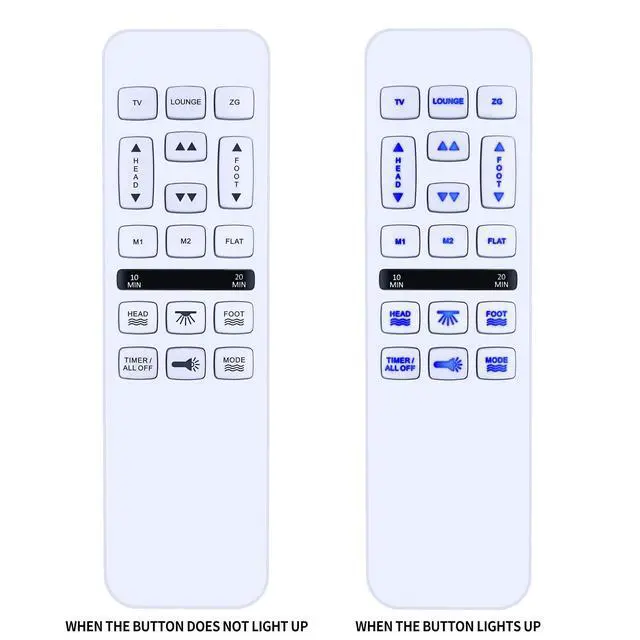
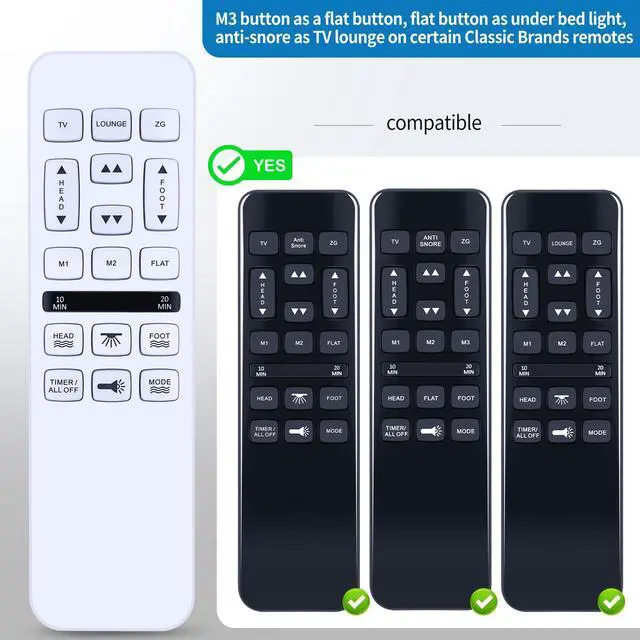

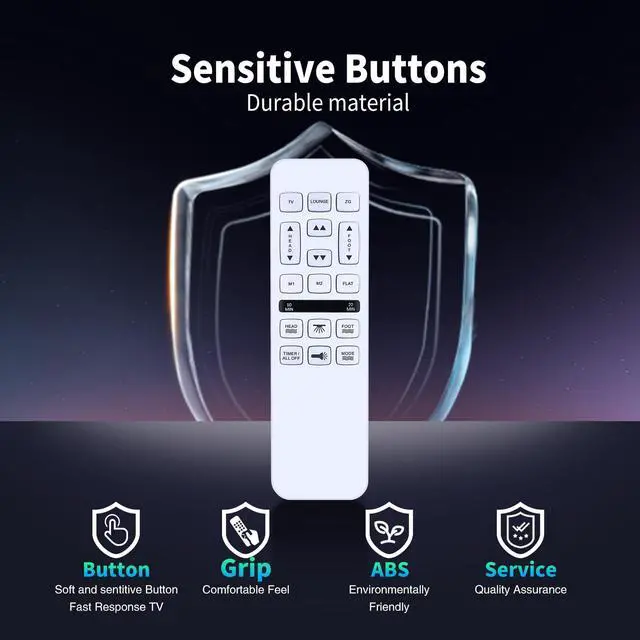


Universal Replacement Remote for Mlily/Bedtech/Richmat/Mattress Firm/iDealBed HJH55,600 or 3000 Control Box,HJC18,Custom Comfort Adjustable Bed Base
Limited time offer, ends 09/14 By Fornierwoly
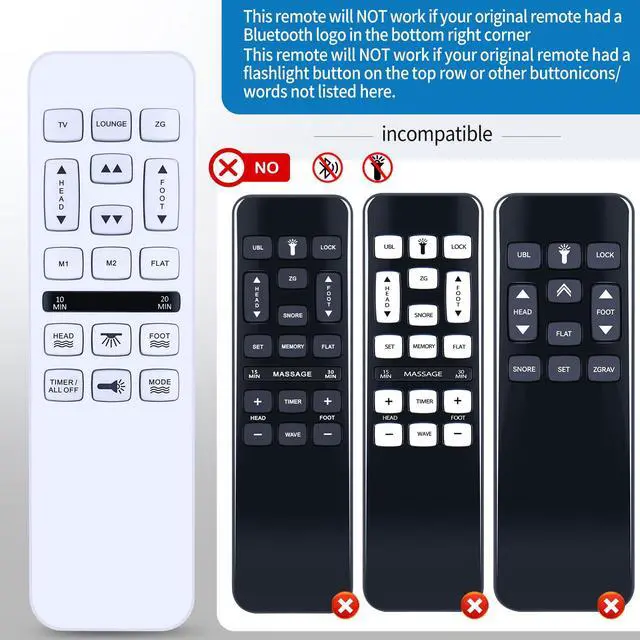
- Note: This remote will NOT function if your original remote had a Bluetooth logo in the bottom right corner. This remote will NOT function if your original remote had a flashlight button on the top row or other button icons/words not listed here. Pairing the Remote Control: 1. Check Power: Confirm your adjustable bed base is connected to a functional power outlet. 2. Find Pairing Button: Locate the pairing button on the control box of your adjustable bed base. This box is typically situated under the bed frame, near the head or foot end. It may be marked "PAIR," "SYNC," or have a small button. 3. Activate Pairing Mode on Base: Press and hold the pairing button on the control box for about 3-5 seconds until you hear a beep or see an indicator light flash. This shows the base is in pairing mode. 4. Activate Pairing Mode on Remote: While the base is in pairing mode (within 10-20 seconds), press and hold the "FLAT" button on your new remote control. Some remotes may need pressing and holding the "HEAD UP" and "FOOT DOWN" buttons at the same time, or a dedicated "PAIR" button if available. 5. Confirm Pairing: Release the button(s) on the remote when the indicator light on the control box stops flashing or you hear another beep, indicating successful pairing. 6. Test Functionality: Test all remote functions (head/foot adjustment, flat presets) to confirm proper operation. Simple to Use with Intuitive Design: Featuring a straightforward layout with clearly marked buttons and a comfo
+
+
Overview
Specs
Reviews

Any questions? Our AI mode will help you find out quickly.
Try me now
Note: This remote will NOT function if your original remote had a Bluetooth logo in the bottom right corner. This remote will NOT function if your original remote had a flashlight button on the top row or other button icons/words not listed here. Pairing the Remote Control: 1. Check Power: Confirm your adjustable bed base is connected to a functional power outlet. 2. Find Pairing Button: Locate the pairing button on the control box of your adjustable bed base. This box is typically situated under the bed frame, near the head or foot end. It may be marked "PAIR," "SYNC," or have a small button. 3. Activate Pairing Mode on Base: Press and hold the pairing button on the control box for about 3-5 seconds until you hear a beep or see an indicator light flash. This shows the base is in pairing mode. 4. Activate Pairing Mode on Remote: While the base is in pairing mode (within 10-20 seconds), press and hold the "FLAT" button on your new remote control. Some remotes may need pressing and holding the "HEAD UP" and "FOOT DOWN" buttons at the same time, or a dedicated "PAIR" button if available. 5. Confirm Pairing: Release the button(s) on the remote when the indicator light on the control box stops flashing or you hear another beep, indicating successful pairing. 6. Test Functionality: Test all remote functions (head/foot adjustment, flat presets) to confirm proper operation. Simple to Use with Intuitive Design: Featuring a straightforward layout with clearly marked buttons and a comfortable grip, this remote enables easy operation of your adjustable bed's main functions. Quickly adjust head/feet positions, activate zero-gravity or anti-snore presets, control massage modes, and program memory settings with simple button presses. The logical design ensures instant familiarity for users, making bedtime adjustments straightforward. High Performance with Reliable Signal Transmission: Experience consistent and responsive control with advanced technology that ensures reliable operation from anywhere in your bedroom. This high-performance remote maintains a strong signal transmission, reducing lag or missed commands. Whether you're adjusting settings from bed or across the room, enjoy durable construction and dependable performance designed for daily use
Warranty & Returns
Warranty, Returns, And Additional Information
Warranty
- Please contact the Seller directly for warranty information. Warranty information may also be found on the Manufacturer's website.
- CONTACT
Return Policies
- Return for refund within: 30 days
- Return for replacement within: 30 days
- This item is covered by Fornierwoly Return Policy
Manufacturer Contact Info
- For a directory of all our manufacturers, please click below.
- Manufacturers Directory
LOADING...