

Your Browsing History





New V3 Pro Voice Remote Control Replacement for vSeeBox V1/V2,V1/V2/V3/V5 Pro,V3 Plus/Elite/Max| Voice Remote Control
Limited time offer, ends 09/18 By WanJin World Shop
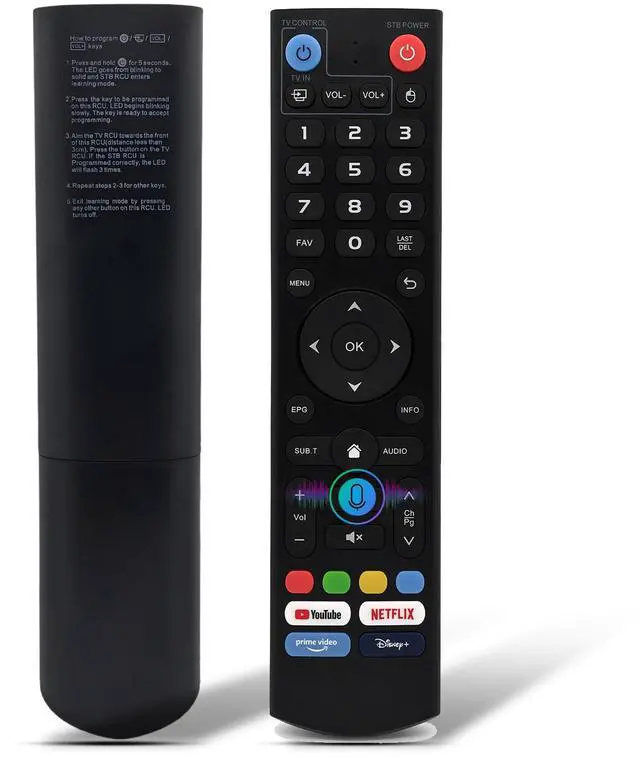
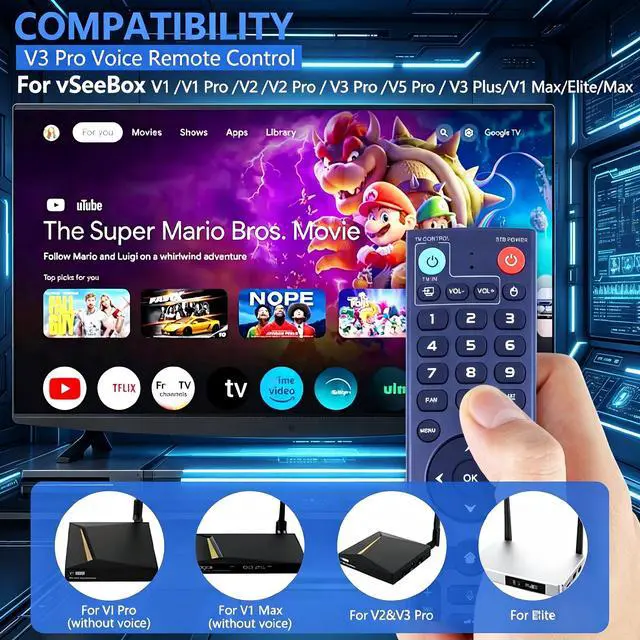
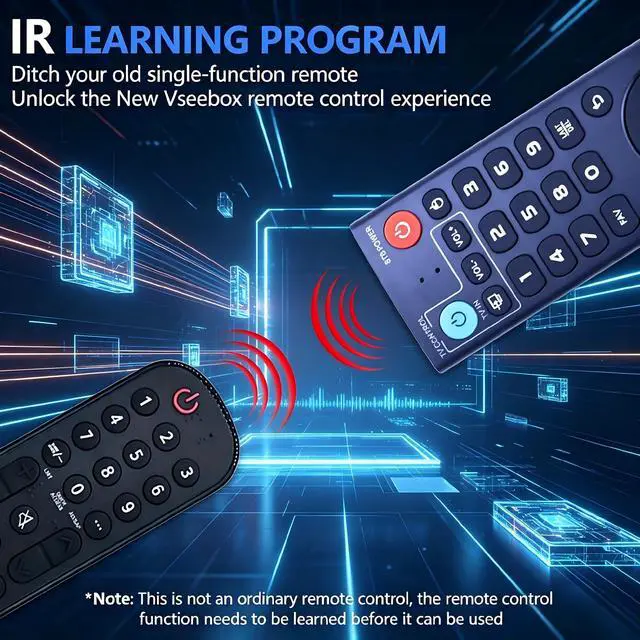
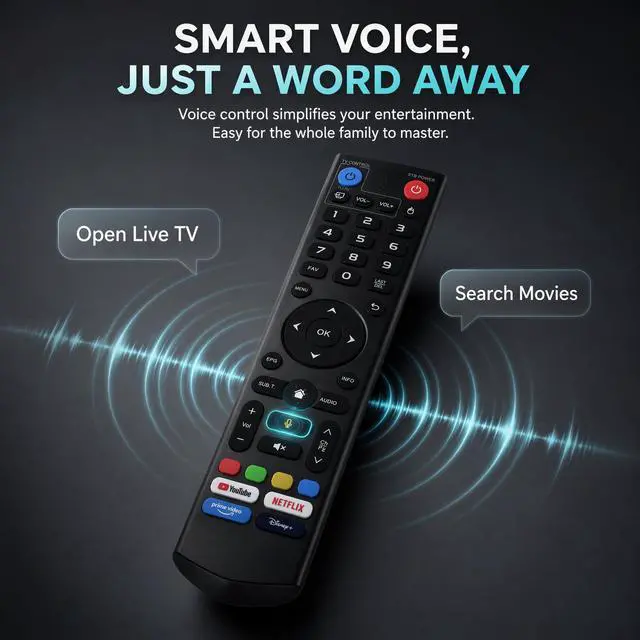
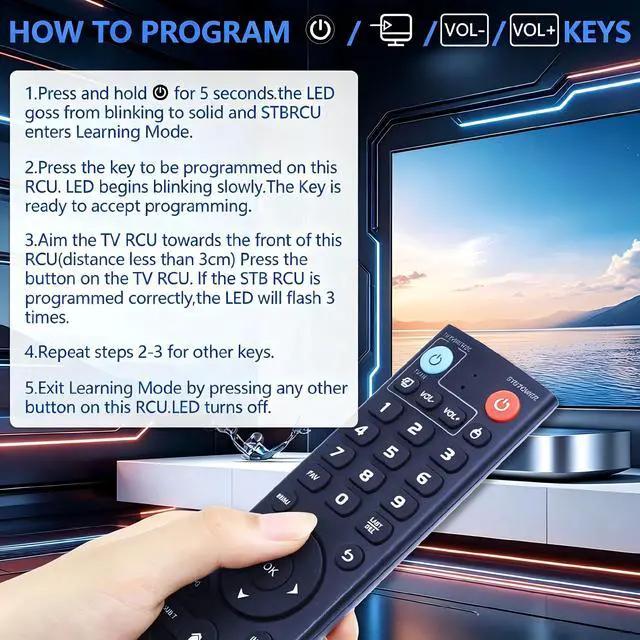
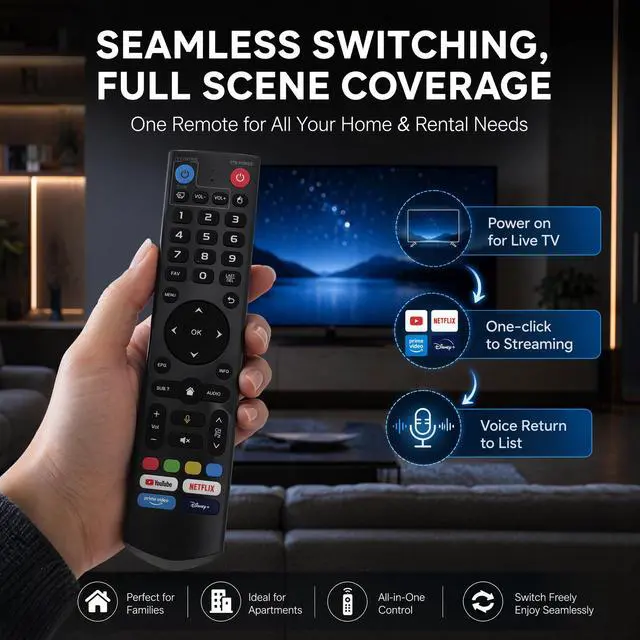
- Perfect Compatibility: This V3 Pro voice remote control is compatible with part vSeeBox models, including vSeeBox V5 Pro, V3 Plus, V3 Pro, V2, V2 Pro, V1, V1 Pro, V1 Max, Elite, Max. Note: V1 Max, V1 Pro, and V2 Pro do not support voice command functionality. EASY PAIRING: The V3 Pro voice remote syncs with your set-top box: 1. Press and hold the [Power] button for 5 seconds, and the LED will stay lit steadily; 2. Press the button on the RCU to be programmed. The LED begins to flash. 3. Align the TV remote with the front of this remote and press the button. If programming succeeds, the LED will flash three times. 4. Repeat steps 2-3 to program the remaining keys. 5. Press any other key to exit learning mode. Two Operating Modes: V3 working mode and V2 working mode. Press and hold the number key 5 for over 10 seconds and the indicator light flashes, signaling a successful mode switch. V3 Pro working mode applies to V3 Pro; V2 Pro working mode applies to V1 Pro/V2 Pro/Max/Elite. (Note: The Vseebox V3 remote defaults to V3 working mode.) Reliable Quality & Performance: Built to meet or exceed OEM standards, this replacement remote delivers steady, responsive performance. Our V3 Pro Voice Remote uses upgraded technology for extended range (over 25 feet), ultra-fast response (0.25 seconds), and high durability (over 160,000 clicks). The V3 Pro Voice Remote enables voice control to switch channels, adjust volume, and search for movies. Its sturdy build ensures long-lasting
+
+
Overview
Specs
Reviews

Any questions? Our AI mode will help you find out quickly.
Try me now
Perfect Compatibility: This V3 Pro voice remote control is compatible with part vSeeBox models, including vSeeBox V5 Pro, V3 Plus, V3 Pro, V2, V2 Pro, V1, V1 Pro, V1 Max, Elite, Max. Note: V1 Max, V1 Pro, and V2 Pro do not support voice command functionality. EASY PAIRING: The V3 Pro voice remote syncs with your set-top box: 1. Press and hold the [Power] button for 5 seconds, and the LED will stay lit steadily; 2. Press the button on the RCU to be programmed. The LED begins to flash. 3. Align the TV remote with the front of this remote and press the button. If programming succeeds, the LED will flash three times. 4. Repeat steps 2-3 to program the remaining keys. 5. Press any other key to exit learning mode. Two Operating Modes: V3 working mode and V2 working mode. Press and hold the number key 5 for over 10 seconds and the indicator light flashes, signaling a successful mode switch. V3 Pro working mode applies to V3 Pro; V2 Pro working mode applies to V1 Pro/V2 Pro/Max/Elite. (Note: The Vseebox V3 remote defaults to V3 working mode.) Reliable Quality & Performance: Built to meet or exceed OEM standards, this replacement remote delivers steady, responsive performance. Our V3 Pro Voice Remote uses upgraded technology for extended range (over 25 feet), ultra-fast response (0.25 seconds), and high durability (over 160,000 clicks). The V3 Pro Voice Remote enables voice control to switch channels, adjust volume, and search for movies. Its sturdy build ensures long-lasting use, so you can enjoy your favorite shows without interruption. Ergonomic Design: Designed for comfort, the V3 Pro voice remote rests naturally in your hand with well-placed buttons for easy access. Its thoughtfully arranged buttons clearly separate functional zones, while medium-sized keys offer satisfying tactile feedback to prevent fatigue during extended use. Reliable, responsive infrared connectivity ensures smooth, precise control
Warranty & Returns
Warranty, Returns, And Additional Information
Warranty
- Please contact the Seller directly for warranty information. Warranty information may also be found on the Manufacturer's website.
- CONTACT
Return Policies
- Return for refund within: 30 days
- Return for replacement within: 30 days
- This item is covered by WanJin World Shop Return Policy
Manufacturer Contact Info
- For a directory of all our manufacturers, please click below.
- Manufacturers Directory
LOADING...