Your Browsing History
Meet Your Seller
14" Portable Monitor Touchscreen IPS FHD 1080P USB C HDMI Laptop PC 10-Point Touch Screen Monitor with Speakers & Stands, External Screen Travel Monitor for Laptop Phone PC PS, Privacy Screen
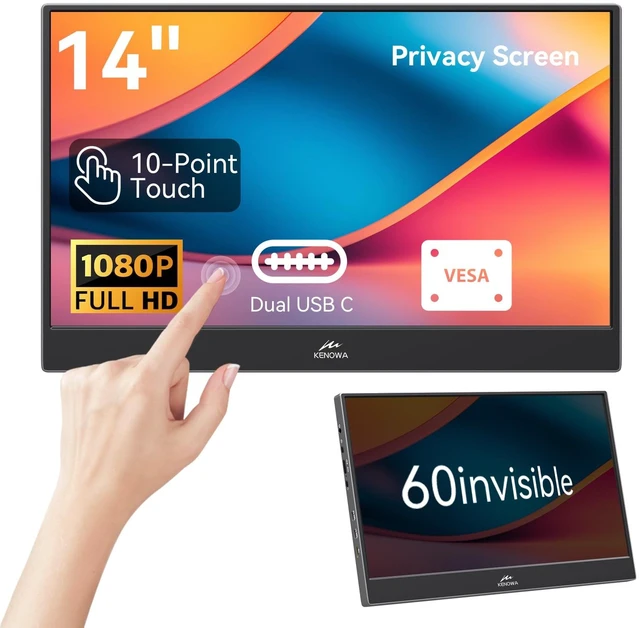
- HDR External Display: This 14-inch portable touchscreen monitor features an IPS panel and HDR. With a 1920 x 1080 resolution, 300 cd/m2 brightness, and a privacy screen, it provides clear, vivid images for work and entertainment while helping protect your eyes. 10-Point Touch: Connect via USB-C to enable touch without installing extra drivers. Your device must have a USB-C 3.1 port. If you connect via HDMI, use an additional USB-A to USB-C cable to enable touch and power the monitor. Built-in Privacy Screen: The built-in privacy screen helps keep sensitive information out of view while you work. Wide Device Compatibility: This portable touchscreen monitor works with a wide range of devices, including PS3, PS4, PS5, Xbox, Switch, and smartphones with Type-C 3.1 interfaces. It also doubles as a second screen for gaming or working on a laptop while traveling. Slim and Portable Design: This 14-inch monitor is just 0.43 in thick and weighs 530 grams. Its built-in adjustable stand makes it easy to set up as a second screen for your laptop during travel or remote work. Touch Troubleshooting: 1. For a USB-C connection, make sure your device has a USB-C 3.1 port. If your computer's battery is low, touch may not work. 2. For an HDMI connection, use an additional USB-A to USB-C cable to enable touch and power the monitor. 3. MacBook supports single-point touch only. iPhone 15 and earlier models do not support touch
+
+
Overview
Specs
Reviews
Any questions? Ask CelesteSM will help you find out quickly.
Try me now
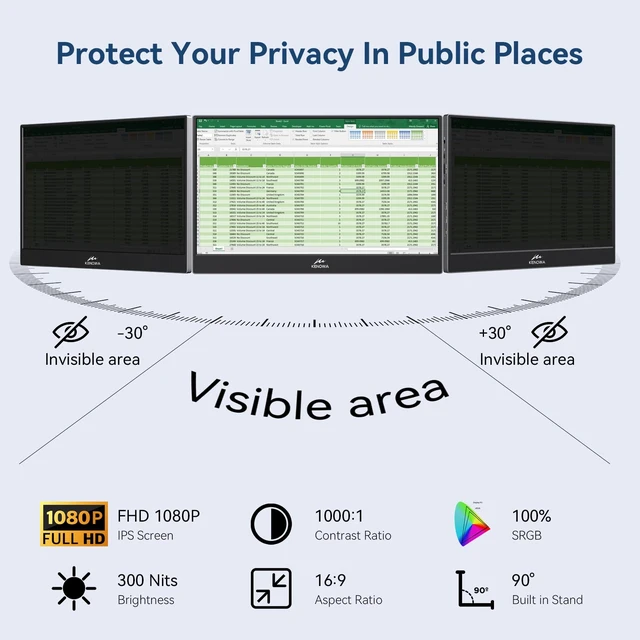
HDR External Display: This 14-inch portable touchscreen monitor features an IPS panel and HDR. With a 1920 x 1080 resolution, 300 cd/m2 brightness, and a privacy screen, it provides clear, vivid images for work and entertainment while helping protect your eyes.
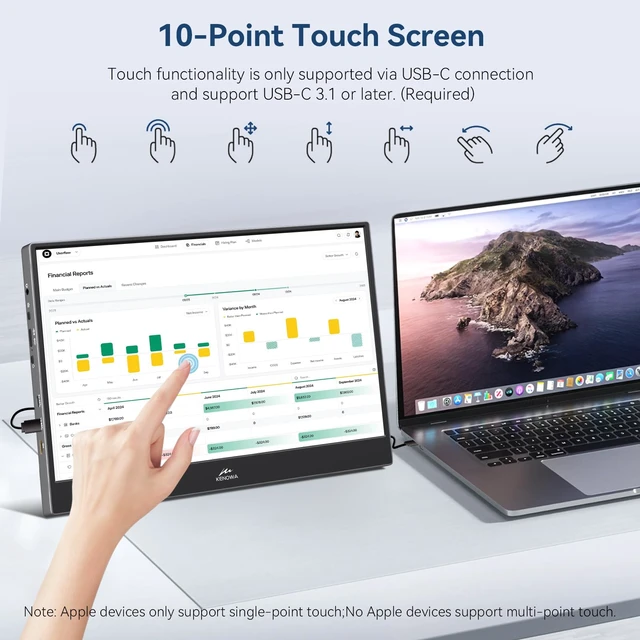
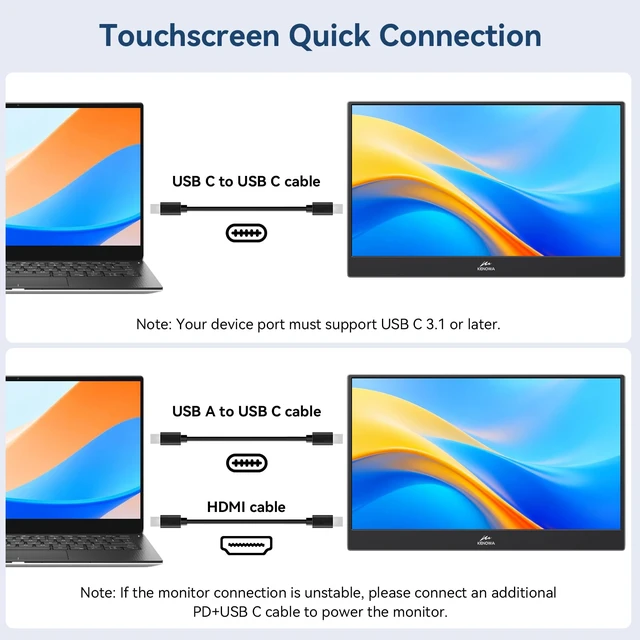
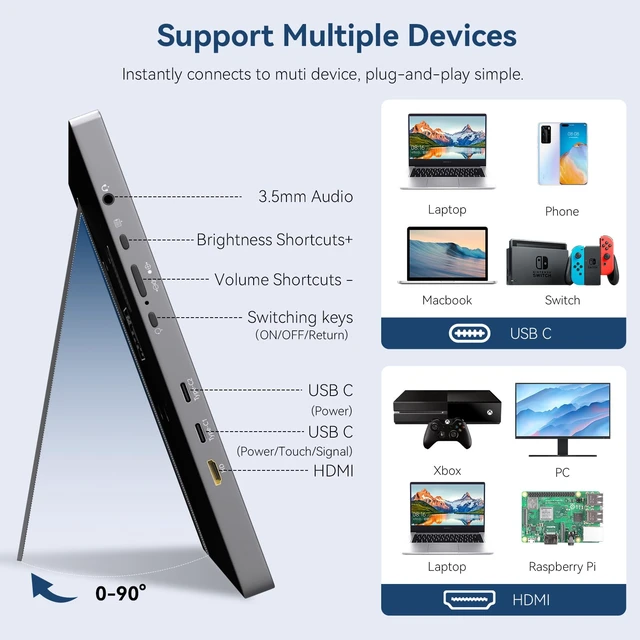
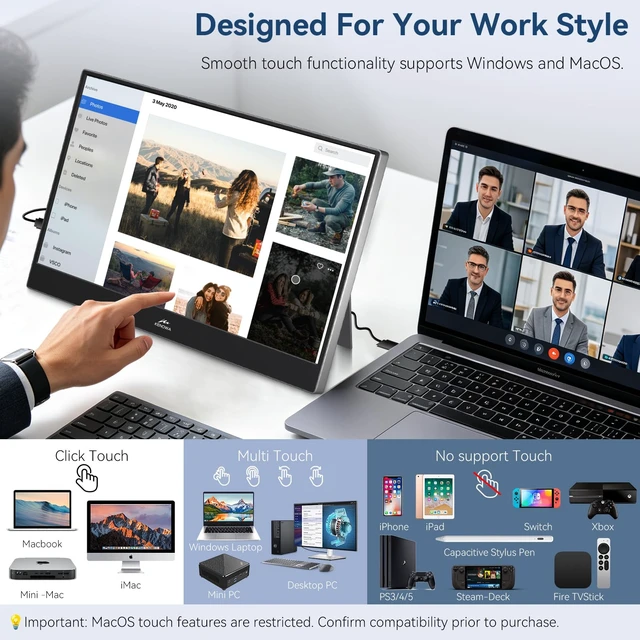
10-Point Touch: Connect via USB-C to enable touch without installing extra drivers. Your device must have a USB-C 3.1 port. If you connect via HDMI, use an additional USB-A to USB-C cable to enable touch and power the monitor.
Built-in Privacy Screen: The built-in privacy screen helps keep sensitive information out of view while you work.
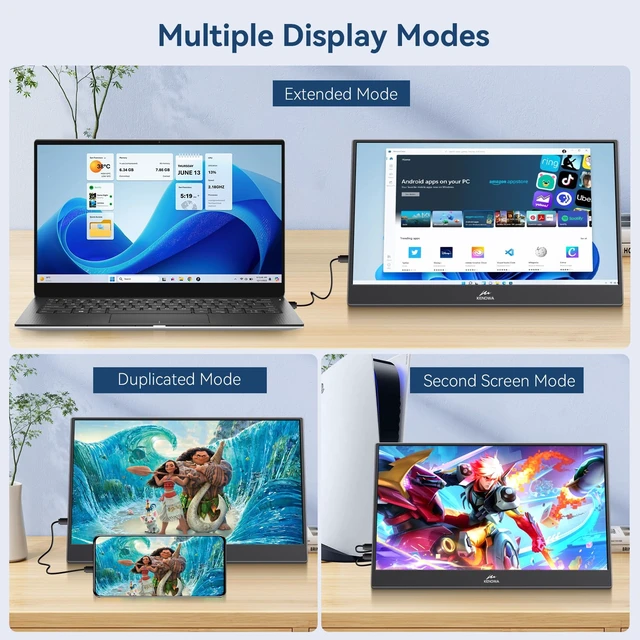
Wide Device Compatibility: This portable touchscreen monitor works with a wide range of devices, including PS3, PS4, PS5, Xbox, Switch, and smartphones with Type-C 3.1 interfaces. It also doubles as a second screen for gaming or working on a laptop while traveling.
Slim and Portable Design: This 14-inch monitor is just 0.43 in thick and weighs 530 grams. Its built-in adjustable stand makes it easy to set up as a second screen for your laptop during travel or remote work.
Touch Troubleshooting:
1. For a USB-C connection, make sure your device has a USB-C 3.1 port. If your computer's battery is low, touch may not work.
2. For an HDMI connection, use an additional USB-A to USB-C cable to enable touch and power the monitor.
3. MacBook supports single-point touch only. iPhone 15 and earlier models do not support touch
10-Point Touch: Connect via USB-C to enable touch without installing extra drivers. Your device must have a USB-C 3.1 port. If you connect via HDMI, use an additional USB-A to USB-C cable to enable touch and power the monitor.
Built-in Privacy Screen: The built-in privacy screen helps keep sensitive information out of view while you work.
Wide Device Compatibility: This portable touchscreen monitor works with a wide range of devices, including PS3, PS4, PS5, Xbox, Switch, and smartphones with Type-C 3.1 interfaces. It also doubles as a second screen for gaming or working on a laptop while traveling.
Slim and Portable Design: This 14-inch monitor is just 0.43 in thick and weighs 530 grams. Its built-in adjustable stand makes it easy to set up as a second screen for your laptop during travel or remote work.
Touch Troubleshooting:
1. For a USB-C connection, make sure your device has a USB-C 3.1 port. If your computer's battery is low, touch may not work.
2. For an HDMI connection, use an additional USB-A to USB-C cable to enable touch and power the monitor.
3. MacBook supports single-point touch only. iPhone 15 and earlier models do not support touch
Warranty & Returns
Warranty, Returns, And Additional Information
Warranty
- Please contact the Seller directly for warranty information. Warranty information may also be found on the Manufacturer's website.
- CONTACT
Return Policies
- Return for refund within: 30 days
- Return for replacement within: 30 days
- This item is covered by Anunirny Return Policy
Manufacturer Contact Info
- For a directory of all our manufacturers, please click below.
- Manufacturers Directory
LOADING...