Your Browsing History
- Free 30-day Returns
$53.98
Ships from China.
Meet Your Seller
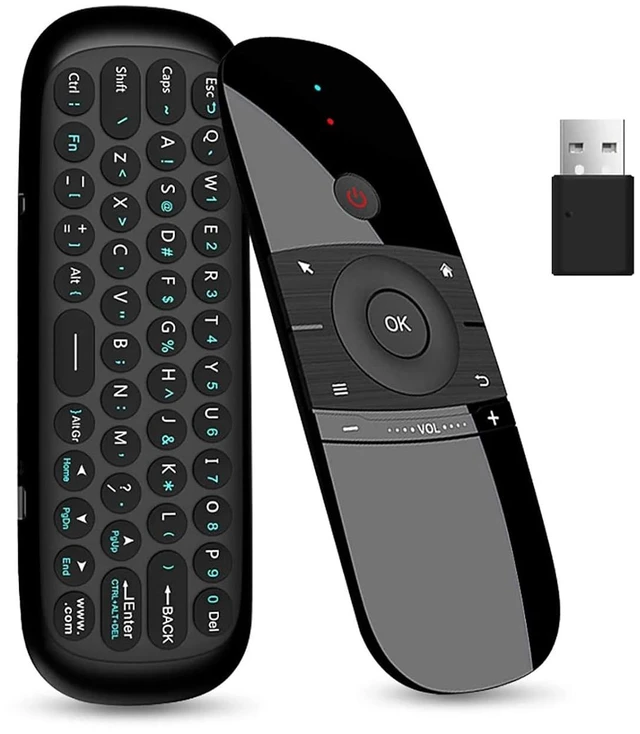
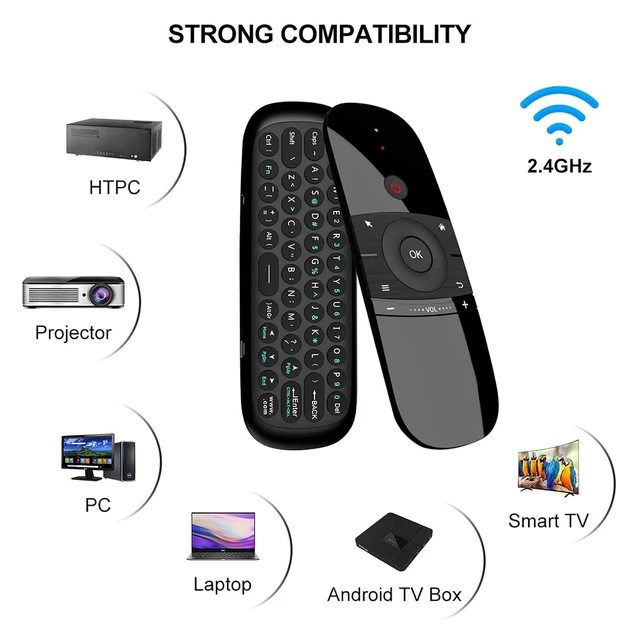
W1 Universal TV Remote Air Mouse, Wireless Keyboard Fly Mouse 2.4GHz Connection Air Remote Keyboard Mouse for Android TV Box/PC/Smart TV/Projector/HTPC/All-in-one PC/TV1
- PLUG AND PLAY: Wechip air mouse with mini wireless keyboard is connected by a stable powerful 2.4GHz RF technology, just plug USB receiver,the transmission distance can up to 10 meters/ 394 inch.(2.4G meaning: wireless control , no need to aim at the screen, can operate the cursor in any direction)
+
+
Overview
Specs
Reviews
Any questions? Ask CelesteSM will help you find out quickly.
Try me now
Product description
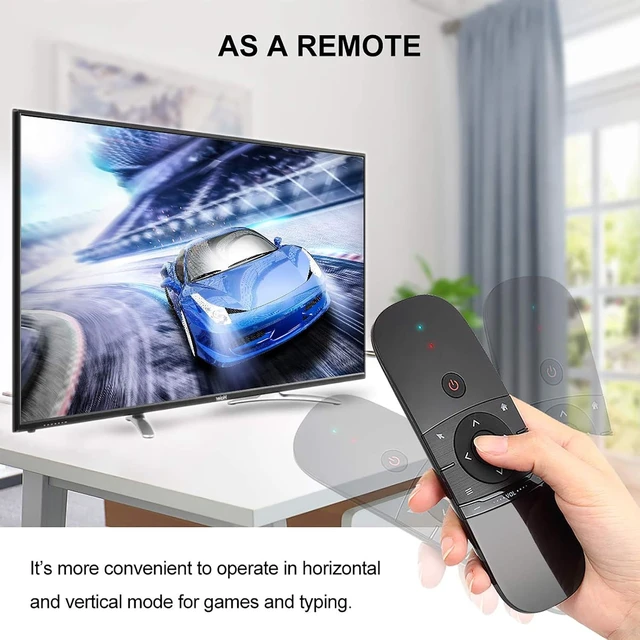
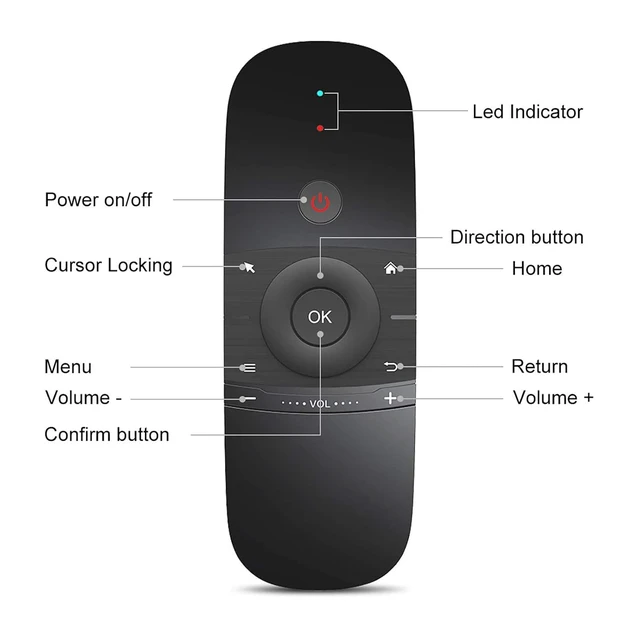
AS A REMOTE: It will provide you with the smooth navigation and perfect control for all you needs!
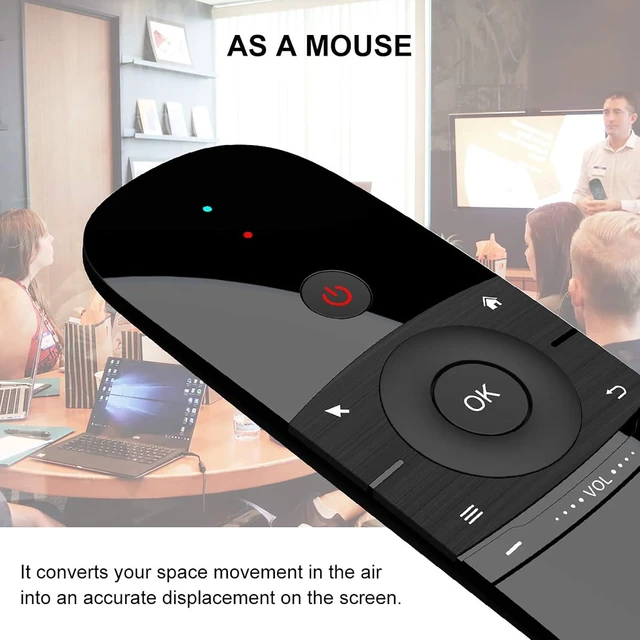
AS A MOUSE: It converts your space movement in the air into an accurate displacement on the screen.
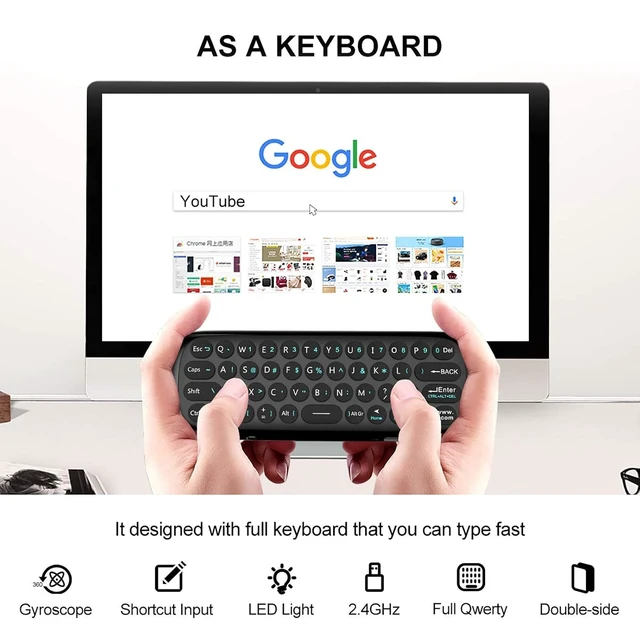
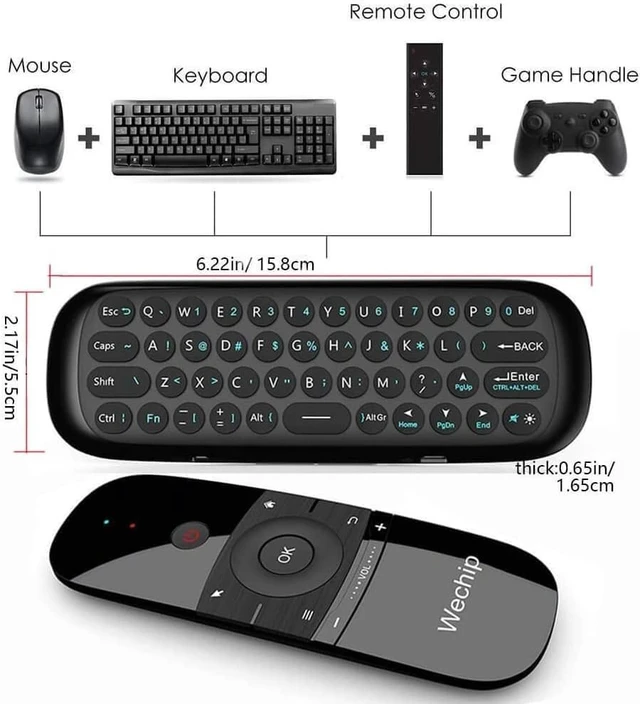
AS A KEYBOARD: It designed with full keyboard that you can use it portable to replace your usb keyboard. 2.4G Wireless Transmission Distance Up to 10 Meters It makes you enjoy unmatched comfort and absolute control of your smart devices without cable limitations! Built-in 6-axis inertial sensor. 360 ° free space action recognition and sensing, its very convenient to operate in horizontal and vertical mode for game. IR Learning Function When the remote control is not connected to the USB Dongle, the front button is the infrared function (except the mouse button); when connected with the USB Dongle 2.4G function; "power" key always in infrared function.
a: Press and hold the "ok" button and "power" button at the same time, the indicator light becomes slightly light, after 3 seconds the indicator light become more bright; b: Press the remote control to learn the infrared function button, the indicator light flashing; c: Use the transmitting tube of learning remote control alignment the transmitting tube of learning which keeps 1cm distance proceed to learning operation, after succeed learning theb indicator light flash 3 times become normally on, repeat the step of b-c could learning multiple key successively.
d: Press the (Air Mouse) button to exit the learning
Warranty & Returns
Warranty, Returns, And Additional Information
Warranty
- Please contact the Seller directly for warranty information. Warranty information may also be found on the Manufacturer's website.
- CONTACT
Return Policies
- Return for refund within: 30 days
- Return for replacement within: 30 days
- This item is covered by Warm Cozy Harbor Return Policy
Manufacturer Contact Info
- For a directory of all our manufacturers, please click below.
- Manufacturers Directory
LOADING...