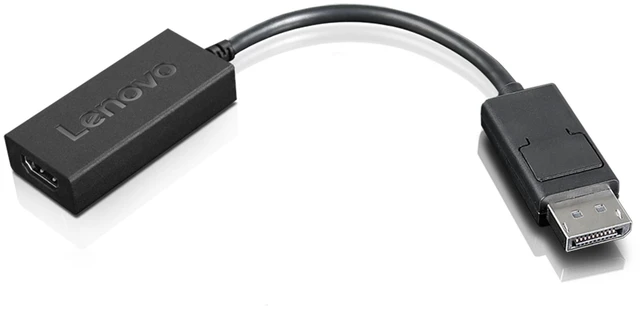
The Lenovo DisplayPort to HDMI 2.0b Adapter connects a DisplayPort-equipped notebook or desktop to an HDMI monitor or projector, making it suitable for users who need to add an HDMI display, with support for resolutions up to UHD 4K at 60Hz.
Recommended For
- People connecting a DisplayPort-equipped computer to an HDMI monitor, TV, or projector for everyday work or presentations, including at up to 4K/60Hz when the source and display support it.
- Traveling presenters and hybrid workers who want a lightweight, short adapter to connect a compatible computer to an HDMI display at a meeting room or shared workspace.
- Desktop users adding an HDMI 4K/60Hz display when their computer has a compatible DisplayPort output and they do not need a higher refresh rate.
- Users connecting to an HDMI display for HDR playback or work who need HDMI 2.0b features such as HDR and HDCP 2.2, provided their computer and display also support them.
Real-World Use Scenarios
- A desktop with an available DisplayPort output can connect to an HDMI monitor; the adapter provides a way to use the monitor without a DisplayPort input, with resolution and refresh rate depending on the computer and display.
- For a presentation, connect a DisplayPort-equipped notebook or desktop to an HDMI projector; the computer’s video can be shown on the projector, subject to the host and projector’s supported display modes.
- To show a PC’s picture on an HDMI-only television, use the adapter between the PC’s DisplayPort output and an HDMI cable to the TV; this is a practical way to use a larger screen for viewing or presentations.
- When a 4K HDMI display is used for work or media, the adapter is specified for up to 4K at 60 Hz; achieving that mode also depends on the computer’s video output, the display, and the HDMI cable.
- If a computer already uses one display and has another usable DisplayPort output, this adapter can connect an HDMI-only screen as an additional display; whether the computer can extend or duplicate the desktop depends on its graphics hardware and settings.




 here!

 Hot Seller