Your Browsing History
Meet Your Seller
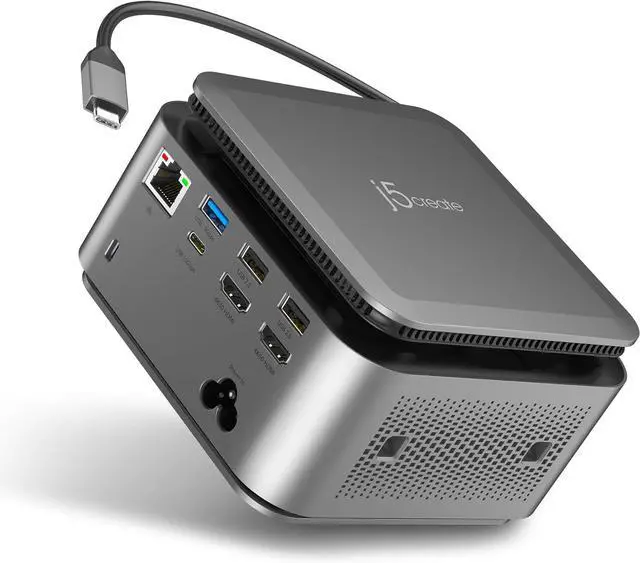
j5create Dual 4K Display Powerbase Docking Station, 14 Functions with 145W Max Charging Power, 10Gbps Data Transfer, Card Slots, Ethernet, and Audio Port for Windows Laptop and MacBook (JCDP4140)
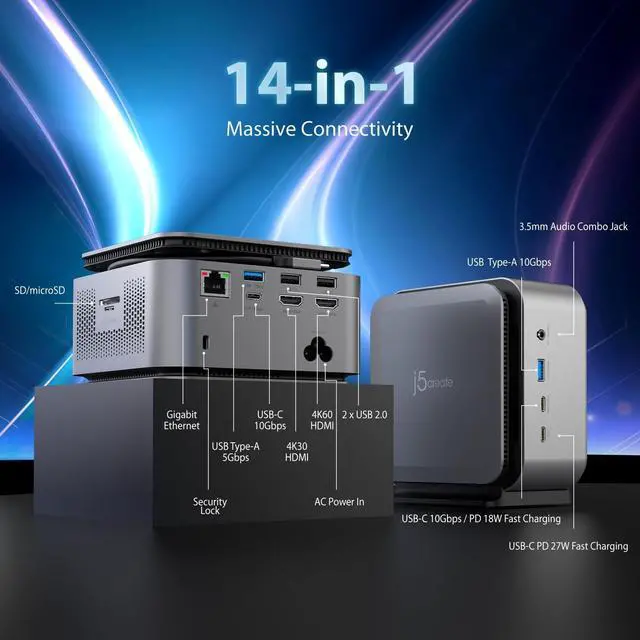
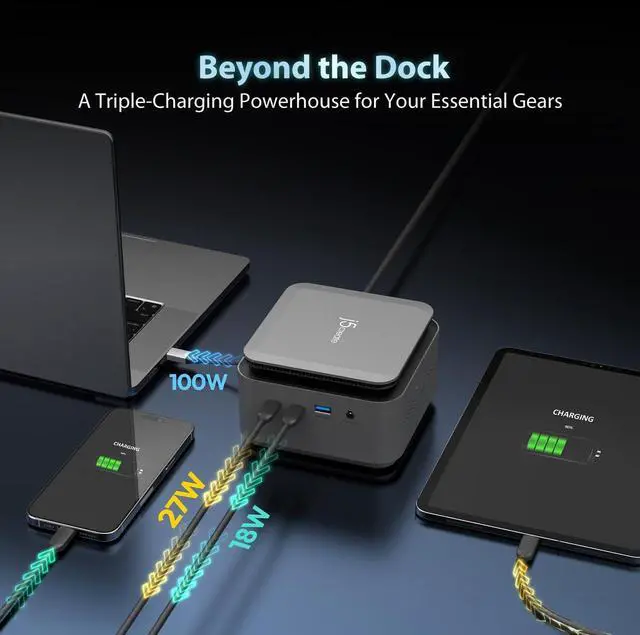
- The Ultimate Powerbase: A Dock and Charger in One Why deal with a bulky power brick and a separate docking station? The JCDP4140 features a built-in 163W GaN power adapter, meaning you only need one AC cord to power your entire desk. It delivers a full 100W of Power Delivery to your laptop while still having plenty of overhead to fuel all 14 ports and your connected peripherals.
- Power Your Workspace with Triple Charging This isn't just a laptop dock; its a high-speed charging hub. In addition to the 100W host cable, it features two dedicated USB-C PD charging ports (27W and 18W). You can fast-charge your smartphone and tabletor even power a second mobile workstationsimultaneously, without ever looking for an extra wall outlet.
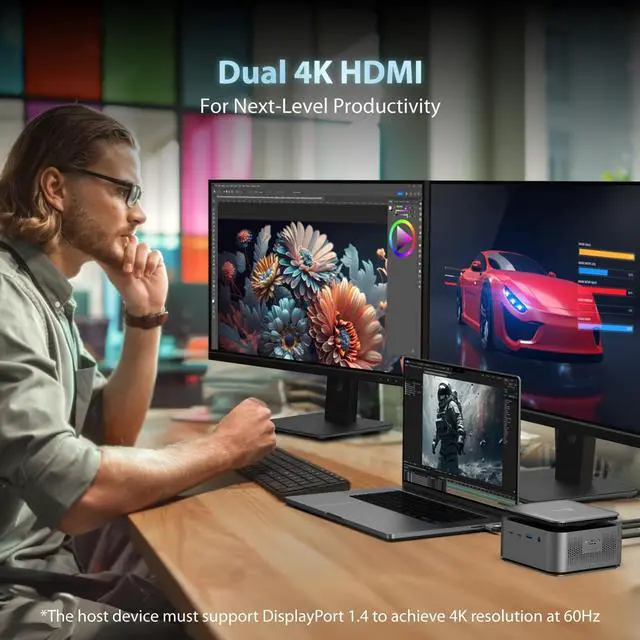
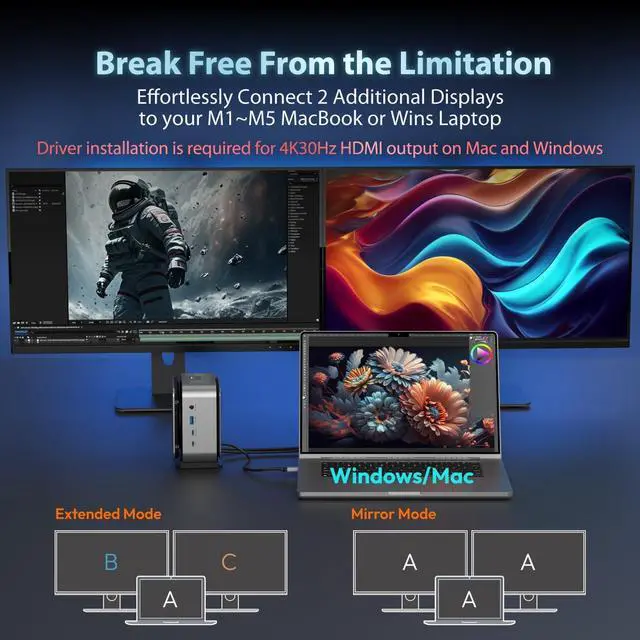
- Expansive Dual 4K Visuals Elevate your creative or professional workflow with crystal-clear high-definition video. The JCDP4140 supports dual 4K HDMI outputs (4K@60Hz + 4K@30Hz, Driver installation is required for 4K30Hz HDMI output on Mac and W
+
+
Overview
Specs
Reviews
Any questions? Our AI beta will help you find out quickly.
Try me now
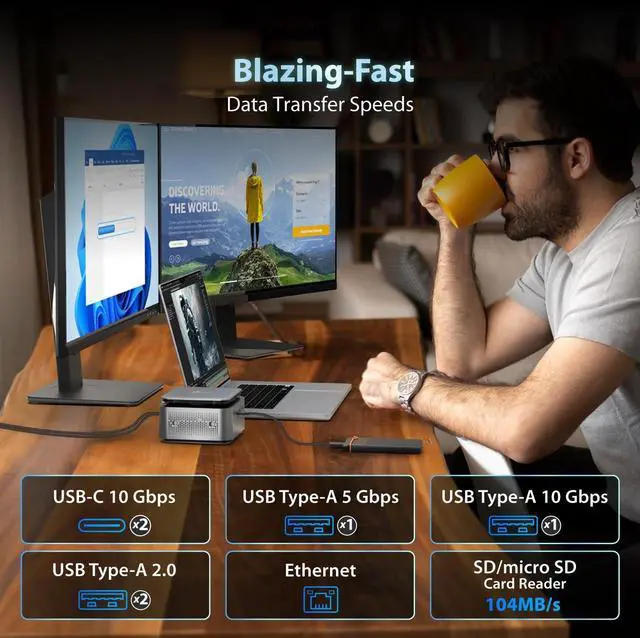
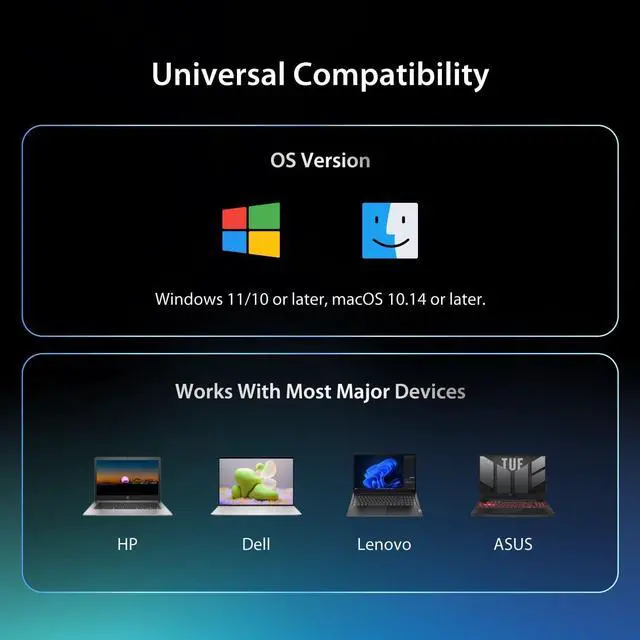
1Massive Connectivity2Dual 4K Display3Break the limits1More Than a Dock2Massive USB Expansion3Gigabit Ethernet1Active Cooling2Includes a Holder3Universal Compatibility Windows Driver Installation Guide
Auto-installs on Win 11/10 (requires internet/admin).
For manual install, keep device unplugged:
1.Download the driver at j5create website (Support->Downloads).
2.Run the file as admin and follow prompts.
3.Reboot PC, then plug in the device.
macOS Driver Installation Guide
1.Keep device unplugged. Download the driver at j5create website.
2.Run .pkg file, install Rosetta if prompted.
3.Plug in the device and active driver system extension
4.Allow USB Display.
5.Allow Screen & System Audio Recording, and restart driver
Why does a screen recording permission request appear when I install the driver on a macOS system?

To send video over USB, j5create uses macOS screen recording to capture a local virtual display and transmit pixels to your monitor. Your privacy is safe: this happens entirely locally, and no data is ever sent over the internet.
macOS Driver Installation Video Guide macOS Driver Installation Guide Why do I only can use one additional display?
Windows Driver Installation Guide
macOS Driver Installation Guide
Why does a screen recording permission request appear when I install the driver on a macOS system?
Auto-installs on Win 11/10 (requires internet/admin).
For manual install, keep device unplugged:
1.Download the driver at j5create website (Support->Downloads).
2.Run the file as admin and follow prompts.
3.Reboot PC, then plug in the device.
macOS Driver Installation Guide
1.Keep device unplugged. Download the driver at j5create website.
2.Run .pkg file, install Rosetta if prompted.
3.Plug in the device and active driver system extension
4.Allow USB Display.
5.Allow Screen & System Audio Recording, and restart driver
Why does a screen recording permission request appear when I install the driver on a macOS system?
To send video over USB, j5create uses macOS screen recording to capture a local virtual display and transmit pixels to your monitor. Your privacy is safe: this happens entirely locally, and no data is ever sent over the internet.
macOS Driver Installation Video Guide macOS Driver Installation Guide Why do I only can use one additional display?
Windows Driver Installation Guide
macOS Driver Installation Guide
Why does a screen recording permission request appear when I install the driver on a macOS system?

Warranty & Returns
Warranty, Returns, And Additional Information
Warranty
- Please contact the Seller directly for warranty information. Warranty information may also be found on the Manufacturer's website.
- CONTACT
Return Policies
- Return for refund within: 30 days
- Return for replacement within: 30 days
- This item is covered by PrimeVolt’Shop Return Policy
Manufacturer Contact Info
- For a directory of all our manufacturers, please click below.
- Manufacturers Directory
LOADING...