Your Browsing History
Meet Your Seller
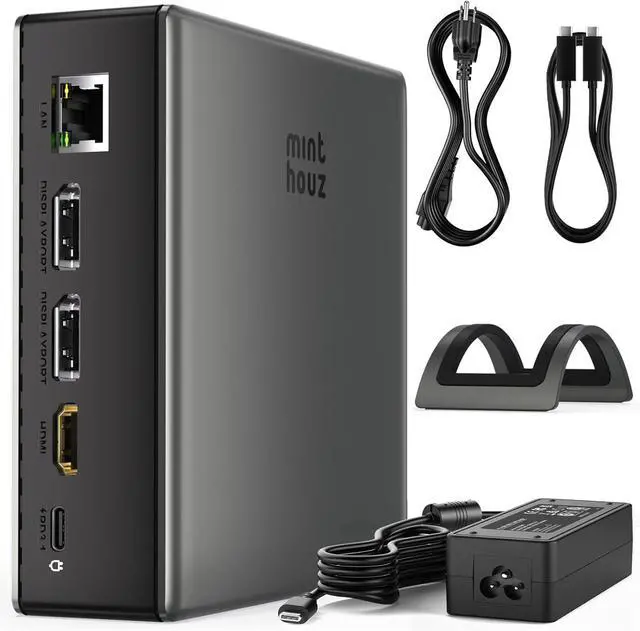
Minthouz USB C Docking Station for Laptop, Triple 4K Display with Dual DisplayPort & HDMI,140W Power Delivery, 10Gbps USB A/C Ports, Gigabit Ethernet, Audio/Mic USB C Hub for MacBook,Dell,HP,Surface
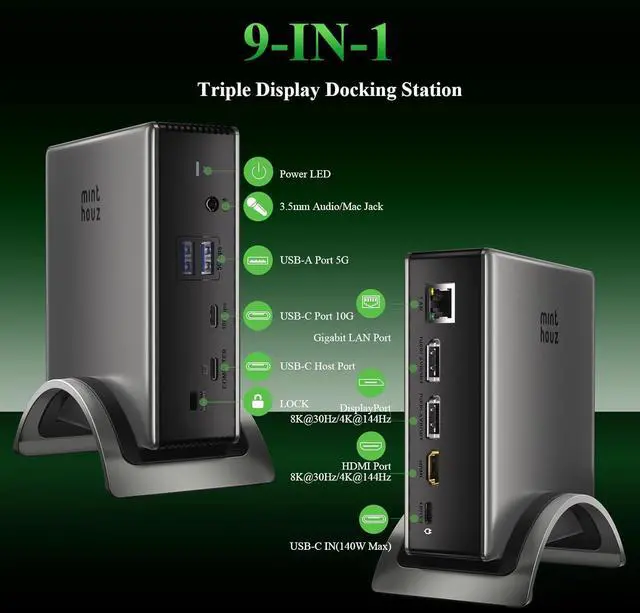
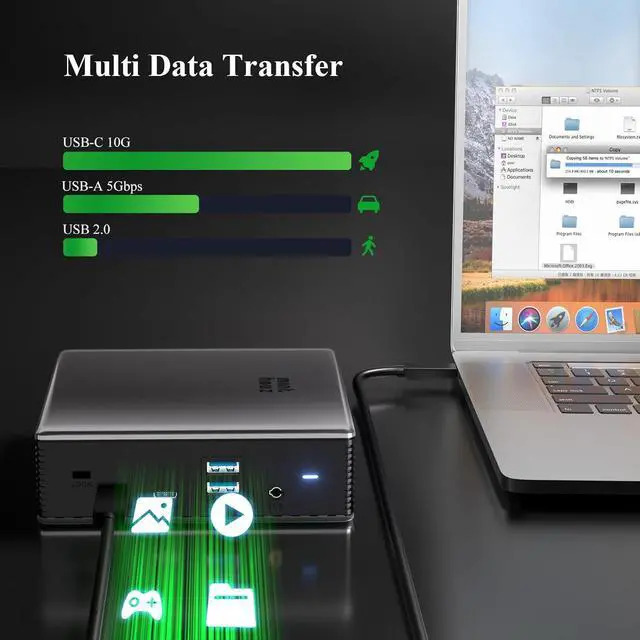
- Premium 9-in-1 Docking Station:Transform your laptop into a powerful workstation with this versatile USB C docking station. Features include dual DisplayPort ports, HDMI, USB-C with 140W PD, multiple USB-A/USB-C data ports, Gigabit Ethernet, SD/microSD card slots, and audio jack. Ideal for laptop, MacBook, and computer users seeking a clutter-free hub.
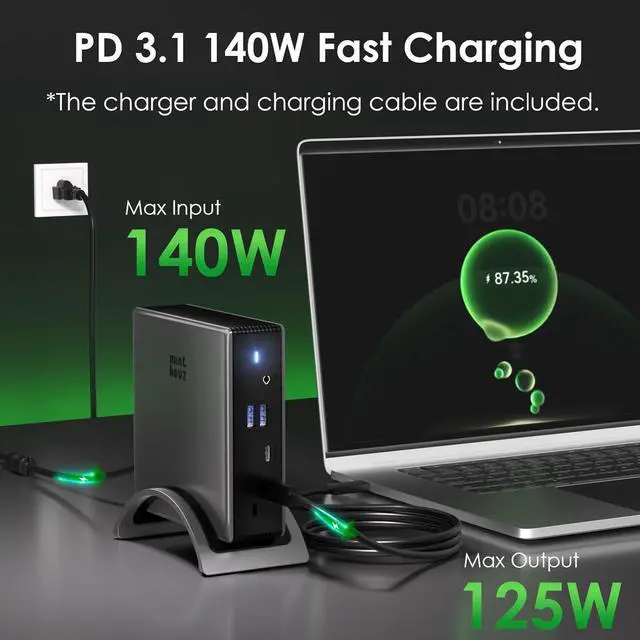
- High-Speed USB C Hub with 140W Laptop Charging:Equipped with USB C Power Delivery for up to 100W pass-through charging. Enjoy rapid data transfer via USB-C and USB-A ports, alongside simultaneous device charging. A true USB C dock designed for efficiency.
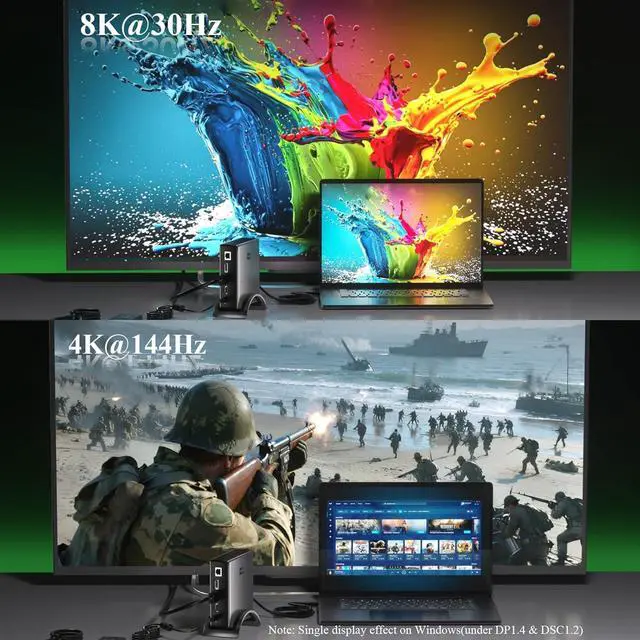
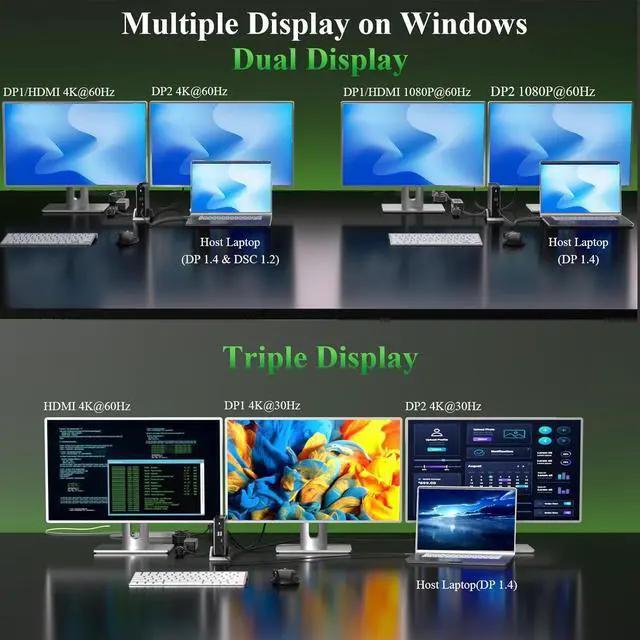
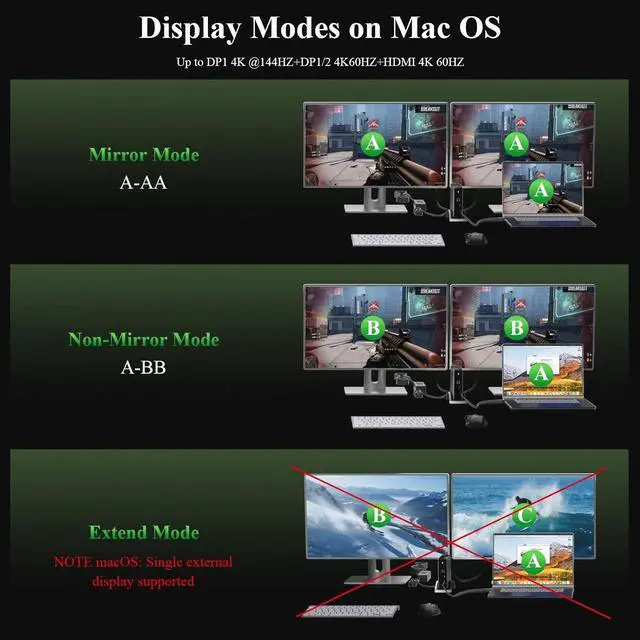
- Triple Monitor Docking Station with 4K Dual HDMI Support: Expand your screen across three external monitors in crisp 4K resolution. Single display up to 8K@30Hz/4K@144Hz via DP1.4; dual displays run at [email protected] up to three monitors simultaneously This dual monitor and triple monitor docking station supports extended mode on Windows and mirroring on macOS. Perfect for multitask
+
+
Overview
Reviews
Any questions? Our AI beta will help you find out quickly.
Try me now
18K Ultra HD2Windows MST Mode3 MacOS Mode4Points to Note1Fast PD Charging Port2Fast Data Transfer31000Gbps Ethernet What should I do if the monitors connected tothe docking station do not work?
Please make sure that the USB-C port on yourlaptop supports video output. Not all USB-C portshave this capability.
Why do my external monitors show the samecontent when I connect the docking to my MacBook?
This is expected behavior due to a limitation inmacOS. macOS does not fully support MST, so theexternal monitors may mirror each other insteadof extending independently.
Why isn't my laptop charging when I connectthe power adapter to the hub?
Please make sure that the USB-C port on yourlaptop supports charging. Not all USB-C portssupport this function.
When I connect three monitors to the dockingstation, one monitor does not turn on. WhatShould I do?
Make sure your graphics card can support four displays at once (this includes your laptop's built-in screen), because not all GPUs can run four monitors simultaneously.
The device gets hot in usage,is that as expected?
It should be as expected the device will get hot in usage.If it does not affect usage,please do not worry about that.If you meet any problem,please be free to contact our support team.
What should I do if the monitors connected tothe docking station do not work?
Why do my external monitors show the samecontent when I connect the docking to my MacBook?
Why isn't my laptop charging when I connectthe power adapter to the hub?
When I connect three monitors to the dockingstation, one monitor does not turn on. WhatShould I do?
The device gets hot in usage,is that as expected?

Please make sure that the USB-C port on yourlaptop supports video output. Not all USB-C portshave this capability.
Why do my external monitors show the samecontent when I connect the docking to my MacBook?
This is expected behavior due to a limitation inmacOS. macOS does not fully support MST, so theexternal monitors may mirror each other insteadof extending independently.
Why isn't my laptop charging when I connectthe power adapter to the hub?
Please make sure that the USB-C port on yourlaptop supports charging. Not all USB-C portssupport this function.
When I connect three monitors to the dockingstation, one monitor does not turn on. WhatShould I do?
Make sure your graphics card can support four displays at once (this includes your laptop's built-in screen), because not all GPUs can run four monitors simultaneously.
The device gets hot in usage,is that as expected?
It should be as expected the device will get hot in usage.If it does not affect usage,please do not worry about that.If you meet any problem,please be free to contact our support team.
What should I do if the monitors connected tothe docking station do not work?
Why do my external monitors show the samecontent when I connect the docking to my MacBook?
Why isn't my laptop charging when I connectthe power adapter to the hub?
When I connect three monitors to the dockingstation, one monitor does not turn on. WhatShould I do?
The device gets hot in usage,is that as expected?
Warranty & Returns
Warranty, Returns, And Additional Information
Warranty
- Please contact the Seller directly for warranty information. Warranty information may also be found on the Manufacturer's website.
- CONTACT
Return Policies
- Return for refund within: 30 days
- Return for replacement within: 30 days
- This item is covered by PrimeVolt’Shop Return Policy
Manufacturer Contact Info
- For a directory of all our manufacturers, please click below.
- Manufacturers Directory
LOADING...