

Your Browsing History

- Free 30-day Returns
$127.99
Login to Make an Offer


Meet Your Seller



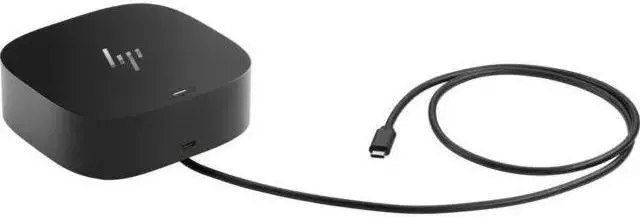

HP USB-C G5 ESSENTIAL DOCK
REFURBISHED Product Type
- Effortlessly go the extra mile with just a single USB-C® cable. This essential dock seamlessly powers and supports 4 USB-A ports for all your accessories, up to 3 high-res displays, and stable Ethernet connectionall while delivering 65W of power to your laptop.
- This essential dock is designed to work with what youre working with. Its compatible with most USB-C or Thunderbolt enabled PCs, and its various ports open the way to all your accessories.
- Reclaim your desk and clear the clutter with a compact dock that takes up less than 5 x 5 inches of space. With a single cable connection, less is more.
- Just plug in the dock and get down to business. Its simple to stay up to date with essential manageability features including connected firmware updates, PXE boot,LAN/WLAN switching, and more.
+
+
Overview
Specs
Reviews

Any questions? Our AI mode will help you find out quickly.
Try me now
The HP USB-C G5 Essential Dock (72C71AA) for your USB-C 3.2 Gen 1 compatible laptop. This compact hub, measuring only 4.8 x 4.8 inches, expands your laptop with two USB-A 3.2 Gen 1 connections and one USB-C connector that supports 5 Gb/s flash drives and other accessories. It also includes two DisplayPort 1.4 outputs and one HDMI 2.0 input, allowing you to increase your viewing space for more effective multitasking by connecting up to three monitors to your DisplayPort in Alt Mode-compatible USB-C connector. Other features include an inbuilt RJ45 Ethernet connector for wired network connectivity and the ability to automatically download manageability features like as firmware upgrades, PXE boot, and LAN/WAN switching.
With compatible computers, the dock can provide up to 65W of power.
Seamless Productivity
Easily go the extra mile with just one USB-C cable. This vital dock fuels and supports 4 USB-A ports for all of your devices, up to 3 high-resolution displays and a robust Ethernet connectionall while giving 65W of power to your laptop.
More Ports, Less Constraints
This crucial dock is built to function with anything you're working on. It works with most USB-C or Thunderbolt equipped PCs, and its different connections let you to connect all of your accessories.
Stay up to date
Keep your docking fleet's connected firmware up to date to keep your staff informed.
Essential Manageability
Ensure that your workforce has the IT assistance they require to be productive by providing important manageability features. Manage your docking fleet with PXE boot, MAC address pass-through, Wake on LAN, and LAN/WLAN switching.
With compatible computers, the dock can provide up to 65W of power.
Seamless Productivity
Easily go the extra mile with just one USB-C cable. This vital dock fuels and supports 4 USB-A ports for all of your devices, up to 3 high-resolution displays and a robust Ethernet connectionall while giving 65W of power to your laptop.
More Ports, Less Constraints
This crucial dock is built to function with anything you're working on. It works with most USB-C or Thunderbolt equipped PCs, and its different connections let you to connect all of your accessories.
Stay up to date
Keep your docking fleet's connected firmware up to date to keep your staff informed.
Essential Manageability
Ensure that your workforce has the IT assistance they require to be productive by providing important manageability features. Manage your docking fleet with PXE boot, MAC address pass-through, Wake on LAN, and LAN/WLAN switching.
Warranty & Returns
Warranty, Returns, And Additional Information
Warranty
- Please contact the Seller directly for warranty information. Warranty information may also be found on the Manufacturer's website.
- CONTACT
Return Policies
- Return for refund within: 30 days
- Return for replacement within: 30 days
- This item is covered by Fastparts Return Policy
Manufacturer Contact Info
- For a directory of all our manufacturers, please click below.
- Manufacturers Directory
LOADING...