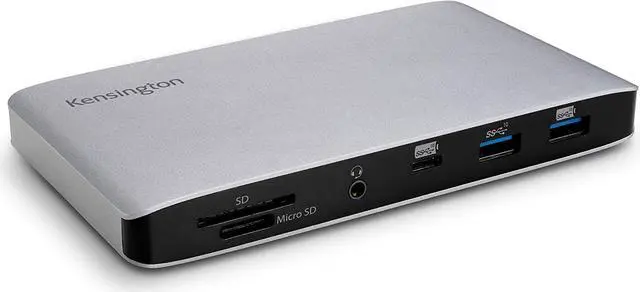
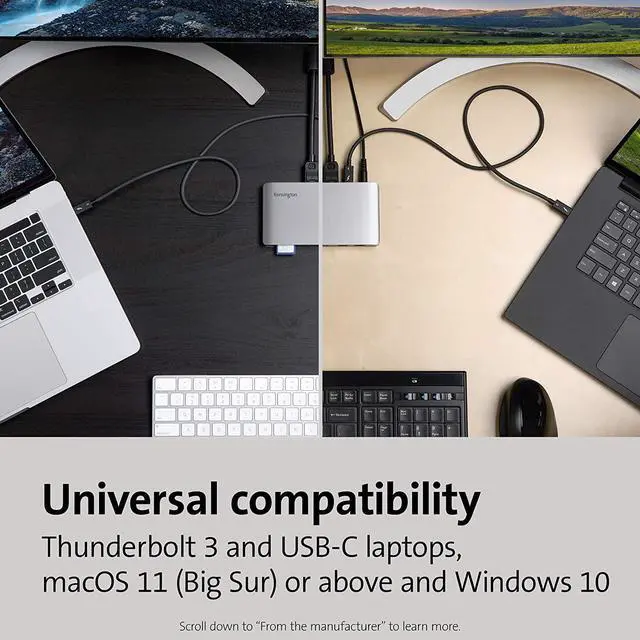
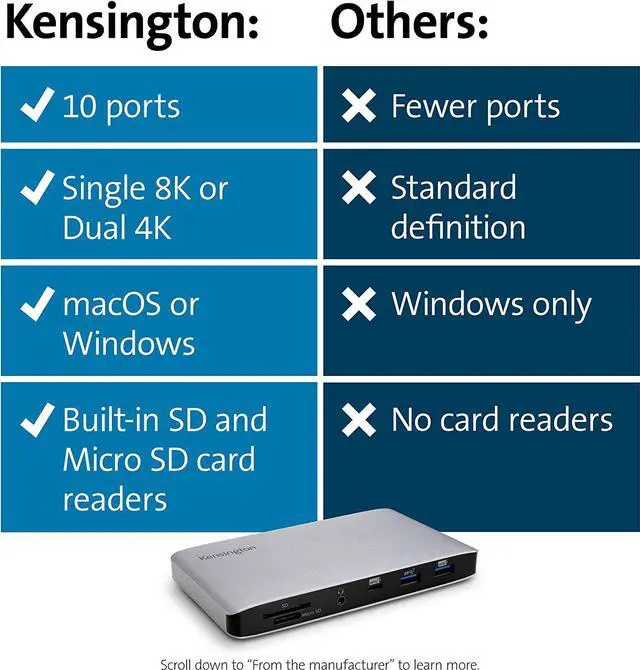
Thunderbolt 3 dock for MacBooks (OS 10.16 and later) and Windows laptops equipped with Thunderbolt 3 (Lenovo Dell HP Acer, Asus, MSI, Razer, and more) with transfer speeds of up to 40Gbps; also compatible with Thunderbolt 4 laptops (at TB3 speeds) and USB-C laptops and Surface devices (at up to 10Gbps USB-C speeds) including Surface Pro 9, 8, 7, Surface Laptop 3 and 5, Surface Books and Surface Go
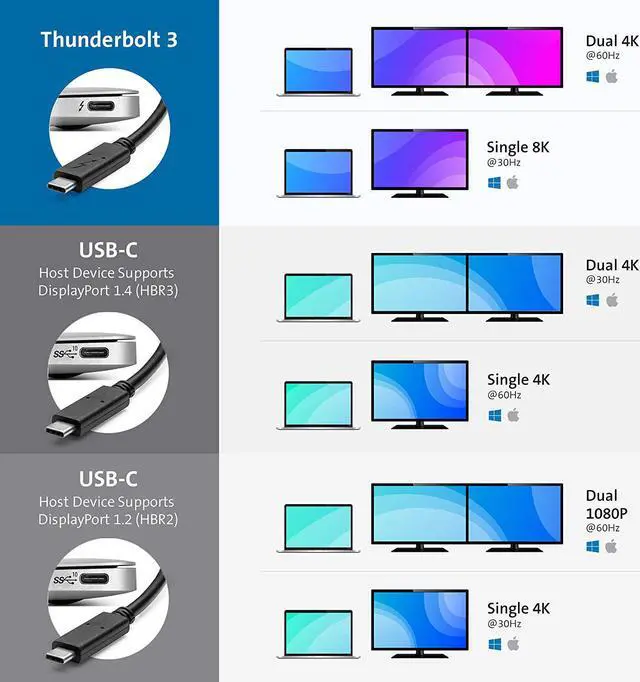
Supports 4K Ultra HD (4096 x 2160 30-bit color @60 Hz) to two monitors or 8k @30Hz to a single monitor for Thunderbolt 3; For USB-C devices, supports 4K @30Hz to dual monitors for devices with DisplayPort 1.4 (HBR3) and 1080p@60Hz to dual monitors for devices with DisplayPort 1.2 (HBR2)
Macbook Pros with M1 Pro, M1 Max, M2 Pro & M2 Max CPUs will work with dual extended displays; however MacBooks with Apple's M1 or M2 processors will only display to a single monitor due to Apples chipset limitations (see our SD4780P dock (part #K33620NA) for dual 4K display for those models
Connect your laptop to the Thunderbolt 3 or USB-C port (. 8 meter Intel Certified TB3 cable included); connect your dual displays by using the two DisplayPort 1.4 ports with passive DisplayPort cables (see part #K33021WW); if sending the display signal from the DisplayPort to an HDMI monitor, an active adapter or cable is required
120 Watt Power Supply delivers 60W power to charge your laptop via power delivery 3.0, including 61W MacBook 13 and 15" and 67W Macbook Pro 14" (windows laptops must be designed to support power delivery Surface devices do); delivers additional power to run peripherals like hard drives, and for charging phones and tablets
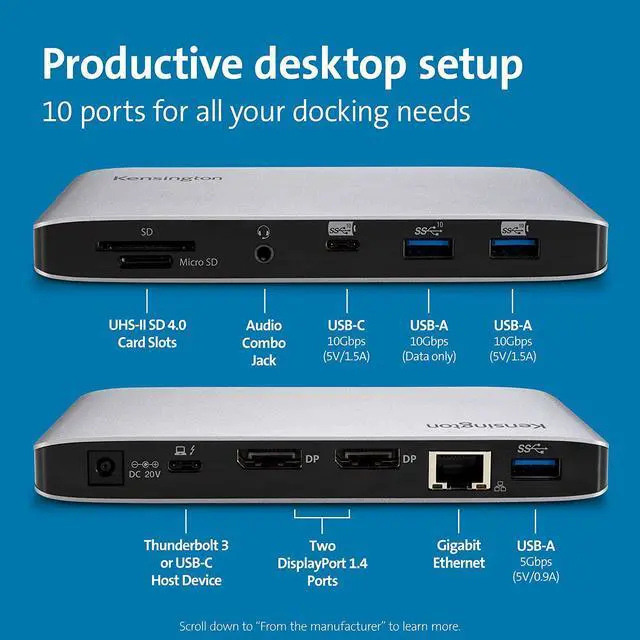
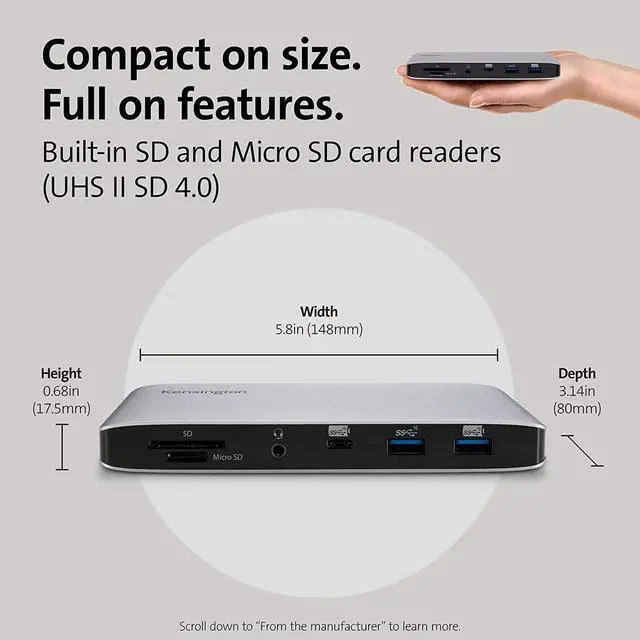
SD card reader and Micro SD card reader (both UHS II SD 4.0 ); one USB-C Gen2 port (up to 10Gbps with 5V/ 1.5A charging), three USB-A ports [2 Gen2@10Gbps on the front (one with 5V/ 1.5A charging) and one Gen1@5Gbps port on the rear of the dock supporting 5V/ 0.9A ], Gigabit Ethernet port; 3.5 mm headphone/speaker/microphone combo jack; Kensington lock slot; VESA mounting holes
Three year coverage and lifetime Kensington technical support
USB-C Thunderbolt 3 Dock FAQ
Q: Do all Thunderbolt 3 desktop docking stations support USB-C laptops as well?
A: No, but this dock does. In order for a Thunderbolt 3 desktop docking station to be compatible with USB-C laptops, the docking station must use the Intel Titan Ridge chipset.
Q: Is this dock compatible with laptops that can only connect via a USB-A port?
A: No
Q: Does this dock require driver installation?
A: With macOS 11 (Big Sur) or above and Windows 10, the operating system will download and install the necessary drivers automatically. Please be sure your Intel Thunderbolt software is installed. For more details see www. thunderbolttechnology. net/updates
Q: Does this dock support USB Power Delivery (PD)?
A: Supports USB-C PD 3.0 (60W of laptop charging)
Q: What if my device has a USB-C port but it doesnt support Power Delivery (PD)?
A: Unfortunately, charging will not be supported then. However, data and video functionality will still be supported.
Q: How many monitors does the dock support and what are the max resolution supported?
A: Thunderbolt 3 -
Single Monitor: 8K @ 30Hz or
Dual Monitors: 4K @ 60Hz // USB-C Alt Mode Single 4K 60Hz or Dual 4K @ 30Hz for HBR3 laptops and Single 4K 30Hz or Dual 1080p @ 60Hz for HBR2 laptops
Q: My computer supports dual-monitor extended mode, but there is no display on the 2nd monitor.
A: Sometimes the 2nd monitor will not automatically be displayed. You may have to use the Intel, Nvidia, or other compatible graphics card settings application to unhide the second monitor.
Q: Does the dock support fast-charging for my phone?
A: Yes, the front USB Type-A and Type-C ports supports 5V/ 1.5A
Q: Can I use other USB-C or Thunderbolt 3 cables (not from the original box) on this dock?
A: No, we can only assure the Kensington cables shipping with the dock would work. USB cables can vary greatly between different manufacturers. We recommend users to contact Kensington for replacement if needed.
Q: My Mac system included a 61W power adapter, will this dock still charge my system?
A: Yes, but the charge speed can vary based on the docking station in question. This dock supports up to 60W of charging, making it a great solution for your MacBook
Q: Is there a way to mount the dock behind my monitor?
A: No, but we do offer other docking stations like SD5300T or SD2400T that do support VESA mounting.
Q: Will this dock work with Kensingtons DockWorks software?
A: Yes, however, please visit www. kensington. com/dockworks/ for a complete list of the docking stations that are compatible with DockWorks.





 here!
here!