Your Browsing History
- Free 30-day Returns
$259.99
Meet Your Seller
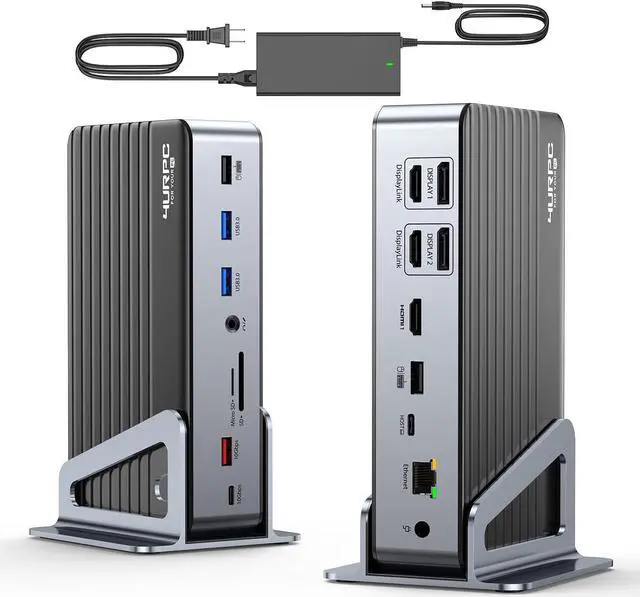
DisplayLink Docking Station Triple 4K Monitor with 120W Power Adapter, Laptop Dock for MacBook Pro/Air, Thunderbolt 4/3, USB-C Windows(Single 8K)/Chromebook(3X HDMI, 2X DP, 5X USB-A, USB-C 3.2)
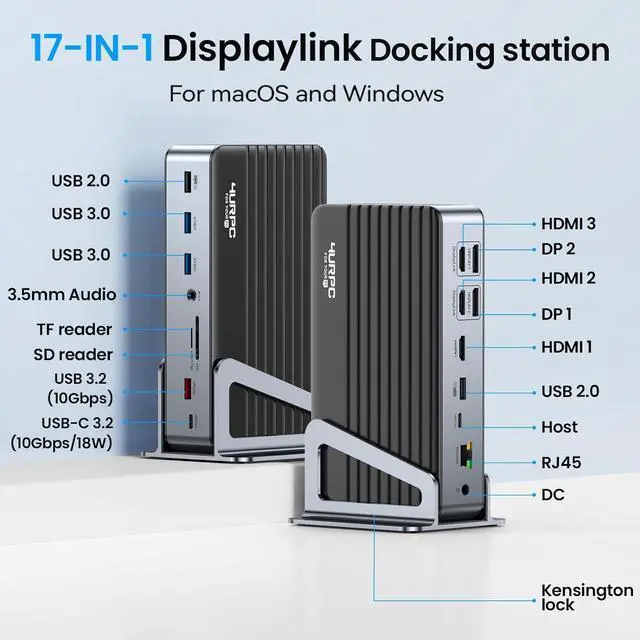
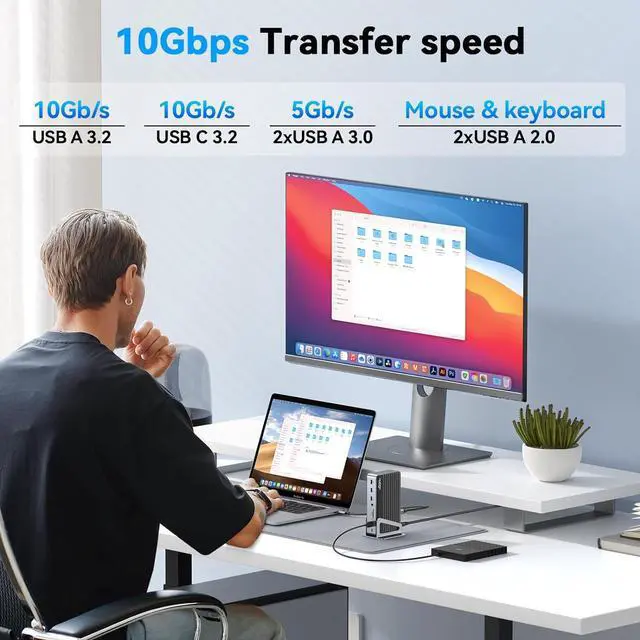
- 17-IN-1 Huge Expansion: This powerful laptop docking station with 120W DC Power Supply features 3 HDMI ports(Max 8K@30Hz), 2 DisplayPorts(Max 4K@60Hz), Gigabit Ethernet Port, 1xUSB-C 3.2 Port(10Gbps/18W Charging), 1 x USB-A 3.2 Ports(10Gbps), 2 x USB-A 3.0 Ports(5Gbps), 2 x USB-A 2.0 Ports, SD/microSD card slots, 3.5 mm audio/Mic port, a DC input, and a Kensington lock.
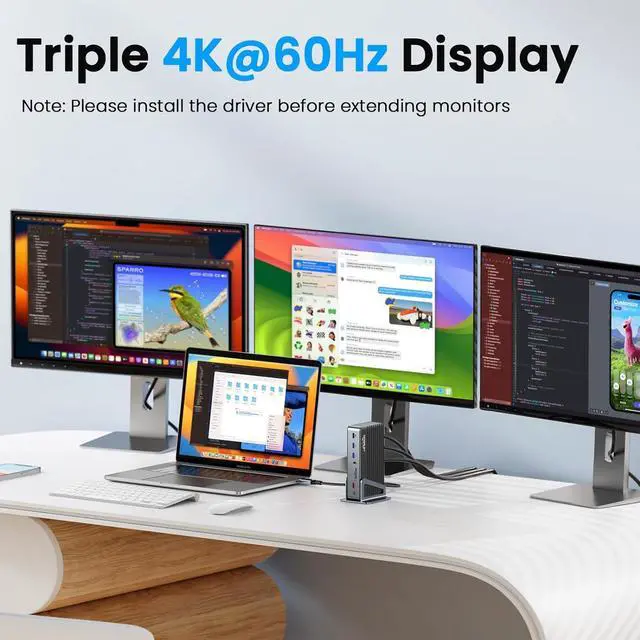
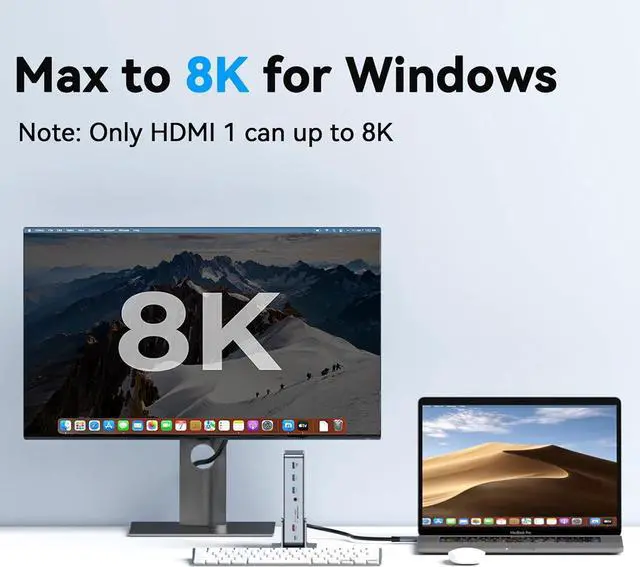
- Triple 4K 60Hz & Single 8K Display: This displaylink docking station 3 monitors can extend triple monitors with 4K@60Hz resolution, so you can work with up to 4 screens(laptop+3 monitors). This usb c docking station triple monitor can achieve 8K@30Hz resolution if connected to a single monitor(Only HDMI 1), and the HDMI 1 port is Plug-and-Play. Note: Each DISPLAY can only be used one port, HDMI or DisplayPort, so the 4 ports of DISPLAY(2 HDMI & 2 DP) can only be used up to 2 ports simultaneously.
+
+
Overview
Specs
Reviews
Any questions? Our AI beta will help you find out quickly.
Try me now
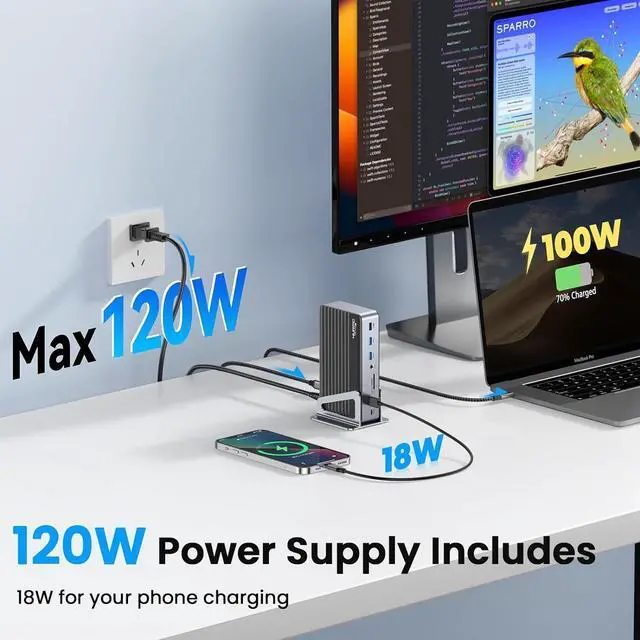
120W DC Power Supply & Powerful USB ports: The docking station dual monitor attaches a 120W DC Power Charger, allowing you to charge your laptop quickly. And the USB-C 3.2 port of the displaylink docking station triple monitor support for 18W charging your phone and transferring data up to 10Gbp/s. The other 5 USB ports allow you to easily connect USB flash drives, hard drives, webcams, printers, mouse, keyboards, and other devices.
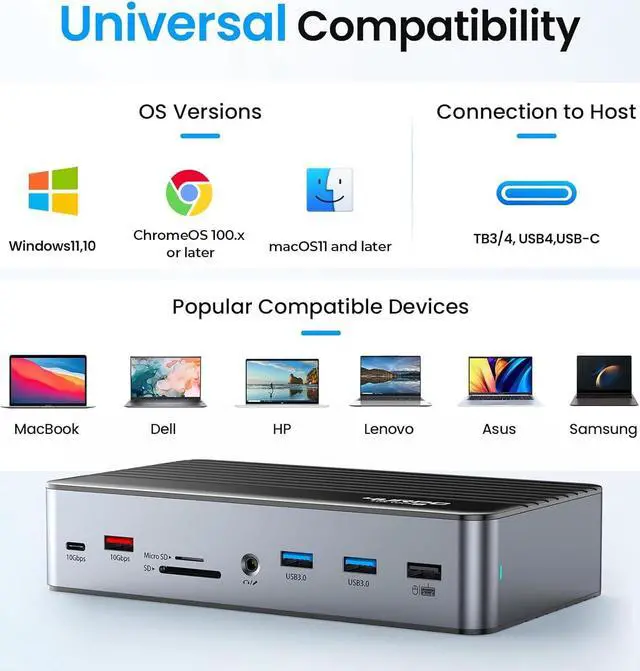
Universally Compatible Docking Station: This USB C docking station works with Thunderbolt 4, Thunderbolt 3, USB4, and USB-C laptops, including Apple M1/M2/M3, M1/M2/M3 Pro, M1/M2/M3 Max, M1/M2/M3 Ultra, other Intel chip macOS laptops, and Dell, HP, Lenovo, Surface, Asus, Acer, and other Windows and Chromebook laptops. The displaylink dock is also compatible with tablets including iPads and Windows tablets that feature Thunderbolt or USB-C.
How To Install The Driver: 1.
Go to the "https: //www. synaptics. com/products/displaylink-graphics/downloads". 2. Find your device system. 3. Download and install the driver (macOS device need allow the security privacy)

Universally Compatible Docking Station: This USB C docking station works with Thunderbolt 4, Thunderbolt 3, USB4, and USB-C laptops, including Apple M1/M2/M3, M1/M2/M3 Pro, M1/M2/M3 Max, M1/M2/M3 Ultra, other Intel chip macOS laptops, and Dell, HP, Lenovo, Surface, Asus, Acer, and other Windows and Chromebook laptops. The displaylink dock is also compatible with tablets including iPads and Windows tablets that feature Thunderbolt or USB-C.
How To Install The Driver: 1.
Go to the "https: //www. synaptics. com/products/displaylink-graphics/downloads". 2. Find your device system. 3. Download and install the driver (macOS device need allow the security privacy)
Warranty & Returns
Warranty, Returns, And Additional Information
Warranty
- Please contact the Seller directly for warranty information. Warranty information may also be found on the Manufacturer's website.
- CONTACT
Return Policies
- Return for refund within: 30 days
- Return for replacement within: 30 days
- This item is covered by B-IN Electronics Return Policy
Manufacturer Contact Info
- For a directory of all our manufacturers, please click below.
- Manufacturers Directory
LOADING...