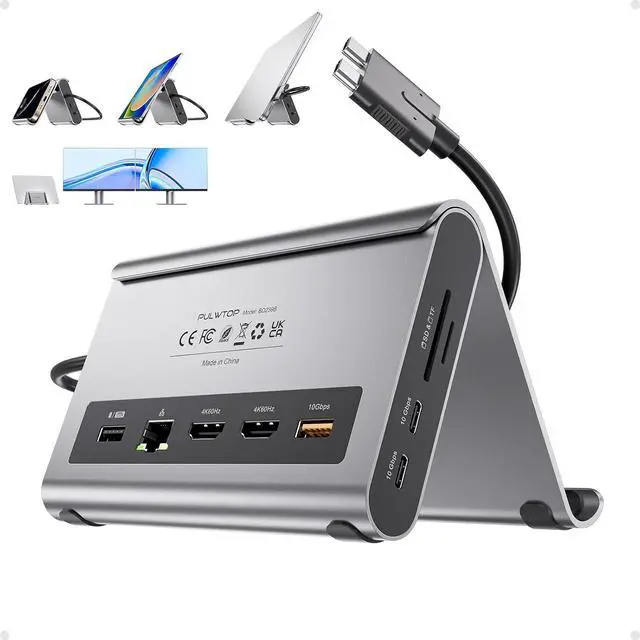
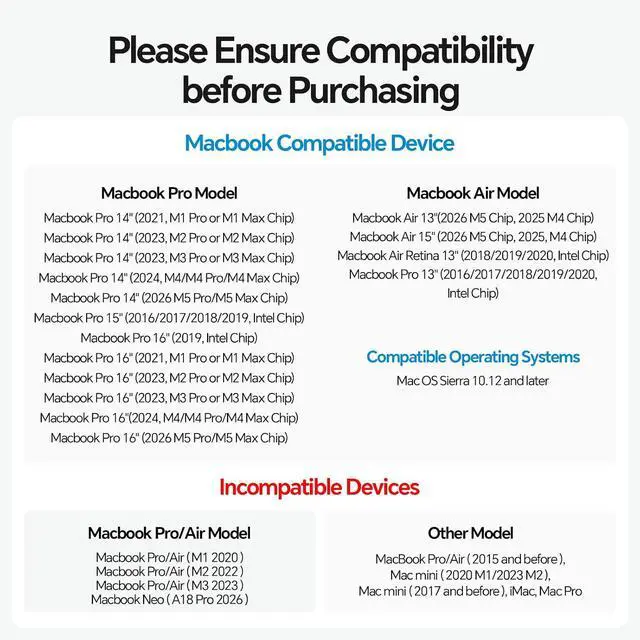
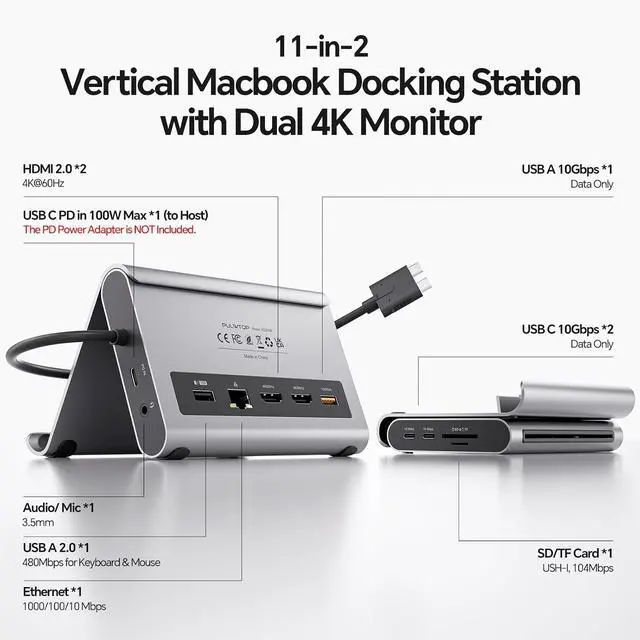
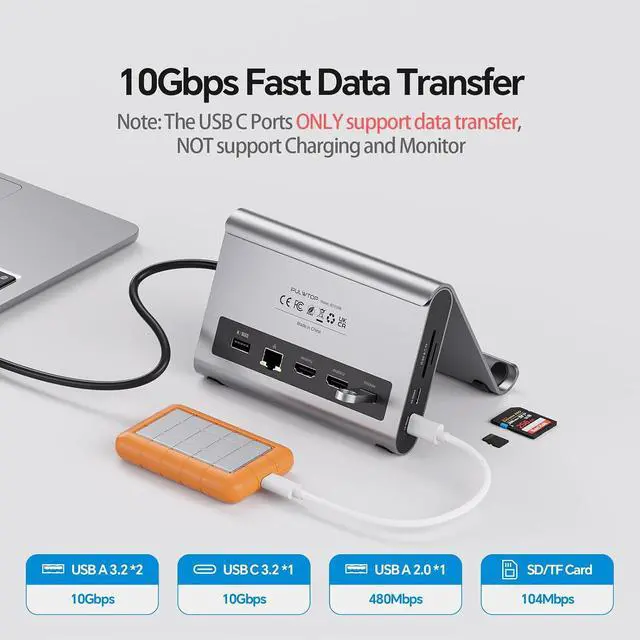
Product description PULWTOP 11-in-1 Docking Station for Macbook Pro/Air Touch Shell Detachable Design Silicone Protection Interface Introduction Dual Monitor Output Expansion Mode Mirror Mode Steps of Clamshell Mode Compatible device Ultra-Speed Data Transfer Power Your Laptop Dual USB C to Host Network & Audio/Mic Unboxing Specification Product Name PULWTOP USB C Docking Station Dual 4K Monitor for MacBook Pro/Air Input Dual USB-C port 10Gbps Output 2 x 4K@60Hz HDMI, 1 x USB A 10Gbps, 2 x USB C 10Gbps, 1 x USB A 2.0, SD/Micro SD, 100 Max PD IN, RJ45 wired Gigabit Ethernet Compatible Devices The Vertical Docking Station Specially Designed for MacBook Pro 14''(2026 M5, 2024 M4, M4 Pro or M4 Max, 2023 M3 Pro or M3 Max, 2023 M2 Pro or M2 Max, 2021 M1 Pro or M1 Max); MacBook Pro 16'', (2024 M4, M4 Pro or M4 Max, 2023 M3 Pro or M3 Max, 2023 M2 Pro or M2 Max, 2021 M1 Pro or M1 Max), MacBook Air(13-inch/15-inch, 2025)M4, MacBook Pro 13'' (2020, 2019, 2018, 2017, 2016 Intel) MacBook Pro 16'' (2019, Intel) MacBook Pro 15'' (2019, 2018, 2017, 2016 Intel) MacBook Air (Retina, 13-inch, 2020/2019/2018) Intel Incompatible Devices This Docking Station for Macbook Pro/Air is not compatible with Windows Laptops.
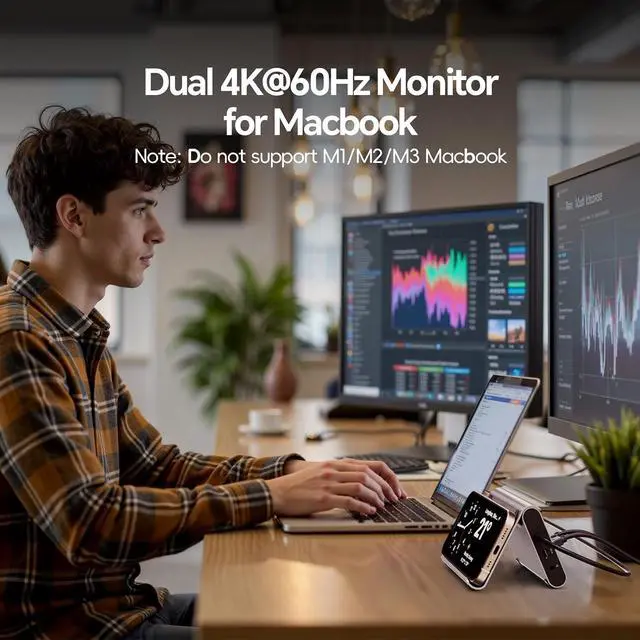
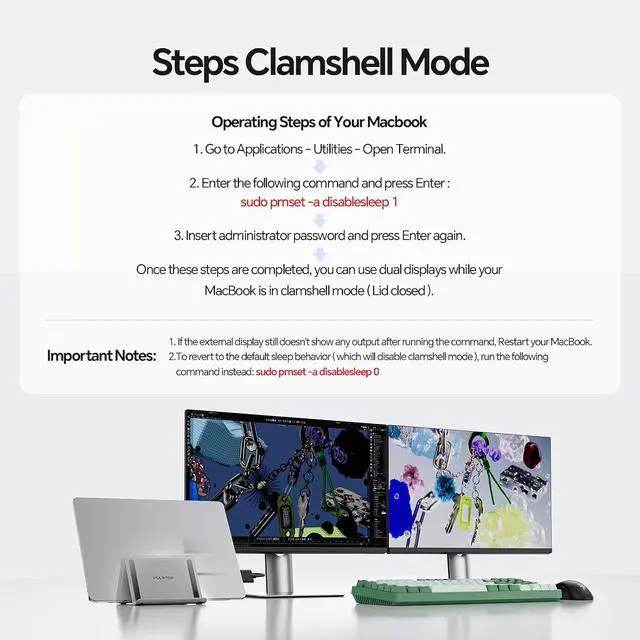
For the M1/M2/M3 base chip and Macbook Neo, it only supports single display. Materials Aluminum Package Dimension Approx. 173mm x 135mm x 50mm Package Weight Approx. 500g Note 1 Please connect a power adapter (Not included) of 65W or above. Power adapter and power cable is not included. Note 2 Place the laptop on the stand - Please Remove protective case. Note 3 The USB C Port is only for data transfer, not support video or charging Note 4 For clamshell mode, please 1. Open MacBook's Application UtilitiesTerminal). 2.
Type the following command and press
Enter: sudo pmset -a disablesleep 1, 3. Enter your administrator password and press Enter again. Your MacBook is now ready for dual displays with the lid closed.
Notes: 1) If the external display doesn't work, restart your MacBook. 2) To revert to default sleep behavior (disable clamshell mode), run: sudo pmset -a disablesleep 0 Compare PULWTOP Docking Station for Macbook MacBook Pro Dock Stand Add to Cart Macbook Stand Dock Add to Cart Macbook Pro Stand Dock Add to Cart Macbook Dock Buying Options Vertical MacBook Dock Add to Cart Customer Reviews 4.4 out of 5 stars 24 4.5 out of 5 stars 16 4.4 out of 5 stars 118 4.6 out of 5 stars 42 4.3 out of 5 stars 62 Price $ 99.89 $99. 89 $ 99.89 $99. 89 $ 72.08 $72. 08 $ 69.89 $69. 89 $ 89.89 $89. 89 DISPLAY 2 x 4K@60Hz HDMI Dual Display 2 x 4K@60Hz HDMI Dual Display 2 x 4K@60Hz HDMI Dual Display 2 x 4K@60Hz HDMI Dual Display 2 x 4K@60Hz HDMI Dual Display COLOR Black Mignight Space Grey Grey Grey USB A/C DATA 10Gbps 10Gbps 10Gbps 10Gbps 10Gbps Stand Function SD/TF port





 here!
here!