Your Browsing History
- Free 30-day Returns
$324.99
Ships from China.
Meet Your Seller
Displaylink Docking Station, Triple Display DisplayLink Dock for MacBook M1/M2/M3 Windows, 4K@60Hz Laptop Docking Station with 2 HDMI, 2 Display Port, PD, USB C Data, 4 USBA, Ethernet, Audio
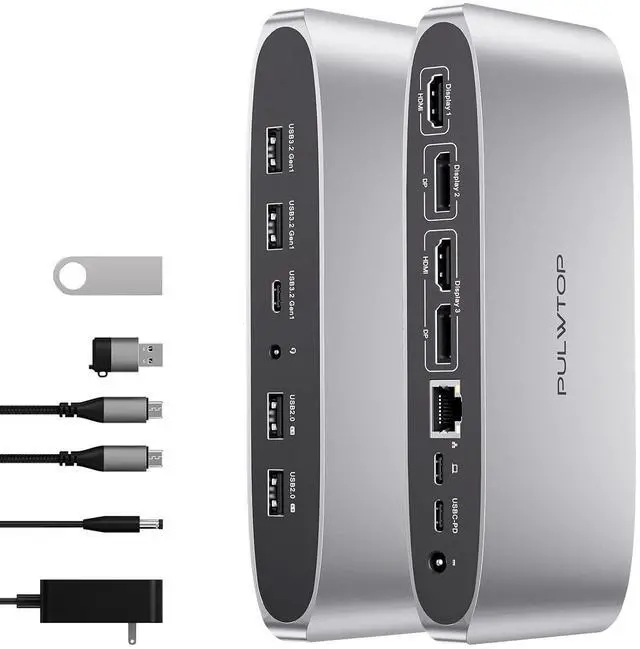
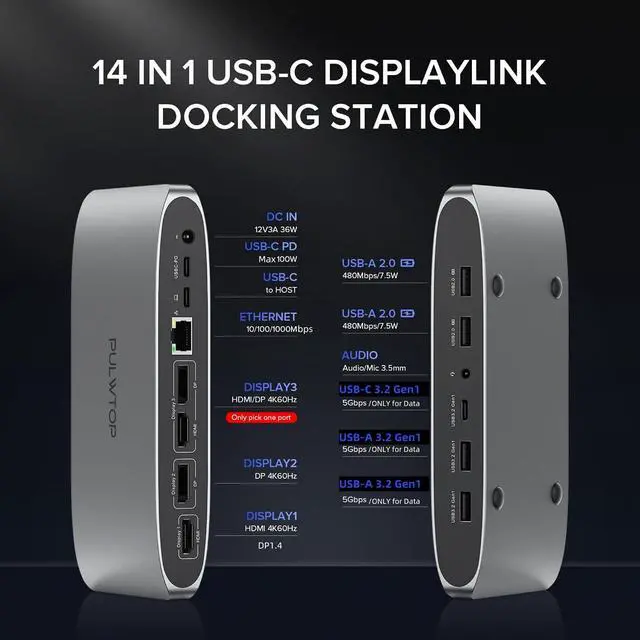
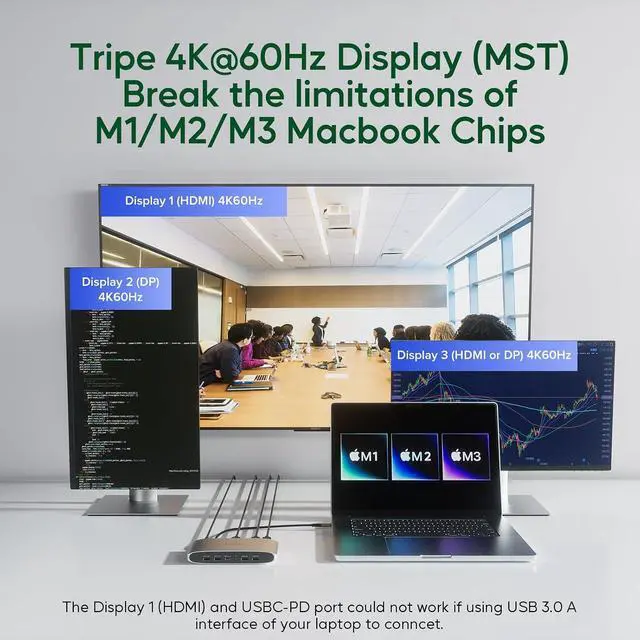
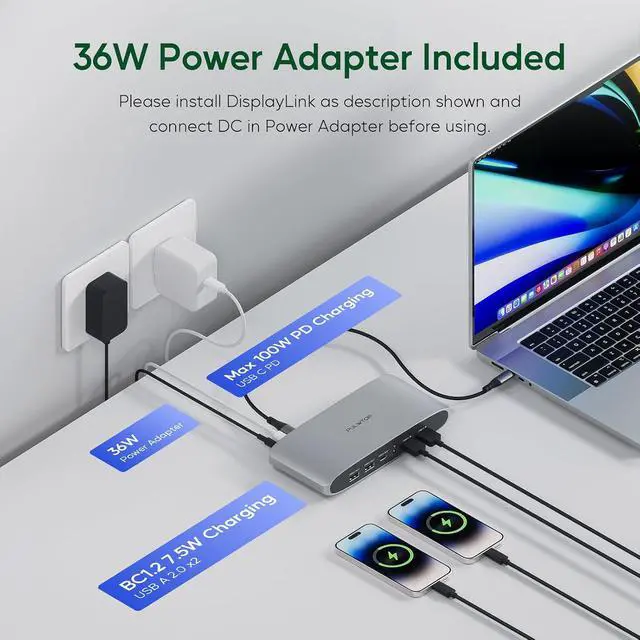
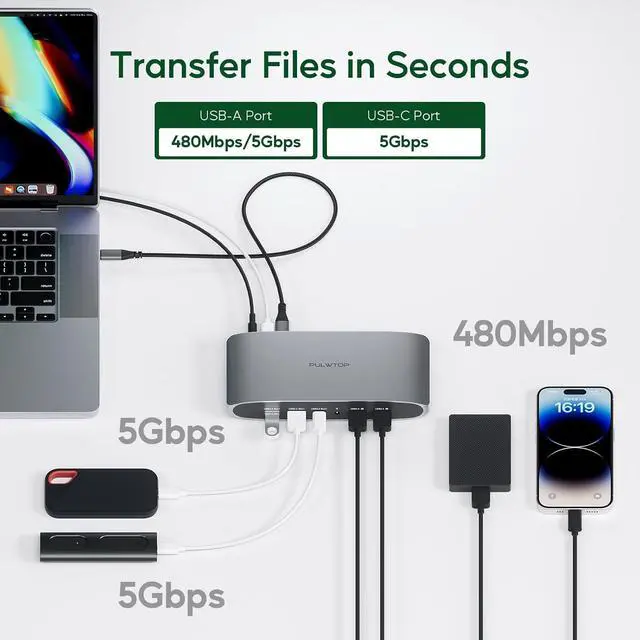
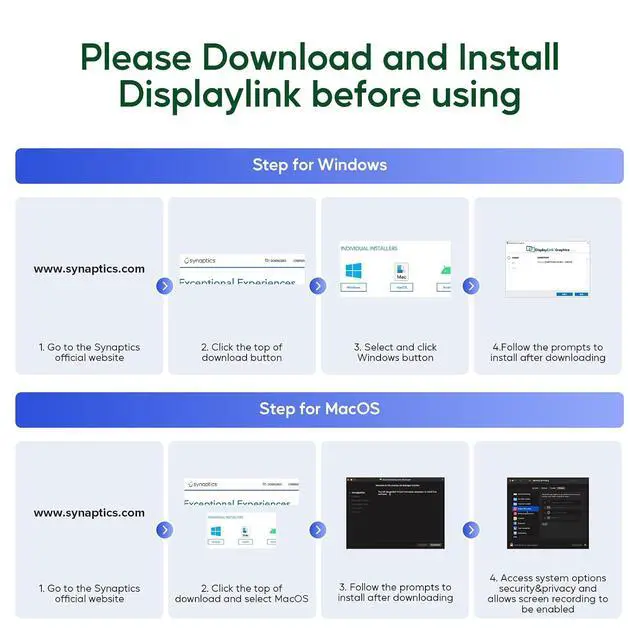
- TRIPLE DISPLAY DOCKING FOR MACBOOK M1/M2/M3: Breaking limitation of the M1/M2/M3 chip, PULWTOP displaylink dock supports your mac to expand 3 different monitors by installing the DisplayLink driver. Compatible with Macbook, Windows, Chrome OS, Ubuntu and Android. NOTE: 1) Linux/Unix is not supported. 2) Must pre-install the DisplayLink Driver to ensure proper media display.; MULTIPORT DISPLAYLINK DOCKING FOR EXTENSIVE CONNECTIVITY: The DisplayLink docking station provides 14 ports in total. Includes 1 x 4K@60Hz HDMI/DP1.4 ("Display 1"); 1 x 4K@60Hz Displayport ("Display 2"); 1 x 4K@60Hz HDMI or 1 x Displayport ("Display 3", pick 1 of HDMI and DP); 2 x USB A 3.2 Gen1 port( 5Gbps, ONLY data); 2 x USBA 2.0 ports (data & charge); 1 x USB C 3.2 Gen1 port (5Gbps, ONLY data); 1 x USB-C PD charging port (Max 100W); 1 x USB C to Host; 1 x DC-in port; 1 x Gigabit Ethernet and 1 x 3.5 mm Audio/Mic jack. NOTE: The USB C docking station should be connected with 12V 3A DC-in power adapter, or it will not work.; 4K TRIPLE DISPLAY EXTENSION FOR LAPTOPS WITH USB C PORT: After installing the DisplayLink driver, our USB C docking station with displayport could help to achieve triple monitor display. HDMI ("Display 1") + ("Display 2") + HDMI or DP ("Display 3") that all displays could reach 3 x 4K@60Hz(under DP 1.4). Mirror mode and extend mode for Macbook could be chosen based on your needs. (Support both SST & MST). NOTE: HDMI and DP of the "Display 3" port could ONLY choose 1 of the 2 to use
+
+
Overview
Specs
Reviews
Any questions? Our AI beta will help you find out quickly.
Try me now
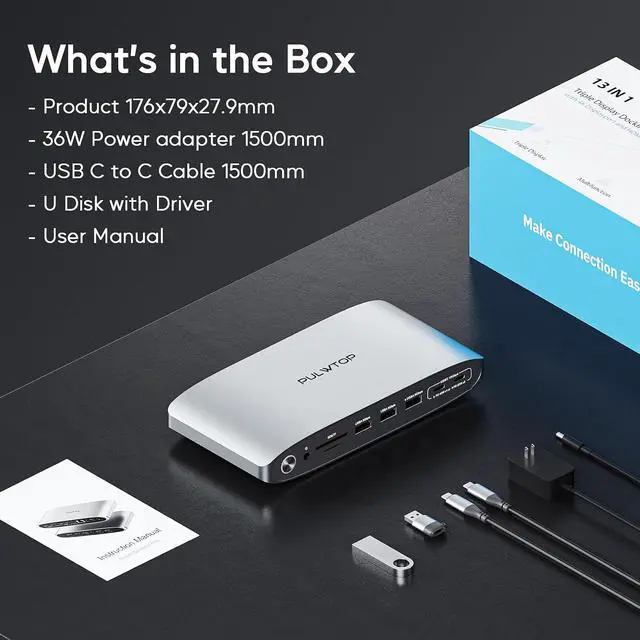
Product description Video Display - How to Download and Install the Displaylink Driver for Mac OS Click to play video Video Display - Package
Upstream PD: 100W max;
Downstream PD: 2 x 7.5W Upstream & Downstream
Upstream PD: 85W-100W;
Downstream PD: 2 x 22W/1 x 45W output each, 1x 7.5W Upstream & Downstream
Upstream PD: 85W max;
Downstream PD: 1 x 15W, 2 x 7.5W Power Adapter 100W Power Adapter 140W Power Adapter 120W
Details
and Triple Display Connection Steps Click to play video 4K@60Hz Video Output | Triple Display | Multiple USB A/C Ports | 5Gbps Data Transfer100W Max PD Charging 3.5 Audio Mic Multiport Docking Station Fast Data Transfer Wide Compatibility Why the port of "HDMI/Display1" doesn't work? Why I can't charge my phones? Why I can't Triple Display even after having installed the Displaylink Driver on my MacBook M1? Does the docking station charge a laptop Why can't the monitor connect? Learn more about PULWTOP DisplayLink Docking Stations 14 in 1 Displaylink Dock 16 in 1 Displaylink Dock 19 in 1 Displaylink Dock Hardware Interface 14 ports Hardware Interface 16 ports Hardware Interface 19 ports Multiple Display Support Triple Display 4K@60Hz (Max) on Mac, Windows, Chrome OS Multiple Display Support Triple Display 4K@60Hz (Max) on Mac, Windows, Chrome OS Multiple Display Support Dual Display 4K@60Hz (Max) on Mac, Windows, Chrome OS Pre-install Driver DisplayLink driver Pre-install Driver DisplayLink driver Pre-install Driver DisplayLink driver Upstream & DownstreamUpstream PD: 100W max;
Downstream PD: 2 x 7.5W Upstream & Downstream
Upstream PD: 85W-100W;
Downstream PD: 2 x 22W/1 x 45W output each, 1x 7.5W Upstream & Downstream
Upstream PD: 85W max;
Downstream PD: 1 x 15W, 2 x 7.5W Power Adapter 100W Power Adapter 140W Power Adapter 120W
Warranty & Returns
Warranty, Returns, And Additional Information
Warranty
- Please contact the Seller directly for warranty information. Warranty information may also be found on the Manufacturer's website.
- CONTACT
Return Policies
- Return for refund within: 30 days
- Return for replacement within: non-replaceable
- This item is covered by Nexus3C Return Policy
Manufacturer Contact Info
- For a directory of all our manufacturers, please click below.
- Manufacturers Directory
LOADING...