







USB C to Dual HDMI Adapter for Monitors Extended Display
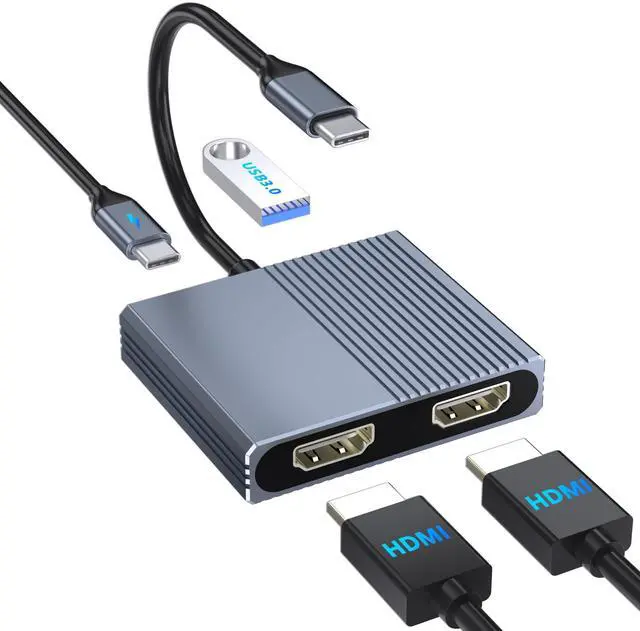
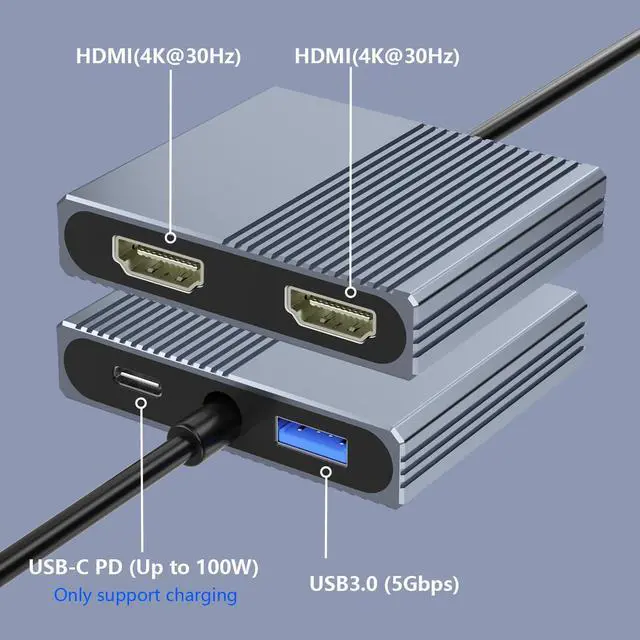
Expands one USB-C port into dual HDMI ports, one USB 3.0 port, and one 100W PD charging port for work and entertainment.

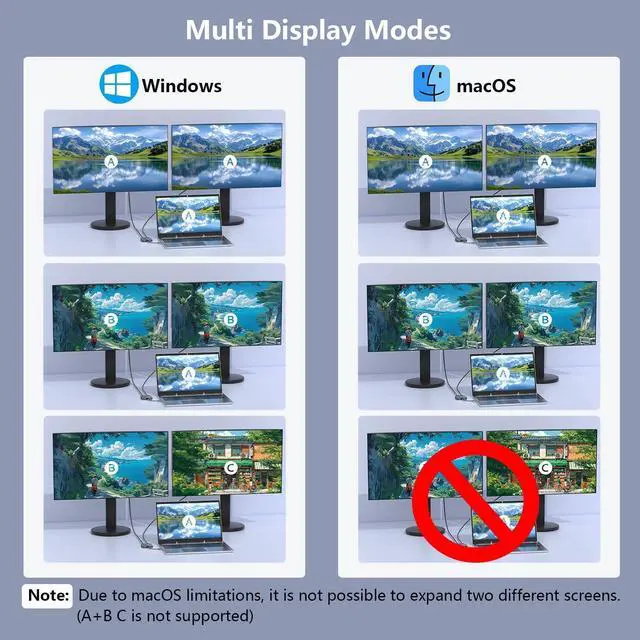
For Windows system, this HDMI splitter for dual monitors support AAA, ABB and ABC mode.
How to connect Extend Mode for Windows OS?
Right-click desktop?select Intel display Settings ?pop-up Settings screen select display?select multi-screen display?expand the desktop

For macOS system, only support mirror mode(AAA) and extend mode(ABB), not support extend two different screens.
How to connect Extend Mode for macOS?
Setting?Display ?check "mirror display" box to switch to Extend mode ?drag a window to the right edge of the screen until it appears on the monitor

Important: Please Check Before Purchase
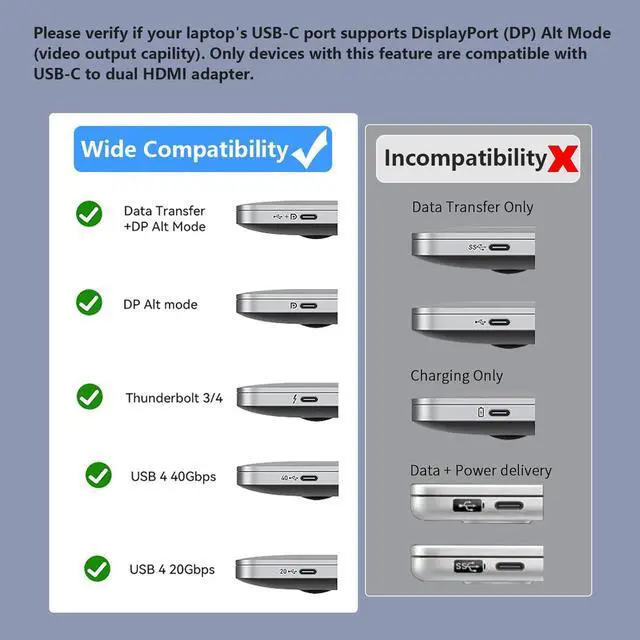
This dual HDMI adapter is not compatible with all USB-C ports. Make sure your laptop or PC supports video output via Thunderbolt 3/Thunderbolt 4 or DP Alt Mode, as this will determine whether the HDMI function properly.

Native 4K Output
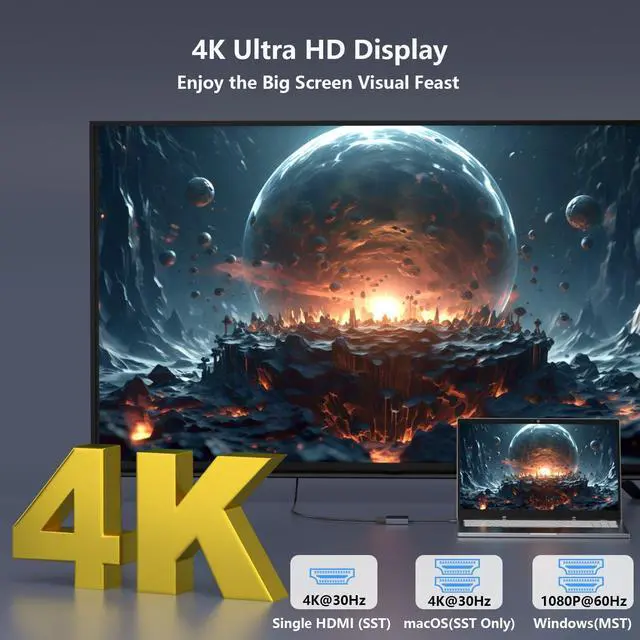
Enjoy vivid 4K visuals for streaming, gaming, and productivity with compatible devices and HDMI cables.
Note: To output dual 4K, ensure your device and HDMI cable all support 4K. For Windows DP 1.2, only single 4K@30Hz or dual 1080P@60Hz is supported.


Compact Dual HDMI Design
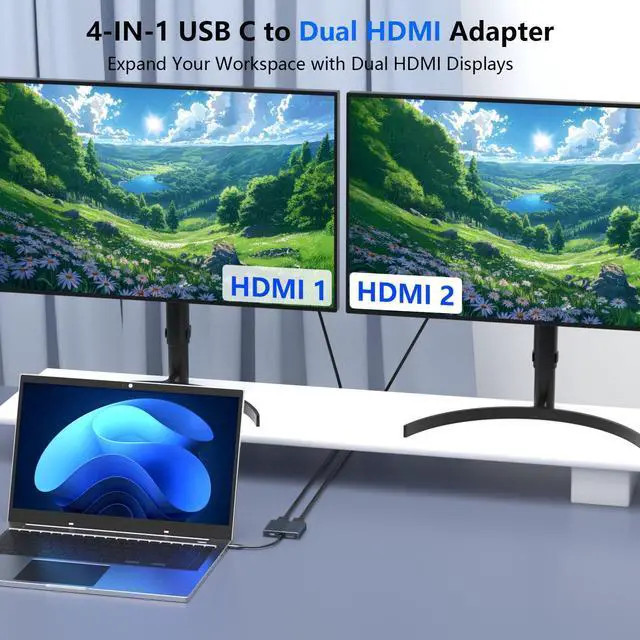
Slim and portable 1 IN 2 OUT dual hdmi adapter for 2 monitors, easy to carry and convenient for multi-screen setup anywhere.

USB C to Dual HDMI Adapter for Monitors Extended Display
Expands one USB-C port into dual HDMI ports, one USB 3.0 port, and one 100W PD charging port for work and entertainment.

For Windows system, this HDMI splitter for dual monitors support AAA, ABB and ABC mode.
How to connect Extend Mode for Windows OS?
Right-click desktop?select Intel display Settings ?pop-up Settings screen select display?select multi-screen display?expand the desktop

For macOS system, only support mirror mode(AAA) and extend mode(ABB), not support extend two different screens.
How to connect Extend Mode for macOS?
Setting?Display ?check "mirror display" box to switch to Extend mode ?drag a window to the right edge of the screen until it appears on the monitor

Important: Please Check Before Purchase
This dual HDMI adapter is not compatible with all USB-C ports. Make sure your laptop or PC supports video output via Thunderbolt 3/Thunderbolt 4 or DP Alt Mode, as this will determine whether the HDMI function properly.

Native 4K Output
Enjoy vivid 4K visuals for streaming, gaming, and productivity with compatible devices and HDMI cables.
Note: To output dual 4K, ensure your device and HDMI cable all support 4K. For Windows DP 1.2, only single 4K@30Hz or dual 1080P@60Hz is supported.


100W PD Charging
Supports up to 100W USB-C Power Delivery input, helping keep your laptop charged while using the HDMI adapter.
5Gbps Data Transfer
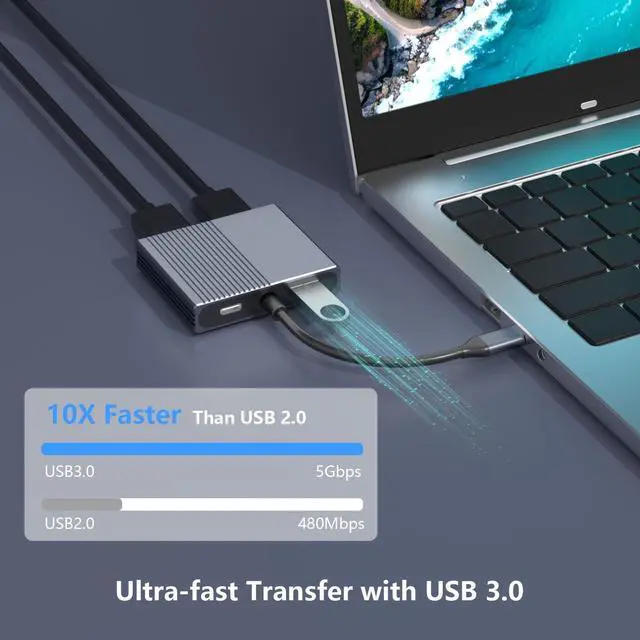
USB 3.0 port supports up to 5Gbps transfer speed, ideal for connecting keyboards, mouse, flash drives, and other USB devices.

Compact Dual HDMI Design
Slim and portable 1 IN 2 OUT dual hdmi adapter for 2 monitors, easy to carry and convenient for multi-screen setup anywhere.