You’re seeing this ad based on the product’s relevance to your search query. If you are a seller and want to participate in this program click here to learn more.
65W Switch Dock with 4K@120Hz HDMI, 65W PD Fast Charging, USB A Port, USB C TV Docking Station Compatible with Switch/Steam Deck/ROG Ally/Samsung/iPad/MacBook and More - OmniCentro Charger Dock
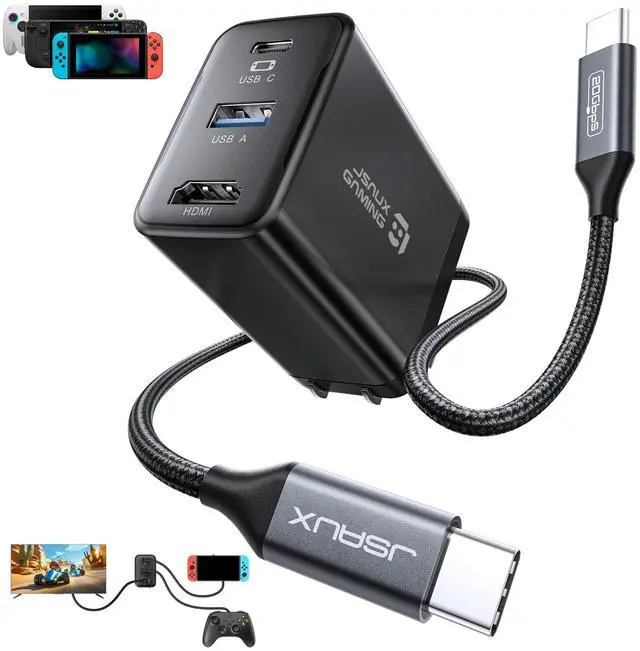
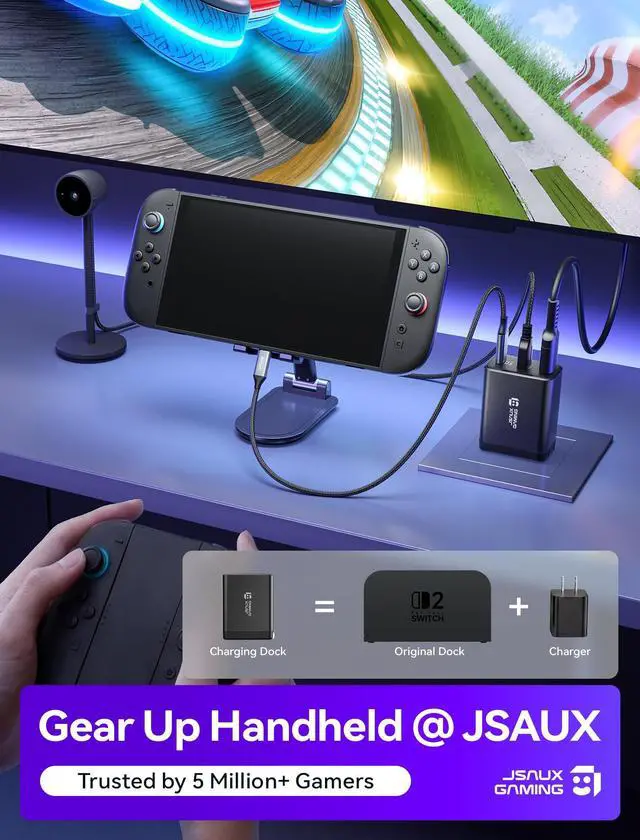
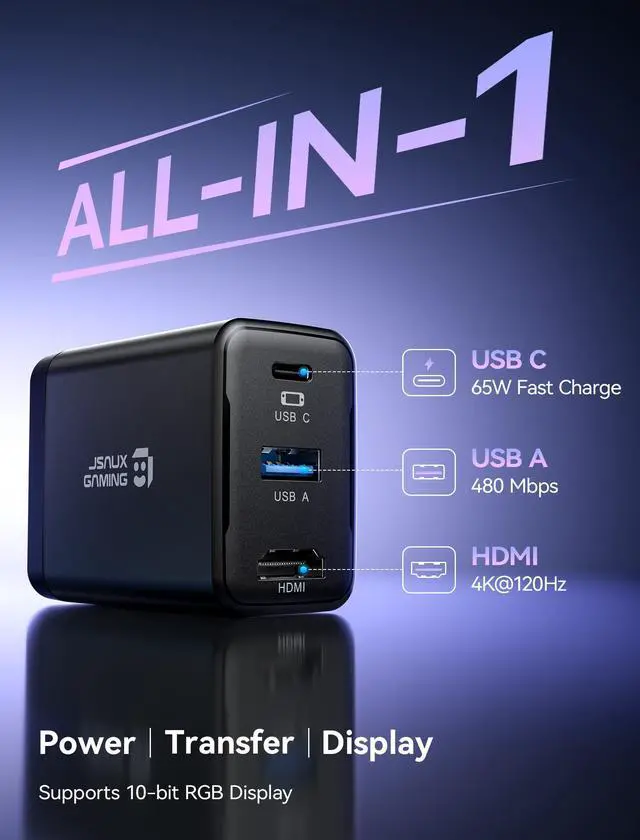
4 in 1 TV Dock for SwitchOne compact charging dock brings 4K@120Hz HDMI video output, USB A 2.0 data transfer, and 65W PD fast charging together in one device. Plug in your Switch or other gaming handhelds to enjoy big screen play and connect accessories without extra adapters or a bulky original dock
4K@120Hz HDMIBring your games to the big screen with 4K@120Hz output and crisp, smooth visuals on your TV. For Switch, cast to your TV in seconds and jump into TV mode anytime. Note: For Switch, video output is limited to 4K@60Hz due to official system limitations
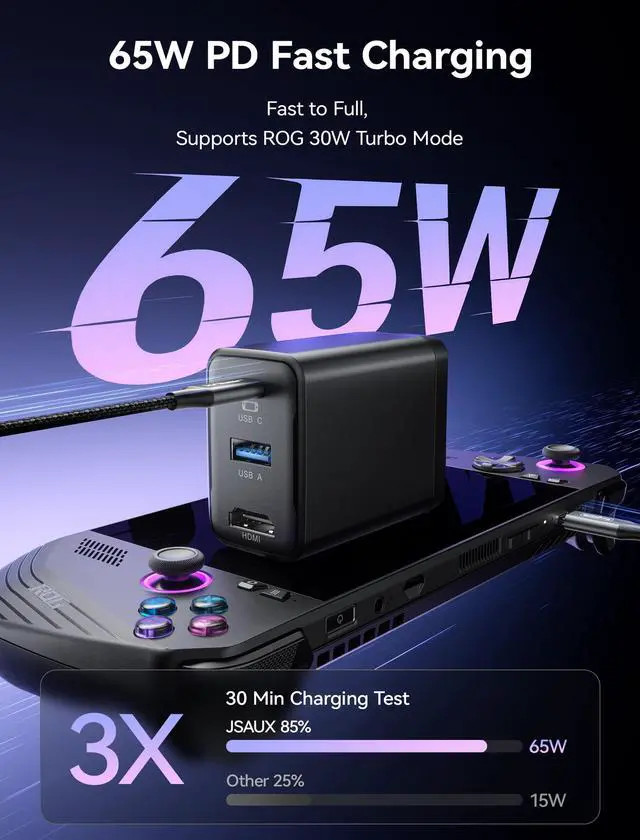
65W PD Fast Charging While You PlayWith up to 65W USB C PD output, this dock keeps your Switch charging fast in TV mode while you play. It can also charge phones, tablets, Steam Deck, ROG Ally, and USB C laptops, so one compact charger covers work, gaming, and travel
USB A 2.0 PortThe USB A 2.0 port supports up to 480 Mbps data transfer and 5V 0.6A output, ideal for keyboards, USB wireless receivers or drives, so your Switch can easily manage game data and connect compatible accessories. Note: The Switch doesnt support third party controllers. We recommend using the Switch Pro Controller, or wireless Bluetooth controllers
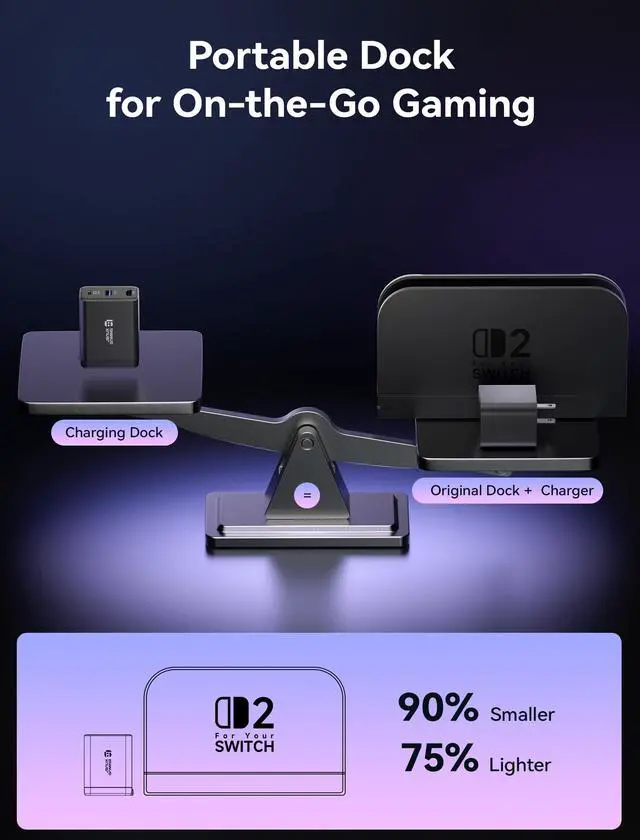
Wide Compatibility Portable DockSmaller and lighter than the original Switch dock, this 65W charger slips easily into any Switch bag and works with Switch / Steam Deck / ROG Ally / Samsung DeX / iPad / MacBook and more, so you can travel light and still enjoy TV mode gaming anywhere
Sponsored
You’re seeing this ad based on the product’s relevance to your search query. If you are a seller and want to participate in this program click here to learn more.
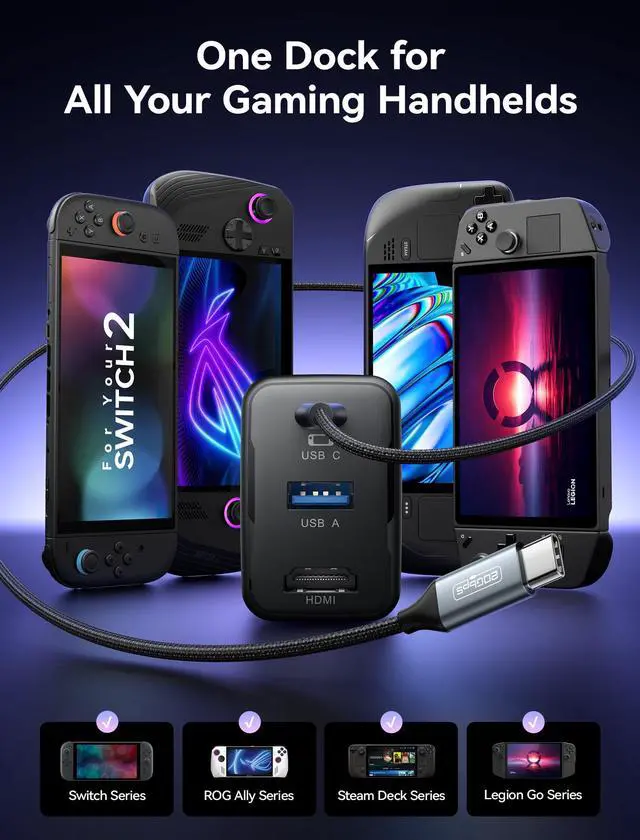
For Switch / ROG Ally X / ROG Ally / ROG Xbox Ally X / ROG Xbox Ally / Steam Deck OLED / Steam Deck LCD / Legion Go / Legion Go S / Legion Go 2
USB C Port
Supports PD fast charging up to 65W and functional expansion for all USB C devices
HDMI Output
Supports up to 4K@120Hz output with 18Gbps bandwidth via HDMI 2.0. Backward compatible with HDMI 2.0b / 1.4 / 1.3 / 1.2 / 1.1. Note: Due to official system limitations, Switch supports up to 4K@60Hz output in TV mode
USB A Output
Supports data transfer up to 480Mbps and power output 5V/1A
Power Output (USB C)
Supports PD fast charging up to 65W for compatible devices
Power Output (USB A)
Provides up to 3W power output for peripherals
Power Output (Simultaneous)
USB C up to 62W and USB A up to 3W, total up to 65W
Video Output
4K@120Hz / 4K@60Hz / 2K@120Hz
Turbo Mode Support
ROG Ally up to 25W Turbo Mode, ROG Ally X up to 30W Turbo Mode, ROG Xbox Ally up to 20W Turbo Mode, ROG Xbox Ally X up to 30W Turbo Mode
Note
Charging is limited to 30W - the same as the official dock. ( For Switch 2 TV mode requires a 65W charger to enable HDMI display - OmniCentro Charger Dock delivers 65W PD )
Note
For Switch 2 the video output is limited to 4K@60Hz due to the official system limitations
Note
Please use a USB C to USB C PD charging cable. ( USB A to USB C cables may not provide sufficient power, which can prevent the device from charging or disable video output )
Note
We recommend using a Bluetooth wireless controller for a stable connection. ( For Switch third party wired controllers are not supported )
Note
To enable Turbo Mode on ROG Ally, connect the dock to the handheld first, then plug in HDMI and USB peripherals. ( If peripherals are connected first, they may draw power and prevent the handheld from entering Turbo Mode )
Note
For the best performance, we recommend using the included USB C to USB C cable. If a longer cable is needed, please use a full featured USB C to USB C cable that supports USB4 and video output.
Note
Please connect the cable to the bottom USB C port. On Switch, video output is supported only through the bottom port
OmniCentro Charger Dock for Switch
65W Switch Dock with 4K HDMI
Compatibility
For Switch / ROG Ally X / ROG Ally / ROG Xbox Ally X / ROG Xbox Ally / Steam Deck OLED / Steam Deck LCD / Legion Go / Legion Go S / Legion Go 2
USB C Port
Supports PD fast charging up to 65W and functional expansion for all USB C devices
HDMI Output
Supports up to 4K@120Hz output with 18Gbps bandwidth via HDMI 2.0. Backward compatible with HDMI 2.0b / 1.4 / 1.3 / 1.2 / 1.1. Note: Due to official system limitations, Switch supports up to 4K@60Hz output in TV mode
USB A Output
Supports data transfer up to 480Mbps and power output 5V/1A
Power Output (USB C)
Supports PD fast charging up to 65W for compatible devices
Power Output (USB A)
Provides up to 3W power output for peripherals
Power Output (Simultaneous)
USB C up to 62W and USB A up to 3W, total up to 65W
Video Output
4K@120Hz / 4K@60Hz / 2K@120Hz
Turbo Mode Support
ROG Ally up to 25W Turbo Mode, ROG Ally X up to 30W Turbo Mode, ROG Xbox Ally up to 20W Turbo Mode, ROG Xbox Ally X up to 30W Turbo Mode
Note
Charging is limited to 30W - the same as the official dock. ( For Switch 2 TV mode requires a 65W charger to enable HDMI display - OmniCentro Charger Dock delivers 65W PD )
Note
For Switch 2 the video output is limited to 4K@60Hz due to the official system limitations
Note
Please use a USB C to USB C PD charging cable. ( USB A to USB C cables may not provide sufficient power, which can prevent the device from charging or disable video output )
Note
We recommend using a Bluetooth wireless controller for a stable connection. ( For Switch third party wired controllers are not supported )
Note
To enable Turbo Mode on ROG Ally, connect the dock to the handheld first, then plug in HDMI and USB peripherals. ( If peripherals are connected first, they may draw power and prevent the handheld from entering Turbo Mode )
Note
For the best performance, we recommend using the included USB C to USB C cable. If a longer cable is needed, please use a full featured USB C to USB C cable that supports USB4 and video output.
Note
Please connect the cable to the bottom USB C port. On Switch, video output is supported only through the bottom port
65W Switch Dock with 4K@120Hz HDMI, 65W PD Fast Charging, USB A Port, USB C TV Docking Station Compatible with Switch/Steam Deck/ROG Ally/Samsung/iPad/MacBook and More - OmniCentro Charger Dock
Learn more about the Detailed Specifications
Model
Brand
Belkin
Details
Color
Black
Ports Spec
1 x USB 2.0
Features
Features
4, Black
Additional Information
First Listed on Newegg
June 20, 2026
There are no reviews yet.
Do you own this product?
Warranty & Returns
Warranty, Returns, And Additional Information
Warranty
Please contact the Seller directly for warranty information. Warranty information may also be found on the Manufacturer's website.