

Your Browsing History



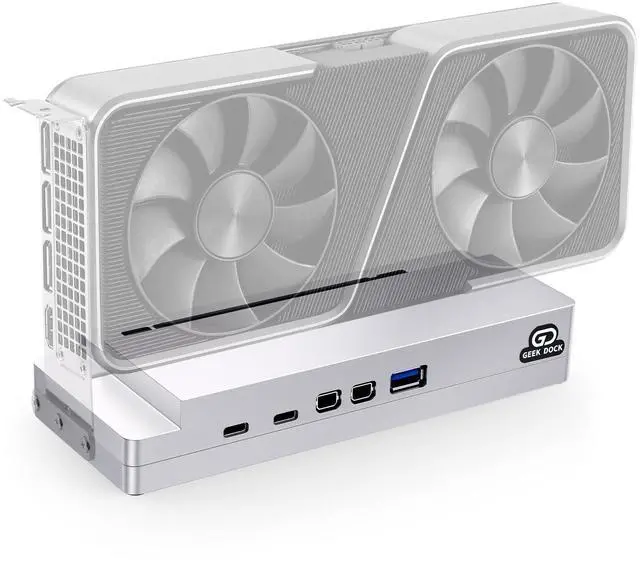


Mini eGPU Dock with CNC Casing Compatible with Thunderbolt 3/4/USB4 and NVIDIA/AMD/PCIe,External GPU Enclosure Dock Station with Mini DP1.4,Support PD 100W Charging,Daisy Chain and DC/ATX/SFX
Limited time offer, ends 08/04 By Ceelys Store
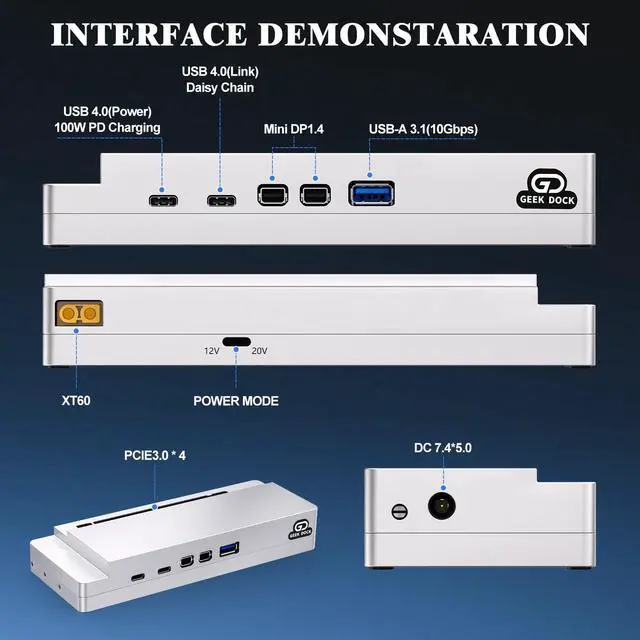
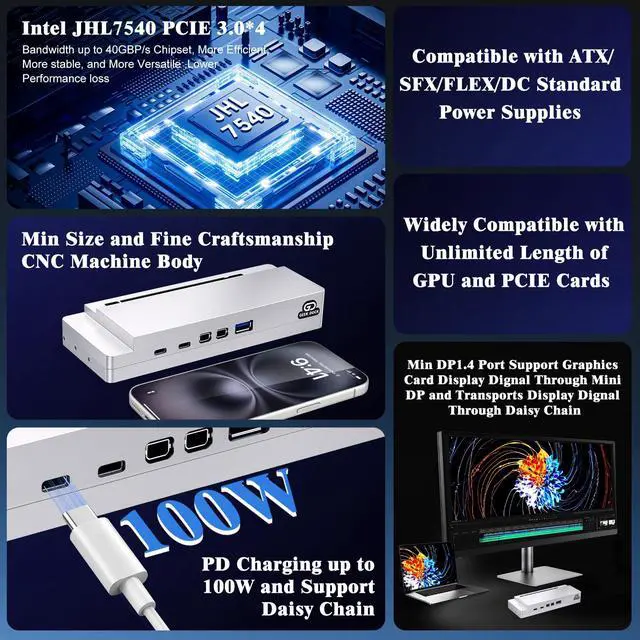
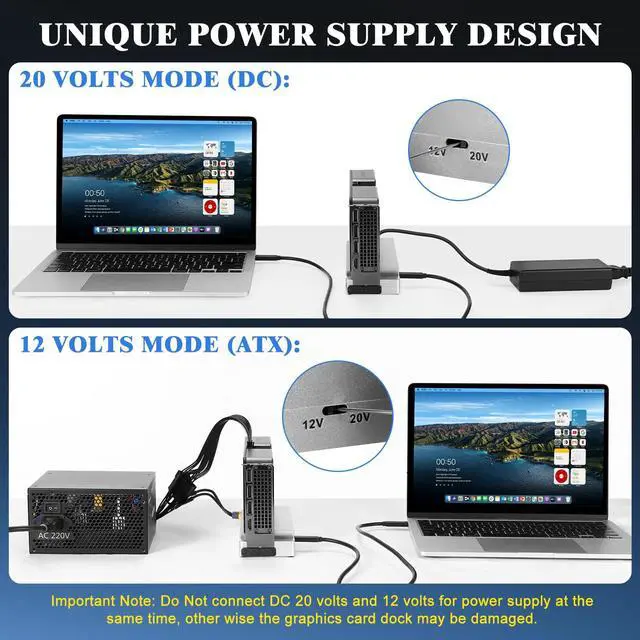
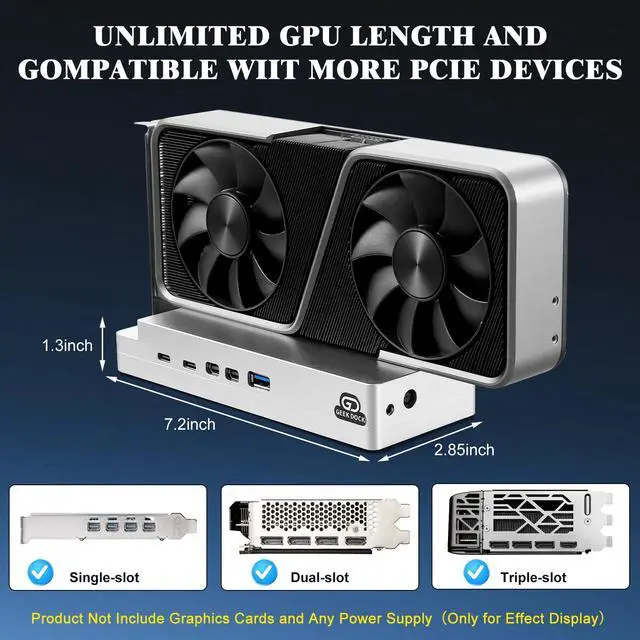
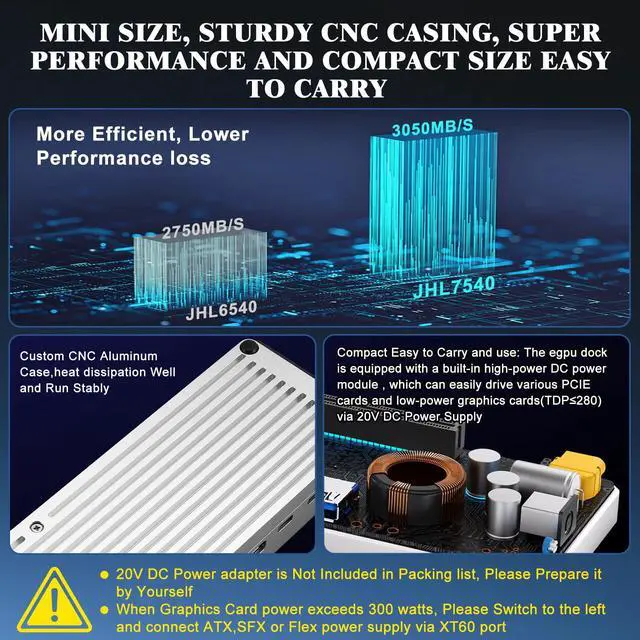
- Important Notes: 1. This eGPU dock requires certain software and hardware knowledge of computers and also involves driver and hardware compatibility settings. 2. The eGPU enclosure only supports Thunderbolt 3/4 or USB4 ports on your laptop or other devices. Otherwise, it will not function. Please verify your computer or device's port before purchasing this product. 3. For Windows systems, please install or update to the latest version of the Windows 11 operating system. For graphics card and power supply, please consult the product description or user manual. Powerful Performance: The Thunderbolt eGPU dock is equipped with an Intel JHL7540 chip, offering low loss and delivering a stable and efficient expansion experience. It enables 32Gbps data transfer via PCIe 3.0 x4 and can easily manage high-performance gaming, AI training, and 3D modeling. Key Feature: This eGPU dock is equipped with a built-in high-power DC power module, which can easily drive low-power graphics cards (TDP 280W, below 300 watts) and various PCIe cards via a 20V DC power supply. It makes your desktop setup simpler and convenient to carry. Please prepare a DC 20V/16.5A (330W) AC to DC adapter yourself if using DC power supply. Daisy Chain Support: The external GPU dock supports daisy chaining for excellent performance and can connect multiple devices in series with one USB4 cable, enabling efficient expansion and simplified desktop management. The eGPU docking station is equipped with one USB-A port wit
+
+
Overview
Specs
Reviews

Any questions? Our AI beta will help you find out quickly.
Try me now
Important Notes: 1. This eGPU dock requires certain software and hardware knowledge of computers and also involves driver and hardware compatibility settings. 2. The eGPU enclosure only supports Thunderbolt 3/4 or USB4 ports on your laptop or other devices. Otherwise, it will not function. Please verify your computer or device's port before purchasing this product. 3. For Windows systems, please install or update to the latest version of the Windows 11 operating system. For graphics card and power supply, please consult the product description or user manual. Powerful Performance: The Thunderbolt eGPU dock is equipped with an Intel JHL7540 chip, offering low loss and delivering a stable and efficient expansion experience. It enables 32Gbps data transfer via PCIe 3.0 x4 and can easily manage high-performance gaming, AI training, and 3D modeling. Key Feature: This eGPU dock is equipped with a built-in high-power DC power module, which can easily drive low-power graphics cards (TDP 280W, below 300 watts) and various PCIe cards via a 20V DC power supply. It makes your desktop setup simpler and convenient to carry. Please prepare a DC 20V/16.5A (330W) AC to DC adapter yourself if using DC power supply. Daisy Chain Support: The external GPU dock supports daisy chaining for excellent performance and can connect multiple devices in series with one USB4 cable, enabling efficient expansion and simplified desktop management. The eGPU docking station is equipped with one USB-A port with a 10Gbps rate and two TB3 ports. The Thunderbolt eGPU enclosure also supports PD charging up to 100W and can function as a hub for attaching external devices as needed. Unique Power Supply Design for Portability: The external GPU dock can be powered by a 12-volt or 20-volt power supply via a power mode switch. 1. For equipment requiring a power supply below 400 watts (supply = graphics card power 300W + reverse charging power 100W), power it directly via DC 20 volts. 2. For equipment requiring a power supply exceeding 300 watts, use the 12-volt power mode by connecting the eGPU dock to an ATX or Flex power supply via an XT60 to PCIe power cable. Do not connect DC 20 volts and 12 volts for power supply at the same time, as this may damage the graphics card dock. Thunderbolt to PCIe Dock: The 40Gbps eGPU enclosure can also function as a PCIe to Thunderbolt dock, allowing laptops and PC computers to connect to various PCIe data capture boards like 10GbE Ethernet cards, sound cards, and SSDs. It meets the bandwidth requirements of PCIe devices, ensuring fast and stable data transmission. Wide Application: This external GPU dock can be applied to laptops, NUCs, and game machines with USB4/TB3/TB4 interfaces. You can use the eGPU docking station to connect external graphics cards to improve gaming and computer performance
Warranty & Returns
Warranty, Returns, And Additional Information
Warranty
- Please contact the Seller directly for warranty information. Warranty information may also be found on the Manufacturer's website.
- CONTACT
Return Policies
- Return for refund within: 30 days
- Return for replacement within: 30 days
- This item is covered by Ceelys Store Return Policy
Manufacturer Contact Info
- For a directory of all our manufacturers, please click below.
- Manufacturers Directory
LOADING...