

Your Browsing History



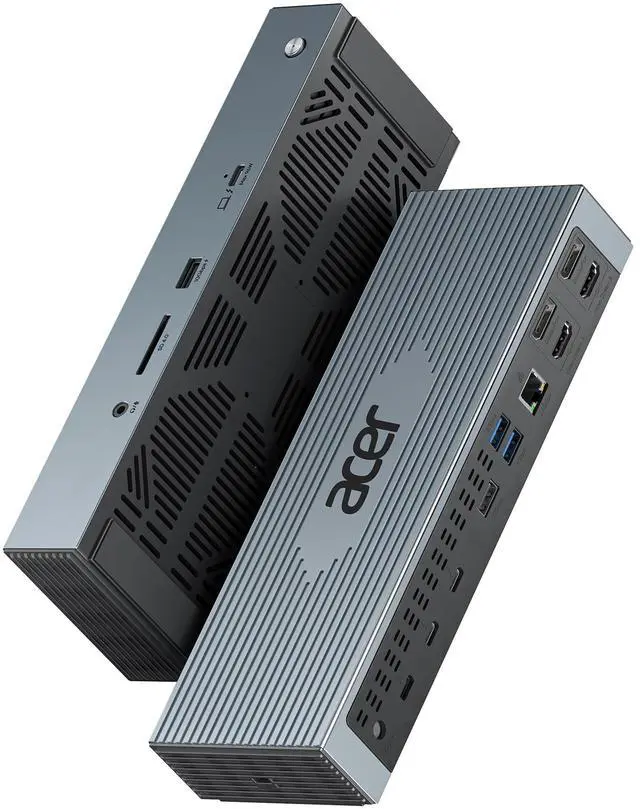


Thunderbolt 4 Dock, 16 in 1 DisplayLink Docking Station 4 Monitor, 3×TB4+2×HDMI+2×DP, Up to 8K & 40Gbps, 160W Power, 2.5G Ethernet, SD4.0, USB C Dock for MacBook Pro/Max, Dell, HP etc
Limited time offer, ends 08/24 By Eristy shop
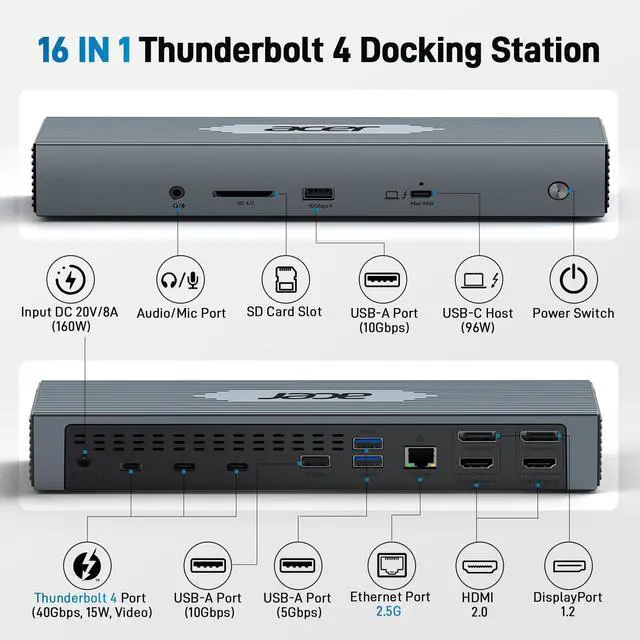
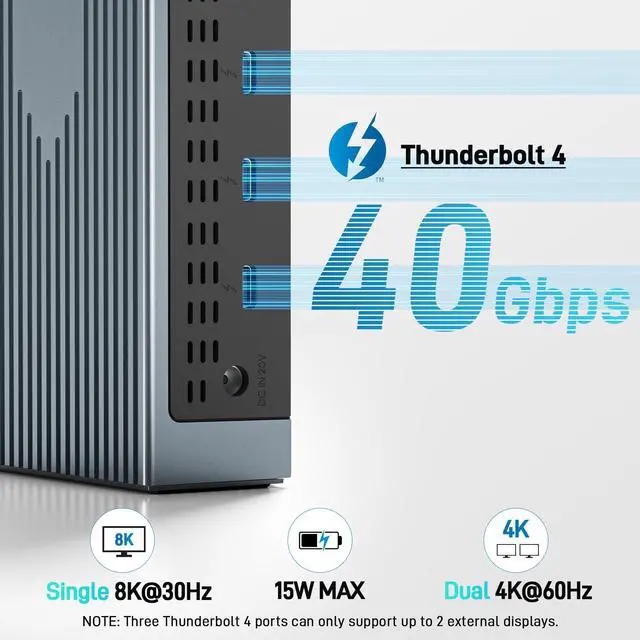
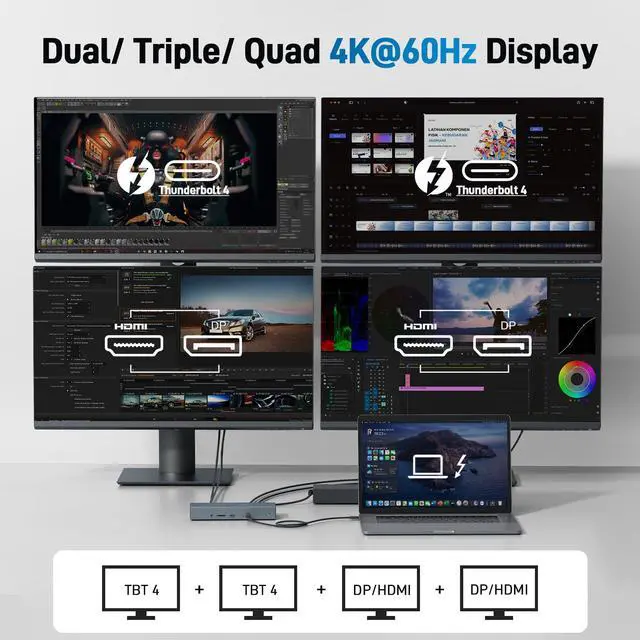
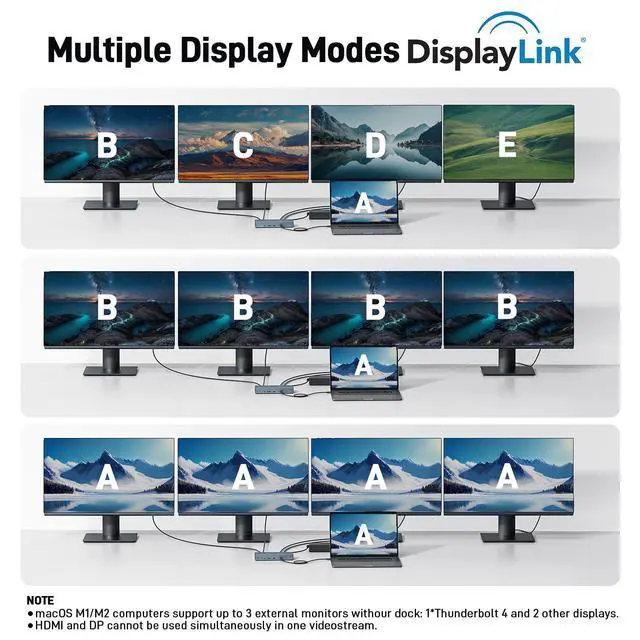
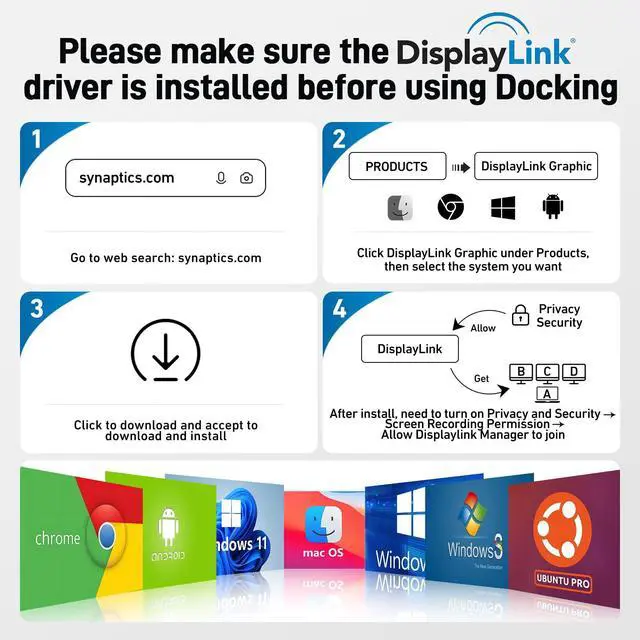
- 16-in-1 Full-Feature Thunderbolt 4 Dock: This Thunderbolt 4 dock provides three Thunderbolt 4 ports (8K@30Hz & 40Gbps), two HDMI ports (4K@60Hz), two DisplayPort ports (4K@60Hz), two USB-A ports (10Gbps), two USB-A ports (5Gbps), a 2.5G Ethernet port, an SD4.0 card reader (312MB/s), an audio/mic port, a USB-C Host port (PD 96W), and an Input 160W DC power port, delivering high performance and versatile connectivity. Note: Please download the latest DisplayLink driver before using the dock. Single 8K or Quad 4K@60Hz Display: The Thunderbolt 4 docking station supports a single 8K@30Hz display or up to four 4K@60Hz displays. Note: Ensure your laptop supports DP Alt Mode and has sufficient bandwidth for four 4K@60Hz monitors; otherwise, display performance may be reduced. Fast 40Gbps Data Transfer: This dock includes three Thunderbolt 4 ports supporting ultra-fast 40Gbps data transfer, enabling you to move large files in seconds. It also contains 2× USB-A 3.2 (10Gbps) and 2× USB-A 3.0 (5Gbps) ports for versatile connectivity, while the built-in SD 4.0 card reader offers transfer speeds up to 312MB/s. 160W Super Power Adapter: The laptop docking station comes with a robust 160W adapter, supplying reliable power for any Thunderbolt or USB-C host device. The USB-C host port provides up to 96W PD to charge the connected laptop (host device) only. Note: Ensure your laptops USB-C port supports the PD protocol to enable high-speed charging. Note: The dock requires you to press the powe
+
+
Overview
Specs
Reviews

Any questions? Our AI mode will help you find out quickly.
Try me now
16-in-1 Full-Feature Thunderbolt 4 Dock: This Thunderbolt 4 dock provides three Thunderbolt 4 ports (8K@30Hz & 40Gbps), two HDMI ports (4K@60Hz), two DisplayPort ports (4K@60Hz), two USB-A ports (10Gbps), two USB-A ports (5Gbps), a 2.5G Ethernet port, an SD4.0 card reader (312MB/s), an audio/mic port, a USB-C Host port (PD 96W), and an Input 160W DC power port, delivering high performance and versatile connectivity. Note: Please download the latest DisplayLink driver before using the dock. Single 8K or Quad 4K@60Hz Display: The Thunderbolt 4 docking station supports a single 8K@30Hz display or up to four 4K@60Hz displays. Note: Ensure your laptop supports DP Alt Mode and has sufficient bandwidth for four 4K@60Hz monitors; otherwise, display performance may be reduced. Fast 40Gbps Data Transfer: This dock includes three Thunderbolt 4 ports supporting ultra-fast 40Gbps data transfer, enabling you to move large files in seconds. It also contains 2× USB-A 3.2 (10Gbps) and 2× USB-A 3.0 (5Gbps) ports for versatile connectivity, while the built-in SD 4.0 card reader offers transfer speeds up to 312MB/s. 160W Super Power Adapter: The laptop docking station comes with a robust 160W adapter, supplying reliable power for any Thunderbolt or USB-C host device. The USB-C host port provides up to 96W PD to charge the connected laptop (host device) only. Note: Ensure your laptops USB-C port supports the PD protocol to enable high-speed charging. Note: The dock requires you to press the power button again to restart after a power loss. 2.5 Gigabit Ethernet: The Thunderbolt Dock features a 2.5Gbps Ethernet (RJ45) port for a stable, ultra-fast wired network connection, backward compatible with 1Gbps and 100Mbps devices. It also includes a 3.5mm audio/microphone jack for easy connection to headphones or microphones, ensuring crystal-clear communication and rich, immersive sound quality. Perfect DisplayLink Dock for MacBook Users: The Thunderbolt 4 Docking Station with a built-in DisplayLink chip is a great choice for MacBook users who need extended screen capability. It supports MST mode on macOS, allowing multiple external displays without limitations. To enable full multi-display functionality, please install the official DisplayLink driver. Note: Only M1/M2 Max or newer Mac models support up to 5 displays (laptop + 4 external monitors)
Warranty & Returns
Warranty, Returns, And Additional Information
Warranty
- Please contact the Seller directly for warranty information. Warranty information may also be found on the Manufacturer's website.
- CONTACT
Return Policies
- Return for refund within: 30 days
- Return for replacement within: 30 days
- This item is covered by Eristy shop Return Policy
Manufacturer Contact Info
- For a directory of all our manufacturers, please click below.
- Manufacturers Directory
LOADING...